This is the multi-page printable view of this section. Click here to print.
Advanced Solo Setup
- 1: Using Environment Variables
- 2: Network Deployments
- 2.1: One-shot Falcon Deployment
- 2.2: Falcon Values File Reference
- 2.3: Step-by-Step Manual Deployment
- 2.4: Custom Application Properties
- 2.5: Dynamically add, update, and remove Consensus Nodes
- 2.6: Consensus Node Environment Variables
- 3: Subprocess Environment Filtering
- 4: Attach JVM Debugger and Retrieve Logs
- 5: One-Shot Deploy with Custom Component Versions
- 6: Customizing Solo with Tasks
- 7: GitHub Actions CI Integration
- 8: Run Performance Tests Locally
- 9: CLI Reference
- 10: Solo Image Cache
- 11: Solo Helm Chart Cache
1 - Using Environment Variables
Overview
Solo supports a set of environment variables that let you customize its behaviour without modifying command-line flags on every run. Variables set in your shell environment take effect automatically for all subsequent Solo commands.
The variables on this page configure Solo itself. They are not the same as the
variables Solo passes on to the external tools it runs (helm, kubectl, kind).
Those are filtered by an allowlist — see
Subprocess Environment Filtering
if a variable you set is not reaching one of those tools.
Setting environment variables
How you set a variable depends on your shell. Use the tab for your platform:
# For a single command only
CONSENSUS_NODE_VERSION=v0.73.0 solo one-shot single deploy

# For the current session
export CONSENSUS_NODE_VERSION=v0.73.0

# Persist across sessions (add to ~/.bashrc or ~/.zshrc)
echo 'export CONSENSUS_NODE_VERSION=v0.73.0' >> ~/.zshrc
# For the current session
$env:CONSENSUS_NODE_VERSION = 'v0.73.0'

# Persist for your user (all future sessions)
[System.Environment]::SetEnvironmentVariable('CONSENSUS_NODE_VERSION', 'v0.73.0', 'User')

# Or add it to your PowerShell profile
Add-Content $PROFILE '$env:CONSENSUS_NODE_VERSION = "v0.73.0"'
Tip: Variables set in your shell environment (or persisted as shown above) take effect automatically for all subsequent Solo commands.
General
| Environment Variable | Description | Default Value |
|---|---|---|
SOLO_HOME | Path to the Solo cache and log files | ~/.solo |
SOLO_CACHE_DIR | Path to the Solo cache directory | ~/.solo/cache |
SOLO_LOG_LEVEL | Logging level for Solo operations. Accepted values: trace, debug, info, warn, error | info |
SOLO_DEV_OUTPUT | Treat all commands as if the --debug flag were specified (--debug was formerly --dev) | false |
SOLO_CHAIN_ID | Chain ID of the Solo network | 298 |
FORCE_PODMAN | Force the use of Podman as the container engine when creating a new local cluster. Accepted values: true, false | false |
Network and Node Identity
| Environment Variable | Description | Default Value |
|---|---|---|
DEFAULT_START_ID_NUMBER | Raw node ID number for the first consensus node. The first node account ID is resolved as 0.0.<DEFAULT_START_ID_NUMBER> | 3 |
SOLO_NODE_INTERNAL_GOSSIP_PORT | Internal gossip port used by the Hiero network | 50111 |
SOLO_NODE_EXTERNAL_GOSSIP_PORT | External gossip port used by the Hiero network | 50111 |
SOLO_NODE_DEFAULT_STAKE_AMOUNT | Default stake amount for a node | 500 |
GRPC_PORT | Local port-forward for consensus node gRPC. Default is 35211 for Solo 0.63+ (changed from 50211 to avoid Windows ephemeral-port conflicts). See Port availability. | 35211 |
LOCAL_NODE_START_PORT | Local node start port for the Solo network | 30212 |
Operator and Key Configuration
| Environment Variable | Description | Default Value |
|---|---|---|
SOLO_OPERATOR_ID | Operator account ID for the Solo network | 0.0.2 |
SOLO_OPERATOR_KEY | Operator private key for the Solo network | 302e020100... |
SOLO_OPERATOR_PUBLIC_KEY | Operator public key for the Solo network | 302a300506... |
FREEZE_ADMIN_ACCOUNT | Freeze admin account ID for the Solo network | 0.0.58 |
GENESIS_KEY | Genesis private key for the Solo network | 302e020100... |
Note: Full key values are omitted above for readability. Refer to the source defaults for complete key strings.
Node Client Behaviour
| Environment Variable | Description | Default Value |
|---|---|---|
NODE_CLIENT_MIN_BACKOFF | Minimum wait time between retries, in milliseconds | 1000 |
NODE_CLIENT_MAX_BACKOFF | Maximum wait time between retries, in milliseconds | 1000 |
NODE_CLIENT_REQUEST_TIMEOUT | Time a transaction or query retries on a “busy” network response, in milliseconds | 600000 |
NODE_CLIENT_MAX_ATTEMPTS | Maximum number of attempts for node client operations | 600 |
NODE_CLIENT_SDK_PING_MAX_RETRIES | Maximum number of retries for node health pings | 5 |
NODE_CLIENT_SDK_PING_RETRY_INTERVAL | Interval between node health ping retries, in milliseconds | 10000 |
NODE_COPY_CONCURRENT | Number of concurrent threads used when copying files to a node | 4 |
EXPERIMENTAL_COPY_WRAPS_LIB_IN_PARALLEL | Copy the WRAPS proving-key library to every consensus node concurrently during solo network deploy, instead of one node at a time. Concurrent copies finish faster on a network deploy with many nodes and ample bandwidth, but can saturate a constrained connection when several multi-hundred-megabyte copies run at once. Accepted values: true, false | false |
LOCAL_BUILD_COPY_RETRY | Number of retries for local build copy operations | 3 |
ACCOUNT_UPDATE_BATCH_SIZE | Number of accounts to update in a single batch operation | 10 |
Pod and Network Readiness
| Environment Variable | Description | Default Value |
|---|---|---|
PODS_RUNNING_MAX_ATTEMPTS | Maximum number of attempts to check if pods are running | 900 |
PODS_RUNNING_DELAY | Interval between pod running checks, in milliseconds | 1000 |
PODS_READY_MAX_ATTEMPTS | Maximum number of attempts to check if pods are ready | 300 |
PODS_READY_DELAY | Interval between pod ready checks, in milliseconds | 2000 |
NETWORK_NODE_ACTIVE_MAX_ATTEMPTS | Maximum number of attempts to check if network nodes are active | 300 |
NETWORK_NODE_ACTIVE_DELAY | Interval between network node active checks, in milliseconds | 1000 |
NETWORK_NODE_ACTIVE_TIMEOUT | Maximum wait time for network nodes to become active, in milliseconds | 1000 |
NETWORK_PROXY_MAX_ATTEMPTS | Maximum number of attempts to check if the network proxy is running | 300 |
NETWORK_PROXY_DELAY | Interval between network proxy checks, in milliseconds | 2000 |
NETWORK_DESTROY_WAIT_TIMEOUT | Maximum wait time for network teardown to complete, in milliseconds | 120 |
STATE_DOWNLOAD_STABLE_MAX_ATTEMPTS | Maximum number of attempts to check whether a consensus node’s saved state has stopped changing on disk, before solo consensus state download archives it and before solo consensus network freeze stops the nodes | 180 |
STATE_DOWNLOAD_STABLE_DELAY | Interval between saved state stability checks, in milliseconds | 2000 |
STATE_DOWNLOAD_STABLE_POLLS_REQUIRED | Number of consecutive checks that must report an unchanged saved state before it is treated as stable | 3 |
Block Node
| Environment Variable | Description | Default Value |
|---|---|---|
BLOCK_NODE_PODS_RUNNING_MAX_ATTEMPTS | Maximum number of attempts to check if block node pods are running | 900 |
BLOCK_NODE_PODS_RUNNING_DELAY | Interval between block node pod running checks, in milliseconds | 1000 |
BLOCK_NODE_ACTIVE_MAX_ATTEMPTS | Maximum number of attempts to check if block nodes are active | 100 |
BLOCK_NODE_ACTIVE_DELAY | Interval between block node active checks, in milliseconds | 60 |
BLOCK_NODE_ACTIVE_TIMEOUT | Maximum wait time for block nodes to become active, in milliseconds | 60 |
BLOCK_STREAM_STREAM_MODE | The blockStream.streamMode value in consensus node application properties. Only applies when a Block Node is deployed | BOTH |
BLOCK_STREAM_WRITER_MODE | The blockStream.writerMode value in consensus node application properties. Only applies when a Block Node is deployed | FILE_AND_GRPC |
Relay Node
| Environment Variable | Description | Default Value |
|---|---|---|
RELAY_PODS_RUNNING_MAX_ATTEMPTS | Maximum number of attempts to check if relay pods are running | 900 |
RELAY_PODS_RUNNING_DELAY | Interval between relay pod running checks, in milliseconds | 1000 |
RELAY_PODS_READY_MAX_ATTEMPTS | Maximum number of attempts to check if relay pods are ready | 100 |
RELAY_PODS_READY_DELAY | Interval between relay pod ready checks, in milliseconds | 1000 |
Mirror Node
| Environment Variable | Description | Default Value |
|---|---|---|
DISABLE_IMPORTER_SPRING_PROFILES | Disable automatic configuration of Mirror Node importer Spring profiles for block-node integration. | false |
SPRING_PROFILES_ACTIVE | Spring profiles to use for the Mirror Node importer when automatic importer profile configuration is enabled. | blocknode |
MIRROR_NODE_SCHEMA_READY_MAX_ATTEMPTS | Maximum number of attempts to check if the Mirror Node database schema has been built (signalled by importer pod readiness) | 900 |
MIRROR_NODE_SCHEMA_READY_DELAY | Interval between Mirror Node database schema checks, in milliseconds | 2000 |
MIRROR_NODE_IMPORTER_DETECT_MAX_ATTEMPTS | Maximum number of attempts to detect a running Mirror Node importer pod. If no importer pod is found, the database schema wait is skipped | 15 |
MIRROR_NODE_IMPORTER_DETECT_DELAY | Interval between Mirror Node importer pod detection attempts, in milliseconds | 2000 |
MIRROR_NODE_CHART_UPGRADE_MAX_ATTEMPTS | Maximum number of attempts to install or upgrade the Mirror Node Helm chart before failing. Retries ride out transient Kubernetes API server outages | 3 |
MIRROR_NODE_CHART_UPGRADE_RETRY_DELAY_SECS | Delay between Mirror Node Helm chart install/upgrade attempts, in seconds | 15 |
Load Balancer
| Environment Variable | Description | Default Value |
|---|---|---|
LOAD_BALANCER_CHECK_DELAY_SECS | Delay between load balancer status checks, in seconds | 5 |
LOAD_BALANCER_CHECK_MAX_ATTEMPTS | Maximum number of attempts to check load balancer status | 60 |
Lease Management
| Environment Variable | Description | Default Value |
|---|---|---|
SOLO_LEASE_ACQUIRE_ATTEMPTS | Number of attempts to acquire a lock before failing | 10 |
SOLO_LEASE_DURATION | Duration in seconds for which a lock is held before expiration | 20 |
Component Versions
| Environment Variable | Description |
|---|---|
CONSENSUS_NODE_VERSION | Release version of the Consensus Node to use |
BLOCK_NODE_VERSION | Release version of the Block Node to use |
MIRROR_NODE_VERSION | Release version of the Mirror Node to use |
EXPLORER_VERSION | Release version of the Explorer to use |
RELAY_VERSION | Release version of the JSON-RPC Relay to use |
INGRESS_CONTROLLER_VERSION | Release version of the HAProxy Ingress Controller to use |
SOLO_CHART_VERSION | Release version of the Solo Helm charts to use |
SOLO_CHEETAH_VERSION | Image version for the solo-deployment chart’s Cheetah component |
SOLO_CONTAINERS_VERSION | Image version for the solo-deployment chart’s Solo containers component |
MINIO_OPERATOR_VERSION | Release version of the MinIO Operator to use |
PROMETHEUS_STACK_VERSION | Release version of the Prometheus Stack to use |
GRAFANA_ALLOY_VERSION | Helm chart version of Grafana Alloy installed by solo cluster-ref config setup --grafana-alloy |
LOKI_VERSION | Helm chart version of the Loki log store installed by solo cluster-ref config setup --grafana-alloy |
GRAFANA_PODLOGS_CRD_VERSION | Grafana Alloy release tag the PodLogs custom resource definition is fetched from during solo network deploy --enable-monitoring-support |
Tip: To pin component versions for a
solo one-shot single deploy, prefix the command with these variables. See the One-Shot Deployment section below for an example.
Edge Component Versions
These variables only take effect when solo one-shot single deploy or
solo one-shot multi deploy is invoked with the --edge flag (solo one-shot falcon deploy does not accept --edge in v0.72.0). They let you point a
one-shot deploy at arbitrary component tags — release candidates,
pre-releases, or any other tag the component’s registry exposes — without
rebuilding Solo.
| Component | Environment Variable | Falls back to |
|---|---|---|
| Consensus Node | CONSENSUS_NODE_EDGE_VERSION | CONSENSUS_NODE_VERSION |
| Mirror Node | MIRROR_NODE_EDGE_VERSION | MIRROR_NODE_VERSION |
| JSON-RPC Relay | RELAY_EDGE_VERSION | RELAY_VERSION |
| Explorer | EXPLORER_EDGE_VERSION | EXPLORER_VERSION |
| Block Node | BLOCK_NODE_EDGE_VERSION | BLOCK_NODE_VERSION |
| Solo Chart | SOLO_CHART_EDGE_VERSION | SOLO_CHART_VERSION |
Set only the variables for components you want to override; the rest use their
compiled-in edge defaults. Without --edge, every *_EDGE_VERSION variable is
ignored.
For full usage, examples, version-format rules, and troubleshooting, see One-Shot Deploy with Custom Component Versions.
Helm Chart URLs
| Environment Variable | Description | Default Value |
|---|---|---|
JSON_RPC_RELAY_CHART_URL | Helm chart repository URL for the JSON-RPC Relay | https://hiero-ledger.github.io/hiero-json-rpc-relay/charts |
MIRROR_NODE_CHART_URL | Helm chart repository URL for the Mirror Node | https://hashgraph.github.io/hedera-mirror-node/charts |
EXPLORER_CHART_URL | Helm chart repository URL for the Explorer | oci://ghcr.io/hiero-ledger/hiero-mirror-node-explorer/hiero-explorer-chart |
INGRESS_CONTROLLER_CHART_URL | Helm chart repository URL for the ingress controller | https://haproxy-ingress.github.io/charts |
PROMETHEUS_OPERATOR_CRDS_CHART_URL | Helm chart repository URL for the Prometheus Operator CRDs | https://prometheus-community.github.io/helm-charts |
GRAFANA_ALLOY_CHART_URL | Helm chart repository URL for Grafana Alloy | https://grafana.github.io/helm-charts |
LOKI_CHART_URL | Helm chart repository URL for Loki | https://grafana.github.io/helm-charts |
NETWORK_LOAD_GENERATOR_CHART_URL | Helm chart repository URL for the Network Load Generator | oci://swirldslabs.jfrog.io/load-generator-helm-release-local |
Network Load Generator
| Environment Variable | Description | Default Value |
|---|---|---|
NETWORK_LOAD_GENERATOR_CHART_VERSION | Release version of the Network Load Generator Helm chart to use | v0.7.0 |
NETWORK_LOAD_GENERATOR_PODS_RUNNING_MAX_ATTEMPTS | Maximum number of attempts to check if Network Load Generator pods are running | 900 |
NETWORK_LOAD_GENERATOR_POD_RUNNING_DELAY | Interval between Network Load Generator pod running checks, in milliseconds | 1000 |
One-Shot Deployment
| Environment Variable | Description | Default Value |
|---|---|---|
ONE_SHOT_WITH_BLOCK_NODE | Deploy Block Node as part of a one-shot deployment | false |
MIRROR_NODE_PINGER_TPS | Transactions per second for the Mirror Node monitor pinger. Set to 0 to disable | 5 |
CONSENSUS_NODE_EDGE_VERSION | Edge (newer-than-default) consensus node version used by --edge in one-shot deploys. Falls back to CONSENSUS_NODE_VERSION. | v0.74.0-rc.1 |
MIRROR_NODE_EDGE_VERSION | Edge mirror node version used by --edge in one-shot deploys. Falls back to MIRROR_NODE_VERSION. | v0.153.1 |
EXPLORER_EDGE_VERSION | Edge explorer version used by --edge in one-shot deploys. Falls back to EXPLORER_VERSION. | 26.0.0 |
RELAY_EDGE_VERSION | Edge relay version used by --edge in one-shot deploys. Falls back to RELAY_VERSION. | 0.76.2 |
BLOCK_NODE_EDGE_VERSION | Edge block node version used by --edge in one-shot deploys. Falls back to BLOCK_NODE_VERSION. | 0.31.0 |
Pinning Component Versions
solo one-shot single deploy does not yet expose CLI flags for pinning
individual component versions. To run a one-shot deployment against specific
releases, prefix the command with the
Component Versions environment variables:
CONSENSUS_NODE_VERSION=v0.73.0 MIRROR_NODE_VERSION=v0.153.1 solo one-shot single deploy
Any of the *_VERSION variables listed in
Component Versions can be combined in the same command
to pin multiple components at once.
Note:
- This is the current recommended approach for version pinning in one-shot deployments.
- CLI flags for version overrides on
one-shotare planned for Q2 — tracked in hiero-ledger/solo#4242.- Environment variables will remain valid for one-off overrides after the CLI flags land, so the form above will continue to work.
Image Cache
Solo caches the container images it deploys as local archives to speed up
repeat deployments. The cache is enabled by default; these variables disable it
per context. See Solo Image Cache for
the full feature and the solo cache image commands.
| Environment Variable | Description | Default |
|---|---|---|
ENABLE_IMAGE_CACHE | Set to false to disable the image cache during solo one-shot deploys. Requires Solo v0.78.0 or later (earlier releases have an inverted-logic bug in this flag). | enabled |
SOLO_NO_CACHE | Set to true to skip the image pull during an npm global install. | enabled |
HOMEBREW_NO_SOLO_CACHE | Set to any value to skip the image pull during a Homebrew install. | enabled |
CACHE_IMAGE_MAX_CONCURRENCY | Max concurrent image cache pull/load operations | 12 |
Note: The cached component versions follow the same environment-variable mechanism as Pinning Component Versions above - the
*_VERSIONenvironment variables affect the images the cache pulls, but the--*-versionCLI flags do not.
2 - Network Deployments
2.1 - One-shot Falcon Deployment
Overview
One-shot Falcon deployment is Solo’s YAML-driven one-shot workflow. It uses the same core
deployment pipeline as solo one-shot single deploy, but lets you inject
component-specific flags through a single values file.
Use One-shot Falcon deployment when you need a repeatable advanced setup, want to check a complete deployment into source control, or need to customise component flags without running every Solo command manually.
Falcon is especially useful for:
- CI/CD pipelines and automated test environments.
- Reproducible local developer setups.
- Advanced deployments that need custom chart paths, image versions, ingress, storage, TLS, or node startup options.
Important: Falcon is an orchestration layer over Solo’s standard commands. It does not introduce a separate deployment model. Solo still creates a deployment, attaches clusters, deploys the network, configures nodes, and then adds optional components such as mirror node, explorer, and relay.
Prerequisites
Before proceeding, ensure you have completed the following:
- System Readiness - your local environment meets the hardware and software requirements for Solo, Kubernetes, Docker, Kind, kubectl, and Helm.
- Quickstart -you are already familiar with the standard one-shot deployment workflow.
How Falcon Works
When you run Falcon deployment, Solo executes the same end-to-end deployment sequence used by its one-shot workflows:
- Connect to the Kubernetes cluster.
- Create a deployment and attach the cluster reference.
- Set up shared cluster components.
- Generate gossip and TLS keys.
- Deploy the consensus network and, if enabled, the block node (in parallel).
- Set up and start consensus nodes.
- Optionally, deploy mirror node, explorer, and relay in parallel for faster startup.
- Create predefined test accounts.
- Write deployment notes, versions, port-forward details, and account data to a local output directory.
The difference is that Falcon reads a YAML file and maps its top-level sections to the underlying Solo subcommands.
| Values file section | Solo subcommand invoked |
|---|---|
network | solo consensus network deploy |
setup | solo consensus node setup |
consensusNode | solo consensus node start |
mirrorNode | solo mirror node add |
explorerNode | solo explorer node add |
relayNode | solo relay node add |
blockNode | solo block node add (when ONE_SHOT_WITH_BLOCK_NODE=true) |
For the full list of supported CLI flags per section, see the
Falcon Values File Reference.
If you set network.--application-properties, see
Custom Application Properties
for the difference between Solo’s default merge mode and full overwrite mode.
Prepare a Falcon values file
Instead of authoring a values file by hand, you can use the interactive prepare wizard to generate one:
solo one-shot falcon prepare
The wizard prompts for component toggles (mirror node, explorer, relay), consensus node count, component versions, ingress, storage type, developer options, and port forwarding. All prompts have sensible defaults, so you can press Enter to accept them.
To generate a values file with all defaults (no prompts):
solo one-shot falcon prepare --quiet-mode
To specify a custom output path:
solo one-shot falcon prepare --output-values-file ./my-values.yaml
Output file location
By default, the generated file is written to ~/.solo/cache/falcon-values.yaml — a deterministic absolute path regardless of how or where Solo is invoked. You can override this with --output-values-file. The success message always prints the fully resolved path so there is no ambiguity.
- Default:
~/.solo/cache/falcon-values.yaml— always the same location. - Relative path:
--output-values-file ./configs/my-values.yaml— resolved against the current working directory (so/tmp/configs/my-values.yamlif invoked from/tmp). - Absolute path:
--output-values-file /tmp/falcon-values.yaml— written to that exact location regardless of the current working directory.
The generated file is ready to use with solo one-shot falcon deploy --values-file. For the full list of flags the wizard sets, see the Falcon Values File Reference.
Create a Falcon Values File
Create a YAML file to control every component of your Solo deployment. The file can have any name -falcon-values.yaml is used throughout this guide as a convention.
Note: Keys within each section must be the full CLI flag name including the
--prefix - for example,--release-tag, notrelease-tagor-r. Any section you omit from the file is skipped, and Solo uses the built-in defaults for that component.
Example: Single-Node Falcon Deployment
The following falcon-values.yaml example deploys a standard single-node network with mirror node,
explorer, and relay enabled:
network:
  --release-tag: "v0.71.0"
  --pvcs: false

setup:
  --release-tag: "v0.71.0"

consensusNode:
  --force-port-forward: true

mirrorNode:
  --enable-ingress: true
  --pinger: true
  --force-port-forward: true

explorerNode:
  --enable-ingress: true
  --force-port-forward: true

relayNode:
  --node-aliases: "node1"
  --force-port-forward: true
Deploy with Falcon one-shot
Run Falcon deployment by pointing Solo at the values file:
solo one-shot falcon deploy --values-file falcon-values.yaml
Solo creates a one-shot deployment, applies the values from the YAML file to the appropriate subcommands, and then deploys the full environment.
Command-Line Flags (Not in YAML File)
The following flags are passed on the command line and cannot be set in the YAML file:
--deployment,--namespace,--cluster-ref,--num-consensus-nodes
Note: --values-file specifies which YAML file to load.
--values-fileselects the YAML file to load.--deployment,--namespace,--cluster-ref, and--num-consensus-nodesare top-level one-shot inputs.
Important: Do not rely on
--deploymentinsidefalcon-values.yaml. Solo intentionally ignores--deploymentvalues from section content during Falcon argument expansion. Set the deployment name on the command line if you need a specific name.
Tip: When not specified, Falcon uses these defaults:
--deployment one-shot,--namespace one-shot,--cluster-ref one-shot, and--num-consensus-nodes 1. Pass any of these explicitly on the command line to override them.
Example:
solo one-shot falcon deploy \
  --deployment falcon-demo \
  --cluster-ref one-shot \
  --values-file falcon-values.yaml
Multi-Node Falcon Deployment
For multiple consensus nodes, set the node count on the Falcon command and then provide matching per-node settings where required.
Example:
solo one-shot falcon deploy \
  --deployment falcon-multi \
  --num-consensus-nodes 3 \
  --values-file falcon-values.yaml
Example multi-node values file:
network:
  --release-tag: "v0.71.0"
  --pvcs: true

setup:
  --release-tag: "v0.71.0"

consensusNode:
  --force-port-forward: true
  --stake-amounts: "100,100,100"

mirrorNode:
  --enable-ingress: true
  --pinger: true

explorerNode:
  --enable-ingress: true

relayNode:
  --node-aliases: "node1,node2,node3"
The
--node-aliasesvalue in therelayNodesection must match the node aliases generated by--num-consensus-nodes. Nodes are auto-namednode1,node2,node3, and so on. Setting this to onlynode1is valid if you want the relay to serve a single node, but specifying all aliases is typical for full coverage.Use this pattern when you need a repeatable multi-node deployment but do not want to manage each step manually.
Note: Multi-node deployments require more host resources than single-node deployments. Follow the resource guidance in System Readiness, and increase Docker memory and CPU allocation before deploying.
Common Falcon Customisations
Because each YAML section maps directly to the corresponding Solo subcommand, you can use Falcon to centralise advanced options such as:
- Custom release tags for the consensus node platform.
- Local chart directories for mirror node, relay, explorer, or block node.
- Local consensus node build paths for development workflows.
- Ingress and domain settings.
- Mirror node external database settings.
- Node startup settings such as state files, port forwarding, and stake amounts.
- Storage backends and credentials for stream file handling.
Example: Local Development with Local Chart Directories
setup:
  --local-build-path: "/path/to/hiero-consensus-node/hedera-node/data"

mirrorNode:
  --mirror-node-chart-dir: "/path/to/hiero-mirror-node/charts"

relayNode:
  --relay-chart-dir: "/path/to/hiero-json-rpc-relay/charts"

explorerNode:
  --explorer-chart-dir: "/path/to/hiero-mirror-node-explorer/charts"
This pattern is useful for local integration testing against unpublished component builds.
Falcon with Block Node
Falcon can also include block node configuration.
Note: Block node workflows are advanced and require higher resource allocation and version compatibility across consensus node, block node, and related components. Docker memory must be set to at least 16 GB before deploying with block node enabled.
Block node support also requires the
ONE_SHOT_WITH_BLOCK_NODE=trueenvironment variable to be set before runningfalcon deploy. Without it, Solo skips the block node add step even if ablockNodesection is present in the values file.
Block node deployment is subject to version compatibility requirements. Minimum versions are consensus node ≥ v0.72.0 and block node ≥ 0.29.0. Mixing incompatible versions will cause the deployment to fail. Check the Version Compatibility Reference before enabling block node.
Example:
network:
  --release-tag: "v0.72.0"

setup:
  --release-tag: "v0.72.0"

consensusNode:
  --force-port-forward: true

blockNode:
  --release-tag: "v0.29.0"
  --enable-ingress: false

mirrorNode:
  --enable-ingress: true
  --pinger: true

explorerNode:
  --enable-ingress: true

relayNode:
  --node-aliases: "node1"
  --force-port-forward: true
Use block node settings only when your target Solo and component versions are known to be compatible.
Deployment Output
After a successful Falcon deployment, Solo writes deployment metadata to
~/.solo/one-shot-<deployment>/ where <deployment> is the value of the
--deployment flag (default: one-shot).
This directory typically contains:
notes- human-readable deployment summaryversions- component versions recorded at deploy timeforwards- port-forward configurationaccounts.json- predefined test account keys and IDs. All accounts are ECDSA Alias accounts (EVM-compatible) and include apublicAddressfield. The file also includes the system operator account.
This makes Falcon especially useful for automation, because the deployment artifacts are written to a predictable path after each run.
To inspect deployment output, check the ~/.solo/one-shot-<deployment>/ directory directly.
If port-forwards are interrupted after deployment, restore them by rerunning the component commands (such as solo consensus node start, solo mirror node add, etc.)
Destroy a Falcon Deployment
Destroy the Falcon deployment with:
solo one-shot falcon destroySolo removes deployed extensions first, then destroys the mirror node, network, cluster references, and local deployment metadata.
If multiple deployments exist locally, Solo prompts you to choose which one to destroy unless you pass
--deploymentexplicitly.solo one-shot falcon destroy --deployment falcon-demo
When to Use Falcon vs. Manual Deployment
Use Falcon deployment when you want a single, repeatable command backed by a versioned YAML file.
Use Step-by-Step Manual Deployment when you need to pause between steps, inspect intermediate state, or debug a specific deployment phase in isolation.
In practice:
- Falcon is better for automation and repeatability.
- Manual deployment is better for debugging and low-level control.
Reference
- Falcon Values File Reference - full list of supported CLI flags, types, and defaults for every section.
- Upstream example values file - working reference from the Solo repository.
Tip: If you are creating a values file for the first time, start from the annotated template in the Solo repository rather than writing one from scratch:
examples/one-shot-falcon/falcon-values.yamlThis file includes all supported sections and flags with inline comments explaining each option. Copy it, remove what you do not need, and adjust the values for your environment.
2.2 - Falcon Values File Reference
Overview
This page catalogs the Solo CLI flags accepted under each top-level section of a Falcon values file. Each entry corresponds to the command-line flag that the underlying Solo subcommand accepts.
Sections map to subcommands as follows:
| Section | Solo subcommand |
|---|---|
network | solo consensus network deploy |
setup | solo consensus node setup |
consensusNode | solo consensus node start |
mirrorNode | solo mirror node add |
explorerNode | solo explorer node add |
relayNode | solo relay node add |
blockNode | solo block node add |
All flag names must be written in long form with double dashes (for example,
--release-tag). Flags left empty ("") or matching their default value are
ignored by Solo at argument expansion time.
Note: Not every flag listed here is relevant to every deployment. Use this page as a lookup when writing or debugging a values file. For a working example file, see the upstream reference at https://github.com/hiero-ledger/solo/tree/main/examples/one-shot-falcon.
Consensus Network Deploy — network
Flags passed to solo consensus network deploy.
| Flag | Type | Default | Description |
|---|---|---|---|
--release-tag | string | current Hedera platform version | Consensus node release tag (e.g. v0.71.0). |
--pvcs | boolean | false | Enable Persistent Volume Claims for consensus node storage. Required for node add operations. |
--load-balancer | boolean | false | Enable load balancer for network node proxies. |
--chart-dir | string | — | Path to a local Helm chart directory for the Solo network chart. |
--solo-chart-version | string | current chart version | Specific Solo testing chart version to deploy. |
--haproxy-ips | string | — | Static IP mapping for HAProxy pods (e.g. node1=127.0.0.1,node2=127.0.0.2). |
--envoy-ips | string | — | Static IP mapping for Envoy proxy pods. |
--debug-node-alias | string | — | Enable the default JVM debug port (5005) for the specified node alias. |
--domain-names | string | — | Custom domain name mapping per node alias (e.g. node1=node1.example.com). |
--grpc-tls-cert | string | — | TLS certificate path for gRPC, per node alias (e.g. node1=/path/to/cert). |
--grpc-web-tls-cert | string | — | TLS certificate path for gRPC Web, per node alias. |
--grpc-tls-key | string | — | TLS certificate key path for gRPC, per node alias. |
--grpc-web-tls-key | string | — | TLS certificate key path for gRPC Web, per node alias. |
--storage-type | string | minio_only | Stream file storage backend. Options: minio_only, aws_only, gcs_only, aws_and_gcs. |
--gcs-write-access-key | string | — | GCS write access key. |
--gcs-write-secrets | string | — | GCS write secret key. |
--gcs-endpoint | string | — | GCS storage endpoint URL. |
--gcs-bucket | string | — | GCS bucket name. |
--gcs-bucket-prefix | string | — | GCS bucket path prefix. |
--aws-write-access-key | string | — | AWS write access key. |
--aws-write-secrets | string | — | AWS write secret key. |
--aws-endpoint | string | — | AWS storage endpoint URL. |
--aws-bucket | string | — | AWS bucket name. |
--aws-bucket-region | string | — | AWS bucket region. |
--aws-bucket-prefix | string | — | AWS bucket path prefix. |
--settings-txt | string | template | Path to a custom settings.txt file for consensus nodes. |
--application-properties | string | template | Path to a custom application.properties file. Defaults to key-level merge mode; add # SOLO_ENABLE_OVERWRITE=true to the file for overwrite mode. See Custom Application Properties. |
--application-env | string | template | Path to a custom application.env file. |
--api-permission-properties | string | template | Path to a custom api-permission.properties file. |
--bootstrap-properties | string | template | Path to a custom bootstrap.properties file. |
--log4j2-xml | string | template | Path to a custom log4j2.xml file. |
--genesis-throttles-file | string | — | Path to a custom throttles.json file for network genesis. |
--service-monitor | boolean | false | Install a ServiceMonitor custom resource for Prometheus metrics. |
--pod-log | boolean | false | Install a PodLog custom resource for node pod log monitoring. |
--quiet-mode | boolean | false | Suppress confirmation prompts. |
--values-file | string | — | Comma-separated Helm chart values file paths (not the Falcon values file). |
Consensus Node Setup — setup
Flags passed to solo consensus node setup.
| Flag | Type | Default | Description |
|---|---|---|---|
--release-tag | string | current Hedera platform version | Consensus node release tag. Must match network.--release-tag. |
--local-build-path | string | — | Path to a local Hiero consensus node build (e.g. ~/hiero-consensus-node/hedera-node/data). Used for local development workflows. |
--app | string | HederaNode.jar | Name of the consensus node application binary. |
--app-config | string | — | Path to a JSON configuration file for the testing app. |
--admin-public-keys | string | — | Comma-separated DER-encoded ED25519 public keys in node alias order. |
--domain-names | string | — | Custom domain name mapping per node alias. |
--debug | boolean | false | Enable debug mode. (Formerly --dev, which is deprecated — see note below.) |
--quiet-mode | boolean | false | Suppress confirmation prompts. |
--cache-dir | string | ~/.solo/cache | Local cache directory for downloaded artifacts. |
Deprecated: The
--devflag has been renamed to--debug.--devstill works as an alias but is deprecated and prints a warning. The--devalias will no longer be supported once Solo0.82.0reaches its end of support date.
Consensus Node Start — consensusNode
Flags passed to solo consensus node start.
| Flag | Type | Default | Description |
|---|---|---|---|
--force-port-forward | boolean | true | Force port forwarding to access network services locally. |
--stake-amounts | string | — | Comma-separated stake amounts in node alias order (e.g. 100,100,100). Required for multi-node deployments that need non-default stakes. |
--state-file | string | — | Path to a zipped state file to restore the network from. |
--debug-node-alias | string | — | Enable JVM debug port (5005) for the specified node alias. |
--app | string | HederaNode.jar | Name of the consensus node application binary. |
--quiet-mode | boolean | false | Suppress confirmation prompts. |
Mirror Node Add — mirrorNode
Flags passed to solo mirror node add.
| Flag | Type | Default | Description |
|---|---|---|---|
--mirror-node-version | string | current version | Mirror node Helm chart version to deploy. |
--enable-ingress | boolean | false | Deploy an ingress controller for the mirror node. |
--force-port-forward | boolean | true | Enable port forwarding for mirror node services. |
--pinger | boolean | false | Enable the mirror node Pinger service. |
--mirror-static-ip | string | — | Static IP address for the mirror node load balancer. |
--domain-name | string | — | Custom domain name for the mirror node. |
--ingress-controller-value-file | string | — | Path to a Helm values file for the ingress controller. |
--mirror-node-chart-dir | string | — | Path to a local mirror node Helm chart directory. |
--use-external-database | boolean | false | Connect to an external PostgreSQL database instead of the chart-bundled one. |
--external-database-host | string | — | Hostname of the external database. Requires --use-external-database. |
--external-database-owner-username | string | — | Owner username for the external database. |
--external-database-owner-password | string | — | Owner password for the external database. |
--external-database-read-username | string | — | Read-only username for the external database. |
--external-database-read-password | string | — | Read-only password for the external database. |
--storage-type | string | minio_only | Stream file storage backend for the mirror node importer. |
--storage-read-access-key | string | — | Storage read access key for the mirror node importer. |
--storage-read-secrets | string | — | Storage read secret key for the mirror node importer. |
--storage-endpoint | string | — | Storage endpoint URL for the mirror node importer. |
--storage-bucket | string | — | Storage bucket name for the mirror node importer. |
--storage-bucket-prefix | string | — | Storage bucket path prefix. |
--storage-bucket-region | string | — | Storage bucket region. |
--operator-id | string | — | Operator account ID for the mirror node. |
--operator-key | string | — | Operator private key for the mirror node. |
--quiet-mode | boolean | false | Suppress confirmation prompts. |
--values-file | string | — | Comma-separated Helm chart values file paths for the mirror node chart. |
Explorer Add — explorerNode
Flags passed to solo explorer node add.
| Flag | Type | Default | Description |
|---|---|---|---|
--explorer-version | string | current version | Hiero Explorer Helm chart version to deploy. |
--enable-ingress | boolean | false | Deploy an ingress controller for the explorer. |
--force-port-forward | boolean | true | Enable port forwarding for the explorer service. |
--domain-name | string | — | Custom domain name for the explorer. |
--ingress-controller-value-file | string | — | Path to a Helm values file for the ingress controller. |
--explorer-chart-dir | string | — | Path to a local Hiero Explorer Helm chart directory. |
--explorer-static-ip | string | — | Static IP address for the explorer load balancer. |
--enable-explorer-tls | boolean | false | Enable TLS for the explorer. Requires cert-manager. |
--explorer-tls-host-name | string | explorer.solo.local | Hostname used for the explorer TLS certificate. |
--tls-cluster-issuer-type | string | self-signed | TLS cluster issuer type. Options: self-signed, acme-staging, acme-prod. |
--mirror-node-id | number | — | ID of the mirror node instance to connect the explorer to. |
--mirror-namespace | string | — | Kubernetes namespace of the mirror node. |
--solo-chart-version | string | current version | Solo chart version used for explorer cluster setup. |
--quiet-mode | boolean | false | Suppress confirmation prompts. |
--values-file | string | — | Comma-separated Helm chart values file paths for the explorer chart. |
JSON-RPC Relay Add — relayNode
Flags passed to solo relay node add.
| Flag | Type | Default | Description |
|---|---|---|---|
--relay-release | string | current version | Hiero JSON-RPC Relay Helm chart release to deploy. |
--node-aliases | string | — | Comma-separated node aliases the relay will observe (e.g. node1 or node1,node2). |
--replica-count | number | 1 | Number of relay replicas to deploy. |
--chain-id | string | 298 | EVM chain ID exposed by the relay (Hedera testnet default). |
--force-port-forward | boolean | true | Enable port forwarding for the relay service. |
--domain-name | string | — | Custom domain name for the relay. |
--relay-chart-dir | string | — | Path to a local Hiero JSON-RPC Relay Helm chart directory. |
--operator-id | string | — | Operator account ID for relay transaction signing. |
--operator-key | string | — | Operator private key for relay transaction signing. |
--mirror-node-id | number | — | ID of the mirror node instance the relay will query. |
--mirror-namespace | string | — | Kubernetes namespace of the mirror node. |
--quiet-mode | boolean | false | Suppress confirmation prompts. |
--values-file | string | — | Comma-separated Helm chart values file paths for the relay chart. |
Block Node Add — blockNode
Flags passed to solo block node add.
Important: The
blockNodesection is only read whenONE_SHOT_WITH_BLOCK_NODE=trueis set in the environment. Otherwise Solo skips the block node add step regardless of whether ablockNodesection is present. Version requirements: Consensus node ≥ v0.72.0 and block node ≥ 0.29.0. Use--forceto bypass version gating during testing.
| Flag | Type | Default | Description |
|---|---|---|---|
--release-tag | string | current version | Hiero block node release tag. |
--image-tag | string | — | Docker image tag to override the Helm chart default. |
--enable-ingress | boolean | false | Deploy an ingress controller for the block node. |
--domain-name | string | — | Custom domain name for the block node. |
--debug | boolean | false | Enable debug mode for the block node. (Formerly --dev, which is deprecated — see note below.) |
--block-node-chart-dir | string | — | Path to a local Hiero block node Helm chart directory. |
--quiet-mode | boolean | false | Suppress confirmation prompts. |
--values-file | string | — | Comma-separated Helm chart values file paths for the block node chart. |
Deprecated: The
--devflag has been renamed to--debug.--devstill works as an alias but is deprecated and prints a warning. The--devalias will no longer be supported once Solo0.82.0reaches its end of support date.
Top-Level Falcon Command Flags
The following flags are passed directly on the solo one-shot falcon deploy command
line. They are not read from the values file sections.
| Flag | Type | Default | Description |
|---|---|---|---|
--values-file | string | — | Path to the Falcon values YAML file. |
--deployment | string | one-shot | Deployment name for Solo’s internal state. |
--namespace | string | one-shot | Kubernetes namespace to deploy into. |
--cluster-ref | string | one-shot | Cluster reference name. |
--num-consensus-nodes | number | 1 | Number of consensus nodes to deploy. |
--parallel-deploy | boolean | true | Run independent deploy stages in parallel (consensus+block, mirror+accounts, explorer+relay). Use --no-parallel-deploy for sequential execution. |
--quiet-mode | boolean | false | Suppress all interactive prompts. |
--force | boolean | false | Force actions that would otherwise be skipped. |
Falcon Prepare — prepare
Flags accepted by solo one-shot falcon prepare, the interactive wizard that generates a Falcon values file. The wizard prompts for nearly every values-file field, but the following CLI flags control its output behavior directly.
| Flag | Type | Default | Description |
|---|---|---|---|
--output-values-file | string | ~/.solo/cache/falcon-values.yaml | Path to the generated values file. Absolute paths are written as-is. Relative paths are resolved against the current working directory. |
--quiet-mode | boolean | false | Generate a values file using all defaults without prompting. |
All other prepare-time flags correspond directly to the per-section values shown in the tables above and are documented under their respective network, setup, consensusNode, mirrorNode, explorerNode, relayNode, and blockNode sections.
2.3 - Step-by-Step Manual Deployment
Overview
Manual deployment lets you deploy each Solo network component individually, giving you full control over configuration, sequencing, and troubleshooting. Use this approach when you need to customise specific steps, debug a component in isolation, or integrate Solo into a bespoke automation pipeline.
Prerequisites
Before proceeding, ensure you have completed the following:
- System Readiness — your local environment meets all hardware and software requirements (Docker, kind, kubectl, helm, Solo).
- Quickstart — you have a running Kind cluster.
- Set your environment variables if you have not already done so:
export SOLO_CLUSTER_NAME=solo
export SOLO_NAMESPACE=solo-deployment
export SOLO_CLUSTER_SETUP_NAMESPACE=solo-cluster
export SOLO_DEPLOYMENT=solo-deployment
$env:SOLO_CLUSTER_NAME = 'solo'
$env:SOLO_NAMESPACE = 'solo-deployment'
$env:SOLO_CLUSTER_SETUP_NAMESPACE = 'solo-cluster'
$env:SOLO_DEPLOYMENT = 'solo-deployment'
Deployment Steps
Note: The expected output blocks below are fetched from the latest published Solo release at build time and will always reflect the current version.
1. Connect Cluster and Create Deployment
Connect Solo to the Kind cluster and create a new deployment configuration:
# Connect to the Kind cluster
solo cluster-ref config connect \
  --cluster-ref kind-${SOLO_CLUSTER_NAME} \
  --context kind-${SOLO_CLUSTER_NAME}

# Create a new deployment
solo deployment config create \
  -n "${SOLO_NAMESPACE}" \
  --deployment "${SOLO_DEPLOYMENT}"
Expected Output:
******************************* Solo *********************************************
  Version			: 0.90.0
  Kubernetes Context	: kind-solo
  Kubernetes Cluster	: kind-solo
  Current Command		: cluster-ref config connect --cluster-ref kind-solo --context kind-solo
  **********************************************************************************

  ***************************************************************************************
  Note: solo stores various artifacts (config, logs, keys etc.) in its home directory: /home/runner/.solo
  If a full reset is needed, delete the directory or relevant sub-directories before running 'solo'.
  ***************************************************************************************
  ❯ Initialize
  ✔ Initialize
  ❯ Validating cluster ref:
  ✔ Validating cluster ref: kind-solo
  ❯ Test connection to cluster:
  ✔ Test connection to cluster: kind-solo
  ❯ Associate a context with a cluster reference:
  ✔ Associate a context with a cluster reference: kind-solo
******************************* Solo ********************************************* Version : 0.90.0 Kubernetes Context : kind-solo Kubernetes Cluster : kind-solo Current Command : deployment config create --namespace solo --realm 0 --shard 0 Kubernetes Namespace : solo ********************************************************************************** ❯ Initialize ✔ Initialize ❯ Add deployment to local config ✔ Adding deployment: solo-deployment with namespace: solo to local config
2. Add Cluster to Deployment
Attach the cluster to your deployment and specify the number of consensus nodes:
1. Single node:
solo deployment cluster attach \
  --deployment "${SOLO_DEPLOYMENT}" \
  --cluster-ref kind-${SOLO_CLUSTER_NAME} \
  --num-consensus-nodes 1
2. Multiple nodes (e.g., –num-consensus-nodes 3):
solo deployment cluster attach \
  --deployment "${SOLO_DEPLOYMENT}" \
  --cluster-ref kind-${SOLO_CLUSTER_NAME} \
  --num-consensus-nodes 3
Expected Output:
******************************* Solo *********************************************
  Version			: 0.90.0
  Kubernetes Context	: kind-solo
  Kubernetes Cluster	: kind-solo
  Current Command		: deployment cluster attach --cluster-ref kind-solo --num-consensus-nodes 1
  **********************************************************************************
  ❯ Pre-flight: check Docker Desktop containerd setting
  ✔ Pre-flight: check Docker Desktop containerd setting
  ❯ Check dependencies
  ❯ Check dependency: helm [OS: linux, Release: 6.8.0-134-generic, Arch: x64]
  ❯ Check dependency: kind [OS: linux, Release: 6.8.0-134-generic, Arch: x64]
  ❯ Check dependency: kubectl [OS: linux, Release: 6.8.0-134-generic, Arch: x64]
  ✔ Check dependency: helm vv3.14.2 (/home/runner/.solo/bin/helm) [OS: linux, Release: 6.8.0-134-generic, Arch: x64] [0.9s]
  ✔ Check dependency: kubectl v1.32.2 (/home/runner/.solo/bin/kubectl) [OS: linux, Release: 6.8.0-134-generic, Arch: x64] [1s]
  ✔ Check dependency: kind v0.29.0 (/home/runner/.solo/bin/kind) [OS: linux, Release: 6.8.0-134-generic, Arch: x64] [1s]
  ✔ Check dependencies [1s]
  ❯ Setup chart manager
  ✔ Setup chart manager [4s]
  ❯ Initialize
  ✔ Initialize
  ❯ Verify args
  ✔ Verify args
  ❯ check ledger phase
  ✔ check ledger phase
  ❯ Test cluster reference connection
  ✔ Test cluster reference connection: kind-solo, context: kind-solo
  ❯ Verify prerequisites
  ✔ Verify prerequisites
  ❯ Check for other deployments
  ✔ Check for other deployments
  ❯ add cluster-ref in local config deployments
  Adding cluster-ref: kind-solo for deployment: solo-deployment in local config
  ✔ add cluster-ref: kind-solo for deployment: solo-deployment in local config
  ❯ create remote config for deployment
  ✔ create remote config for deployment: solo-deployment in cluster reference: kind-solo
3. Generate Keys
Generate the gossip and TLS keys for your consensus nodes:
solo keys consensus generate \
  --gossip-keys \
  --tls-keys \
  --deployment "${SOLO_DEPLOYMENT}"
PEM key files are written to
~/.solo/cache/keys/.Expected output:
******************************* Solo *********************************************
  Version			: 0.90.0
  Kubernetes Context	: kind-solo
  Kubernetes Cluster	: kind-solo
  Current Command		: keys consensus generate --gossip-keys --tls-keys
  **********************************************************************************
  ❯ Initialize
  ✔ Initialize
  ❯ Generate gossip keys
  ❯ Backup old files
  ✔ Backup old files
  ❯ Gossip key for node: node1
  ✔ Gossip key for node: node1 [0.1s]
  ✔ Generate gossip keys [0.1s]
  ❯ Generate gRPC TLS Keys
  ❯ Backup old files
  ❯ TLS key for node: node1
  ✔ Backup old files
  ✔ TLS key for node: node1 [0.3s]
  ✔ Generate gRPC TLS Keys [0.3s]
  ❯ Finalize
  ✔ Finalize
4. Set Up Cluster with Shared Components
Install shared cluster-level components (MinIO Operator, Prometheus CRDs, etc.) into the cluster setup namespace:
solo cluster-ref config setup --cluster-setup-namespace "${SOLO_CLUSTER_SETUP_NAMESPACE}"Expected output:
******************************* Solo *********************************************
  Version			: 0.90.0
  Kubernetes Context	: kind-solo
  Kubernetes Cluster	: kind-solo
  Current Command		: cluster-ref config setup --cluster-setup-namespace solo-cluster
  **********************************************************************************
  ❯ Pre-flight: check Docker Desktop containerd setting
  ✔ Pre-flight: check Docker Desktop containerd setting
  ❯ Check dependencies
  ❯ Check dependency: helm [OS: linux, Release: 6.8.0-134-generic, Arch: x64]
  ❯ Check dependency: kind [OS: linux, Release: 6.8.0-134-generic, Arch: x64]
  ❯ Check dependency: kubectl [OS: linux, Release: 6.8.0-134-generic, Arch: x64]
  ✔ Check dependency: kind v0.29.0 (/home/runner/.solo/bin/kind) [OS: linux, Release: 6.8.0-134-generic, Arch: x64]
  ✔ Check dependency: helm vv3.14.2 (/home/runner/.solo/bin/helm) [OS: linux, Release: 6.8.0-134-generic, Arch: x64] [0.1s]
  ✔ Check dependency: kubectl v1.32.2 (/home/runner/.solo/bin/kubectl) [OS: linux, Release: 6.8.0-134-generic, Arch: x64] [0.1s]
  ✔ Check dependencies [0.1s]
  ❯ Setup chart manager
  ✔ Setup chart manager [0.7s]
  ❯ Initialize
  ✔ Initialize
  ❯ Install cluster charts
  ❯ Install pod-monitor-role ClusterRole
  ✅ ClusterRole pod-monitor-role installed successfully in context kind-solo
  ✔ Install pod-monitor-role ClusterRole
  ❯ Install MinIO Operator chart
  ✅ MinIO Operator chart installed successfully on context kind-solo
  ✔ Install MinIO Operator chart [0.7s]
  ✔ Install cluster charts [0.7s]
5. Deploy the Network
Deploy the Solo network Helm chart, which provisions the consensus node pods, HAProxy, Envoy, and MinIO:
solo consensus network deploy --deployment "${SOLO_DEPLOYMENT}"To provide a custom consensus node
application.propertiesfile, pass--application-properties <path>. Solo merges custom files with its generated defaults unless the file includes the overwrite marker. See Custom Application Properties for merge and overwrite examples.Expected output:
******************************* Solo *********************************************
  Version			: 0.90.0
  Kubernetes Context	: kind-solo
  Kubernetes Cluster	: kind-solo
  Current Command		: consensus network deploy --consensus-node-version v0.76.4
  **********************************************************************************
  ❯ Pre-flight: check Docker Desktop containerd setting
  ✔ Pre-flight: check Docker Desktop containerd setting
  ❯ Check dependencies
  ❯ Check dependency: helm [OS: linux, Release: 6.8.0-134-generic, Arch: x64]
  ❯ Check dependency: kind [OS: linux, Release: 6.8.0-134-generic, Arch: x64]
  ❯ Check dependency: kubectl [OS: linux, Release: 6.8.0-134-generic, Arch: x64]
  ✔ Check dependency: kind v0.29.0 (/home/runner/.solo/bin/kind) [OS: linux, Release: 6.8.0-134-generic, Arch: x64]
  ✔ Check dependency: helm vv3.14.2 (/home/runner/.solo/bin/helm) [OS: linux, Release: 6.8.0-134-generic, Arch: x64] [0.1s]
  ✔ Check dependency: kubectl v1.32.2 (/home/runner/.solo/bin/kubectl) [OS: linux, Release: 6.8.0-134-generic, Arch: x64] [0.1s]
  ✔ Check dependencies [0.1s]
  ❯ Setup chart manager
  ✔ Setup chart manager [0.8s]
  ❯ Initialize
  ❯ Acquire lock
  ✔ Acquire lock - lock acquired successfully, attempt: 1/10
  ✔ Initialize [0.2s]
  ❯ Copy gRPC TLS Certificates
  ↓ Copy gRPC TLS Certificates [SKIPPED: Copy gRPC TLS Certificates]
  ❯ Copy node keys to secrets
  ❯ Copy TLS keys
  ❯ Node: node1, cluster: kind-solo
  ❯ Copy Gossip keys
  ✔ Copy TLS keys
  ✔ Copy Gossip keys
  ✔ Node: node1, cluster: kind-solo
  ✔ Copy node keys to secrets
  ❯ Remove cached keys
  ✔ Remove cached keys
  ❯ Install monitoring CRDs
  ❯ Pod Logs CRDs
  ❯ Prometheus Operator CRDs
  ✔ Pod Logs CRDs
   - Installed prometheus-operator-crds chart, version: 24.0.2
  ✔ Prometheus Operator CRDs [4s]
  ✔ Install monitoring CRDs [4s]
  ❯ Install chart 'solo-deployment'
   - Installed solo-deployment chart, version: 0.66.1
  ✔ Install chart 'solo-deployment' [2s]
  ❯ Patch ServiceMonitor for Prometheus discovery
  ✔ Patch ServiceMonitor for Prometheus discovery
  ❯ Check for load balancer
  ↓ Check for load balancer [SKIPPED: Check for load balancer]
  ❯ Redeploy chart with external IP address config
  ↓ Redeploy chart with external IP address config [SKIPPED: Redeploy chart with external IP address config]
  ❯ Check node pods are running
  ❯ Check Node: node1, Cluster: kind-solo
  ✔ Check Node: node1, Cluster: kind-solo [18s]
  ✔ Check node pods are running [18s]
  ❯ Verify persistent volume claim mounts
  ↓ Verify persistent volume claim mounts [SKIPPED: Verify persistent volume claim mounts]
  ❯ Check proxy pods are running
  ❯ Check HAProxy for: node1, cluster: kind-solo
  ❯ Check Envoy Proxy for: node1, cluster: kind-solo
  ✔ Check HAProxy for: node1, cluster: kind-solo
  ✔ Check Envoy Proxy for: node1, cluster: kind-solo
  ✔ Check proxy pods are running
  ❯ Check auxiliary pods are ready
  ❯ Check MinIO
  ↓ Check MinIO [SKIPPED: Check MinIO]
  ✔ Check auxiliary pods are ready
  ❯ Add node and proxies to remote config
  ✔ Add node and proxies to remote config
  ❯ Copy wraps lib into consensus node
  ↓ Copy wraps lib into consensus node [SKIPPED: Copy wraps lib into consensus node]
  ❯ Copy block-nodes.json
  ✔ Copy block-nodes.json [0.9s]
  ❯ Copy JFR config file to nodes
  ↓ Copy JFR config file to nodes [SKIPPED: Copy JFR config file to nodes]
6. Set Up Consensus Nodes
Download the consensus node platform software and configure each node:
export CONSENSUS_NODE_VERSION=v0.66.0

solo consensus node setup \
  --deployment "${SOLO_DEPLOYMENT}" \
  --consensus-node-version "${CONSENSUS_NODE_VERSION}"
On native Windows (PowerShell), set the version with
$env:CONSENSUS_NODE_VERSION = 'v0.66.0'and reference variables as$env:SOLO_DEPLOYMENT/$env:CONSENSUS_NODE_VERSION.Example output:
******************************* Solo *********************************************
  Version			: 0.90.0
  Kubernetes Context	: kind-solo
  Kubernetes Cluster	: kind-solo
  Current Command		: consensus node setup --consensus-node-version v0.76.4
  **********************************************************************************
  ❯ Load configuration
  ✔ Load configuration [0.2s]
  ❯ Initialize
  ✔ Initialize [0.1s]
  ❯ Validate nodes states
  ❯ Validating state for node node1
  ✔ Validating state for node node1 - valid state: requested
  ✔ Validate nodes states
  ❯ Identify network pods
  ❯ Check network pod: node1
  ✔ Check network pod: node1
  ✔ Identify network pods
  ❯ Fetch platform software into network nodes
  ❯ Update node: node1 [ platformVersion = v0.76.4, context = kind-solo ]
  ✔ Update node: node1 [ platformVersion = v0.76.4, context = kind-solo ] [3s]
  ✔ Fetch platform software into network nodes [5s]
  ❯ Setup network nodes
  ❯ Node: node1
  ❯ Copy configuration files
  ✔ Copy configuration files [0.5s]
  ❯ Set file permissions
  ✔ Set file permissions [0.4s]
  ✔ Node: node1 [1s]
  ✔ Setup network nodes [1s]
  ❯ Update block-nodes.json
  ✔ Update block-nodes.json [0.8s]
  ❯ setup network node folders
  ✔ setup network node folders [0.1s]
  ❯ Change node state to configured in remote config
  ✔ Change node state to configured in remote config
7. Start Consensus Nodes
Start all configured nodes and wait for them to reach ACTIVE status:
solo consensus node start --deployment "${SOLO_DEPLOYMENT}"Expected output:
******************************* Solo *********************************************
  Version			: 0.90.0
  Kubernetes Context	: kind-solo
  Kubernetes Cluster	: kind-solo
  Current Command		: consensus node start
  **********************************************************************************
  ❯ Pre-flight: check Docker Desktop containerd setting
  ✔ Pre-flight: check Docker Desktop containerd setting
  ❯ Check dependencies
  ❯ Check dependency: helm [OS: linux, Release: 6.8.0-134-generic, Arch: x64]
  ❯ Check dependency: kind [OS: linux, Release: 6.8.0-134-generic, Arch: x64]
  ❯ Check dependency: kubectl [OS: linux, Release: 6.8.0-134-generic, Arch: x64]
  ✔ Check dependency: kind v0.29.0 (/home/runner/.solo/bin/kind) [OS: linux, Release: 6.8.0-134-generic, Arch: x64]
  ✔ Check dependency: helm vv3.14.2 (/home/runner/.solo/bin/helm) [OS: linux, Release: 6.8.0-134-generic, Arch: x64] [0.1s]
  ✔ Check dependency: kubectl v1.32.2 (/home/runner/.solo/bin/kubectl) [OS: linux, Release: 6.8.0-134-generic, Arch: x64] [0.1s]
  ✔ Check dependencies [0.1s]
  ❯ Setup chart manager
  ✔ Setup chart manager [0.8s]
  ❯ Load configuration
  ✔ Load configuration [0.3s]
  ❯ Initialize
  ✔ Initialize
  ❯ Validate nodes states
  ❯ Validating state for node node1
  ✔ Validating state for node node1 - valid state: configured
  ✔ Validate nodes states
  ❯ Identify existing network nodes
  ❯ Check network pod: node1
  ✔ Check network pod: node1
  ✔ Identify existing network nodes
  ❯ Upload state files network nodes
  ↓ Upload state files network nodes [SKIPPED: Upload state files network nodes]
  ❯ Install override-network.json
  ↓ Install override-network.json [SKIPPED: Install override-network.json]
  ❯ Starting nodes
  ❯ Start node: node1
  ✔ Start node: node1 [1s]
  ✔ Starting nodes [1s]
  ❯ Enable port forwarding for JVM debugger
  ↓ Enable port forwarding for JVM debugger [SKIPPED: Enable port forwarding for JVM debugger]
  ❯ Check all nodes are ACTIVE or FREEZE_COMPLETE
  ↓ Check all nodes are ACTIVE or FREEZE_COMPLETE [SKIPPED: No state file supplied]
  ❯ Check node proxies are ACTIVE
  ↓ Check node proxies are ACTIVE [SKIPPED: Nodes did not come up frozen]
  ❯ Change node state to frozen in remote config
  ↓ Change node state to frozen in remote config [SKIPPED: Nodes did not come up frozen]
  ❯ Check nodes are ACTIVE and proxies are ready
  ❯ Check all nodes are ACTIVE
  ❯ Check node proxies are ACTIVE
  ❯ Check proxy for node: node1
  ❯ Check network pod: node1
  ✔ Check proxy for node: node1
  ✔ Check node proxies are ACTIVE
  Using requested port 30212
  Stopping port-forward for port [30212]
  Using requested port 30212
  Stopping port-forward for port [30212]
  Using requested port 30212
  ✔ Check network pod: node1  - gRPC readiness 3/3, attempt: 2/20 [38s]
  ✔ Check all nodes are ACTIVE [38s]
  ✔ Check nodes are ACTIVE and proxies are ready [38s]
  ❯ Enable port forwarding for debug port and/or GRPC port
  Using requested port 35211
  ✔ Enable port forwarding for debug port and/or GRPC port
  ❯ Emit node started event
  ✔ Emit node started event
  ❯ Wait for TSS
  ❯ Waiting for node: node1
  ✔ Waiting for node: node1, attempt 1/60 [10s]
  ✔ Wait for TSS [10s]
  ❯ set gRPC Web endpoint
  Stopping port-forward for port [30212]
  Using requested port 30212
  ✔ set gRPC Web endpoint [3s]
  ❯ Change node state to started in remote config
  ✔ Change node state to started in remote config
  ❯ Add node stakes
  ❯ Adding stake for node: node1
  ✔ Adding stake for node: node1 [2s]
  ✔ Add node stakes [2s]
  Stopping port-forward for port [30212]
8. Deploy Mirror Node
Deploy the Hedera Mirror Node, which indexes all transaction data and exposes a REST API and gRPC endpoint:
solo mirror node add \
  --deployment "${SOLO_DEPLOYMENT}" \
  --cluster-ref kind-${SOLO_CLUSTER_NAME} \
  --enable-ingress \
  --pinger \
  --force-port-forward
The
--pingerflag keeps the mirror node’s importer active by regularly submitting record files. The--enable-ingressflag installs the HAProxy ingress controller for the mirror node REST API.Expected output:
******************************* Solo *********************************************
  Version			: 0.90.0
  Kubernetes Context	: kind-solo
  Kubernetes Cluster	: kind-solo
  Current Command		: mirror node add --cluster-ref kind-solo --enable-ingress --quiet-mode
  **********************************************************************************
  ❯ Pre-flight: check Docker Desktop containerd setting
  ✔ Pre-flight: check Docker Desktop containerd setting
  ❯ Check dependencies
  ❯ Check dependency: helm [OS: linux, Release: 6.8.0-134-generic, Arch: x64]
  ❯ Check dependency: kind [OS: linux, Release: 6.8.0-134-generic, Arch: x64]
  ❯ Check dependency: kubectl [OS: linux, Release: 6.8.0-134-generic, Arch: x64]
  ✔ Check dependency: kind v0.29.0 (/home/runner/.solo/bin/kind) [OS: linux, Release: 6.8.0-134-generic, Arch: x64]
  ✔ Check dependency: helm vv3.14.2 (/home/runner/.solo/bin/helm) [OS: linux, Release: 6.8.0-134-generic, Arch: x64] [0.1s]
  ✔ Check dependency: kubectl v1.32.2 (/home/runner/.solo/bin/kubectl) [OS: linux, Release: 6.8.0-134-generic, Arch: x64] [0.1s]
  ✔ Check dependencies [0.1s]
  ❯ Setup chart manager
  ✔ Setup chart manager [0.8s]
  ❯ Initialize
  ❯ Acquire lock
  ✔ Acquire lock - lock acquired successfully, attempt: 1/10
  ✔ Initialize [0.5s]
  ❯ Add mirror node to remote config
  ✔ Add mirror node to remote config
  ❯ load node client
  Using requested port 30212
  ✔ load node client [1s]
  ❯ Deploy charts
  ❯ Enable shared resources
  ❯ Install Shared Resources chart
  ✔ Install Shared Resources chart [2s]
  ❯ Load redis credentials
  ✔ Load redis credentials
  ❯ Initialize Postgres pod
  ❯ Wait for Postgres pod to be ready
  ✔ Wait for Postgres pod to be ready [11s]
  ✔ Initialize Postgres pod [11s]
  ❯ Add shared resource components to remote config
  ✔ Add shared resource components to remote config
  ✔ Enable shared resources [13s]
  ❯ Prime mirror-node postgres secret
  ✔ Prime mirror-node postgres secret [0.9s]
  ❯ Delete stale mirror redis secret
  ✔ Delete stale mirror redis secret
  ❯ Run database initialization script
  ✔ Run database initialization script [1s]
  ❯ Enable mirror-node
  ❯ Prepare address book
  ✔ Prepare address book
  ❯ Install mirror ingress controller
   - Installed haproxy-ingress-1 chart, version: 0.14.5
  ✔ Install mirror ingress controller [0.6s]
  ❯ Deploy mirror-node
   - Installed mirror chart, version: v0.161.0
  ✔ Deploy mirror-node [2s]
  ❯ Wait for mirror node database schema
  ✔ Wait for mirror node database schema [18s]
  ✔ Enable mirror-node [21s]
  ✔ Deploy charts [37s]
  ❯ Check pods are ready
  ❯ Check Grpc
  ❯ Check Importer
  ❯ Check Rest
  ❯ Check Rest Java
  ❯ Check Web3
  ✔ Check Rest Java
  ✔ Check Grpc
  ✔ Check Rest
  ✔ Check Web3
  ✔ Check Importer
  ✔ Check pods are ready
  ❯ Enable port forwarding for mirror ingress controller
  Using requested port 38081
  ✔ Enable port forwarding for mirror ingress controller
  ❯ Show user messages

   *** Port forwarding enabled: ***
  -------------------------------------------------------------------------------
   - Mirror ingress controller port forward enabled on 127.0.0.1:38081
  -------------------------------------------------------------------------------
  ✔ Show user messages
  Stopping port-forward for port [30212]
9. Deploy Explorer
Deploy the Hiero Explorer, a web UI for browsing transactions and accounts:
solo explorer node add \
  --deployment "${SOLO_DEPLOYMENT}" \
  --cluster-ref kind-${SOLO_CLUSTER_NAME} \
  --force-port-forward
Expected output:
******************************* Solo *********************************************
  Version			: 0.90.0
  Kubernetes Context	: kind-solo
  Kubernetes Cluster	: kind-solo
  Current Command		: explorer node add --cluster-ref kind-solo --quiet-mode
  **********************************************************************************
  ❯ Pre-flight: check Docker Desktop containerd setting
  ✔ Pre-flight: check Docker Desktop containerd setting
  ❯ Check dependencies
  ❯ Check dependency: helm [OS: linux, Release: 6.8.0-134-generic, Arch: x64]
  ❯ Check dependency: kind [OS: linux, Release: 6.8.0-134-generic, Arch: x64]
  ❯ Check dependency: kubectl [OS: linux, Release: 6.8.0-134-generic, Arch: x64]
  ✔ Check dependency: kind v0.29.0 (/home/runner/.solo/bin/kind) [OS: linux, Release: 6.8.0-134-generic, Arch: x64]
  ✔ Check dependency: helm vv3.14.2 (/home/runner/.solo/bin/helm) [OS: linux, Release: 6.8.0-134-generic, Arch: x64] [0.1s]
  ✔ Check dependency: kubectl v1.32.2 (/home/runner/.solo/bin/kubectl) [OS: linux, Release: 6.8.0-134-generic, Arch: x64] [0.1s]
  ✔ Check dependencies [0.1s]
  ❯ Setup chart manager
  ✔ Setup chart manager [0.7s]
  ❯ Initialize
  ❯ Acquire lock
  ✔ Acquire lock - lock acquired successfully, attempt: 1/10
  ✔ Initialize [0.5s]
  ❯ Load remote config
  ✔ Load remote config [0.2s]
  ❯ Add explorer to remote config
  ✔ Add explorer to remote config
  ❯ Install cert manager
  ↓ Install cert manager [SKIPPED: Install cert manager]
  ❯ Install explorer
   - Installed hiero-explorer-1 chart, version: 26.2.0
  ✔ Install explorer [1s]
  ❯ Install explorer ingress controller
  ↓ Install explorer ingress controller [SKIPPED: Install explorer ingress controller]
  ❯ Check explorer pod is ready
  ✔ Check explorer pod is ready [4s]
  ❯ Check haproxy ingress controller pod is ready
  ↓ Check haproxy ingress controller pod is ready [SKIPPED: Check haproxy ingress controller pod is ready]
  ❯ Check load balancer is assigned
  ↓ Check load balancer is assigned [SKIPPED: Check load balancer is assigned]
  ❯ Enable port forwarding for explorer
  No port forward config found for Explorer
  Using requested port 38080
  ✔ Enable port forwarding for explorer
  ❯ Show user messages

   *** Port forwarding enabled: ***
  -------------------------------------------------------------------------------
   - Explorer port forward enabled on 127.0.0.1:38080
  -------------------------------------------------------------------------------
  ✔ Show user messages
10. Deploy JSON-RPC Relay
Deploy the Hiero JSON-RPC Relay to expose an Ethereum-compatible JSON-RPC endpoint for EVM tooling (MetaMask, Hardhat, Foundry, etc.).
The
-iflag (short for--node-aliases) specifies which consensus nodes the relay serves. Pass a comma-separated list for multi-node deployments. Omitting the flag covers all nodes.1. Single node:
solo relay node add \
  -i node1 \
  --deployment "${SOLO_DEPLOYMENT}"
2. Multiple nodes (e.g., 3 nodes):
solo relay node add \
  --node-aliases node1,node2,node3 \
  --deployment "${SOLO_DEPLOYMENT}"
Expected output:
******************************* Solo *********************************************
  Version			: 0.90.0
  Kubernetes Context	: kind-solo
  Kubernetes Cluster	: kind-solo
  Current Command		: relay node add --node-aliases node1 --cluster-ref kind-solo --relay-version 0.78.1
  **********************************************************************************
  ❯ Pre-flight: check Docker Desktop containerd setting
  ✔ Pre-flight: check Docker Desktop containerd setting
  ❯ Check dependencies
  ❯ Check dependency: helm [OS: linux, Release: 6.8.0-134-generic, Arch: x64]
  ❯ Check dependency: kind [OS: linux, Release: 6.8.0-134-generic, Arch: x64]
  ❯ Check dependency: kubectl [OS: linux, Release: 6.8.0-134-generic, Arch: x64]
  ✔ Check dependency: kind v0.29.0 (/home/runner/.solo/bin/kind) [OS: linux, Release: 6.8.0-134-generic, Arch: x64]
  ✔ Check dependency: helm vv3.14.2 (/home/runner/.solo/bin/helm) [OS: linux, Release: 6.8.0-134-generic, Arch: x64] [0.1s]
  ✔ Check dependency: kubectl v1.32.2 (/home/runner/.solo/bin/kubectl) [OS: linux, Release: 6.8.0-134-generic, Arch: x64] [0.1s]
  ✔ Check dependencies [0.1s]
  ❯ Setup chart manager
  ✔ Setup chart manager [0.7s]
  ❯ Initialize
  ❯ Acquire lock
  ✔ Acquire lock - lock acquired successfully, attempt: 1/10
  ✔ Initialize [0.6s]
  ❯ Add relay component in remote config
  ✔ Add relay component in remote config
  ❯ Check chart is installed
  ✔ Check chart is installed [0.2s]
  ❯ Create relay operator credentials secret
  ✔ Create relay operator credentials secret
  ❯ Prepare chart values
  ✔ Prepare chart values
  ❯ Deploy JSON RPC Relay
   - Installed relay-1 chart, version: 0.78.1
  ✔ Deploy JSON RPC Relay [1s]
  ❯ Check relay is running
  ✔ Check relay is running [5s]
  ❯ Check relay is ready
  ✔ Check relay is ready [3s]
  ❯ Check load balancer is assigned
  ↓ Check load balancer is assigned [SKIPPED: Check load balancer is assigned]
  ❯ Enable port forwarding for relay node
  No port forward config found for JSON RPC Relay
  Using requested port 37546
  ✔ Enable port forwarding for relay node [0.1s]
  ❯ Show user messages

   *** Port forwarding enabled: ***
  -------------------------------------------------------------------------------
   - JSON RPC Relay port forward enabled on 127.0.0.1:37546
  -------------------------------------------------------------------------------
  ✔ Show user messages
Cleanup
When you are done, destroy components in the reverse order of deployment.
Important: Always destroy components before destroying the network. Skipping this order can leave orphaned Helm releases and PVCs in your cluster.
1. Destroy JSON-RPC Relay
Pass the same node aliases you used when deploying the relay. For a multi-node deployment, use --node-aliases node1,node2,node3 (or omit the flag to destroy all).
solo relay node destroy \
  -i node1 \
  --deployment "${SOLO_DEPLOYMENT}" \
  --cluster-ref kind-${SOLO_CLUSTER_NAME}
2. Destroy Explorer
solo explorer node destroy \
  --deployment "${SOLO_DEPLOYMENT}" \
  --force
3. Destroy Mirror Node
solo mirror node destroy \
  --deployment "${SOLO_DEPLOYMENT}" \
  --force
4. Destroy the Network
solo consensus network destroy \
  --deployment "${SOLO_DEPLOYMENT}" \
  --force
2.4 - Custom Application Properties
Overview
Solo lets you provide a custom application.properties file for consensus nodes
with the --application-properties flag. By default, Solo merges your file with
its generated defaults. If you need complete control over the final file, add an
overwrite marker to your custom file.
Use the default merge mode when you only need to change or add a few properties.
Use overwrite mode only when you want your file to replace Solo’s generated
application.properties content.
Default merge mode
Pass your file to solo consensus network deploy:
solo consensus network deploy \
  --deployment "${SOLO_DEPLOYMENT}" \
  --application-properties ./config/application.properties
In merge mode, Solo starts with its generated application.properties, then
applies your file as key-level overrides:
- If your file contains a key that already exists in Solo’s generated file, Solo replaces that key’s value.
- If your file contains a new key, Solo appends it to the final file.
- Blank lines and comments in your file are ignored during the merge.
- Solo-generated keys that you do not mention remain in the final file.
Example custom file for merge mode:
# Override only the properties that need to change.
contracts.chainId=298
hedera.recordStream.logPeriod=1
This is the recommended mode for most deployments because Solo keeps its generated defaults while still applying your overrides.
Overwrite mode
To replace Solo’s generated application.properties file, add the overwrite
marker as a comment in your custom file:
# SOLO_ENABLE_OVERWRITE=true

contracts.chainId=298
hedera.recordStream.logPeriod=1
# Include every other property your consensus nodes require.
Then deploy with the same flag:
solo consensus network deploy \
  --deployment "${SOLO_DEPLOYMENT}" \
  --application-properties ./config/application.properties
The marker must be on a comment line that starts with #. Solo looks for the
exact text SOLO_ENABLE_OVERWRITE=true inside a comment. If the marker is
missing, or if it is written as a normal property instead of a comment, Solo
uses default merge mode.
In overwrite mode, your file becomes the full application.properties content.
Solo does not carry over defaults that are missing from your file, so include
all properties required by the consensus node version and deployment topology
you are running.
Falcon values file
For One-shot Falcon deployments, put the same flag under the network section:
network:
  --application-properties: "./config/application.properties"
The merge or overwrite behavior is still controlled by the contents of the
referenced application.properties file. Add # SOLO_ENABLE_OVERWRITE=true to
that file only when you want overwrite mode.
For the complete list of Falcon network flags, see the Falcon Values File Reference.
2.5 - Dynamically add, update, and remove Consensus Nodes
Overview
This guide covers how to dynamically manage consensus nodes in a running Solo network - adding new nodes, updating existing ones, and removing nodes that are no longer needed. All three operations can be performed without taking the network offline.
Prerequisites
Before proceeding, ensure you have:
A running Solo network. If you don’t have one, deploy using one of the following methods:
- Quickstart - single command deployment using
solo one-shot single deploy. - Manual Deployment - step-by-step deployment with full control over each component.
- Quickstart - single command deployment using
Set the required environment variables as described below:
export SOLO_CLUSTER_NAME=solo
export SOLO_NAMESPACE=solo-deployment
export SOLO_CLUSTER_SETUP_NAMESPACE=solo-cluster
export SOLO_DEPLOYMENT=solo-deployment
$env:SOLO_CLUSTER_NAME = 'solo'
$env:SOLO_NAMESPACE = 'solo-deployment'
$env:SOLO_CLUSTER_SETUP_NAMESPACE = 'solo-cluster'
$env:SOLO_DEPLOYMENT = 'solo-deployment'
Key and Storage Concepts
Before running any node operation, it helps to understand two concepts that
appear in the prepare step.
Cryptographic Keys
Solo generates two types of keys for each consensus node:
- Gossip keys — used for encrypted node-to-node communication within the
network. Stored as
s-private-node*.pemands-public-node*.pemunder~/.solo/cache/keys/. - TLS keys — used to secure gRPC connections to the node. Stored as
hedera-node*.crtandhedera-node*.keyunder~/.solo/cache/keys/.
When adding a new node, Solo generates a fresh key pair and stores it alongside the keys for existing nodes in the same directory. For more detail, see Where are my keys stored?.
- Gossip keys — used for encrypted node-to-node communication within the
network. Stored as
Persistent Volume Claims (PVCs)
By default, consensus node storage is ephemeral - data stored by a node is lost if its pod crashes or is restarted. This is intentional for lightweight local testing where persistence is not required.
The
--pvcs trueflag creates Persistent Volume Claims (PVCs) for the node, ensuring its state survives pod restarts. Enable this flag for any node that needs to persist across restarts or that will participate in longer-running test scenarios.Note: PVCs are not enabled by default. Enable them only if your node needs to persist state across pod restarts.
Staging Directory
The
--output-dir contextflag specifies a local staging directory where Solo writes all artifacts produced duringprepare. Solo’s working files are stored under~/.solo/— if you use a relative path likecontext, the directory is created in your current working directory. Do not delete it untilexecutehas completed successfully.
Adding a Node to an Existing Network
You can dynamically add a new consensus node to a running network without taking the network offline. This process involves three stages: preparing the node’s keys and configuration, submitting the on-chain transaction, and executing the addition.
Step 1: Prepare the new node
Generate the new node’s gossip and TLS keys, create its persistent volumes, and stage its configuration into an output directory:
solo consensus dev-node-add prepare \
  --gossip-keys true \
  --tls-keys true \
  --deployment "${SOLO_DEPLOYMENT}" \
  --pvcs true \
  --admin-key <admin-key> \
  --node-alias node2 \
  --output-dir context
| Flag | Description |
|---|---|
| –gossip-keys | Generate gossip keys for the new node. |
| –tls-keys | Generate gRPC TLS keys for the new node. |
| –pvcs | Create persistent volume claims for the new node. |
| –admin-key | The admin key used to authorize the node addition transaction. |
| –node-alias | Alias for the new node (e.g., node2). |
| –output-dir | Directory where prepared context files are saved for use in subsequent steps. |
Step 2: Submit the transaction to add the node
Submit the on-chain transaction to register the new node with the network:
solo consensus dev-node-add submit-transactions \
  --deployment "${SOLO_DEPLOYMENT}" \
  --input-dir context
Step 3: Execute the node addition
Apply the node addition and bring the new node online:
solo consensus dev-node-add execute \
  --deployment "${SOLO_DEPLOYMENT}" \
  --input-dir context
Note: For a complete walkthrough with expected outputs, see the Node Create Transaction example.
Updating a Node
You can update an existing consensus node - for example, to upgrade its software version or modify its configuration - without removing it from the network.
Step 1: Prepare the update
Stage the updated configuration and any new software version for the target node:
solo consensus dev-node-update prepare \
  --deployment "${SOLO_DEPLOYMENT}" \
  --node-alias node1 \
  --release-tag v0.66.0 \
  --output-dir context
| Flag | Description |
|---|---|
| –node-alias | Alias of the node to update (e.g., node1). |
| –release-tag | The consensus node software version to update to. |
| –new-admin-key | (Optional) New admin key for the node’s Hedera account. Omit to keep the existing admin key. |
| –output-dir | Directory where prepared context files are saved for use in subsequent steps. |
Step 2: Submit the update transaction
Submit the on-chain transaction to register the node update with the network:
solo consensus dev-node-update submit-transactions \
  --deployment "${SOLO_DEPLOYMENT}" \
  --input-dir context
Step 3: Execute the update
Apply the update and restart the node with the new configuration:
solo consensus dev-node-update execute \
  --deployment "${SOLO_DEPLOYMENT}" \
  --input-dir context
Note: For a complete walkthrough with expected outputs, see the Node Update Transaction example.
Removing a Node from a Network
You can dynamically remove a consensus node from a running network without taking the remaining nodes offline.
Note: Removing a node permanently reduces the number of consensus nodes in the network. Ensure the remaining nodes meet the minimum threshold required for consensus before proceeding.
Step 1: Prepare the Node for Deletion
Stage the deletion context for the target node:
solo consensus dev-node-delete prepare \
  --deployment "${SOLO_DEPLOYMENT}" \
  --node-alias node2 \
  --output-dir context
| Flag | Description |
|---|---|
| –node-alias | Alias of the node to remove (e.g., node2). |
| –output-dir | Directory where prepared context files are saved for use in subsequent steps. |
Step 2: Submit the delete transaction
Submit the on-chain transaction to deregister the node from the network:
solo consensus dev-node-delete submit-transactions \
  --deployment "${SOLO_DEPLOYMENT}" \
  --input-dir context
Step 3: Execute the deletion
Remove the node and clean up its associated resources:
solo consensus dev-node-delete execute \
  --deployment "${SOLO_DEPLOYMENT}" \
  --input-dir context
Note: For a complete walkthrough with expected outputs, see the Node Delete Transaction example.
2.6 - Consensus Node Environment Variables
Overview
Solo lets you define environment variables for consensus nodes with an
application.env file, passed through the --application-env flag. The
consensus node start script loads this file when it launches the JVM, so every
variable defined in it is visible to the Java process.
Variables that are only set on the node container, for example through custom
Helm chart values, are not forwarded to the Java process. If you need a variable
such as MALLOC_ARENA_MAX to be present in the running JVM environment, define
it in application.env.
The application.env file
Write the variables as plain KEY=VALUE lines. Blank lines and lines starting
with # are ignored:
# Limit glibc malloc arenas to reduce memory fragmentation.
MALLOC_ARENA_MAX=4
JAVA_OPTS=-XX:+UseG1GC -XX:MaxDirectMemorySize=128M
Pass the file to solo consensus network deploy:
solo consensus network deploy \
  --deployment "${SOLO_DEPLOYMENT}" \
  --application-env ./config/application.env
Solo stages your file as the application.env ConfigMap for the consensus
nodes. The file replaces Solo’s default application.env content, so include
every variable your nodes require.
Solo also sets the same variables on the node container, so the container environment and the JVM environment stay consistent without any extra configuration.
Verifying the JVM environment
To confirm a variable reached the running Java process, inspect the process environment inside the root container:
kubectl exec -n "${SOLO_NAMESPACE}" network-node1-0 -c root-container -- \
  sh -c 'tr "\0" "\n" < /proc/$(pgrep java)/environ | grep MALLOC_ARENA_MAX'
The command prints MALLOC_ARENA_MAX=4 when the variable is in effect and
prints nothing when it is not.
Falcon values file
For One-shot Falcon deployments, put the same flag under the network section:
network:
  --application-env: './config/application.env'
For the complete list of Falcon network flags, see the Falcon Values File Reference.
3 - Subprocess Environment Filtering
Overview
Solo runs external commands on your behalf — helm, kubectl, kind, docker/podman,
npm, gh and brew. It does not hand those commands your whole environment. Each
command receives only the variables it is known to need, built from an allowlist.
The reason is that Solo is frequently run from a shell or CI runner holding credentials that have nothing to do with deploying a network — registry tokens, cloud keys, SSH agent sockets. Passing the whole environment would forward all of it to every tool, and onward to anything those tools spawn: Helm plugins, kubectl credential plugins, package lifecycle scripts.
Filtering is deliberately deny-by-default. A variable that is not on the allowlist is not forwarded, even if it looks harmless.
Checking whether a variable was withheld
Solo records what it filtered. Search your Solo log for the variable name:
grep MY_VARIABLE ~/.solo/logs/solo.log
Select-String -Path "$HOME\.solo\logs\solo.log" -Pattern "MY_VARIABLE"
Solo writes a summary line followed by one or more lines carrying the names, so your variable
appears on a withheld from line rather than in the summary:
[19:45:49.621] INFO: Withheld 83 environment variable(s) from 'helm' commands because they are not on the allowlist for that command:
[19:45:49.621] INFO:   withheld from 'helm': AI_AGENT, APPLICATION_INSIGHTS_NO_STATSBEAT, ..., MY_VARIABLE, ...
Searching for the variable name finds the second line, which also tells you which command withheld
it. To see everything withheld from one command instead, search for withheld from 'helm'.
This is logged at info, so it is present in the log by default — you do not need to re-run
with --debug. It is emitted once per command type per run, and long lists are split across
several lines so that every name remains searchable.
Two bounds apply, so that a hostile or unusual environment cannot forge log entries or fill your disk:
- Names are only listed if they look like ordinary identifiers (letters, digits,
_,.,-,(), up to 64 characters). Anything else is counted rather than printed — the line ends with something like(3 with non-identifier names omitted). - At most 2000 names are listed per command type. Beyond that the line ends with
(N further name(s) omitted). No ordinary environment comes close to this; if you hit it, the variable is still filtered exactly as described, it is simply not enumerated.
If your variable is not listed but also is not reaching the tool, forward it explicitly as below — the two bounds above affect only what is reported, never what is forwarded.
If your config file is present but unusable — malformed YAML, unreadable, or with permissions Solo will not trust — Solo fails with an error naming the file rather than starting up as if the file were not there. A setting you believe is applied but silently is not would be worse than a clear failure.
If your variable is in that list and the tool needs it, forward it explicitly as below.
Forwarding an additional variable
Add the exact variable name to subprocess.additionalEnvironmentVariables in your Solo
config file — ~/.solo/solo-config.yaml — under the command that needs it:
subprocess:
  additionalEnvironmentVariables:
    helm:
      - MY_PLATFORM_SETTING
    kubectl:
      - MY_PLATFORM_SETTING
Recognised command keys are generic, kubectl, helm, kind, containerEngine, brew,
npm and githubCli.
The file is solo-config.yaml in your Solo home directory. It is optional — if you do not have
one, nothing changes. Create it if it is not already there.
The default location is ~/.solo (%USERPROFILE%\.solo on Windows). Override it with
SOLO_HOME:
export SOLO_HOME=/path/to/solo-home
ls -l "$SOLO_HOME/solo-config.yaml"
$env:SOLO_HOME = "C:\path\to\solo-home"
Get-Item "$env:SOLO_HOME\solo-config.yaml" | Format-List Name, Length, LastWriteTime
The similarly named ~/.solo/solo.yaml is a leftover from older Solo versions and holds an
unrelated flags: structure. Some test tooling deletes it automatically, so settings placed
there would be lost. Use solo-config.yaml.
Scope and syntax rules
- Exact names only. Wildcards and prefixes are not supported.
AWS_*will not work; list each name. - Per command. A variable listed under
helmreacheshelmonly. There is no “all commands” list — a variable a credential plugin needs has no business reachingnpmor a container engine. - Config file only. Unlike every other Solo setting, this one cannot be set through a
SOLO_*environment variable. A setting that relaxes environment filtering must not itself be controllable by the environment being filtered. Attempts to set it via the environment are ignored, with a warning.
Names that are always refused
Some variables are refused no matter what the config file says, because they change how a spawned tool loads code, whom it trusts, or where it fetches credentials. Solo logs a warning naming each refused entry rather than ignoring it silently.
| Family | Examples |
|---|---|
| Loader and interpreter hooks | LD_PRELOAD, LD_LIBRARY_PATH, DYLD_INSERT_LIBRARIES, NODE_OPTIONS, BASH_ENV, PYTHONPATH, PERL5OPT, RUBYOPT, PS4, GIT_SSH_COMMAND, EDITOR |
| TLS trust overrides | SSL_CERT_FILE, SSL_CERT_DIR, CURL_CA_BUNDLE, NODE_EXTRA_CA_CERTS, REQUESTS_CA_BUNDLE, AWS_CA_BUNDLE, NODE_TLS_REJECT_UNAUTHORIZED |
| Credential and endpoint redirection | AWS_ENDPOINT_URL and every AWS_ENDPOINT_URL_<SERVICE> form such as AWS_ENDPOINT_URL_STS, AWS_CONFIG_FILE, AWS_SHARED_CREDENTIALS_FILE, AZURE_CLIENT_SECRET |
Matching is case-insensitive, and the LD_, DYLD_ and AWS_ENDPOINT_URL families are refused
by prefix rather than by exact name — AWS_ENDPOINT_URL_STS in particular takes precedence over
the global endpoint setting and would otherwise redirect the EKS credential exchange.
These would let anyone able to write your Solo config file run arbitrary code inside a process holding cluster-admin, or silently intercept traffic to your Kubernetes API server.
subprocess.additionalEnvironmentVariables extends what Solo forwards to helm and kubectl,
so anyone able to edit the file can widen what those commands receive. Because you create
this file, Solo does not own its permissions — it checks them instead, and refuses to apply the
settings with an error if the file itself is a symbolic link, is not owned by you, or is writable
by group or other users. It applies a similar check to the directories above the file, and reads
the file through a descriptor opened without following symlinks, validating that descriptor rather
than the path.
What that does and does not guarantee, stated precisely:
- The file itself — on POSIX only — is checked and read through the same descriptor, so its contents cannot be swapped between the check and the read. On Windows there is no equivalent no-follow open, so the symlink check is a check-then-open and carries a small race; see the Windows note below.
- The directories above it are checked for a static misconfiguration — a group-writable
SOLO_HOME, for instance. This is not race-free: someone who already has write access to one of those directories could replace a component between the check and the open. Closing that would require component-by-component opens, which Node’s filesystem API does not offer. - On POSIX the directory walk reaches the filesystem root, and accepts directories owned by you or
by root, plus sticky directories such as
/tmp. On Windows it stops before the volume root, becauseC:\legitimately carries broad write grants.
In short: this protects you from a misconfigured or shared SOLO_HOME, not from an attacker who
already holds write access somewhere on the path to it.
Keep both owner-only:
# Secure the directory as well as the file: write access to the directory is enough to
# replace the file inside it. Solo also checks every parent directory up to the filesystem root.
chmod 700 ~/.solo
chmod 600 ~/.solo/solo-config.yaml
# NTFS ACLs replace POSIX mode bits. Secure the directory as well as the file: write access to
# the directory is enough to replace the file inside it.
icacls "$HOME\.solo" /inheritance:r /grant:r "$($env:USERNAME):(OI)(CI)F"
icacls "$HOME\.solo\solo-config.yaml" /inheritance:r /grant:r "$($env:USERNAME):(F)"
On Windows, Solo reads the DACL with icacls and refuses the file if any principal other than
you, SYSTEM, Administrators or CREATOR OWNER holds write access. Inherit-only entries are
ignored, since they apply to items created later rather than to the path itself.
The ACL checks described here are implemented but have not been exercised on a real Windows
machine — only reasoned about and unit-tested on POSIX. The Windows guarantee is also weaker: the
volume root is not inspected, and the symlink check on the file is a check-then-open rather than
an atomic no-follow open. Do not rely on subprocess.additionalEnvironmentVariables on Windows
yet; please report what you find if you try it.
Managed Kubernetes and workload identity
Solo forwards the variables the AWS credential plugin needs, so EKS IRSA works without any configuration:
AWS_ROLE_ARN, AWS_WEB_IDENTITY_TOKEN_FILE, AWS_REGION, AWS_DEFAULT_REGION,
AWS_STS_REGIONAL_ENDPOINTS, AWS_PROFILE
GKE and AKS are not yet covered. The variables their credential plugins need have not been verified against a real cluster, and adding unverified names risks both breakage and security holes, so they are not in the built-in allowlist. Until they are verified, forward them yourself:
subprocess:
  additionalEnvironmentVariables:
    kubectl:
      - GOOGLE_APPLICATION_CREDENTIALS
      - USE_GKE_GCLOUD_AUTH_PLUGIN
    helm:
      - GOOGLE_APPLICATION_CREDENTIALS
      - USE_GKE_GCLOUD_AUTH_PLUGIN
If you confirm the required set for GKE or AKS on a real cluster, please open an issue on hiero-ledger/solo so it can be added to the built-in allowlist.
Note that AZURE_AUTHORITY_HOST and AWS_ENDPOINT_URL are intentionally excluded from the
built-in list: they redirect which authority or endpoint the credential plugin contacts.
Sovereign clouds that genuinely need a non-default authority can add AZURE_AUTHORITY_HOST
explicitly, which makes it a deliberate local decision rather than something inherited silently
from the surrounding environment.
See also
- Using Environment Variables — variables that configure Solo itself, as opposed to the ones Solo passes on to external tools.
4 - Attach JVM Debugger and Retrieve Logs
Overview
This guide covers three debugging workflows:
- Retrieve logs from a running consensus node using k9s or the Solo CLI
- Attach a JVM debugger in IntelliJ IDEA to a running or restarting node
- Save and restore network state files to replay scenarios across sessions
Prerequisites
Before proceeding, ensure you have completed the following:
- System Readiness — your local environment meets all hardware and software requirements.
- Quickstart — you have a running Solo cluster and are familiar with the basic Solo workflow.
You will also need:
- k9s installed (
brew install k9s) - IntelliJ IDEA with a Remote JVM Debug run configuration (for JVM debugging only)
- A local checkout of
hiero-consensus-node
that has been built with
assembleorbuild(for JVM debugging only)
1. Retrieve Consensus Node Logs
Using k9s
Run k9s -A in your terminal to open the cluster dashboard, then select one
of the network node pods.
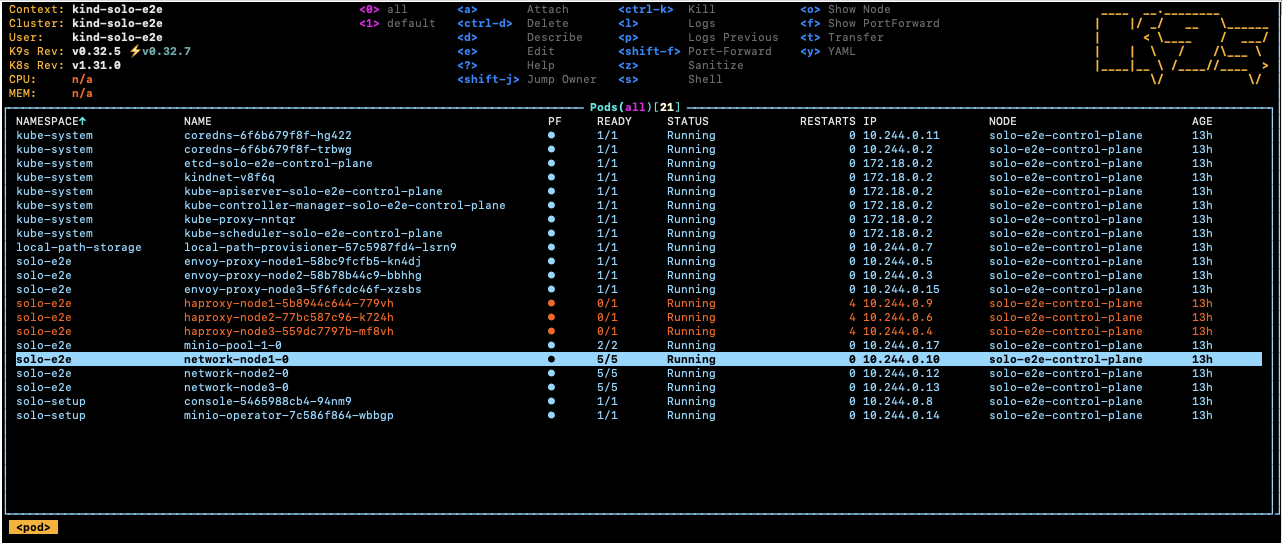
Select the root-container and press s to open a shell inside the container.
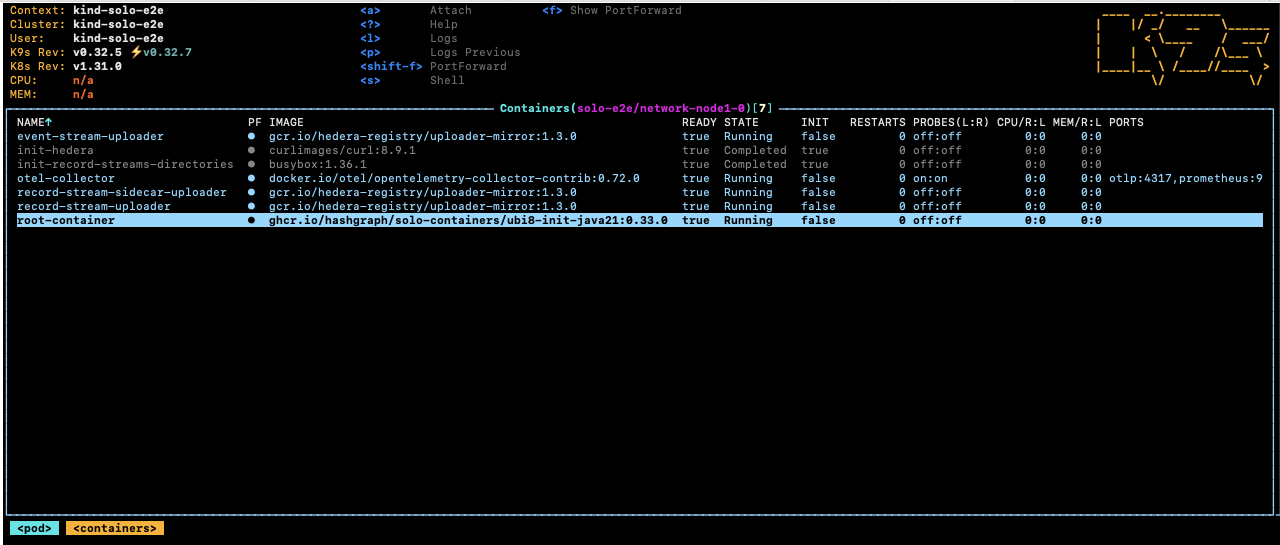
Navigate to the Hedera application directory to browse logs and configuration:
cd /opt/hgcapp/services-hedera/HapiApp2.0/
From there you can inspect logs and configuration files:
[root@network-node1-0 HapiApp2.0]# ls -ltr data/config/
total 0
lrwxrwxrwx 1 root root 27 Dec  4 02:05 bootstrap.properties -> ..data/bootstrap.properties
lrwxrwxrwx 1 root root 29 Dec  4 02:05 application.properties -> ..data/application.properties
lrwxrwxrwx 1 root root 32 Dec  4 02:05 api-permission.properties -> ..data/api-permission.properties

[root@network-node1-0 HapiApp2.0]# ls -ltr output/
total 1148
-rw-r--r-- 1 hedera hedera       0 Dec  4 02:06 hgcaa.log
-rw-r--r-- 1 hedera hedera       0 Dec  4 02:06 queries.log
drwxr-xr-x 2 hedera hedera    4096 Dec  4 02:06 transaction-state
drwxr-xr-x 2 hedera hedera    4096 Dec  4 02:06 state
-rw-r--r-- 1 hedera hedera     190 Dec  4 02:06 swirlds-vmap.log
drwxr-xr-x 2 hedera hedera    4096 Dec  4 16:01 swirlds-hashstream
-rw-r--r-- 1 hedera hedera 1151446 Dec  4 16:07 swirlds.log
Using the Solo CLI (Alternative option)
To download hgcaa.log and swirlds.log as a zip archive without entering
the container shell, run:
# Downloads logs to ~/.solo/logs/<namespace>/<timestamp>
solo deployment diagnostics all --deployment solo-deployment
2. Attach a JVM Debugger in IntelliJ IDEA
Solo supports pausing node startup at a JDWP debug port so you can attach IntelliJ IDEA before the node begins processing transactions.
Configure IntelliJ IDEA
Create a Remote JVM Debug run configuration in IntelliJ IDEA.
For the Hedera Node application:
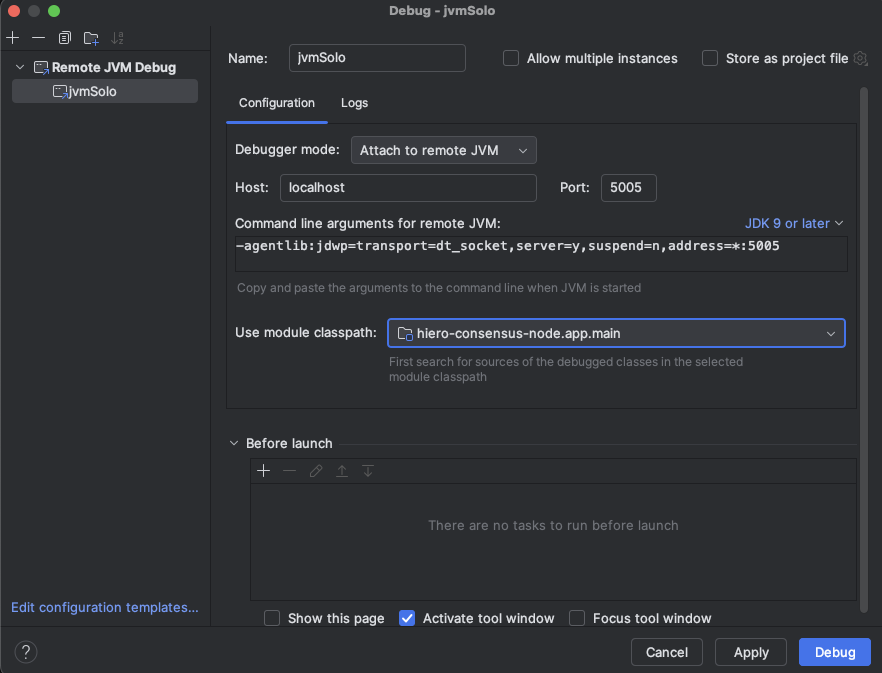
If you are working on the Platform test application instead:
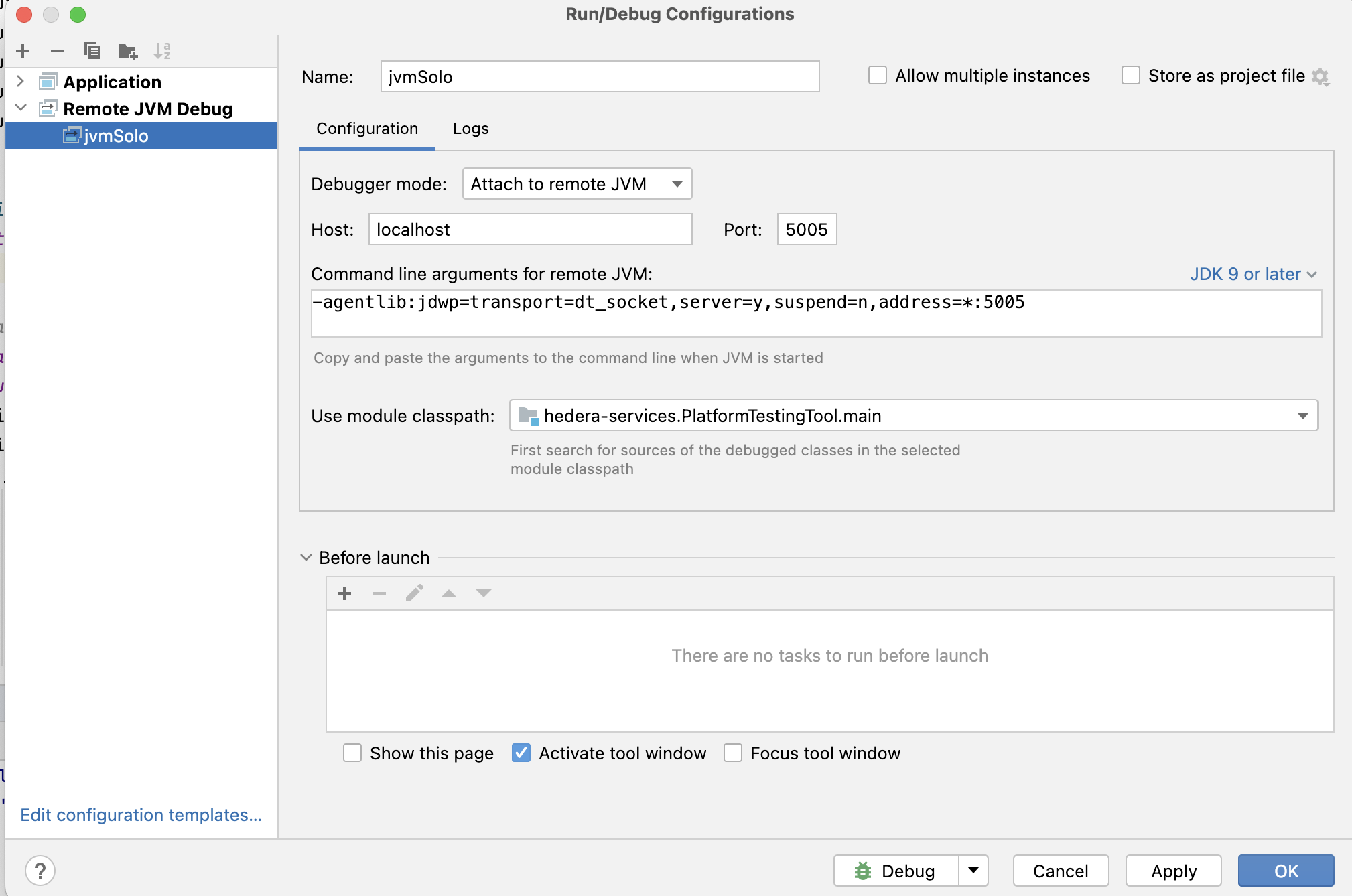
Set any breakpoints you need before launching the Solo command in the next step.
Note: The
local-build-pathin the commands below references../hiero-consensus-node/hedera-node/data. Adjust this path to match your local checkout location. Ensure the directory is up to date by running./gradlew assemblein thehiero-consensus-noderepo before proceeding.
Example 1 — Debug a node during initial network deployment
This example deploys a three-node network and pauses node2 for debugger
attachment.
SOLO_CLUSTER_NAME=solo-cluster
SOLO_NAMESPACE=solo-deployment
SOLO_CLUSTER_SETUP_NAMESPACE=solo-setup
SOLO_DEPLOYMENT=solo-deployment

# Remove any previous state to avoid name collision issues
rm -Rf ~/.solo
kind delete cluster -n "${SOLO_CLUSTER_NAME}"
kind create cluster -n "${SOLO_CLUSTER_NAME}"

solo cluster-ref config setup -s "${SOLO_CLUSTER_SETUP_NAMESPACE}"
solo cluster-ref config connect --cluster-ref ${SOLO_CLUSTER_NAME} --context kind-${SOLO_CLUSTER_NAME}

solo deployment config create --namespace "${SOLO_NAMESPACE}" --deployment "${SOLO_DEPLOYMENT}"
solo deployment cluster attach --deployment "${SOLO_DEPLOYMENT}" --cluster-ref ${SOLO_CLUSTER_NAME} --num-consensus-nodes 3
solo keys consensus generate --deployment "${SOLO_DEPLOYMENT}" --gossip-keys --tls-keys -i node1,node2,node3

solo consensus network deploy --deployment "${SOLO_DEPLOYMENT}" -i node1,node2,node3 --debug-node-alias node2
solo consensus node setup --deployment "${SOLO_DEPLOYMENT}" -i node1,node2,node3 --local-build-path ../hiero-consensus-node/hedera-node/data
solo consensus node start --deployment "${SOLO_DEPLOYMENT}" -i node1,node2,node3 --debug-node-alias node2
When Solo reaches the active-check phase for node2, it pauses and displays:
❯ Check all nodes are ACTIVE
  Check node: node1,
  Check node: node2,  Please attach JVM debugger now.
  Check node: node3,
? JVM debugger setup for node2. Continue when debugging is complete? (y/N)
At this point, launch the remote debug configuration in IntelliJ IDEA. The node will stop at your breakpoint:
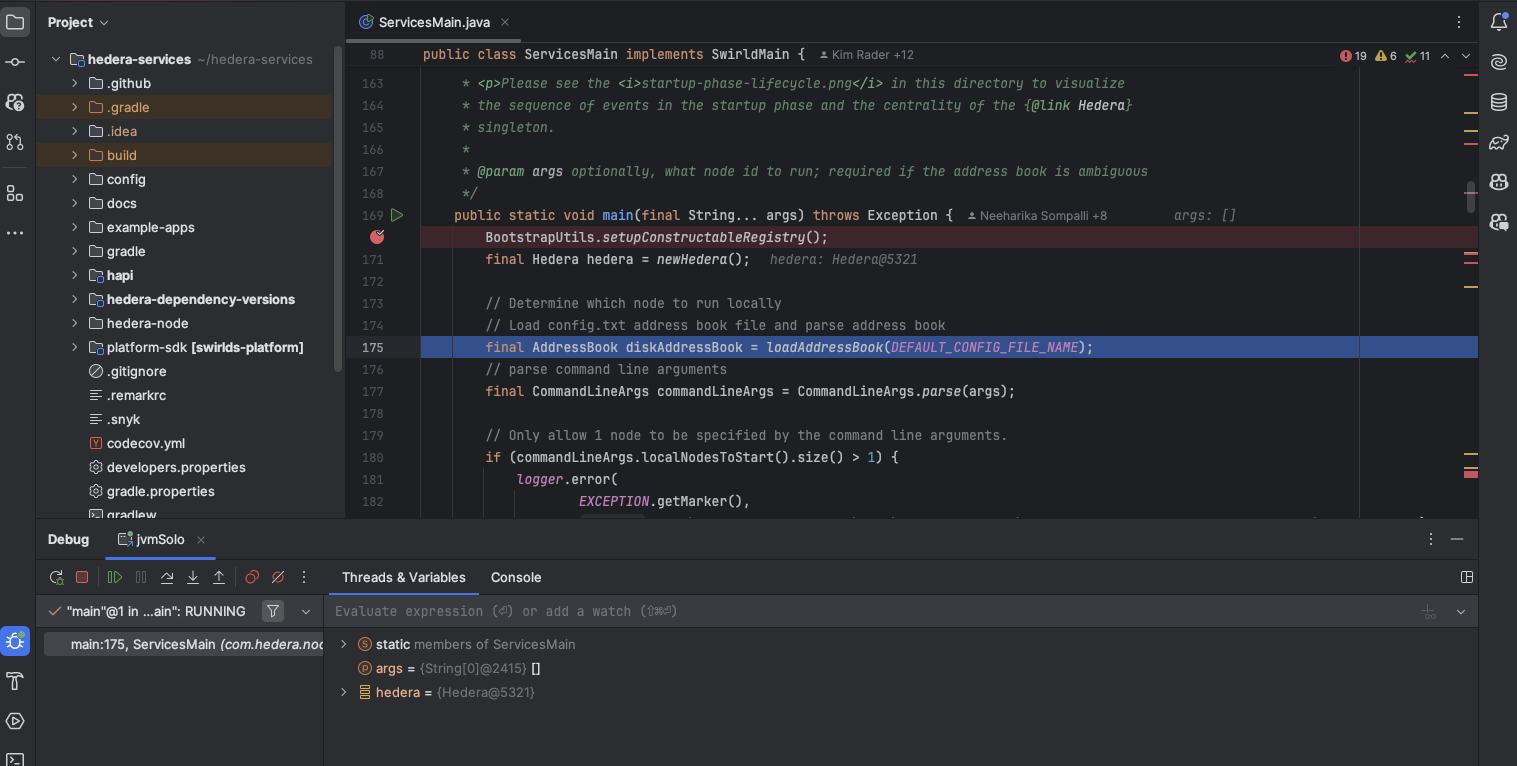
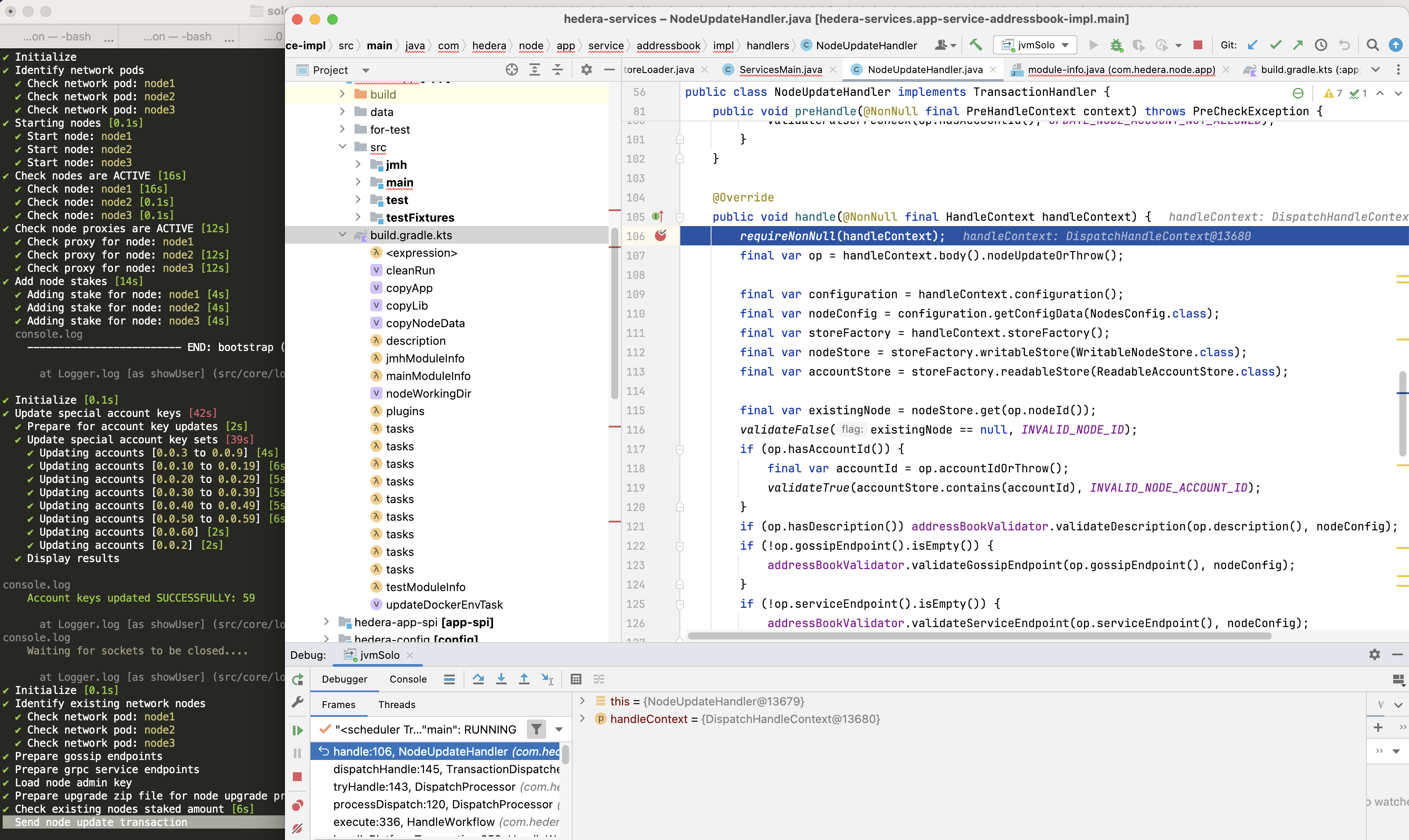
When you are done debugging, resume execution in IntelliJ, then type y in
the terminal to allow Solo to continue.
Example 2 — Debug a node during a node add operation
This example starts a three-node network and then attaches a debugger while
adding node4.
SOLO_CLUSTER_NAME=solo-cluster
SOLO_NAMESPACE=solo-deployment
SOLO_CLUSTER_SETUP_NAMESPACE=solo-setup
SOLO_DEPLOYMENT=solo-deployment

rm -Rf ~/.solo
kind delete cluster -n "${SOLO_CLUSTER_NAME}"
kind create cluster -n "${SOLO_CLUSTER_NAME}"

solo cluster-ref config setup -s "${SOLO_CLUSTER_SETUP_NAMESPACE}"
solo cluster-ref config connect --cluster-ref ${SOLO_CLUSTER_NAME} --context kind-${SOLO_CLUSTER_NAME}

solo deployment config create --namespace "${SOLO_NAMESPACE}" --deployment "${SOLO_DEPLOYMENT}"
solo deployment cluster attach --deployment "${SOLO_DEPLOYMENT}" --cluster-ref ${SOLO_CLUSTER_NAME} --num-consensus-nodes 3
solo keys consensus generate --deployment "${SOLO_DEPLOYMENT}" --gossip-keys --tls-keys -i node1,node2,node3

solo consensus network deploy --deployment "${SOLO_DEPLOYMENT}" -i node1,node2,node3 --pvcs
solo consensus node setup --deployment "${SOLO_DEPLOYMENT}" -i node1,node2,node3 --local-build-path ../hiero-consensus-node/hedera-node/data
solo consensus node start --deployment "${SOLO_DEPLOYMENT}" -i node1,node2,node3

solo consensus node add --deployment "${SOLO_DEPLOYMENT}" --gossip-keys --tls-keys \
  --debug-node-alias node4 \
  --local-build-path ../hiero-consensus-node/hedera-node/data \
  --pvcs
Example 3 — Debug a node during a node update operation
This example attaches a debugger to node2 while it restarts as part of an
update operation.
SOLO_CLUSTER_NAME=solo-cluster
SOLO_NAMESPACE=solo-deployment
SOLO_CLUSTER_SETUP_NAMESPACE=solo-setup
SOLO_DEPLOYMENT=solo-deployment

rm -Rf ~/.solo
kind delete cluster -n "${SOLO_CLUSTER_NAME}"
kind create cluster -n "${SOLO_CLUSTER_NAME}"

solo cluster-ref config setup -s "${SOLO_CLUSTER_SETUP_NAMESPACE}"
solo cluster-ref config connect --cluster-ref ${SOLO_CLUSTER_NAME} --context kind-${SOLO_CLUSTER_NAME}

solo deployment config create --namespace "${SOLO_NAMESPACE}" --deployment "${SOLO_DEPLOYMENT}"
solo deployment cluster attach --deployment "${SOLO_DEPLOYMENT}" --cluster-ref ${SOLO_CLUSTER_NAME} --num-consensus-nodes 3
solo keys consensus generate --deployment "${SOLO_DEPLOYMENT}" --gossip-keys --tls-keys -i node1,node2,node3

solo consensus network deploy --deployment "${SOLO_DEPLOYMENT}" -i node1,node2,node3
solo consensus node setup --deployment "${SOLO_DEPLOYMENT}" -i node1,node2,node3 --local-build-path ../hiero-consensus-node/hedera-node/data
solo consensus node start --deployment "${SOLO_DEPLOYMENT}" -i node1,node2,node3

solo consensus node update --deployment "${SOLO_DEPLOYMENT}" \
  --node-alias node2 \
  --debug-node-alias node2 \
  --local-build-path ../hiero-consensus-node/hedera-node/data \
  --new-account-number 0.0.7 \
  --gossip-public-key ./s-public-node2.pem \
  --gossip-private-key ./s-private-node2.pem \
  --release-tag v0.71.0
Example 4 — Debug a node during a node delete operation
This example attaches a debugger to node3 while node2 is being removed
from the network.
SOLO_CLUSTER_NAME=solo-cluster
SOLO_NAMESPACE=solo-deployment
SOLO_CLUSTER_SETUP_NAMESPACE=solo-setup
SOLO_DEPLOYMENT=solo-deployment

rm -Rf ~/.solo
kind delete cluster -n "${SOLO_CLUSTER_NAME}"
kind create cluster -n "${SOLO_CLUSTER_NAME}"

solo cluster-ref config setup -s "${SOLO_CLUSTER_SETUP_NAMESPACE}"
solo cluster-ref config connect --cluster-ref ${SOLO_CLUSTER_NAME} --context kind-${SOLO_CLUSTER_NAME}

solo deployment config create --namespace "${SOLO_NAMESPACE}" --deployment "${SOLO_DEPLOYMENT}"
solo deployment cluster attach --deployment "${SOLO_DEPLOYMENT}" --cluster-ref ${SOLO_CLUSTER_NAME} --num-consensus-nodes 3
solo keys consensus generate --deployment "${SOLO_DEPLOYMENT}" --gossip-keys --tls-keys -i node1,node2,node3

solo consensus network deploy --deployment "${SOLO_DEPLOYMENT}" -i node1,node2,node3
solo consensus node setup --deployment "${SOLO_DEPLOYMENT}" -i node1,node2,node3 --local-build-path ../hiero-consensus-node/hedera-node/data
solo consensus node start --deployment "${SOLO_DEPLOYMENT}" -i node1,node2,node3

solo consensus node destroy --deployment "${SOLO_DEPLOYMENT}" \
  --node-alias node2 \
  --debug-node-alias node3 \
  --local-build-path ../hiero-consensus-node/hedera-node/data
3. Save and Restore Network State
You can snapshot the state of a running network and restore it later. This is useful for replaying specific scenarios or sharing reproducible test cases with the team.
Save state
Stop the nodes first, then download the state archives:
# Stop all nodes before downloading state
solo consensus node stop --deployment "${SOLO_DEPLOYMENT}"

# Download state files to ~/.solo/logs/<namespace>/
solo consensus state download -i node1,node2,node3 --deployment "${SOLO_DEPLOYMENT}"
The state files are saved under ~/.solo/logs/:
└── logs
    ├── solo-deployment
    │   ├── network-node1-0-state.zip
    │   └── network-node2-0-state.zip
    └── solo.log
Restore state
Create a fresh cluster, deploy the network, then upload the saved state before starting the nodes:
SOLO_CLUSTER_NAME=solo-cluster
SOLO_NAMESPACE=solo-deployment
SOLO_CLUSTER_SETUP_NAMESPACE=solo-setup
SOLO_DEPLOYMENT=solo-deployment

rm -Rf ~/.solo
kind delete cluster -n "${SOLO_CLUSTER_NAME}"
kind create cluster -n "${SOLO_CLUSTER_NAME}"

solo cluster-ref config setup -s "${SOLO_CLUSTER_SETUP_NAMESPACE}"
solo cluster-ref config connect --cluster-ref ${SOLO_CLUSTER_NAME} --context kind-${SOLO_CLUSTER_NAME}

solo deployment config create --namespace "${SOLO_NAMESPACE}" --deployment "${SOLO_DEPLOYMENT}"
solo deployment cluster attach --deployment "${SOLO_DEPLOYMENT}" --cluster-ref ${SOLO_CLUSTER_NAME} --num-consensus-nodes 3
solo keys consensus generate --deployment "${SOLO_DEPLOYMENT}" --gossip-keys --tls-keys -i node1,node2,node3

solo consensus network deploy --deployment "${SOLO_DEPLOYMENT}" -i node1,node2,node3
solo consensus node setup --deployment "${SOLO_DEPLOYMENT}" -i node1,node2,node3 --local-build-path ../hiero-consensus-node/hedera-node/data
solo consensus node start --deployment "${SOLO_DEPLOYMENT}" -i node1,node2,node3
solo consensus node stop --deployment "${SOLO_DEPLOYMENT}"

# Upload previously saved state files
solo consensus node state download  -i node1,node2,node3 --deployment "${SOLO_DEPLOYMENT}"

# Restart the network using the uploaded state
solo consensus node start --deployment "${SOLO_DEPLOYMENT}" --state-file network-node1-0-state.zip
5 - One-Shot Deploy with Custom Component Versions
Overview
Solo’s one-shot single deploy and one-shot multi deploy commands accept
an --edge flag that switches every component from its built-in stable
default to a separate set of “edge” versions. Each edge version is read from
an environment variable at startup, so you can pin any component to any tag
the container registry exposes — including release candidates and unreleased
builds — without editing Solo source or rebuilding the CLI.
Use this guide when you need to:
- Test a Hiero Consensus Node release candidate against the rest of the Solo-managed stack.
- Reproduce a specific component version combination for a bug report or regression test.
- Iterate on a single component (Mirror Node, Relay, Explorer, …) while the other components stay on stable defaults.
For the canonical list of *_EDGE_VERSION variables, see
Edge Component Versions
in the environment variables reference.
Local binary builds vs published version overrides:
--edgeand*_EDGE_VERSIONvariables pin components to published container image tags — they require the image to exist in the registry. If you need to deploy a binary you compiled locally (before any tag or release exists), use--local-build-pathinstead.
How It Works
*_EDGE_VERSION env var (e.g. CONSENSUS_NODE_EDGE_VERSION)
      │
      ▼
solo one-shot ... deploy --edge
      │
      ▼
Each component is pinned to its edge version for this deploy.
Components without an explicit override fall back to the compiled-in
edge defaults, which themselves fall back to the stable defaults.
- Without
--edge, Solo uses the stable defaults compiled into the CLI. - With
--edge, Solo reads the*_EDGE_VERSIONconstants — and any matching environment variable you set in the shell overrides those constants.
You only need to set variables for the components you want to override. All others fall back to their compiled-in defaults.
Image cache: Because you pin versions with environment variables, Solo’s image cache pulls the matching image versions automatically. Pinning a version with a
--*-versionCLI flag (or insolo.config.yaml) instead does not update the cache — it would pull the default versions and cause a cache miss on first deploy. Use the environment variables shown here to keep the cache aligned with the deployed versions.
Quick Start
Deploy a single-node network with a custom Consensus Node release candidate:
CONSENSUS_NODE_EDGE_VERSION=v0.74.0-rc.1 \
solo one-shot single deploy --edge --debug
What this does:
CONSENSUS_NODE_EDGE_VERSION=v0.74.0-rc.1overrides the consensus node version for this command invocation.--edgetells Solo to read*_EDGE_VERSIONvariables instead of stable defaults.--debugenables Solo’s debug mode — appropriate for local development, not for production-shaped deployments.- Mirror Node, Relay, Explorer, Block Node, and the Solo chart keep their
compiled-in edge defaults because no
*_EDGE_VERSIONwas set for them.
Note: Every successive
solo one-shot single deploycommand will remove the existing components and will create a new deployment.
Deprecated: The
--devflag has been renamed to--debug.--devstill works as an alias but is deprecated and prints a warning; update your scripts to use--debug. The--devalias will no longer be supported once Solo0.82.0reaches its end of support date.
Where to Find Version Tags
Each *_EDGE_VERSION value is a published release tag from the component’s
GitHub release page. Pick a tag from the appropriate page below, and match
the format the component publishes — a missing or extra v prefix is the
most common cause of image-pull failures.
| Component | Release tags | Format | Example |
|---|---|---|---|
| Consensus Node | hiero-consensus-node | vMAJOR.MINOR.PATCH[-qualifier] | v0.74.0-rc.1 |
| Mirror Node | hiero-mirror-node | vMAJOR.MINOR.PATCH | v0.153.1 |
| JSON-RPC Relay | hiero-json-rpc-relay | MAJOR.MINOR.PATCH | 0.77.0 |
| Explorer | hiero-mirror-node-explorer | MAJOR.MINOR.PATCH | 27.0.0 |
| Block Node | hiero-block-node | vMAJOR.MINOR.PATCH[-qualifier] | v0.32.0 |
| Solo Chart | hashgraph/solo-charts | MAJOR.MINOR.PATCH | 0.64.0 |
Note: Consensus Node, Mirror Node, and Block Node tags are prefixed with
v; Relay, Explorer, and Solo Chart tags are not. The tag must exist in the component’s container registry, otherwise the deploy fails with an image-pull error — see Troubleshooting.
Command Reference
In Solo v0.72.0, --edge is accepted by the single and multi one-shot
deploy variants. solo one-shot falcon deploy does not currently accept
--edge — use one of the two variants below to test custom component
versions.
Single-node deploy
CONSENSUS_NODE_EDGE_VERSION=<version> \
MIRROR_NODE_EDGE_VERSION=<version> \
solo one-shot single deploy --edge [--debug] [other flags]
Multi-node deploy
CONSENSUS_NODE_EDGE_VERSION=<version> \
MIRROR_NODE_EDGE_VERSION=<version> \
solo one-shot multi deploy --edge --num-consensus-nodes 3 [--debug] [other flags]
Examples
Override Consensus Node and Mirror Node
CONSENSUS_NODE_EDGE_VERSION=v0.73.0 \
MIRROR_NODE_EDGE_VERSION=v0.153.1 \
solo one-shot single deploy --edge --debug
Override every component
CONSENSUS_NODE_EDGE_VERSION=v0.73.0 \
MIRROR_NODE_EDGE_VERSION=v0.153.1 \
RELAY_EDGE_VERSION=0.77.0 \
EXPLORER_EDGE_VERSION=27.0.0 \
BLOCK_NODE_EDGE_VERSION=v0.32.0 \
SOLO_CHART_EDGE_VERSION=0.64.0 \
solo one-shot single deploy --edge --debug
Export once, reuse across a development session
If you are iterating and running deploy/destroy/deploy cycles, export the
variables so every one-shot command in the shell session picks them up:
export CONSENSUS_NODE_EDGE_VERSION=v0.74.0-rc.1
export MIRROR_NODE_EDGE_VERSION=v0.153.1

solo one-shot single deploy --edge --debug

# Destroy and redeploy without re-typing the variables
solo one-shot single destroy
solo one-shot single deploy --edge --debug
Verifying the Versions in Use
After the deploy starts, confirm the resolved versions in the structured Solo log:
tail -f $HOME/.solo/logs/solo.ndjson | jq '.msg, .version // empty'
Note: Use
solo.ndjson(newline-delimited JSON, machine-readable) forjqpipes. The companionsolo.logis pino-pretty formatted text and will not parse as JSON.
Inspect the deployed Helm releases and their chart versions:
helm list -A
helm get values <release-name> -n <namespace>
Confirm the consensus node container image tag:
kubectl get pods -n <namespace> -o jsonpath='{range .items[*]}{.metadata.name}{"\t"}{.spec.containers[*].image}{"\n"}{end}'
Replace <namespace> with your deployment namespace (default one-shot —
see Find your deployment namespace).
Without --edge
Omitting --edge uses the stable defaults compiled into the Solo CLI you are
running — any *_EDGE_VERSION variables you have set are ignored for that
invocation.
# Stable defaults — *_EDGE_VERSION variables are ignored.
solo one-shot single deploy --debug
If you want to pin versions without using --edge (for example, to test a
specific stable release of one component), see
Pinning Component Versions
in the environment variables reference.
Troubleshooting
The version I set is not being used.
Confirm you passed --edge. Without it, Solo ignores every *_EDGE_VERSION
variable and uses the compiled-in stable defaults.
Solo is ignoring my environment variable.
The variable must be exported in (or prefixed to) the same shell process that runs Solo. Verify with:
echo $CONSENSUS_NODE_EDGE_VERSION # should print your value
If you set the variable inline (FOO=bar solo ...), double-check the variable
name is spelled exactly as listed in
Edge Component Versions
— the names are case-sensitive.
The deploy fails with an image-pull error.
The tag you supplied does not exist in the component’s container registry, or
the format is wrong (missing v prefix, extra spaces, …). Cross-check the tag
against the official release list for that component before retrying.
The deploy starts but a component crashes immediately.
Different component versions are not guaranteed to be mutually compatible. When mixing edge versions, prefer combinations Solo’s CI already exercises (see the Version Compatibility Reference).
6 - Customizing Solo with Tasks
Overview
The Task tool (task) is a task runner that enables you to deploy and customize Solo networks using infrastructure-as-code patterns. Rather than running individual Solo CLI commands, you can use predefined Taskfile targets to orchestrate complex deployment workflows with a single command.
This guide covers installing the Task tool, understanding available Taskfile targets, and using them to deploy networks with various configurations. It also points to maintained example projects that demonstrate common Solo workflows.
Note: This guide assumes you have cloned the Solo repository and have basic familiarity with command-line interfaces and Docker.
Prerequisites
Before you begin, ensure you have completed the following:
- System Readiness: Prepare your local environment (Docker, Kind, Kubernetes, and related tooling).
- Quickstart: You are familiar with the basic Solo workflow and the
solo one-shot single deploycommand.
Tip: Task-based workflows are ideal for developers who want to:
- Run the same deployment multiple times reliably.
- Customize network components (add mirror nodes, relays, block nodes, etc.).
- Use version control to track deployment configurations.
- Integrate Solo deployments into CI/CD pipelines.
Install the Task Tool
The Task tool is a dependency for using Taskfile targets in the Solo repository. Install it using one of the following methods:
Using Homebrew (macOS/Linux) (recommended)
brew install go-task/tap/go-task
Using npm
npm install -g @go-task/cli
Verify the installation:
task --version
Expected output:
Task version: v3.X.X
Using package managers
Visit the Task installation guide for additional installation methods for your operating system.
Understanding the Task Structure
The Solo repository uses a modular Task architecture located in the scripts/ directory:
scripts/
├── Taskfile.yml                    # Main entry point (includes other Taskfiles)
├── Taskfile.scripts.yml            # Core deployment and management tasks
├── Taskfile.examples.yml           # Example project tasks
├── Taskfile.release.yml            # Package publishing tasks
└── [other helper scripts]
How to Run Tasks
From the root directory or any example directory, run:
# Run the default task
task

# Run a specific task
task <task-name>

# Run tasks with variables
task <task-name> -- VAR_NAME=value
Deploy Network Configurations
Basic Network Deployment
Deploy a standalone Hiero Consensus Node network with a single command:
# From the repository root, navigate to scripts directory
cd scripts

# Deploy default network (2 consensus nodes)
task default
This command performs the following actions:
- Initializes Solo and downloads required dependencies.
- Creates a local Kubernetes cluster using Kind.
- Deploys 2 consensus nodes.
- Sets up gRPC and JSON-RPC endpoints for client access.
Deploy Network with Mirror Node
Deploy a network with a consensus node, mirror node, and Hiero Explorer:
cd scripts

task default-with-mirror
This configuration includes:
| Component | Description |
|---|---|
| Consensus Node | 2 consensus nodes running Hiero |
| Mirror Node | Stores and serves historical transaction data |
| Explorer UI | Web interface for viewing accounts |
Access the Explorer at: http://localhost:38080/localnet/dashboard (Solo 0.63+) or http://localhost:8080/localnet/dashboard (Solo 0.62 and earlier). See Port availability if the port is in use.
Deploy Network with Relay and Explorer
Deploy a network with consensus nodes, mirror node, explorer, and JSON-RPC relay for Ethereum-compatible access:
cd scripts

task default-with-relay
This configuration includes:
| Component | Description |
|---|---|
| Consensus Node | 2 consensus nodes running Hiero |
| Mirror Node | Stores and serves historical transaction data |
| Explorer UI | Web interface for viewing accounts |
| JSON-RPC Relay | Ethereum-compatible JSON-RPC interface |
Access the services at (Solo 0.63+ defaults; for Solo 0.62 and earlier use the legacy ports in parentheses):
- Explorer:
http://localhost:38080/localnet/dashboard(legacy:http://localhost:8080/localnet/dashboard) - JSON-RPC Relay:
http://localhost:37546(legacy:http://localhost:7546)
See Port availability if a port is already in use on your machine.
Available Taskfile Targets
The Taskfile includes a comprehensive set of targets for deploying and managing Solo networks. Below are the most commonly used targets, organized by category.
Core Deployment Targets
These targets handle the primary deployment lifecycle:
| Task | Description |
|---|---|
default | Complete deployment workflow for Solo |
install | Initialize cluster, create deployment, and setup consensus net |
destroy | Tear down the consensus network |
clean | Full cleanup: destroy network, remove cache, logs, and files |
start | Start all consensus nodes |
stop | Stop all consensus nodes |
Example: Deploy, then clean up
cd scripts

# Deploy the network
task default

# ... (use the network)

# Stop the network
task stop

# Remove all traces of the deployment
task clean
Cache and Log Cleanup
When cleaning up, you can selectively remove specific components:
| Task | Description |
|---|---|
clean:cache | Remove the Solo cache directory (~/.solo/cache) |
clean:logs | Remove the Solo logs directory (~/.solo/logs) |
clean:tmp | Remove temporary deployment files |
Mirror Node Management
Add, configure, or remove mirror nodes from an existing deployment:
| Task | Description |
|---|---|
solo:mirror-node | Add a mirror node to the current deployment |
solo:destroyer-mirror-node | Remove the mirror node from the deployment |
Example: Add mirror node to running network
cd scripts

# Start with a basic network
task default

# Add mirror node later
task solo:mirror-node

# Remove mirror node
task solo:destroyer-mirror-node
Explorer UI Management
Deploy or remove the Hiero Explorer for transaction/account viewing:
| Task | Description |
|---|---|
solo:explorer | Add explorer UI to the current deployment |
solo:destroy-explorer | Remove explorer UI from the deployment |
Example: Deploy network with explorer
cd scripts

task default
task solo:explorer

# Access at http://localhost:38080/localnet/dashboard (Solo 0.63+) or http://localhost:8080/localnet/dashboard (Solo 0.62 and earlier)
JSON-RPC Relay Management
Deploy or remove the Relay for Ethereum-compatible access:
| Task | Description |
|---|---|
solo:relay | Add JSON-RPC relay to the current deployment |
solo:destroy-relay | Remove JSON-RPC relay from the deployment |
Example: Add relay to running network
cd scripts

task default-with-mirror
task solo:relay

# Access JSON-RPC at http://localhost:37546 (Solo 0.63+) or http://localhost:7546 (Solo 0.62 and earlier)
Block Node Management
Deploy or remove block nodes for streaming block data:
| Task | Description |
|---|---|
solo:block:add | Add a block node to the current deployment |
solo:block:destroy | Remove the block node from the deployment |
Example: Deploy network with block node
cd scripts

task default
task solo:block:add

# Block node will stream block data
Infrastructure Tasks
Low-level tasks for managing clusters and network infrastructure:
| Task | Description |
|---|---|
cluster:create | Create a Kind (Kubernetes in Docker) cluster |
cluster:destroy | Delete the Kind cluster |
solo:cluster:setup | Setup cluster infrastructure and prerequisites |
solo:deployment:create | Create a new deployment configuration |
solo:deployment:attach | Attach an existing cluster to a deployment |
solo:network:deploy | Deploy the consensus network to the cluster |
solo:network:destroy | Destroy the consensus network |
Tip: Unless you need custom cluster management, use the higher-level tasks like
default,install, ordestroywhich orchestrate these infrastructure tasks automatically.
Utility Tasks
Helpful tasks for inspecting and managing running networks:
| Task | Description |
|---|---|
show:ips | Display the external IPs of all network nodes |
solo:node:logs | Retrieve logs from consensus nodes |
solo:freeze:restart | Execute a freeze/restart upgrade workflow for testing version upgrades |
Example: View network IPs and logs
cd scripts

# See which nodes are running and their IPs
task show:ips

# Retrieve node logs for debugging
task solo:node:logs
Database Tasks
Deploy external databases for specialized configurations:
| Task | Description |
|---|---|
solo:external-database | Setup external PostgreSQL database with Helm |
Advanced Configuration with Environment Variables
You can customize Task behavior by setting environment variables before running tasks. Common variables include:
| Variable | Description | Default |
|---|---|---|
SOLO_NETWORK_SIZE | Number of consensus nodes | 1 |
SOLO_NAMESPACE | Kubernetes namespace | solo-e2e |
CONSENSUS_NODE_VERSION | Consensus node version | v0.65.1 |
MIRROR_NODE_VERSION | Mirror node version | v0.138.0 |
RELAY_VERSION | JSON-RPC Relay version | v0.70.0 |
EXPLORER_VERSION | Explorer UI version | v25.1.1 |
For a comprehensive reference of all available environment variables, see Using Environment Variables.
Example: Deploy with custom versions
cd scripts

# Deploy with specific component versions
CONSENSUS_NODE_VERSION=v0.66.0 \
MIRROR_NODE_VERSION=v0.139.0 \
task default-with-mirror
Example Projects
The Solo repository includes 14+ maintained example projects that demonstrate common Solo workflows. These examples serve as templates and starting points for custom implementations.
Getting Started with Examples
Each example is located in the examples/ directory and includes:
- Pre-configured
Taskfile.ymlwith deployment settings. init-containers-values.yamlfor customization.- Example-specific README with detailed instructions.
To run an example:
cd examples/<example-name>

# Deploy the example
task

# Clean up when done
task clean
Available Examples
Network Setup Examples
- Address Book: Use Yahcli to pull ledger and mirror node address books for querying network state
- Network with Domain Names: Setup a network with custom domain names for nodes instead of IP addresses
- Network with Block Node: Deploy a network with block node for streaming block data (example coming soon)
Configuration Examples
- Local Build with Custom Config: Deploy using a locally-built consensus node with custom configuration
- Consensus Node JVM Parameters: Customize JVM parameters (memory, GC settings, etc.) for consensus nodes
Database Examples
- External Database Test: Deploy Solo with an external PostgreSQL database instead of embedded storage
- Multi-Cluster Backup and Restore: Backup state from one cluster and restore to another using external database
State Management Examples
- State Save and Restore: Save the network state with mirror node, then restore to a new deployment
- Version Upgrade Test: Upgrade all network components to the current version to test compatibility
Node Transaction Examples
These examples demonstrate manual operations for adding, modifying, and removing nodes:
- Node Create Transaction: Create a new node manually using the NodeCreate transaction
- Node Update Transaction: Update an existing node configuration with NodeUpdate transaction
- Node Delete Transaction: Remove a node from the network with NodeDelete transaction
Integration Examples
- Hardhat with Solo: Test smart contracts locally with Hardhat using Solo as the test network
- One-Shot Falcon Deployment: One-shot deployment using Falcon (consensus node implementation)
- One-Shot Local Build: One-shot deployment using a locally-built consensus node
Testing Examples
- Rapid-Fire: Rapid-fire deployment and teardown commands for stress testing the deployment workflow
- Running Solo Inside Cluster: Deploy Solo within an existing Kubernetes cluster instead of creating a new one
Practical Workflows
Workflow 1: Quick Development Network with Logging
Deploy a network for development and debugging:
cd scripts

# Set logging level (PowerShell: $env:SOLO_LOG_LEVEL = 'debug')
export SOLO_LOG_LEVEL=debug

# Deploy with mirror and relay
task default-with-relay

# Retrieve logs if needed
task solo:node:logs

# View network endpoints
task show:ips

# Clean up
task clean
Workflow 2: Test Configuration Changes
Iterate on network configuration using any example with a Taskfile.yml:
cd examples/local-build-with-custom-config

# Edit the Taskfile or init-containers-values.yaml

# Deploy with your changes
task

# Test your configuration

# Clean up and try again
task clean
Workflow 3: Upgrade Network Components
Test upgrading Solo components:
cd examples/version-upgrade-test

# Deploy with current versions
task

# The example automatically tests the upgrade path

# Clean up
task clean
Workflow 4: Backup and Restore Network State
Test disaster recovery and state migration:
cd examples/state-save-and-restore

# Deploy initial network with state
task

# The example includes backup/restore operations

# Clean up
task clean
Troubleshooting
Common Issues
Task command not found
Ensure Task is installed and on your PATH:
which task
task --version
Taskfile not found
Run Task commands from the scripts/ directory or an examples/ subdirectory where a Taskfile.yml exists:
cd scripts
task default
Insufficient resources
Some deployments require significant resources. Verify your Docker has at least 12 GB of memory and 6 CPU cores allocated:
docker info --format 'CPU: {{.NCPU}}, Memory: {{.MemTotal | div 1000000000}}GB'
Cluster cleanup issues
If the cluster becomes unstable, perform a full cleanup:
cd scripts

# Remove all traces
task clean

# As a last resort, manually delete the Kind cluster
kind delete cluster --name solo-e2e
Next Steps
After deploying a network with Task, explore:
- Using the JavaScript SDK: Interact with your network programmatically
- Using Network Load Generator: Stress test your network
- Environment Variables Reference: Fine-tune deployment behavior
- Solo CI Workflow: Integrate Solo deployments into CI/CD pipelines
Additional Resources
7 - GitHub Actions CI Integration
Overview
solo one-shot single deploy is self-contained and runs the same way in CI as
it does locally. It creates a Kind cluster if one does not already exist,
installs all required tools internally, and exits once every component is healthy.
Which runner type do you need?
- GitHub-hosted (
ubuntu-latest) - GitHub provides and manages the machine. Most common for open-source and public repos. Choose this if your workflow usesruns-on: ubuntu-latest.- Self-hosted runners - you manage the machine (your own server, cloud VM, or on-prem hardware). Choose this if your workflow uses
runs-on: self-hostedor a custom runner label, or if you need explicit control over Kind version and resource allocation.Not sure which type you have? If you’re using a standard GitHub account without dedicated runner infrastructure, you’re on GitHub-hosted runners.
GitHub-Hosted Runners
If your workflow has
runs-on: ubuntu-latest, this is your section.
Solo handles Kind cluster creation internally - you do not need to pre-create a cluster.
The workflow steps are:
- Checkout your repository code.
- Install Node.js (v22) and Solo CLI (pinned version).
- Deploy the network with
solo one-shot single deploy. - Verify the Mirror REST API is reachable - Solo exits when components are healthy, but the Mirror Node REST API may need a few extra seconds to become reachable from the host. This step polls until it is ready before your tests run.
- Run your tests against the live network.
- Destroy the network (
if: always()ensures cleanup runs even on failure). - Upload logs for post-run debugging.
Important: Pin
@hiero-ledger/solo@<version>to a specific release. Unpinned (@latest) installs may pick up breaking changes and cause unexpected workflow failures.
Example Workflow
name: "Integration Tests"

on:
  pull_request:
    types: [opened, reopened, synchronize, ready_for_review]

defaults:
  run:
    shell: bash

permissions:
  contents: read

jobs:
  integration-tests:
    name: Integration Tests
    runs-on: ubuntu-latest
    timeout-minutes: 20
    steps:
      - name: Checkout Code
        uses: actions/checkout@v4

      - name: Set up Node.js
        uses: actions/setup-node@v4
        with:
          node-version: '22'

      - name: Install Solo CLI
        run: |
          npm install -g @hiero-ledger/solo@<version>
          solo --version

      - name: One-Shot Single Deploy
        run: solo one-shot single deploy

      - name: Verify Mirror REST API
        timeout-minutes: 5
        run: |
          echo "Waiting for mirror node REST API..."
          for i in $(seq 1 30); do
            response=$(curl -sf http://localhost:38081/api/v1/accounts 2>/dev/null || true)
            if echo "${response}" | grep -q '"accounts"'; then
              echo "Mirror REST API is up."
              exit 0
            fi
            echo "Attempt ${i}/30: not ready, retrying in 10s..."
            sleep 10
          done
          echo "ERROR: Mirror REST API did not become available."
          exit 1

      # Add your integration test steps here

      - name: One-Shot Single Destroy
        if: always()
        run: solo one-shot single destroy --quiet-mode || true

      - name: Upload Logs
        if: always()
        uses: actions/upload-artifact@v4
        with:
          name: solo-logs
          path: ~/.solo/logs/*
          overwrite: true
          if-no-files-found: warn
Self-Hosted Runners
If your workflow has
runs-on: self-hostedor a custom runner label, this is your section.
Use this setup when you manage the runner machine yourself and need explicit control over Kind version, cluster name, or resource allocation.
Runner Requirements
Solo requires a minimum of 6 CPU cores and 12 GB of memory on the runner. If these requirements are not met, Solo components may hang or fail during deployment.
Note: The Kubernetes cluster does not have full access to all host memory. Setting Docker to 12 GB means Kind will have access to less than 12 GB. Memory and CPU utilisation also increase over time as transaction load grows.
To verify that your runner meets the requirements, add this step to your workflow:
    - name: Check Docker Resources
      run: |
        read cpus mem <<<"$(docker info --format '{{.NCPU}} {{.MemTotal}}')"
        mem_gb=$(awk -v m="$mem" 'BEGIN{printf "%.1f", m/1000000000}')
        echo "CPU cores: $cpus"
        echo "Memory: ${mem_gb} GB"
Step 1: Set Up Kind
Install Kind with pinned versions to ensure reproducible builds.
    - name: Setup Kind
      uses: helm/kind-action@a1b0e391336a6ee6713a0583f8c6240d70863de3
      with:
        install_only: true
        node_image: kindest/node:v1.32.2@sha256:3966f21e12b760f6585bde7140cae5e8cdc0e52b37a6f90ce39834b6e72e3f49
        version: v0.29.0
        kubectl_version: v1.32.2
        verbosity: 3
        wait: 120s
Important: Kind v0.29.0 or later and Kubernetes v1.32.2 or later are required. Solo enforces these minimum versions at runtime.
Step 2: Install Node.js
    - name: Set up Node.js
      uses: actions/setup-node@49933ea5288caeca8642d1e84afbd3f7d6820020
      with:
        node-version: 22.12.0
Step 3: Install Solo CLI
Important: Always pin the CLI version. Unpinned installs may pick up breaking changes from newer releases and cause unexpected workflow failures.
    - name: Install Solo CLI
      run: |
        set -euo pipefail
        npm install -g @hiero-ledger/solo@<version>
        solo --version
        kind --version
Step 4: Deploy Solo
    - name: Deploy Solo
      env:
        SOLO_CLUSTER_NAME: solo
        SOLO_DEPLOYMENT: solo-deployment
      run: |
        set -euo pipefail
        kind create cluster -n "${SOLO_CLUSTER_NAME}"
        solo one-shot single deploy --deployment "${SOLO_DEPLOYMENT}" | tee solo-deploy.log
Cleanup
After the workflow completes, destroy the Solo deployment and delete the Kind
cluster. Use if: always() on the destroy step so cleanup runs even when an
earlier step fails.
    - name: Destroy Solo deployment
      if: always()
      env:
        SOLO_DEPLOYMENT: solo-deployment
      run: |
        set -euo pipefail
        solo one-shot single destroy --deployment "${SOLO_DEPLOYMENT}"

    - name: Delete Kind cluster
      if: always()
      env:
        SOLO_CLUSTER_NAME: solo
      run: |
        set -euo pipefail
        kind delete cluster -n "${SOLO_CLUSTER_NAME}"
Complete Example Workflow
name: Solo CI Example

on:
  pull_request:
    types: [opened, reopened, synchronize, ready_for_review]

jobs:
  test:
    runs-on: self-hosted
    timeout-minutes: 30
    steps:
      - name: Checkout Code
        uses: actions/checkout@v4

      - name: Check Docker Resources
        run: |
          read cpus mem <<<"$(docker info --format '{{.NCPU}} {{.MemTotal}}')"
          mem_gb=$(awk -v m="$mem" 'BEGIN{printf "%.1f", m/1000000000}')
          echo "CPU cores: $cpus"
          echo "Memory: ${mem_gb} GB"

      - name: Setup Kind
        uses: helm/kind-action@a1b0e391336a6ee6713a0583f8c6240d70863de3
        with:
          install_only: true
          node_image: kindest/node:v1.32.2@sha256:3966f21e12b760f6585bde7140cae5e8cdc0e52b37a6f90ce39834b6e72e3f49
          version: v0.29.0
          kubectl_version: v1.32.2
          verbosity: 3
          wait: 120s

      - name: Set up Node.js
        uses: actions/setup-node@49933ea5288caeca8642d1e84afbd3f7d6820020
        with:
          node-version: 22.12.0

      - name: Install Solo CLI
        run: |
          set -euo pipefail
          npm install -g @hiero-ledger/solo@<version>
          solo --version
          kind --version

      - name: Deploy Solo
        env:
          SOLO_CLUSTER_NAME: solo
          SOLO_DEPLOYMENT: solo-deployment
        run: |
          set -euo pipefail
          kind create cluster -n "${SOLO_CLUSTER_NAME}"
          solo one-shot single deploy --deployment "${SOLO_DEPLOYMENT}" | tee solo-deploy.log

      # Add your integration test steps here

      - name: Destroy Solo deployment
        if: always()
        env:
          SOLO_DEPLOYMENT: solo-deployment
        run: |
          set -euo pipefail
          solo one-shot single destroy --deployment "${SOLO_DEPLOYMENT}"

      - name: Delete Kind cluster
        if: always()
        env:
          SOLO_CLUSTER_NAME: solo
        run: |
          set -euo pipefail
          kind delete cluster -n "${SOLO_CLUSTER_NAME}"

      - name: Upload Logs
        if: always()
        uses: actions/upload-artifact@v4
        with:
          name: solo-logs
          path: ~/.solo/logs/*
          overwrite: true
          if-no-files-found: warn
Resetting Between Tests
If your job runs multiple test suites that each need a clean genesis ledger, you do not need to destroy and redeploy between them. Reset the ledger to genesis after each suite to return to a known starting state without recreating the cluster:
    - name: Reset ledger to genesis
      env:
        SOLO_DEPLOYMENT: solo-deployment
      run: |
        set -euo pipefail
        solo ledger system reset --deployment "${SOLO_DEPLOYMENT}"
This applies to both runner types and is significantly faster than a destroy-and-redeploy cycle. See Reset the ledger to genesis for details and available flags.
8 - Run Performance Tests Locally
Overview
This guide shows how to run the Solo E2E performance test on a local machine.
Prerequisites
task,node,npm,kubectl, andkindinstalled- Docker running
- Solo dependencies installed (
npm ci)
Run the Performance Test
From the repository root:
task test-setup
task test-e2e-performance
The test uses one-shot single deploy/destroy flow and then runs rapid-fire load tests.
What Gets Tested
The test suite runs four sequential load tests using the Network Load Generator
(NLG), each for 5 minutes by default (controlled by
ONE_SHOT_METRICS_TEST_DURATION_IN_MINUTES):
| Load Test | What it submits |
|---|---|
TokenTransferLoadTest | Fungible token transfers |
NftTransferLoadTest | NFT transfers |
CryptoTransferLoadTest | HBAR crypto transfers |
HCSLoadTest | Hedera Consensus Service (HCS) messages |
All four tests target a max of 100 TPS with 5 concurrent threads and 1,000 accounts. After all load tests complete, the suite sleeps for one additional metrics-collection window to capture steady-state resource usage.
Metrics Measured
The test collects two categories of metrics:
Workload metrics (per load test)
| Metric | Unit | Description |
|---|---|---|
| TPS | transactions/second | Throughput achieved by the NLG during the load window |
| Transaction count | count | Total transactions submitted in the load window |
| End-to-end mirror RTT | milliseconds | Time from transaction submission to visibility in the Mirror Node REST API |
| RTT percentiles (p50, p95, max) | milliseconds | Distribution of 5 RTT probe samples taken concurrently during each load test |
Kubernetes resource metrics (polled every 5 seconds)
| Metric | Unit | Description |
|---|---|---|
| CPU | millicores | Aggregate CPU across all pods in the test namespace |
| Memory | MiB | Aggregate memory across all pods in the test namespace |
| Peak CPU | millicores | Highest CPU snapshot recorded across the full test run |
| Peak memory | MiB | Highest memory snapshot recorded across the full test run |
Per-pod breakdowns are included in the JSON output for post-run analysis.
Expected Output
Console output (per load test)
A healthy run prints a green result line after each load test:
TokenTransferLoadTest: TPS 100 (30000 transactions in 300 sec), RTT 450 ms
TokenTransferLoadTest: end-to-end mirror RTT max 499 ms (p50 320 ms, p95 480 ms, 5 samples)
During the post-test metrics collection window you will see:
performance-tests: sleeping for metrics collection, 1 of 5 minutes
performance-tests: sleeping for metrics collection, 2 of 5 minutes
...
performance-tests: sleeping for metrics collection, 5 of 5 minutes
Summary JSON
After the test completes, a summary is written to
~/.solo/logs/<namespace>.json. The example below shows the structure and
fields — actual values will differ based on your hardware and Solo version:
{
  "snapshotName": "performance-tests-3712495",
  "date": "2026-07-28T10:15:42.123Z",
  "gitHubSha": "",
  "soloVersion": "0.85.0",
  "soloChartVersion": "0.65.0",
  "consensusNodeVersion": "v0.74.0",
  "mirrorNodeVersion": "0.159.0",
  "blockNodeVersion": "0.38.0",
  "relayVersion": "0.77.0",
  "explorerVersion": "26.1.0",
  "cpuInMillicores": 1842,
  "memoryInMebibytes": 2331,
  "runtimeInMinutes": 62,
  "transactionCount": 120000,
  "events": [
    "Starting TokenTransferLoadTest",
    "Starting NftTransferLoadTest",
    "Starting CryptoTransferLoadTest",
    "Starting HCSLoadTest",
    "Completed all performance tests"
  ],
  "peakCpuInMillicores": 2100,
  "peakCpuSnapshot": "performance-tests-3712495",
  "peakMemoryInMebibytes": 2331,
  "peakMemorySnapshot": "performance-tests-3712495",
  "clusterMetrics": ["..."]
}
A full timeline of all 5-second snapshots is written to
~/.solo/logs/<namespace>/timeline-metrics.json for trend analysis.
Interpreting Results
Healthy indicators
| Signal | What to look for |
|---|---|
| All four load tests print a green result line | TPS reported as non-zero |
events array ends with "Completed all performance tests" | All tests ran to completion |
memoryInMebibytes under 3,000 MiB | CI threshold — above this indicates a regression |
| End-to-end mirror RTT under 600 ms | RTT probe target; values near or above this indicate mirror node lag |
Problem indicators
| Signal | Likely cause |
|---|---|
A load test prints no result line or exits with NO_RESULT | NLG pod failed to start or crashed mid-run |
| TPS is 0 with 0 transactions | Consensus node was unreachable or rejected all transactions |
memoryInMebibytes above 3,000 MiB | Memory regression — compare per-pod breakdown in clusterMetrics to identify the culprit |
| RTT consistently above 600 ms | Mirror node importer lag; check importer pod logs |
events array is missing later entries | Test timed out or threw before completing all load tests |
Note: The
SmartContractLoadTestis currently disabled (it.skip) pending an upstream fix and will not appear in results.
Optional: Use a Local Consensus Node Build
If you already have a local consensus node build, set SOLO_LOCAL_BUILD_PATH so
commands that consume --local-build-path can use it by default:
export SOLO_LOCAL_BUILD_PATH="/absolute/path/to/hiero-consensus-node/hedera-node/data"
task test-setup
task test-e2e-performance
Optional: Shorten Test Duration
You can shorten load-test duration while iterating:
export ONE_SHOT_METRICS_TEST_DURATION_IN_MINUTES=2
task test-e2e-performance
Run the GitHub Performance Workflow for a Branch
You can run the repository performance workflow against any pushed Solo branch.
Option 1: Using gh CLI
export SOLO_BRANCH="<your-branch-name>"
gh workflow run "Performance Test Solo Deployment" --ref "${SOLO_BRANCH}" --repo hiero-ledger/solo
Watch the latest run for that branch:
RUN_ID=$(gh run list --workflow "Performance Test Solo Deployment" --branch "${SOLO_BRANCH}" --limit 1 --json databaseId -q '.[0].databaseId')
gh run watch "${RUN_ID}" --repo hiero-ledger/solo
Option 2: Using GitHub Web UI
- Open
https://github.com/hiero-ledger/solo/actions/workflows/flow-performance-test.yaml. - Click
Run workflow. - Select your branch in the branch dropdown.
- Click
Run workflowto start the run.
9 - CLI Reference
9.1 - Solo CLI Reference
Overview
This page is the canonical command reference for the Solo CLI.
- Use it to look up command paths, subcommands, and flags.
- Use
solo <command> --helpandsolo <command> <subcommand> --helpfor runtime help on your installed version. - For legacy command mappings, see CLI Migration Reference.
Output Formats (--output, -o)
Solo supports machine-readable output for version output and for command execution flows that honor the output format flag.
solo --version -o json
solo --version -o yaml
solo --version -o wide
Expected formats:
json: JSON object output.yaml: YAML output.wide: plain text value-oriented output.
Global Flags
Global flags shown in root help:
--dev: enable developer mode.--force-port-forward: force port forwarding for network services.-v,--version: print Solo version.
Deprecated Features
Deprecated flags are also marked inline in the help output below as [deprecated], and deprecated commands as [DEPRECATED: ...]. The version window and replacement for each are listed in the table.
| Feature | Type | Deprecated since | Planned removal | Replacement |
|---|---|---|---|---|
--image-tag | flag | v0.85.0 | v0.91.0 | --component-image |
--relay-release | flag | v0.85.0 | v0.91.0 | --relay-version |
--release-tag | flag | v0.85.0 | v0.91.0 | --consensus-node-version |
--chart-version | flag | v0.85.0 | v0.91.0 | --block-node-version |
init | command | v0.85.0 | v0.91.0 | — |
Command and Flag Reference
The sections below are generated from Solo CLI help output using the implementation on hiero-ledger/solo.
Version Output
******************************* Solo *********************************************
Version			: 0.90.0
**********************************************************************************
Root Help Output
Usage:
  solo <command> [options]

Commands:
  config       Backup and restore component configurations for Solo deployments. These commands display what would be backed up or restored without performing actual operations.
  block        Block Node operations for creating, modifying, and destroying resources. These commands require the presence of an existing deployment.
  cluster-ref  Manages the relationship between Kubernetes context names and Solo cluster references which are an alias for a kubernetes context.
  consensus    Consensus Node operations for creating, modifying, and destroying resources. These commands require the presence of an existing deployment.
  deployment   Create, modify, and delete deployment configurations. Deployments are required for most of the other commands.
  explorer     Explorer Node operations for creating, modifying, and destroying resources.These commands require the presence of an existing deployment.
  init         Initialize local environment [DEPRECATED: since v0.85.0, removal v0.91.0]
  keys         Consensus key generation operations
  ledger       System, Account, and Crypto ledger-based management operations. These commands require an operational set of consensus nodes and may require an operational mirror node.
  mirror       Mirror Node operations for creating, modifying, and destroying resources. These commands require the presence of an existing deployment.
  relay        RPC Relay Node operations for creating, modifying, and destroying resources. These commands require the presence of an existing deployment.
  cache        Manage solo cached items.
  one-shot     One Shot commands for new and returning users who need a preset environment type. These commands use reasonable defaults to provide a single command out of box experience.
  rapid-fire   Commands for performing load tests a Solo deployment

Options:


     --debug               ,  --dev         Enable debug   [boolean] [default: false]
                           mode
     --force-port-forward  Force port forward to access    [boolean] [default: true]
                           the network services
-v,  --version             Show version number             [boolean]
config
 config

Backup and restore component configurations for Solo deployments. These commands display what would be backed up or restored without performing actual operations.

Commands:
  config ops   Configuration backup and restore operations

Options:


     --debug               ,  --dev         Enable debug   [boolean] [default: false]
                           mode
     --force-port-forward  Force port forward to access    [boolean] [default: true]
                           the network services
-v,  --version             Show version number             [boolean]
config ops
 config ops

Configuration backup and restore operations

Commands:
  config ops backup              Create a backup for all component configurations of a deployment. Create a zip file with configuration and log data.Export states, configmaps and secrets
  config ops restore-config      Restore component configurations from backup. Imports ConfigMaps, Secrets, logs, and state files for a running deployment.
  config ops restore-clusters    Restore Kind clusters from backup directory structure. Creates clusters, sets up Docker network, installs MetalLB, and initializes cluster configurations. Does not deploy network components.
  config ops restore-network     Deploy network components to existing clusters from backup. Deploys consensus nodes, block nodes, mirror nodes, explorers, and relay nodes. Requires clusters to be already created (use restore-clusters first).
  config ops restore-db          Restore the external database dump independently of restore-config. Run this before restore-network so mirror, relay, and explorer deploy against an already-populated database.
  config ops bridge-import-gap   Bridge a mirror importer record_file gap after restore and restart the importer.

Options:


     --debug               ,  --dev         Enable debug   [boolean] [default: false]
                           mode
     --force-port-forward  Force port forward to access    [boolean] [default: true]
                           the network services
-v,  --version             Show version number             [boolean]
config ops backup
 config ops backup

Create a backup for all component configurations of a deployment. Create a zip file with configuration and log data.Export states, configmaps and secrets

Options:


     --backup-external-database  Export external Mirror Node     [boolean] [default: false]
                                 database dump during backup
                                 and save connection/credential
                                 parameters to JSON
     --debug                     ,  --dev               Enable   [boolean] [default: false]
                                 debug mode
-d,  --deployment                The name the user will          [string]
                                 reference locally to link to a
                                 deployment. Falls back to the
                                 SOLO_DEPLOYMENT environment
                                 variable, or is selected
                                 automatically when the local
                                 configuration contains exactly
                                 one deployment
     --external-db-params-file   Path to external database       [string]
                                 parameters JSON. Backup writes
                                 it; restore reads it to avoid
                                 passing many DB flags
     --force-port-forward        Force port forward to access    [boolean] [default: true]
                                 the network services
     --output-dir                Path to the directory where     [string]
                                 the command context will be
                                 saved to
-q,  --quiet-mode                Quiet mode, do not prompt for   [boolean] [default: false]
                                 confirmation
-v,  --version                   Show version number             [boolean]
     --zip-file                  Path to the encrypted backup    [string]
                                 ZIP archive used during
                                 restore
     --zip-password              Password to encrypt generated   [string]
                                 backup ZIP archives
config ops restore-config
 config ops restore-config

Restore component configurations from backup. Imports ConfigMaps, Secrets, logs, and state files for a running deployment.

Options:


     --debug                    ,  --dev              Enable    [boolean] [default: false]
                                debug mode
-d,  --deployment               The name the user will          [string]
                                reference locally to link to a
                                deployment. Falls back to the
                                SOLO_DEPLOYMENT environment
                                variable, or is selected
                                automatically when the local
                                configuration contains exactly
                                one deployment
     --external-db-params-file  Path to external database       [string]
                                parameters JSON. Backup writes
                                it; restore reads it to avoid
                                passing many DB flags
     --force-port-forward       Force port forward to access    [boolean] [default: true]
                                the network services
     --input-dir                Path to the directory where     [string]
                                the command context will be
                                loaded from
-q,  --quiet-mode               Quiet mode, do not prompt for   [boolean] [default: false]
                                confirmation
-v,  --version                  Show version number             [boolean]
config ops restore-clusters
 config ops restore-clusters

Restore Kind clusters from backup directory structure. Creates clusters, sets up Docker network, installs MetalLB, and initializes cluster configurations. Does not deploy network components.

Options:

     --input-dir           Path to the directory where     [string] [required]
                           the command context will be
                           loaded from

     --debug               ,  --dev         Enable debug   [boolean] [default: false]
                           mode
     --force-port-forward  Force port forward to access    [boolean] [default: true]
                           the network services
     --metallb-config      Path pattern for MetalLB        [string] [default: "metallb-cluster-{index}.yaml"]
                           configuration YAML files
                           (supports {index} placeholder
                           for cluster number)
     --options-file        Path to YAML file containing    [string]
                           component-specific deployment
                           options (consensus, block,
                           mirror, relay, explorer)
-q,  --quiet-mode          Quiet mode, do not prompt for   [boolean] [default: false]
                           confirmation
-v,  --version             Show version number             [boolean]
     --zip-file            Path to the encrypted backup    [string]
                           ZIP archive used during
                           restore
     --zip-password        Password to encrypt generated   [string]
                           backup ZIP archives
config ops restore-network
 config ops restore-network

Deploy network components to existing clusters from backup. Deploys consensus nodes, block nodes, mirror nodes, explorers, and relay nodes. Requires clusters to be already created (use restore-clusters first).

Options:

     --input-dir             Path to the directory where     [string] [required]
                             the command context will be
                             loaded from

     --debug                 ,  --dev           Enable       [boolean] [default: false]
                             debug mode
     --expected-lb-ips-file  Path to KEY=VALUE file with     [string]
                             expected LoadBalancer IP
                             mappings, for example
                             KIND_<CONTEXT>_NETWORK_NODE1_SVC=172.x.x.x
     --force-port-forward    Force port forward to access    [boolean] [default: true]
                             the network services
     --options-file          Path to YAML file containing    [string]
                             component-specific deployment
                             options (consensus, block,
                             mirror, relay, explorer)
-q,  --quiet-mode            Quiet mode, do not prompt for   [boolean] [default: false]
                             confirmation
     --realm                 Realm number. Requires          [number] [default: 0]
                             network-node > v61.0 for
                             non-zero values
     --shard                 Shard number. Requires          [number] [default: 0]
                             network-node > v61.0 for
                             non-zero values
     --skip-ip-tracking      Skip LoadBalancer IP tracking   [boolean] [default: true]
                             and enforcement during
                             restore-network
-v,  --version               Show version number             [boolean]
config ops restore-db
 config ops restore-db

Restore the external database dump independently of restore-config. Run this before restore-network so mirror, relay, and explorer deploy against an already-populated database.

Options:

     --input-dir                Path to the directory where     [string] [required]
                                the command context will be
                                loaded from

     --debug                    ,  --dev              Enable    [boolean] [default: false]
                                debug mode
     --external-db-params-file  Path to external database       [string]
                                parameters JSON. Backup writes
                                it; restore reads it to avoid
                                passing many DB flags
     --force-port-forward       Force port forward to access    [boolean] [default: true]
                                the network services
-q,  --quiet-mode               Quiet mode, do not prompt for   [boolean] [default: false]
                                confirmation
-v,  --version                  Show version number             [boolean]
config ops bridge-import-gap
 config ops bridge-import-gap

Bridge a mirror importer record_file gap after restore and restart the importer.

Options:


     --debug                    ,  --dev              Enable    [boolean] [default: false]
                                debug mode
-d,  --deployment               The name the user will          [string]
                                reference locally to link to a
                                deployment. Falls back to the
                                SOLO_DEPLOYMENT environment
                                variable, or is selected
                                automatically when the local
                                configuration contains exactly
                                one deployment
     --external-db-params-file  Path to external database       [string]
                                parameters JSON. Backup writes
                                it; restore reads it to avoid
                                passing many DB flags
     --force-port-forward       Force port forward to access    [boolean] [default: true]
                                the network services
-q,  --quiet-mode               Quiet mode, do not prompt for   [boolean] [default: false]
                                confirmation
-v,  --version                  Show version number             [boolean]
block
 block

Block Node operations for creating, modifying, and destroying resources. These commands require the presence of an existing deployment.

Commands:
  block node   Create, manage, or destroy block node instances. Operates on a single block node instance at a time.

Options:


     --debug               ,  --dev         Enable debug   [boolean] [default: false]
                           mode
     --force-port-forward  Force port forward to access    [boolean] [default: true]
                           the network services
-v,  --version             Show version number             [boolean]
block node
 block node

Create, manage, or destroy block node instances. Operates on a single block node instance at a time.

Commands:
  block node add               Creates and configures a new block node instance for the specified deployment using the specified Kubernetes cluster. The cluster must be accessible and attached to the specified deployment.
  block node destroy           Destroys a single block node instance in the specified deployment. Requires access to all Kubernetes clusters attached to the deployment.
  block node upgrade           Upgrades a single block node instance in the specified deployment. Requires access to all Kubernetes clusters attached to the deployment.
  block node add-external      Add an external block node for the specified deployment. You can specify the priority and consensus nodes to which to connect or use the default settings.
  block node delete-external   Deletes an external block node from the specified deployment.
  block node collect-jfr       Downloads the Java Flight Recorder recording from a block node instance in the specified deployment to the local solo logs directory. Requires the block node to have been deployed with Java Flight Recorder enabled.

Options:


     --debug               ,  --dev         Enable debug   [boolean] [default: false]
                           mode
     --force-port-forward  Force port forward to access    [boolean] [default: true]
                           the network services
-v,  --version             Show version number             [boolean]
block node add
 block node add

Creates and configures a new block node instance for the specified deployment using the specified Kubernetes cluster. The cluster must be accessible and attached to the specified deployment.

Options:


     --block-node-chart-dir                      Block node local chart          [string]
                                                 directory path (e.g.
                                                 ~/hiero-block-node/charts)
     --block-node-message-size-hard-limit-bytes  Hard limit, in bytes, for       [number]
                                                 block node connection message
                                                 size in block-nodes.json
     --block-node-message-size-soft-limit-bytes  Soft limit, in bytes, for       [number]
                                                 block node connection message
                                                 size in block-nodes.json
     --block-node-tss-overlay                    Force-apply block-node TSS      [boolean] [default: false]
                                                 values overlay when deploying
                                                 block nodes before consensus
                                                 deployment sets tssEnabled in
                                                 remote config.
     --block-node-version                        Block node version to deploy    [string]
                                                 for (e.g. v0.31.0 or 0.31.0).
     --cache-dir                                 Local cache directory           [string] [default: "/home/runner/.solo/cache"]
     --chart-dir                                 Local chart directory path      [string]
                                                 (e.g. ~/solo-charts/charts)
     --chart-version                             Block node chart version        [deprecated] [string] [default: "0.40.1"]
-c,  --cluster-ref                               The cluster reference that      [string]
                                                 will be used for referencing
                                                 the Kubernetes cluster and
                                                 stored in the local and remote
                                                 configuration for the
                                                 deployment.  For commands that
                                                 take multiple clusters they
                                                 can be separated by commas.
     --component-image                           ,  --relay-image                [string]
                                                 Docker image override.
                                                 Supports a published registry
                                                 reference (e.g.
                                                 ghcr.io/hiero-ledger/component:1.2.3), a locally built image (e.g. component:1.2.3), or a Kind-attached local registry (e.g. localhost:5001/component:1.2.3). Locally available images are loaded into every target Kind cluster and use pullPolicy: Never. For non-Kind targets, publish the image to a registry reachable by the cluster.
     --component-image-archive                   Path to a docker save image     [string]
                                                 archive. Requires
                                                 --component-image  to identify
                                                 the archived image. The
                                                 archive is loaded into every
                                                 target Kind cluster and uses
                                                 pullPolicy: Never.
     --consensus-node-version                    Consensus node version to       [string]
                                                 deploy (e.g. v0.73.0 or
                                                 0.73.0).
     --debug                                     ,  --dev ,  --dev               [boolean] [default: false]
                                                           Enable debug mode
-d,  --deployment                                The name the user will          [string]
                                                 reference locally to link to a
                                                 deployment. Falls back to the
                                                 SOLO_DEPLOYMENT environment
                                                 variable, or is selected
                                                 automatically when the local
                                                 configuration contains exactly
                                                 one deployment
     --domain-name                               Custom domain name              [string]
     --enable-ingress                            enable ingress on the           [boolean] [default: false]
                                                 component/pod
     --force-port-forward                        Force port forward to access    [boolean] [default: true]
                                                 the network services
     --image-tag                                 Overrides the Docker image tag  [deprecated] [string]
                                                 (e.g. 0.36.0-SNAPSHOT).
     --priority-mapping                          Configure block node priority   [string]
                                                 mapping. Unlisted nodes will
                                                 not be routed to a block node
                                                 Default: all consensus nodes
                                                 included, first node priority
                                                 is 2. Example:
                                                 "priority-mapping
                                                 node1=2,node2=1"
-q,  --quiet-mode                                Quiet mode, do not prompt for   [boolean] [default: false]
                                                 confirmation
-t,  --release-tag                               Consensus node release tag      [deprecated] [string] [default: "v0.76.4"]
                                                 (e.g. v0.76.4)
-f,  --values-file                               Comma separated chart values    [string]
                                                 files, each in YAML or JSON
                                                 format
-v,  --version                                   Show version number             [boolean]
block node destroy
 block node destroy

Destroys a single block node instance in the specified deployment. Requires access to all Kubernetes clusters attached to the deployment.

Options:


     --chart-dir           Local chart directory path      [string]
                           (e.g. ~/solo-charts/charts)
-c,  --cluster-ref         The cluster reference that      [string]
                           will be used for referencing
                           the Kubernetes cluster and
                           stored in the local and remote
                           configuration for the
                           deployment.  For commands that
                           take multiple clusters they
                           can be separated by commas.
     --debug               ,  --dev ,  --dev   Enable      [boolean] [default: false]
                           debug mode
-d,  --deployment          The name the user will          [string]
                           reference locally to link to a
                           deployment. Falls back to the
                           SOLO_DEPLOYMENT environment
                           variable, or is selected
                           automatically when the local
                           configuration contains exactly
                           one deployment
     --force               Force actions even if those     [boolean] [default: false]
                           can be skipped
     --force-port-forward  Force port forward to access    [boolean] [default: true]
                           the network services
     --id                  The numeric identifier for the  [number]
                           component
-q,  --quiet-mode          Quiet mode, do not prompt for   [boolean] [default: false]
                           confirmation
-v,  --version             Show version number             [boolean]
block node upgrade
 block node upgrade

Upgrades a single block node instance in the specified deployment. Requires access to all Kubernetes clusters attached to the deployment.

Options:


     --block-node-chart-dir  Block node local chart          [string]
                             directory path (e.g.
                             ~/hiero-block-node/charts)
     --chart-dir             Local chart directory path      [string]
                             (e.g. ~/solo-charts/charts)
-c,  --cluster-ref           The cluster reference that      [string]
                             will be used for referencing
                             the Kubernetes cluster and
                             stored in the local and remote
                             configuration for the
                             deployment.  For commands that
                             take multiple clusters they
                             can be separated by commas.
     --debug                 ,  --dev ,  --dev    Enable     [boolean] [default: false]
                             debug mode
-d,  --deployment            The name the user will          [string]
                             reference locally to link to a
                             deployment. Falls back to the
                             SOLO_DEPLOYMENT environment
                             variable, or is selected
                             automatically when the local
                             configuration contains exactly
                             one deployment
     --force                 Force actions even if those     [boolean] [default: false]
                             can be skipped
     --force-port-forward    Force port forward to access    [boolean] [default: true]
                             the network services
     --id                    The numeric identifier for the  [number]
                             component
-q,  --quiet-mode            Quiet mode, do not prompt for   [boolean] [default: false]
                             confirmation
     --upgrade-version       Version to be used for the      [string]
                             upgrade
-f,  --values-file           Comma separated chart values    [string]
                             files, each in YAML or JSON
                             format
-v,  --version               Show version number             [boolean]
block node add-external
 block node add-external

Add an external block node for the specified deployment. You can specify the priority and consensus nodes to which to connect or use the default settings.

Options:

     --address                                   Provide external block node     [string] [required]
                                                 address (IP or domain), with
                                                 optional port (Default port:
                                                 40840) Examples: " --address
                                                 localhost:8080", " --address
                                                 192.0.0.1"

     --block-node-message-size-hard-limit-bytes  Hard limit, in bytes, for       [number]
                                                 block node connection message
                                                 size in block-nodes.json
     --block-node-message-size-soft-limit-bytes  Soft limit, in bytes, for       [number]
                                                 block node connection message
                                                 size in block-nodes.json
-c,  --cluster-ref                               The cluster reference that      [string]
                                                 will be used for referencing
                                                 the Kubernetes cluster and
                                                 stored in the local and remote
                                                 configuration for the
                                                 deployment.  For commands that
                                                 take multiple clusters they
                                                 can be separated by commas.
     --debug                                     ,  --dev ,  --dev               [boolean] [default: false]
                                                           Enable debug mode
-d,  --deployment                                The name the user will          [string]
                                                 reference locally to link to a
                                                 deployment. Falls back to the
                                                 SOLO_DEPLOYMENT environment
                                                 variable, or is selected
                                                 automatically when the local
                                                 configuration contains exactly
                                                 one deployment
     --force-port-forward                        Force port forward to access    [boolean] [default: true]
                                                 the network services
     --priority-mapping                          Configure block node priority   [string]
                                                 mapping. Unlisted nodes will
                                                 not be routed to a block node
                                                 Default: all consensus nodes
                                                 included, first node priority
                                                 is 2. Example:
                                                 "priority-mapping
                                                 node1=2,node2=1"
-q,  --quiet-mode                                Quiet mode, do not prompt for   [boolean] [default: false]
                                                 confirmation
-v,  --version                                   Show version number             [boolean]
block node delete-external
 block node delete-external

Deletes an external block node from the specified deployment.

Options:


-c,  --cluster-ref         The cluster reference that      [string]
                           will be used for referencing
                           the Kubernetes cluster and
                           stored in the local and remote
                           configuration for the
                           deployment.  For commands that
                           take multiple clusters they
                           can be separated by commas.
     --debug               ,  --dev ,  --dev   Enable      [boolean] [default: false]
                           debug mode
-d,  --deployment          The name the user will          [string]
                           reference locally to link to a
                           deployment. Falls back to the
                           SOLO_DEPLOYMENT environment
                           variable, or is selected
                           automatically when the local
                           configuration contains exactly
                           one deployment
     --force               Force actions even if those     [boolean] [default: false]
                           can be skipped
     --force-port-forward  Force port forward to access    [boolean] [default: true]
                           the network services
     --id                  The numeric identifier for the  [number]
                           component
-q,  --quiet-mode          Quiet mode, do not prompt for   [boolean] [default: false]
                           confirmation
-v,  --version             Show version number             [boolean]
block node collect-jfr
 block node collect-jfr

Downloads the Java Flight Recorder recording from a block node instance in the specified deployment to the local solo logs directory. Requires the block node to have been deployed with Java Flight Recorder enabled.

Options:


-c,  --cluster-ref         The cluster reference that      [string]
                           will be used for referencing
                           the Kubernetes cluster and
                           stored in the local and remote
                           configuration for the
                           deployment.  For commands that
                           take multiple clusters they
                           can be separated by commas.
     --debug               ,  --dev ,  --dev   Enable      [boolean] [default: false]
                           debug mode
-d,  --deployment          The name the user will          [string]
                           reference locally to link to a
                           deployment. Falls back to the
                           SOLO_DEPLOYMENT environment
                           variable, or is selected
                           automatically when the local
                           configuration contains exactly
                           one deployment
     --force-port-forward  Force port forward to access    [boolean] [default: true]
                           the network services
     --id                  The numeric identifier for the  [number]
                           component
-q,  --quiet-mode          Quiet mode, do not prompt for   [boolean] [default: false]
                           confirmation
-v,  --version             Show version number             [boolean]
cluster-ref
 cluster-ref

Manages the relationship between Kubernetes context names and Solo cluster references which are an alias for a kubernetes context.

Commands:
  cluster-ref config   List, create, manage, and remove associations between Kubernetes contexts and Solo cluster references.

Options:


     --debug               ,  --dev         Enable debug   [boolean] [default: false]
                           mode
     --force-port-forward  Force port forward to access    [boolean] [default: true]
                           the network services
-v,  --version             Show version number             [boolean]
cluster-ref config
 cluster-ref config

List, create, manage, and remove associations between Kubernetes contexts and Solo cluster references.

Commands:
  cluster-ref config connect      Creates a new internal Solo cluster name to a Kubernetes context or maps a Kubernetes context to an existing internal Solo cluster reference
  cluster-ref config disconnect   Removes the Kubernetes context associated with an internal Solo cluster reference.
  cluster-ref config list         Lists the configured Kubernetes context to Solo cluster reference mappings.
  cluster-ref config info         Displays the status information and attached deployments for a given Solo cluster reference mapping.
  cluster-ref config setup        Setup cluster with shared components
  cluster-ref config reset        Uninstall shared components from cluster

Options:


     --debug               ,  --dev         Enable debug   [boolean] [default: false]
                           mode
     --force-port-forward  Force port forward to access    [boolean] [default: true]
                           the network services
-v,  --version             Show version number             [boolean]
cluster-ref config connect
 cluster-ref config connect

Creates a new internal Solo cluster name to a Kubernetes context or maps a Kubernetes context to an existing internal Solo cluster reference

Options:

-c,  --cluster-ref         The cluster reference that      [string] [required]
                           will be used for referencing
                           the Kubernetes cluster and
                           stored in the local and remote
                           configuration for the
                           deployment.  For commands that
                           take multiple clusters they
                           can be separated by commas.
     --context             The Kubernetes context name to  [string] [required]
                           be used

     --debug               ,  --dev ,  --dev   Enable      [boolean] [default: false]
                           debug mode
     --force-port-forward  Force port forward to access    [boolean] [default: true]
                           the network services
-q,  --quiet-mode          Quiet mode, do not prompt for   [boolean] [default: false]
                           confirmation
-v,  --version             Show version number             [boolean]
cluster-ref config disconnect
 cluster-ref config disconnect

Removes the Kubernetes context associated with an internal Solo cluster reference.

Options:

-c,  --cluster-ref         The cluster reference that      [string] [required]
                           will be used for referencing
                           the Kubernetes cluster and
                           stored in the local and remote
                           configuration for the
                           deployment.  For commands that
                           take multiple clusters they
                           can be separated by commas.

     --debug               ,  --dev ,  --dev   Enable      [boolean] [default: false]
                           debug mode
     --force-port-forward  Force port forward to access    [boolean] [default: true]
                           the network services
-q,  --quiet-mode          Quiet mode, do not prompt for   [boolean] [default: false]
                           confirmation
-v,  --version             Show version number             [boolean]
cluster-ref config list
 cluster-ref config list

Lists the configured Kubernetes context to Solo cluster reference mappings.

Options:


     --debug               ,  --dev ,  --dev   Enable      [boolean] [default: false]
                           debug mode
     --force-port-forward  Force port forward to access    [boolean] [default: true]
                           the network services
-q,  --quiet-mode          Quiet mode, do not prompt for   [boolean] [default: false]
                           confirmation
-v,  --version             Show version number             [boolean]
cluster-ref config info
 cluster-ref config info

Displays the status information and attached deployments for a given Solo cluster reference mapping.

Options:

-c,  --cluster-ref         The cluster reference that      [string] [required]
                           will be used for referencing
                           the Kubernetes cluster and
                           stored in the local and remote
                           configuration for the
                           deployment.  For commands that
                           take multiple clusters they
                           can be separated by commas.

     --debug               ,  --dev ,  --dev   Enable      [boolean] [default: false]
                           debug mode
     --force-port-forward  Force port forward to access    [boolean] [default: true]
                           the network services
-q,  --quiet-mode          Quiet mode, do not prompt for   [boolean] [default: false]
                           confirmation
-v,  --version             Show version number             [boolean]
cluster-ref config setup
 cluster-ref config setup

Setup cluster with shared components

Options:


     --chart-dir                Local chart directory path      [string]
                                (e.g. ~/solo-charts/charts)
-c,  --cluster-ref              The cluster reference that      [string]
                                will be used for referencing
                                the Kubernetes cluster and
                                stored in the local and remote
                                configuration for the
                                deployment.  For commands that
                                take multiple clusters they
                                can be separated by commas.
-s,  --cluster-setup-namespace  Cluster Setup Namespace         [string] [default: "solo-setup"]
     --debug                    ,  --dev              Enable    [boolean] [default: false]
                                debug mode
     --force-port-forward       Force port forward to access    [boolean] [default: true]
                                the network services
     --metrics-server           Deploy metrics server to        [boolean] [default: false]
                                enable kubectl top for CPU and
                                memory usage monitoring
     --minio                    Deploy minio operator           [boolean] [default: true]
     --prometheus-stack         Deploy prometheus stack         [boolean] [default: false]
-q,  --quiet-mode               Quiet mode, do not prompt for   [boolean] [default: false]
                                confirmation
     --solo-chart-version       Solo testing chart version      [string] [default: "0.66.1"]
-v,  --version                  Show version number             [boolean]
cluster-ref config reset
 cluster-ref config reset

Uninstall shared components from cluster

Options:

-c,  --cluster-ref              The cluster reference that      [string] [required]
                                will be used for referencing
                                the Kubernetes cluster and
                                stored in the local and remote
                                configuration for the
                                deployment.  For commands that
                                take multiple clusters they
                                can be separated by commas.

-s,  --cluster-setup-namespace  Cluster Setup Namespace         [string] [default: "solo-setup"]
     --debug                    ,  --dev              Enable    [boolean] [default: false]
                                debug mode
     --force                    Force actions even if those     [boolean] [default: false]
                                can be skipped
     --force-port-forward       Force port forward to access    [boolean] [default: true]
                                the network services
-q,  --quiet-mode               Quiet mode, do not prompt for   [boolean] [default: false]
                                confirmation
-v,  --version                  Show version number             [boolean]
consensus
 consensus

Consensus Node operations for creating, modifying, and destroying resources. These commands require the presence of an existing deployment.

Commands:
  consensus network            Ledger/network wide consensus operations such as freeze, upgrade, and deploy. Operates on the entire ledger and all consensus node instances.
  consensus node               List, create, manage, or destroy consensus node instances. Operates on a single consensus node instance at a time.
  consensus state              List, download, and upload consensus node state backups to/from individual consensus node instances.
  consensus dev-node-add       Dev operations for adding consensus nodes.
  consensus dev-node-update    Dev operations for updating consensus nodes
  consensus dev-node-upgrade   Dev operations for upgrading consensus nodes
  consensus dev-node-delete    Dev operations for delete consensus nodes
  consensus dev-freeze         Dev operations for freezing consensus nodes

Options:


     --debug               ,  --dev         Enable debug   [boolean] [default: false]
                           mode
     --force-port-forward  Force port forward to access    [boolean] [default: true]
                           the network services
-v,  --version             Show version number             [boolean]
consensus network
 consensus network

Ledger/network wide consensus operations such as freeze, upgrade, and deploy. Operates on the entire ledger and all consensus node instances.

Commands:
  consensus network deploy    Installs and configures all consensus nodes for the deployment.
  consensus network destroy   Removes all consensus network components from the deployment.
  consensus network freeze    Initiates a network freeze for scheduled maintenance or upgrades
  consensus network upgrade   Upgrades the software version running on all consensus nodes.

Options:


     --debug               ,  --dev         Enable debug   [boolean] [default: false]
                           mode
     --force-port-forward  Force port forward to access    [boolean] [default: true]
                           the network services
-v,  --version             Show version number             [boolean]
consensus network deploy
consensus network deploy
Installs and configures all consensus nodes for the deployment.
Options:
--api-permission-properties api-permission.properties file [string] [default: "templates/api-permission.properties"]
for node
--app Testing app name [string] [default: "HederaNode.jar"]
--application-env the application.env file for [string] [default: "templates/application.env"]
the node provides environment
variables to the
solo-container to be used when
the hedera platform is started
--application-properties application.properties file [string] [default: "templates/application.properties"]
for node (default merges with
Solo defaults; add comment
'SOLO_ENABLE_OVERWRITE=true'
in the file to use overwrite
mode)
--aws-bucket name of aws storage bucket [string]
--aws-bucket-prefix path prefix of aws storage [string]
bucket
--aws-bucket-region name of aws bucket region [string]
--aws-endpoint aws storage endpoint URL [string]
--aws-write-access-key aws storage access key for [string]
write access
--aws-write-secrets aws storage secret key for [string]
write access
--backup-bucket name of bucket for backing up [string]
state files
--backup-endpoint backup storage endpoint URL [string]
--backup-provider backup storage service [string] [default: "GCS"]
provider, GCS or AWS
--backup-region backup storage region [string] [default: "us-central1"]
--backup-write-access-key backup storage access key for [string]
write access
--backup-write-secrets backup storage secret key for [string]
write access
--block-node-message-size-hard-limit-bytes Hard limit, in bytes, for [number]
block node connection message
size in block-nodes.json
--block-node-message-size-soft-limit-bytes Soft limit, in bytes, for [number]
block node connection message
size in block-nodes.json
--bootstrap-properties bootstrap.properties file for [string] [default: "templates/bootstrap.properties"]
node
--cache-dir Local cache directory [string] [default: "/home/runner/.solo/cache"]
-l, --chain-id Chain ID [string] [default: "298"]
--chart-dir Local chart directory path [string]
(e.g. ~/solo-charts/charts)
-s, --cluster-setup-namespace Cluster Setup Namespace [string] [default: "solo-setup"]
--consensus-node-version Consensus node version to [string]
deploy (e.g. v0.73.0 or
0.73.0).
--debug , --dev [boolean] [default: false]
Enable debug mode
--debug-node-alias Enable default jvm debug port [string]
(5005) for the given node id
-d, --deployment The name the user will [string]
reference locally to link to a
deployment. Falls back to the
SOLO_DEPLOYMENT environment
variable, or is selected
automatically when the local
configuration contains exactly
one deployment
--domain-names Custom domain names for [string]
consensus nodes mapping for
the(e.g. node0=domain.name
where key is node alias and
value is domain name)with
multiple nodes comma separated
--enable-monitoring-support Enables CRDs for Prometheus [boolean] [default: true]
and Grafana.
--envoy-ips IP mapping where key = value [string]
is node alias and static ip
for envoy proxy, (e.g.:
--envoy-ips
node1=127.0.0.1,node2=127.0.0.1)
--force-port-forward Force port forward to access [boolean] [default: true]
the network services
--gcs-bucket name of gcs storage bucket [string]
--gcs-bucket-prefix path prefix of google storage [string]
bucket
--gcs-endpoint gcs storage endpoint URL [string]
--gcs-write-access-key gcs storage access key for [string]
write access
--gcs-write-secrets gcs storage secret key for [string]
write access
--genesis-throttles-file throttles.json file used [string]
during network genesis
--gossip-endpoint-port Port used when building the [Format: <port> to apply the same port to every node, or <alias>=<port>[,<alias>=<port>] per node] [string]
consensus node gossip
endpoints published to the
network (Default port: 50111)
--grpc-tls-cert TLS Certificate path for the [string]
gRPC (e.g.
"node1=/Users/username/node1-grpc.cert" with multiple nodes comma separated)
--grpc-tls-key TLS Certificate key path for [string]
the gRPC (e.g.
"node1=/Users/username/node1-grpc.key" with multiple nodes comma separated)
--grpc-web-tls-cert TLS Certificate path for gRPC [string]
Web (e.g.
"node1=/Users/username/node1-grpc-web.cert" with multiple nodes comma separated)
--grpc-web-tls-key TLC Certificate key path for [string]
gRPC Web (e.g.
"node1=/Users/username/node1-grpc-web.key" with multiple nodes comma separated)
--haproxy-ips IP mapping where key = value [string]
is node alias and static ip
for haproxy, (e.g.:
--haproxy-ips
node1=127.0.0.1,node2=127.0.0.1)
--jfr-config Java Flight Recorder [string]
configuration file path
--load-balancer Expose the deployed services [boolean] [default: false]
via a LoadBalancer service
type
--log4j2-xml log4j2.xml file for node [string] [default: "templates/log4j2.xml"]
--network-node-ips IP mapping where key = value [string]
is node alias and static ip
for the network-node
LoadBalancer service, (e.g.:
--network-node-ips
node1=127.0.0.1,node2=127.0.0.2)
-i, --node-aliases Comma separated node aliases [string]
(empty means all nodes)
--pod-log Install PodLog custom resource [boolean] [default: false]
for monitoring Network Node
pod logs
--pvcs Enable persistent volume [boolean] [default: false]
claims to store data outside
the pod, required for
consensus node add
-q, --quiet-mode Quiet mode, do not prompt for [boolean] [default: false]
confirmation
-t, --release-tag Consensus node release tag [deprecated] [string] [default: "v0.76.4"]
(e.g. v0.76.4)
--service-endpoint-port Port used when building the [Format: <port> to apply the same port to every node, or <alias>=<port>[,<alias>=<port>] per node] [string]
consensus node gRPC service
endpoints published to the
network (Default port: 50211)
--service-monitor Install ServiceMonitor custom [boolean] [default: false]
resource for monitoring
Network Node metrics
--settings-txt settings.txt file for node [string] [default: "templates/settings.txt"]
--solo-chart-version Solo testing chart version [string] [default: "0.66.1"]
--storage-type storage type for saving stream [default: "minio_only"]
files, available options are
minio_only, aws_only,
gcs_only, aws_and_gcs
--tss Enable hinTS/TSS (CN >= [boolean] [default: true]
v0.74).
-f, --values-file Comma separated chart values [string]
file paths for each cluster
(e.g.
values.yaml,cluster-1=./a/b/values1.yaml,cluster-2=./a/b/values2.yaml)
--verify-pvc-mounts Fail the deployment when a [boolean] [default: false]
persistent volume claim is
mounted on storage smaller
than it requested; requires
--pvcs
-v, --version Show version number [boolean]
--wraps Enable recursive WRAPs [boolean] [default: false]
aggregation for hinTS/TSS (CN
>= v0.72).
--wraps-key-path Path to a local directory [string]
containing pre-existing WRAPs
proving key files (.bin)
consensus network destroy
 consensus network destroy

Removes all consensus network components from the deployment.

Options:


     --debug               ,  --dev         Enable debug   [boolean] [default: false]
                           mode
     --delete-pvcs         Delete the persistent volume    [boolean] [default: false]
                           claims. If both  --delete-pvcs
                            and  --delete-secrets  are
                           set to true, the namespace
                           will be deleted.
     --delete-secrets      Delete the network secrets. If  [boolean] [default: false]
                           both  --delete-pvcs  and
                           --delete-secrets  are set to
                           true, the namespace will be
                           deleted.
-d,  --deployment          The name the user will          [string]
                           reference locally to link to a
                           deployment. Falls back to the
                           SOLO_DEPLOYMENT environment
                           variable, or is selected
                           automatically when the local
                           configuration contains exactly
                           one deployment
     --enable-timeout      enable time out for running a   [boolean] [default: false]
                           command
     --force               Force actions even if those     [boolean] [default: false]
                           can be skipped
     --force-port-forward  Force port forward to access    [boolean] [default: true]
                           the network services
-q,  --quiet-mode          Quiet mode, do not prompt for   [boolean] [default: false]
                           confirmation
-v,  --version             Show version number             [boolean]
consensus network freeze
 consensus network freeze

Initiates a network freeze for scheduled maintenance or upgrades

Options:


     --debug                       ,  --dev                        [boolean] [default: false]
                                   Enable debug mode
-d,  --deployment                  The name the user will          [string]
                                   reference locally to link to a
                                   deployment. Falls back to the
                                   SOLO_DEPLOYMENT environment
                                   variable, or is selected
                                   automatically when the local
                                   configuration contains exactly
                                   one deployment
     --force-port-forward          Force port forward to access    [boolean] [default: true]
                                   the network services
     --freeze-block-drain-seconds  Seconds to wait after           [number] [default: 20]
                                   consensus nodes reach
                                   FREEZE_COMPLETE before
                                   stopping them, allowing the
                                   block stream to drain to the
                                   block node
-q,  --quiet-mode                  Quiet mode, do not prompt for   [boolean] [default: false]
                                   confirmation
-v,  --version                     Show version number             [boolean]
consensus network upgrade
 consensus network upgrade

Upgrades the software version running on all consensus nodes.

Options:


     --api-permission-properties   api-permission.properties file  [string] [default: "templates/api-permission.properties"]
                                   for node
     --app                         Testing app name                [string] [default: "HederaNode.jar"]
     --application-env             the application.env file for    [string] [default: "templates/application.env"]
                                   the node provides environment
                                   variables to the
                                   solo-container to be used when
                                   the hedera platform is started
     --application-properties      application.properties file     [string] [default: "templates/application.properties"]
                                   for node (default merges with
                                   Solo defaults; add comment
                                   'SOLO_ENABLE_OVERWRITE=true'
                                   in the file to use overwrite
                                   mode)
     --bootstrap-properties        bootstrap.properties file for   [string] [default: "templates/bootstrap.properties"]
                                   node
     --cache-dir                   Local cache directory           [string] [default: "/home/runner/.solo/cache"]
     --chart-dir                   Local chart directory path      [string]
                                   (e.g. ~/solo-charts/charts)
     --debug                       ,  --dev ,  --dev               [boolean] [default: false]
                                   Enable debug mode
     --debug-node-alias            Enable default jvm debug port   [string]
                                   (5005) for the given node id
-d,  --deployment                  The name the user will          [string]
                                   reference locally to link to a
                                   deployment. Falls back to the
                                   SOLO_DEPLOYMENT environment
                                   variable, or is selected
                                   automatically when the local
                                   configuration contains exactly
                                   one deployment
     --force                       Force actions even if those     [boolean] [default: false]
                                   can be skipped
     --force-port-forward          Force port forward to access    [boolean] [default: true]
                                   the network services
     --freeze-block-drain-seconds  Seconds to wait after           [number] [default: 20]
                                   consensus nodes reach
                                   FREEZE_COMPLETE before
                                   stopping them, allowing the
                                   block stream to drain to the
                                   block node
     --local-build-path            path of hedera local repo       [string]
     --log4j2-xml                  log4j2.xml file for node        [string] [default: "templates/log4j2.xml"]
-i,  --node-aliases                Comma separated node aliases    [string]
                                   (empty means all nodes)
-q,  --quiet-mode                  Quiet mode, do not prompt for   [boolean] [default: false]
                                   confirmation
     --settings-txt                settings.txt file for node      [string] [default: "templates/settings.txt"]
     --skip-node-start             Skip starting consensus nodes   [boolean] [default: false]
                                   after staging a freeze upgrade
     --solo-chart-version          Solo testing chart version      [string] [default: "0.66.1"]
     --upgrade-version             Version to be used for the      [string]
                                   upgrade
     --upgrade-zip-file            A zipped file used for network  [string]
                                   upgrade
-f,  --values-file                 Comma separated chart values    [string]
                                   file paths for each cluster
                                   (e.g.
                                   values.yaml,cluster-1=./a/b/values1.yaml,cluster-2=./a/b/values2.yaml)
-v,  --version                     Show version number             [boolean]
     --wraps-key-path              Path to a local directory       [string]
                                   containing pre-existing WRAPs
                                   proving key files (.bin)
consensus node
 consensus node

List, create, manage, or destroy consensus node instances. Operates on a single consensus node instance at a time.

Commands:
  consensus node setup         Setup node with a specific version of Hedera platform
  consensus node start         Start a node
  consensus node stop          Stop a node
  consensus node restart       Restart all nodes of the network
  consensus node refresh       Reset and restart a node
  consensus node add           Adds a node with a specific version of Hedera platform
  consensus node update        Update a node with a specific version of Hedera platform
  consensus node destroy       Delete a node with a specific version of Hedera platform
  consensus node collect-jfr   Collect Java Flight Recorder (JFR) files from a node for diagnostics and performance analysis. Requires the node to be running with Java Flight Recorder enabled.

Options:


     --debug               ,  --dev         Enable debug   [boolean] [default: false]
                           mode
     --force-port-forward  Force port forward to access    [boolean] [default: true]
                           the network services
-v,  --version             Show version number             [boolean]
consensus node setup
 consensus node setup

Setup node with a specific version of Hedera platform

Options:


     --admin-public-keys       Comma separated list of DER     [string]
                               encoded ED25519 public keys
                               and must match the order of
                               the node aliases
     --app                     Testing app name                [string] [default: "HederaNode.jar"]
     --app-config              json config file of testing     [string]
                               app
     --cache-dir               Local cache directory           [string] [default: "/home/runner/.solo/cache"]
     --consensus-node-version  Consensus node version to       [string]
                               deploy (e.g. v0.73.0 or
                               0.73.0).
     --debug                   ,  --dev ,  --dev      Enable   [boolean] [default: false]
                               debug mode
-d,  --deployment              The name the user will          [string]
                               reference locally to link to a
                               deployment. Falls back to the
                               SOLO_DEPLOYMENT environment
                               variable, or is selected
                               automatically when the local
                               configuration contains exactly
                               one deployment
     --domain-names            Custom domain names for         [string]
                               consensus nodes mapping for
                               the(e.g. node0=domain.name
                               where key is node alias and
                               value is domain name)with
                               multiple nodes comma separated
     --force-port-forward      Force port forward to access    [boolean] [default: true]
                               the network services
     --gossip-endpoint-port    Port used when building the     [Format: <port> to apply the same port to every node, or <alias>=<port>[,<alias>=<port>] per node]  [string]
                               consensus node gossip
                               endpoints published to the
                               network (Default port: 50111)
     --local-build-path        path of hedera local repo       [string]
-i,  --node-aliases            Comma separated node aliases    [string]
                               (empty means all nodes)
-q,  --quiet-mode              Quiet mode, do not prompt for   [boolean] [default: false]
                               confirmation
-t,  --release-tag             Consensus node release tag      [deprecated] [string] [default: "v0.76.4"]
                               (e.g. v0.76.4)
     --service-endpoint-port   Port used when building the     [Format: <port> to apply the same port to every node, or <alias>=<port>[,<alias>=<port>] per node]  [string]
                               consensus node gRPC service
                               endpoints published to the
                               network (Default port: 50211)
-v,  --version                 Show version number             [boolean]
consensus node start
 consensus node start

Start a node

Options:


     --app                     Testing app name                [string] [default: "HederaNode.jar"]
     --debug                   ,  --dev             Enable     [boolean] [default: false]
                               debug mode
     --debug-node-alias        Enable default jvm debug port   [string]
                               (5005) for the given node id
-d,  --deployment              The name the user will          [string]
                               reference locally to link to a
                               deployment. Falls back to the
                               SOLO_DEPLOYMENT environment
                               variable, or is selected
                               automatically when the local
                               configuration contains exactly
                               one deployment
     --domain-names            Custom domain names for         [string]
                               consensus nodes mapping for
                               the(e.g. node0=domain.name
                               where key is node alias and
                               value is domain name)with
                               multiple nodes comma separated
     --external-address        Bind address for kubectl        [string]
                               port-forward (for example
                               127.0.0.1 or 0.0.0.0)
     --force-port-forward      Force port forward to access    [boolean] [default: true]
                               the network services
     --gossip-endpoint-port    Port used when building the     [Format: <port> to apply the same port to every node, or <alias>=<port>[,<alias>=<port>] per node]  [string]
                               consensus node gossip
                               endpoints published to the
                               network (Default port: 50111)
     --grpc-web-endpoints      Configure gRPC Web endpoints    [Format: <alias>=<address>[:<port>][,<alias>=<address>[:<port>]]][string]
                               mapping, comma separated
                               (Default port: 8080) (Aliases
                               can be provided explicitly, or
                               inferred by node id order)
                               Examples:
                               node1=127.0.0.1:8080,node2=127.0.0.1:8081 node1=localhost,node2=localhost:8081 localhost,127.0.0.2:8081
-i,  --node-aliases            Comma separated node aliases    [string]
                               (empty means all nodes)
-q,  --quiet-mode              Quiet mode, do not prompt for   [boolean] [default: false]
                               confirmation
     --service-endpoint-port   Port used when building the     [Format: <port> to apply the same port to every node, or <alias>=<port>[,<alias>=<port>] per node]  [string]
                               consensus node gRPC service
                               endpoints published to the
                               network (Default port: 50211)
     --skip-grpc-web-endpoint  Skip submitting the             [boolean] [default: false]
                               NodeUpdateTransaction that
                               sets the gRPC web proxy
                               endpoint. Use during restore
                               when the endpoint is already
                               correct in the restored state
                               to avoid triggering TSS
                               re-evaluation.
     --stake-amounts           The amount to be staked in the  [string]
                               same order you list the node
                               aliases with multiple node
                               staked values comma separated
     --state-file              A zipped state file to be used  [string]
                               for the network
     --transplant              Treat the supplied state file   [boolean] [default: false]
                               as captured on a different
                               network. Installs this
                               network's address book as
                               override-network.json so the
                               consensus node adopts it
                               instead of the roster carried
                               by the state. Leave unset when
                               restoring a network's own
                               state.
-v,  --version                 Show version number             [boolean]
     --wraps-key-path          Path to a local directory       [string]
                               containing pre-existing WRAPs
                               proving key files (.bin)
consensus node stop
 consensus node stop

Stop a node

Options:


     --debug               ,  --dev         Enable debug   [boolean] [default: false]
                           mode
-d,  --deployment          The name the user will          [string]
                           reference locally to link to a
                           deployment. Falls back to the
                           SOLO_DEPLOYMENT environment
                           variable, or is selected
                           automatically when the local
                           configuration contains exactly
                           one deployment
     --force-port-forward  Force port forward to access    [boolean] [default: true]
                           the network services
-i,  --node-aliases        Comma separated node aliases    [string]
                           (empty means all nodes)
-q,  --quiet-mode          Quiet mode, do not prompt for   [boolean] [default: false]
                           confirmation
-v,  --version             Show version number             [boolean]
consensus node restart
 consensus node restart

Restart all nodes of the network

Options:


     --debug               ,  --dev         Enable debug   [boolean] [default: false]
                           mode
-d,  --deployment          The name the user will          [string]
                           reference locally to link to a
                           deployment. Falls back to the
                           SOLO_DEPLOYMENT environment
                           variable, or is selected
                           automatically when the local
                           configuration contains exactly
                           one deployment
     --force-port-forward  Force port forward to access    [boolean] [default: true]
                           the network services
-q,  --quiet-mode          Quiet mode, do not prompt for   [boolean] [default: false]
                           confirmation
-v,  --version             Show version number             [boolean]
     --wraps-key-path      Path to a local directory       [string]
                           containing pre-existing WRAPs
                           proving key files (.bin)
consensus node refresh
 consensus node refresh

Reset and restart a node

Options:


     --app                     Testing app name                [string] [default: "HederaNode.jar"]
     --cache-dir               Local cache directory           [string] [default: "/home/runner/.solo/cache"]
     --consensus-node-version  Consensus node version to       [string]
                               deploy (e.g. v0.73.0 or
                               0.73.0).
     --debug                   ,  --dev ,  --dev      Enable   [boolean] [default: false]
                               debug mode
-d,  --deployment              The name the user will          [string]
                               reference locally to link to a
                               deployment. Falls back to the
                               SOLO_DEPLOYMENT environment
                               variable, or is selected
                               automatically when the local
                               configuration contains exactly
                               one deployment
     --domain-names            Custom domain names for         [string]
                               consensus nodes mapping for
                               the(e.g. node0=domain.name
                               where key is node alias and
                               value is domain name)with
                               multiple nodes comma separated
     --force-port-forward      Force port forward to access    [boolean] [default: true]
                               the network services
     --gossip-endpoint-port    Port used when building the     [Format: <port> to apply the same port to every node, or <alias>=<port>[,<alias>=<port>] per node]  [string]
                               consensus node gossip
                               endpoints published to the
                               network (Default port: 50111)
     --local-build-path        path of hedera local repo       [string]
-i,  --node-aliases            Comma separated node aliases    [string]
                               (empty means all nodes)
-q,  --quiet-mode              Quiet mode, do not prompt for   [boolean] [default: false]
                               confirmation
-t,  --release-tag             Consensus node release tag      [deprecated] [string] [default: "v0.76.4"]
                               (e.g. v0.76.4)
     --service-endpoint-port   Port used when building the     [Format: <port> to apply the same port to every node, or <alias>=<port>[,<alias>=<port>] per node]  [string]
                               consensus node gRPC service
                               endpoints published to the
                               network (Default port: 50211)
-v,  --version                 Show version number             [boolean]
consensus node add
 consensus node add

Adds a node with a specific version of Hedera platform

Options:


     --admin-key                    Admin key                       [string] [default: "302e020100300506032b65700422042091132178e72057a1d7528025956fe39b0b847f200ab59b2fdd367017f3087137"]
     --app                          Testing app name                [string] [default: "HederaNode.jar"]
     --block-node-mapping           Configure block-node priority   [string]
                                    mapping. Default: all
                                    block-node included, first's
                                    priority is 2. Unlisted
                                    block-node will not routed to
                                    the consensus node node.
                                    Example:  --block-node-mapping
                                     1=2,2=1
     --cache-dir                    Local cache directory           [string] [default: "/home/runner/.solo/cache"]
-l,  --chain-id                     Chain ID                        [string] [default: "298"]
     --chart-dir                    Local chart directory path      [string]
                                    (e.g. ~/solo-charts/charts)
-c,  --cluster-ref                  The cluster reference that      [string]
                                    will be used for referencing
                                    the Kubernetes cluster and
                                    stored in the local and remote
                                    configuration for the
                                    deployment.  For commands that
                                    take multiple clusters they
                                    can be separated by commas.
     --consensus-node-version       Consensus node version to       [string]
                                    deploy (e.g. v0.73.0 or
                                    0.73.0).
     --debug                        ,  --dev ,  --dev               [boolean] [default: false]
                                    Enable debug mode
     --debug-node-alias             Enable default jvm debug port   [string]
                                    (5005) for the given node id
-d,  --deployment                   The name the user will          [string]
                                    reference locally to link to a
                                    deployment. Falls back to the
                                    SOLO_DEPLOYMENT environment
                                    variable, or is selected
                                    automatically when the local
                                    configuration contains exactly
                                    one deployment
     --domain-names                 Custom domain names for         [string]
                                    consensus nodes mapping for
                                    the(e.g. node0=domain.name
                                    where key is node alias and
                                    value is domain name)with
                                    multiple nodes comma separated
     --endpoint-type                Endpoint type (IP or FQDN)      [string] [default: "FQDN"]
     --envoy-ips                    IP mapping where key = value    [string]
                                    is node alias and static ip
                                    for envoy proxy, (e.g.:
                                    --envoy-ips
                                    node1=127.0.0.1,node2=127.0.0.1)
     --external-block-node-mapping  Configure external-block-node   [string]
                                    priority mapping. Default: all
                                    external-block-node included,
                                    first's priority is 2.
                                    Unlisted external-block-node
                                    will not routed to the
                                    consensus node node. Example:
                                    --external-block-node-mapping
                                    1=2,2=1
     --force                        Force actions even if those     [boolean] [default: false]
                                    can be skipped
     --force-port-forward           Force port forward to access    [boolean] [default: true]
                                    the network services
     --gossip-endpoint-port         Port used when building the     [Format: <port> to apply the same port to every node, or <alias>=<port>[,<alias>=<port>] per node]  [string]
                                    consensus node gossip
                                    endpoints published to the
                                    network (Default port: 50111)
     --gossip-endpoints             Comma separated gossip          [string]
                                    endpoints of the node(e.g.
                                    first one is internal, second
                                    one is external)
     --gossip-keys                  Generate gossip keys for nodes  [boolean] [default: false]
     --grpc-endpoints               Comma separated gRPC endpoints  [string]
                                    of the node (at most 8)
     --grpc-tls-cert                TLS Certificate path for the    [string]
                                    gRPC (e.g.
                                    "node1=/Users/username/node1-grpc.cert" with multiple nodes comma separated)
     --grpc-tls-key                 TLS Certificate key path for    [string]
                                    the gRPC (e.g.
                                    "node1=/Users/username/node1-grpc.key" with multiple nodes comma separated)
     --grpc-web-endpoint            Configure gRPC Web endpoint     [Format: <address>[:<port>]]  [string]
                                    (Default port: 8080)
     --grpc-web-tls-cert            TLS Certificate path for gRPC   [string]
                                    Web (e.g.
                                    "node1=/Users/username/node1-grpc-web.cert" with multiple nodes comma separated)
     --grpc-web-tls-key             TLC Certificate key path for    [string]
                                    gRPC Web (e.g.
                                    "node1=/Users/username/node1-grpc-web.key" with multiple nodes comma separated)
     --haproxy-ips                  IP mapping where key = value    [string]
                                    is node alias and static ip
                                    for haproxy, (e.g.:
                                    --haproxy-ips
                                    node1=127.0.0.1,node2=127.0.0.1)
     --local-build-path             path of hedera local repo       [string]
     --pvcs                         Enable persistent volume        [boolean] [default: false]
                                    claims to store data outside
                                    the pod, required for
                                    consensus node add
-q,  --quiet-mode                   Quiet mode, do not prompt for   [boolean] [default: false]
                                    confirmation
-t,  --release-tag                  Consensus node release tag      [deprecated] [string] [default: "v0.76.4"]
                                    (e.g. v0.76.4)
     --service-endpoint-port        Port used when building the     [Format: <port> to apply the same port to every node, or <alias>=<port>[,<alias>=<port>] per node]  [string]
                                    consensus node gRPC service
                                    endpoints published to the
                                    network (Default port: 50211)
     --solo-chart-version           Solo testing chart version      [string] [default: "0.66.1"]
     --tls-keys                     Generate gRPC TLS keys for      [boolean] [default: false]
                                    nodes
-v,  --version                      Show version number             [boolean]
     --wraps-key-path               Path to a local directory       [string]
                                    containing pre-existing WRAPs
                                    proving key files (.bin)
consensus node update
 consensus node update

Update a node with a specific version of Hedera platform

Options:

     --node-alias              Node alias (e.g. node99)        [string] [required]

     --app                     Testing app name                [string] [default: "HederaNode.jar"]
     --cache-dir               Local cache directory           [string] [default: "/home/runner/.solo/cache"]
     --chart-dir               Local chart directory path      [string]
                               (e.g. ~/solo-charts/charts)
     --consensus-node-version  Consensus node version to       [string]
                               deploy (e.g. v0.73.0 or
                               0.73.0).
     --debug                   ,  --dev ,  --dev      Enable   [boolean] [default: false]
                               debug mode
     --debug-node-alias        Enable default jvm debug port   [string]
                               (5005) for the given node id
-d,  --deployment              The name the user will          [string]
                               reference locally to link to a
                               deployment. Falls back to the
                               SOLO_DEPLOYMENT environment
                               variable, or is selected
                               automatically when the local
                               configuration contains exactly
                               one deployment
     --domain-names            Custom domain names for         [string]
                               consensus nodes mapping for
                               the(e.g. node0=domain.name
                               where key is node alias and
                               value is domain name)with
                               multiple nodes comma separated
     --endpoint-type           Endpoint type (IP or FQDN)      [string] [default: "FQDN"]
     --force                   Force actions even if those     [boolean] [default: false]
                               can be skipped
     --force-port-forward      Force port forward to access    [boolean] [default: true]
                               the network services
     --gossip-endpoint-port    Port used when building the     [Format: <port> to apply the same port to every node, or <alias>=<port>[,<alias>=<port>] per node]  [string]
                               consensus node gossip
                               endpoints published to the
                               network (Default port: 50111)
     --gossip-endpoints        Comma separated gossip          [string]
                               endpoints of the node(e.g.
                               first one is internal, second
                               one is external)
     --gossip-private-key      path and file name of the       [string]
                               private key for signing gossip
                               in PEM key format to be used
     --gossip-public-key       path and file name of the       [string]
                               public key for signing gossip
                               in PEM key format to be used
     --grpc-endpoints          Comma separated gRPC endpoints  [string]
                               of the node (at most 8)
     --local-build-path        path of hedera local repo       [string]
     --new-account-number      new account number for node     [string]
                               update transaction
     --new-admin-key           new admin key for the Hedera    [string]
                               account
-q,  --quiet-mode              Quiet mode, do not prompt for   [boolean] [default: false]
                               confirmation
-t,  --release-tag             Consensus node release tag      [deprecated] [string] [default: "v0.76.4"]
                               (e.g. v0.76.4)
     --service-endpoint-port   Port used when building the     [Format: <port> to apply the same port to every node, or <alias>=<port>[,<alias>=<port>] per node]  [string]
                               consensus node gRPC service
                               endpoints published to the
                               network (Default port: 50211)
     --solo-chart-version      Solo testing chart version      [string] [default: "0.66.1"]
     --tls-private-key         path and file name of the       [string]
                               private TLS key to be used
     --tls-public-key          path and file name of the       [string]
                               public TLS key to be used
-v,  --version                 Show version number             [boolean]
     --wraps-key-path          Path to a local directory       [string]
                               containing pre-existing WRAPs
                               proving key files (.bin)
consensus node destroy
 consensus node destroy

Delete a node with a specific version of Hedera platform

Options:

     --node-alias              Node alias (e.g. node99)        [string] [required]

     --app                     Testing app name                [string] [default: "HederaNode.jar"]
     --cache-dir               Local cache directory           [string] [default: "/home/runner/.solo/cache"]
-l,  --chain-id                Chain ID                        [string] [default: "298"]
     --chart-dir               Local chart directory path      [string]
                               (e.g. ~/solo-charts/charts)
     --consensus-node-version  Consensus node version to       [string]
                               deploy (e.g. v0.73.0 or
                               0.73.0).
     --debug                   ,  --dev ,  --dev      Enable   [boolean] [default: false]
                               debug mode
     --debug-node-alias        Enable default jvm debug port   [string]
                               (5005) for the given node id
-d,  --deployment              The name the user will          [string]
                               reference locally to link to a
                               deployment. Falls back to the
                               SOLO_DEPLOYMENT environment
                               variable, or is selected
                               automatically when the local
                               configuration contains exactly
                               one deployment
     --domain-names            Custom domain names for         [string]
                               consensus nodes mapping for
                               the(e.g. node0=domain.name
                               where key is node alias and
                               value is domain name)with
                               multiple nodes comma separated
     --endpoint-type           Endpoint type (IP or FQDN)      [string] [default: "FQDN"]
     --force                   Force actions even if those     [boolean] [default: false]
                               can be skipped
     --force-port-forward      Force port forward to access    [boolean] [default: true]
                               the network services
     --gossip-endpoint-port    Port used when building the     [Format: <port> to apply the same port to every node, or <alias>=<port>[,<alias>=<port>] per node]  [string]
                               consensus node gossip
                               endpoints published to the
                               network (Default port: 50111)
     --local-build-path        path of hedera local repo       [string]
-q,  --quiet-mode              Quiet mode, do not prompt for   [boolean] [default: false]
                               confirmation
-t,  --release-tag             Consensus node release tag      [deprecated] [string] [default: "v0.76.4"]
                               (e.g. v0.76.4)
     --service-endpoint-port   Port used when building the     [Format: <port> to apply the same port to every node, or <alias>=<port>[,<alias>=<port>] per node]  [string]
                               consensus node gRPC service
                               endpoints published to the
                               network (Default port: 50211)
     --solo-chart-version      Solo testing chart version      [string] [default: "0.66.1"]
-v,  --version                 Show version number             [boolean]
consensus node collect-jfr
 consensus node collect-jfr

Collect Java Flight Recorder (JFR) files from a node for diagnostics and performance analysis. Requires the node to be running with Java Flight Recorder enabled.

Options:

     --node-alias          Node alias (e.g. node99)        [string] [required]

     --debug               ,  --dev ,  --dev   Enable      [boolean] [default: false]
                           debug mode
-d,  --deployment          The name the user will          [string]
                           reference locally to link to a
                           deployment. Falls back to the
                           SOLO_DEPLOYMENT environment
                           variable, or is selected
                           automatically when the local
                           configuration contains exactly
                           one deployment
     --force-port-forward  Force port forward to access    [boolean] [default: true]
                           the network services
-q,  --quiet-mode          Quiet mode, do not prompt for   [boolean] [default: false]
                           confirmation
-v,  --version             Show version number             [boolean]
consensus state
 consensus state

List, download, and upload consensus node state backups to/from individual consensus node instances.

Commands:
  consensus state download   Downloads a signed state from consensus node/nodes.

Options:


     --debug               ,  --dev         Enable debug   [boolean] [default: false]
                           mode
     --force-port-forward  Force port forward to access    [boolean] [default: true]
                           the network services
-v,  --version             Show version number             [boolean]
consensus state download
 consensus state download

Downloads a signed state from consensus node/nodes.

Options:

-i,  --node-aliases        Comma separated node aliases    [string] [required]
                           (empty means all nodes)

-c,  --cluster-ref         The cluster reference that      [string]
                           will be used for referencing
                           the Kubernetes cluster and
                           stored in the local and remote
                           configuration for the
                           deployment.  For commands that
                           take multiple clusters they
                           can be separated by commas.
     --debug               ,  --dev         Enable debug   [boolean] [default: false]
                           mode
-d,  --deployment          The name the user will          [string]
                           reference locally to link to a
                           deployment. Falls back to the
                           SOLO_DEPLOYMENT environment
                           variable, or is selected
                           automatically when the local
                           configuration contains exactly
                           one deployment
     --force-port-forward  Force port forward to access    [boolean] [default: true]
                           the network services
-q,  --quiet-mode          Quiet mode, do not prompt for   [boolean] [default: false]
                           confirmation
-v,  --version             Show version number             [boolean]
consensus dev-node-add
 consensus dev-node-add

Dev operations for adding consensus nodes.

Commands:
  consensus dev-node-add prepare               Prepares the addition of a node with a specific version of Hedera platform
  consensus dev-node-add submit-transactions   Submits NodeCreateTransaction and Upgrade transactions to the network nodes
  consensus dev-node-add execute               Executes the addition of a previously prepared node

Options:


     --debug               ,  --dev         Enable debug   [boolean] [default: false]
                           mode
     --force-port-forward  Force port forward to access    [boolean] [default: true]
                           the network services
-v,  --version             Show version number             [boolean]
consensus dev-node-add prepare
 consensus dev-node-add prepare

Prepares the addition of a node with a specific version of Hedera platform

Options:

     --output-dir                   Path to the directory where     [string] [required]
                                    the command context will be
                                    saved to

     --admin-key                    Admin key                       [string] [default: "302e020100300506032b65700422042091132178e72057a1d7528025956fe39b0b847f200ab59b2fdd367017f3087137"]
     --app                          Testing app name                [string] [default: "HederaNode.jar"]
     --block-node-mapping           Configure block-node priority   [string]
                                    mapping. Default: all
                                    block-node included, first's
                                    priority is 2. Unlisted
                                    block-node will not routed to
                                    the consensus node node.
                                    Example:  --block-node-mapping
                                     1=2,2=1
     --cache-dir                    Local cache directory           [string] [default: "/home/runner/.solo/cache"]
-l,  --chain-id                     Chain ID                        [string] [default: "298"]
     --chart-dir                    Local chart directory path      [string]
                                    (e.g. ~/solo-charts/charts)
-c,  --cluster-ref                  The cluster reference that      [string]
                                    will be used for referencing
                                    the Kubernetes cluster and
                                    stored in the local and remote
                                    configuration for the
                                    deployment.  For commands that
                                    take multiple clusters they
                                    can be separated by commas.
     --consensus-node-version       Consensus node version to       [string]
                                    deploy (e.g. v0.73.0 or
                                    0.73.0).
     --debug                        ,  --dev ,  --dev               [boolean] [default: false]
                                    Enable debug mode
     --debug-node-alias             Enable default jvm debug port   [string]
                                    (5005) for the given node id
-d,  --deployment                   The name the user will          [string]
                                    reference locally to link to a
                                    deployment. Falls back to the
                                    SOLO_DEPLOYMENT environment
                                    variable, or is selected
                                    automatically when the local
                                    configuration contains exactly
                                    one deployment
     --domain-names                 Custom domain names for         [string]
                                    consensus nodes mapping for
                                    the(e.g. node0=domain.name
                                    where key is node alias and
                                    value is domain name)with
                                    multiple nodes comma separated
     --endpoint-type                Endpoint type (IP or FQDN)      [string] [default: "FQDN"]
     --external-block-node-mapping  Configure external-block-node   [string]
                                    priority mapping. Default: all
                                    external-block-node included,
                                    first's priority is 2.
                                    Unlisted external-block-node
                                    will not routed to the
                                    consensus node node. Example:
                                    --external-block-node-mapping
                                    1=2,2=1
     --force                        Force actions even if those     [boolean] [default: false]
                                    can be skipped
     --force-port-forward           Force port forward to access    [boolean] [default: true]
                                    the network services
     --gossip-endpoint-port         Port used when building the     [Format: <port> to apply the same port to every node, or <alias>=<port>[,<alias>=<port>] per node]  [string]
                                    consensus node gossip
                                    endpoints published to the
                                    network (Default port: 50111)
     --gossip-endpoints             Comma separated gossip          [string]
                                    endpoints of the node(e.g.
                                    first one is internal, second
                                    one is external)
     --gossip-keys                  Generate gossip keys for nodes  [boolean] [default: false]
     --grpc-endpoints               Comma separated gRPC endpoints  [string]
                                    of the node (at most 8)
     --grpc-tls-cert                TLS Certificate path for the    [string]
                                    gRPC (e.g.
                                    "node1=/Users/username/node1-grpc.cert" with multiple nodes comma separated)
     --grpc-tls-key                 TLS Certificate key path for    [string]
                                    the gRPC (e.g.
                                    "node1=/Users/username/node1-grpc.key" with multiple nodes comma separated)
     --grpc-web-endpoint            Configure gRPC Web endpoint     [Format: <address>[:<port>]]  [string]
                                    (Default port: 8080)
     --grpc-web-tls-cert            TLS Certificate path for gRPC   [string]
                                    Web (e.g.
                                    "node1=/Users/username/node1-grpc-web.cert" with multiple nodes comma separated)
     --grpc-web-tls-key             TLC Certificate key path for    [string]
                                    gRPC Web (e.g.
                                    "node1=/Users/username/node1-grpc-web.key" with multiple nodes comma separated)
     --local-build-path             path of hedera local repo       [string]
     --pvcs                         Enable persistent volume        [boolean] [default: false]
                                    claims to store data outside
                                    the pod, required for
                                    consensus node add
-q,  --quiet-mode                   Quiet mode, do not prompt for   [boolean] [default: false]
                                    confirmation
-t,  --release-tag                  Consensus node release tag      [deprecated] [string] [default: "v0.76.4"]
                                    (e.g. v0.76.4)
     --service-endpoint-port        Port used when building the     [Format: <port> to apply the same port to every node, or <alias>=<port>[,<alias>=<port>] per node]  [string]
                                    consensus node gRPC service
                                    endpoints published to the
                                    network (Default port: 50211)
     --solo-chart-version           Solo testing chart version      [string] [default: "0.66.1"]
     --tls-keys                     Generate gRPC TLS keys for      [boolean] [default: false]
                                    nodes
-v,  --version                      Show version number             [boolean]
     --wraps-key-path               Path to a local directory       [string]
                                    containing pre-existing WRAPs
                                    proving key files (.bin)
consensus dev-node-add submit-transactions
 consensus dev-node-add submit-transactions

Submits NodeCreateTransaction and Upgrade transactions to the network nodes

Options:

     --input-dir                    Path to the directory where     [string] [required]
                                    the command context will be
                                    loaded from

     --app                          Testing app name                [string] [default: "HederaNode.jar"]
     --block-node-mapping           Configure block-node priority   [string]
                                    mapping. Default: all
                                    block-node included, first's
                                    priority is 2. Unlisted
                                    block-node will not routed to
                                    the consensus node node.
                                    Example:  --block-node-mapping
                                     1=2,2=1
     --cache-dir                    Local cache directory           [string] [default: "/home/runner/.solo/cache"]
-l,  --chain-id                     Chain ID                        [string] [default: "298"]
     --chart-dir                    Local chart directory path      [string]
                                    (e.g. ~/solo-charts/charts)
-c,  --cluster-ref                  The cluster reference that      [string]
                                    will be used for referencing
                                    the Kubernetes cluster and
                                    stored in the local and remote
                                    configuration for the
                                    deployment.  For commands that
                                    take multiple clusters they
                                    can be separated by commas.
     --consensus-node-version       Consensus node version to       [string]
                                    deploy (e.g. v0.73.0 or
                                    0.73.0).
     --debug                        ,  --dev ,  --dev               [boolean] [default: false]
                                    Enable debug mode
     --debug-node-alias             Enable default jvm debug port   [string]
                                    (5005) for the given node id
-d,  --deployment                   The name the user will          [string]
                                    reference locally to link to a
                                    deployment. Falls back to the
                                    SOLO_DEPLOYMENT environment
                                    variable, or is selected
                                    automatically when the local
                                    configuration contains exactly
                                    one deployment
     --domain-names                 Custom domain names for         [string]
                                    consensus nodes mapping for
                                    the(e.g. node0=domain.name
                                    where key is node alias and
                                    value is domain name)with
                                    multiple nodes comma separated
     --endpoint-type                Endpoint type (IP or FQDN)      [string] [default: "FQDN"]
     --external-block-node-mapping  Configure external-block-node   [string]
                                    priority mapping. Default: all
                                    external-block-node included,
                                    first's priority is 2.
                                    Unlisted external-block-node
                                    will not routed to the
                                    consensus node node. Example:
                                    --external-block-node-mapping
                                    1=2,2=1
     --force                        Force actions even if those     [boolean] [default: false]
                                    can be skipped
     --force-port-forward           Force port forward to access    [boolean] [default: true]
                                    the network services
     --gossip-endpoint-port         Port used when building the     [Format: <port> to apply the same port to every node, or <alias>=<port>[,<alias>=<port>] per node]  [string]
                                    consensus node gossip
                                    endpoints published to the
                                    network (Default port: 50111)
     --gossip-endpoints             Comma separated gossip          [string]
                                    endpoints of the node(e.g.
                                    first one is internal, second
                                    one is external)
     --gossip-keys                  Generate gossip keys for nodes  [boolean] [default: false]
     --grpc-endpoints               Comma separated gRPC endpoints  [string]
                                    of the node (at most 8)
     --grpc-tls-cert                TLS Certificate path for the    [string]
                                    gRPC (e.g.
                                    "node1=/Users/username/node1-grpc.cert" with multiple nodes comma separated)
     --grpc-tls-key                 TLS Certificate key path for    [string]
                                    the gRPC (e.g.
                                    "node1=/Users/username/node1-grpc.key" with multiple nodes comma separated)
     --grpc-web-endpoint            Configure gRPC Web endpoint     [Format: <address>[:<port>]]  [string]
                                    (Default port: 8080)
     --grpc-web-tls-cert            TLS Certificate path for gRPC   [string]
                                    Web (e.g.
                                    "node1=/Users/username/node1-grpc-web.cert" with multiple nodes comma separated)
     --grpc-web-tls-key             TLC Certificate key path for    [string]
                                    gRPC Web (e.g.
                                    "node1=/Users/username/node1-grpc-web.key" with multiple nodes comma separated)
     --local-build-path             path of hedera local repo       [string]
     --pvcs                         Enable persistent volume        [boolean] [default: false]
                                    claims to store data outside
                                    the pod, required for
                                    consensus node add
-q,  --quiet-mode                   Quiet mode, do not prompt for   [boolean] [default: false]
                                    confirmation
-t,  --release-tag                  Consensus node release tag      [deprecated] [string] [default: "v0.76.4"]
                                    (e.g. v0.76.4)
     --service-endpoint-port        Port used when building the     [Format: <port> to apply the same port to every node, or <alias>=<port>[,<alias>=<port>] per node]  [string]
                                    consensus node gRPC service
                                    endpoints published to the
                                    network (Default port: 50211)
     --solo-chart-version           Solo testing chart version      [string] [default: "0.66.1"]
     --tls-keys                     Generate gRPC TLS keys for      [boolean] [default: false]
                                    nodes
-v,  --version                      Show version number             [boolean]
     --wraps-key-path               Path to a local directory       [string]
                                    containing pre-existing WRAPs
                                    proving key files (.bin)
consensus dev-node-add execute
 consensus dev-node-add execute

Executes the addition of a previously prepared node

Options:

     --input-dir                    Path to the directory where     [string] [required]
                                    the command context will be
                                    loaded from

     --admin-key                    Admin key                       [string] [default: "302e020100300506032b65700422042091132178e72057a1d7528025956fe39b0b847f200ab59b2fdd367017f3087137"]
     --app                          Testing app name                [string] [default: "HederaNode.jar"]
     --block-node-mapping           Configure block-node priority   [string]
                                    mapping. Default: all
                                    block-node included, first's
                                    priority is 2. Unlisted
                                    block-node will not routed to
                                    the consensus node node.
                                    Example:  --block-node-mapping
                                     1=2,2=1
     --cache-dir                    Local cache directory           [string] [default: "/home/runner/.solo/cache"]
-l,  --chain-id                     Chain ID                        [string] [default: "298"]
     --chart-dir                    Local chart directory path      [string]
                                    (e.g. ~/solo-charts/charts)
-c,  --cluster-ref                  The cluster reference that      [string]
                                    will be used for referencing
                                    the Kubernetes cluster and
                                    stored in the local and remote
                                    configuration for the
                                    deployment.  For commands that
                                    take multiple clusters they
                                    can be separated by commas.
     --consensus-node-version       Consensus node version to       [string]
                                    deploy (e.g. v0.73.0 or
                                    0.73.0).
     --debug                        ,  --dev ,  --dev               [boolean] [default: false]
                                    Enable debug mode
     --debug-node-alias             Enable default jvm debug port   [string]
                                    (5005) for the given node id
-d,  --deployment                   The name the user will          [string]
                                    reference locally to link to a
                                    deployment. Falls back to the
                                    SOLO_DEPLOYMENT environment
                                    variable, or is selected
                                    automatically when the local
                                    configuration contains exactly
                                    one deployment
     --domain-names                 Custom domain names for         [string]
                                    consensus nodes mapping for
                                    the(e.g. node0=domain.name
                                    where key is node alias and
                                    value is domain name)with
                                    multiple nodes comma separated
     --endpoint-type                Endpoint type (IP or FQDN)      [string] [default: "FQDN"]
     --envoy-ips                    IP mapping where key = value    [string]
                                    is node alias and static ip
                                    for envoy proxy, (e.g.:
                                    --envoy-ips
                                    node1=127.0.0.1,node2=127.0.0.1)
     --external-block-node-mapping  Configure external-block-node   [string]
                                    priority mapping. Default: all
                                    external-block-node included,
                                    first's priority is 2.
                                    Unlisted external-block-node
                                    will not routed to the
                                    consensus node node. Example:
                                    --external-block-node-mapping
                                    1=2,2=1
     --force                        Force actions even if those     [boolean] [default: false]
                                    can be skipped
     --force-port-forward           Force port forward to access    [boolean] [default: true]
                                    the network services
     --gossip-endpoint-port         Port used when building the     [Format: <port> to apply the same port to every node, or <alias>=<port>[,<alias>=<port>] per node]  [string]
                                    consensus node gossip
                                    endpoints published to the
                                    network (Default port: 50111)
     --gossip-endpoints             Comma separated gossip          [string]
                                    endpoints of the node(e.g.
                                    first one is internal, second
                                    one is external)
     --gossip-keys                  Generate gossip keys for nodes  [boolean] [default: false]
     --grpc-endpoints               Comma separated gRPC endpoints  [string]
                                    of the node (at most 8)
     --grpc-tls-cert                TLS Certificate path for the    [string]
                                    gRPC (e.g.
                                    "node1=/Users/username/node1-grpc.cert" with multiple nodes comma separated)
     --grpc-tls-key                 TLS Certificate key path for    [string]
                                    the gRPC (e.g.
                                    "node1=/Users/username/node1-grpc.key" with multiple nodes comma separated)
     --grpc-web-endpoint            Configure gRPC Web endpoint     [Format: <address>[:<port>]]  [string]
                                    (Default port: 8080)
     --grpc-web-tls-cert            TLS Certificate path for gRPC   [string]
                                    Web (e.g.
                                    "node1=/Users/username/node1-grpc-web.cert" with multiple nodes comma separated)
     --grpc-web-tls-key             TLC Certificate key path for    [string]
                                    gRPC Web (e.g.
                                    "node1=/Users/username/node1-grpc-web.key" with multiple nodes comma separated)
     --haproxy-ips                  IP mapping where key = value    [string]
                                    is node alias and static ip
                                    for haproxy, (e.g.:
                                    --haproxy-ips
                                    node1=127.0.0.1,node2=127.0.0.1)
     --local-build-path             path of hedera local repo       [string]
     --pvcs                         Enable persistent volume        [boolean] [default: false]
                                    claims to store data outside
                                    the pod, required for
                                    consensus node add
-q,  --quiet-mode                   Quiet mode, do not prompt for   [boolean] [default: false]
                                    confirmation
-t,  --release-tag                  Consensus node release tag      [deprecated] [string] [default: "v0.76.4"]
                                    (e.g. v0.76.4)
     --service-endpoint-port        Port used when building the     [Format: <port> to apply the same port to every node, or <alias>=<port>[,<alias>=<port>] per node]  [string]
                                    consensus node gRPC service
                                    endpoints published to the
                                    network (Default port: 50211)
     --solo-chart-version           Solo testing chart version      [string] [default: "0.66.1"]
     --tls-keys                     Generate gRPC TLS keys for      [boolean] [default: false]
                                    nodes
-v,  --version                      Show version number             [boolean]
     --wraps-key-path               Path to a local directory       [string]
                                    containing pre-existing WRAPs
                                    proving key files (.bin)
consensus dev-node-update
 consensus dev-node-update

Dev operations for updating consensus nodes

Commands:
  consensus dev-node-update prepare               Prepare the deployment to update a node with a specific version of Hedera platform
  consensus dev-node-update submit-transactions   Submit transactions for updating a node with a specific version of Hedera platform
  consensus dev-node-update execute               Executes the updating of a node with a specific version of Hedera platform

Options:


     --debug               ,  --dev         Enable debug   [boolean] [default: false]
                           mode
     --force-port-forward  Force port forward to access    [boolean] [default: true]
                           the network services
-v,  --version             Show version number             [boolean]
consensus dev-node-update prepare
 consensus dev-node-update prepare

Prepare the deployment to update a node with a specific version of Hedera platform

Options:

     --node-alias              Node alias (e.g. node99)        [string] [required]
     --output-dir              Path to the directory where     [string] [required]
                               the command context will be
                               saved to

     --app                     Testing app name                [string] [default: "HederaNode.jar"]
     --cache-dir               Local cache directory           [string] [default: "/home/runner/.solo/cache"]
     --chart-dir               Local chart directory path      [string]
                               (e.g. ~/solo-charts/charts)
     --consensus-node-version  Consensus node version to       [string]
                               deploy (e.g. v0.73.0 or
                               0.73.0).
     --debug                   ,  --dev ,  --dev      Enable   [boolean] [default: false]
                               debug mode
     --debug-node-alias        Enable default jvm debug port   [string]
                               (5005) for the given node id
-d,  --deployment              The name the user will          [string]
                               reference locally to link to a
                               deployment. Falls back to the
                               SOLO_DEPLOYMENT environment
                               variable, or is selected
                               automatically when the local
                               configuration contains exactly
                               one deployment
     --domain-names            Custom domain names for         [string]
                               consensus nodes mapping for
                               the(e.g. node0=domain.name
                               where key is node alias and
                               value is domain name)with
                               multiple nodes comma separated
     --endpoint-type           Endpoint type (IP or FQDN)      [string] [default: "FQDN"]
     --force                   Force actions even if those     [boolean] [default: false]
                               can be skipped
     --force-port-forward      Force port forward to access    [boolean] [default: true]
                               the network services
     --gossip-endpoint-port    Port used when building the     [Format: <port> to apply the same port to every node, or <alias>=<port>[,<alias>=<port>] per node]  [string]
                               consensus node gossip
                               endpoints published to the
                               network (Default port: 50111)
     --gossip-endpoints        Comma separated gossip          [string]
                               endpoints of the node(e.g.
                               first one is internal, second
                               one is external)
     --gossip-private-key      path and file name of the       [string]
                               private key for signing gossip
                               in PEM key format to be used
     --gossip-public-key       path and file name of the       [string]
                               public key for signing gossip
                               in PEM key format to be used
     --grpc-endpoints          Comma separated gRPC endpoints  [string]
                               of the node (at most 8)
     --local-build-path        path of hedera local repo       [string]
     --new-account-number      new account number for node     [string]
                               update transaction
     --new-admin-key           new admin key for the Hedera    [string]
                               account
-q,  --quiet-mode              Quiet mode, do not prompt for   [boolean] [default: false]
                               confirmation
-t,  --release-tag             Consensus node release tag      [deprecated] [string] [default: "v0.76.4"]
                               (e.g. v0.76.4)
     --service-endpoint-port   Port used when building the     [Format: <port> to apply the same port to every node, or <alias>=<port>[,<alias>=<port>] per node]  [string]
                               consensus node gRPC service
                               endpoints published to the
                               network (Default port: 50211)
     --solo-chart-version      Solo testing chart version      [string] [default: "0.66.1"]
     --tls-private-key         path and file name of the       [string]
                               private TLS key to be used
     --tls-public-key          path and file name of the       [string]
                               public TLS key to be used
-v,  --version                 Show version number             [boolean]
     --wraps-key-path          Path to a local directory       [string]
                               containing pre-existing WRAPs
                               proving key files (.bin)
consensus dev-node-update submit-transactions
 consensus dev-node-update submit-transactions

Submit transactions for updating a node with a specific version of Hedera platform

Options:

     --input-dir               Path to the directory where     [string] [required]
                               the command context will be
                               loaded from

     --app                     Testing app name                [string] [default: "HederaNode.jar"]
     --cache-dir               Local cache directory           [string] [default: "/home/runner/.solo/cache"]
     --chart-dir               Local chart directory path      [string]
                               (e.g. ~/solo-charts/charts)
     --consensus-node-version  Consensus node version to       [string]
                               deploy (e.g. v0.73.0 or
                               0.73.0).
     --debug                   ,  --dev ,  --dev      Enable   [boolean] [default: false]
                               debug mode
     --debug-node-alias        Enable default jvm debug port   [string]
                               (5005) for the given node id
-d,  --deployment              The name the user will          [string]
                               reference locally to link to a
                               deployment. Falls back to the
                               SOLO_DEPLOYMENT environment
                               variable, or is selected
                               automatically when the local
                               configuration contains exactly
                               one deployment
     --domain-names            Custom domain names for         [string]
                               consensus nodes mapping for
                               the(e.g. node0=domain.name
                               where key is node alias and
                               value is domain name)with
                               multiple nodes comma separated
     --endpoint-type           Endpoint type (IP or FQDN)      [string] [default: "FQDN"]
     --force                   Force actions even if those     [boolean] [default: false]
                               can be skipped
     --force-port-forward      Force port forward to access    [boolean] [default: true]
                               the network services
     --gossip-endpoint-port    Port used when building the     [Format: <port> to apply the same port to every node, or <alias>=<port>[,<alias>=<port>] per node]  [string]
                               consensus node gossip
                               endpoints published to the
                               network (Default port: 50111)
     --gossip-endpoints        Comma separated gossip          [string]
                               endpoints of the node(e.g.
                               first one is internal, second
                               one is external)
     --grpc-endpoints          Comma separated gRPC endpoints  [string]
                               of the node (at most 8)
     --local-build-path        path of hedera local repo       [string]
-q,  --quiet-mode              Quiet mode, do not prompt for   [boolean] [default: false]
                               confirmation
-t,  --release-tag             Consensus node release tag      [deprecated] [string] [default: "v0.76.4"]
                               (e.g. v0.76.4)
     --service-endpoint-port   Port used when building the     [Format: <port> to apply the same port to every node, or <alias>=<port>[,<alias>=<port>] per node]  [string]
                               consensus node gRPC service
                               endpoints published to the
                               network (Default port: 50211)
     --solo-chart-version      Solo testing chart version      [string] [default: "0.66.1"]
-v,  --version                 Show version number             [boolean]
     --wraps-key-path          Path to a local directory       [string]
                               containing pre-existing WRAPs
                               proving key files (.bin)
consensus dev-node-update execute
 consensus dev-node-update execute

Executes the updating of a node with a specific version of Hedera platform

Options:

     --input-dir               Path to the directory where     [string] [required]
                               the command context will be
                               loaded from

     --admin-key               Admin key                       [string] [default: "302e020100300506032b65700422042091132178e72057a1d7528025956fe39b0b847f200ab59b2fdd367017f3087137"]
     --app                     Testing app name                [string] [default: "HederaNode.jar"]
     --cache-dir               Local cache directory           [string] [default: "/home/runner/.solo/cache"]
     --chart-dir               Local chart directory path      [string]
                               (e.g. ~/solo-charts/charts)
     --consensus-node-version  Consensus node version to       [string]
                               deploy (e.g. v0.73.0 or
                               0.73.0).
     --debug                   ,  --dev ,  --dev      Enable   [boolean] [default: false]
                               debug mode
     --debug-node-alias        Enable default jvm debug port   [string]
                               (5005) for the given node id
-d,  --deployment              The name the user will          [string]
                               reference locally to link to a
                               deployment. Falls back to the
                               SOLO_DEPLOYMENT environment
                               variable, or is selected
                               automatically when the local
                               configuration contains exactly
                               one deployment
     --domain-names            Custom domain names for         [string]
                               consensus nodes mapping for
                               the(e.g. node0=domain.name
                               where key is node alias and
                               value is domain name)with
                               multiple nodes comma separated
     --endpoint-type           Endpoint type (IP or FQDN)      [string] [default: "FQDN"]
     --force                   Force actions even if those     [boolean] [default: false]
                               can be skipped
     --force-port-forward      Force port forward to access    [boolean] [default: true]
                               the network services
     --gossip-endpoint-port    Port used when building the     [Format: <port> to apply the same port to every node, or <alias>=<port>[,<alias>=<port>] per node]  [string]
                               consensus node gossip
                               endpoints published to the
                               network (Default port: 50111)
     --gossip-endpoints        Comma separated gossip          [string]
                               endpoints of the node(e.g.
                               first one is internal, second
                               one is external)
     --grpc-endpoints          Comma separated gRPC endpoints  [string]
                               of the node (at most 8)
     --local-build-path        path of hedera local repo       [string]
     --new-account-number      new account number for node     [string]
                               update transaction
     --new-admin-key           new admin key for the Hedera    [string]
                               account
-q,  --quiet-mode              Quiet mode, do not prompt for   [boolean] [default: false]
                               confirmation
-t,  --release-tag             Consensus node release tag      [deprecated] [string] [default: "v0.76.4"]
                               (e.g. v0.76.4)
     --service-endpoint-port   Port used when building the     [Format: <port> to apply the same port to every node, or <alias>=<port>[,<alias>=<port>] per node]  [string]
                               consensus node gRPC service
                               endpoints published to the
                               network (Default port: 50211)
     --solo-chart-version      Solo testing chart version      [string] [default: "0.66.1"]
-v,  --version                 Show version number             [boolean]
     --wraps-key-path          Path to a local directory       [string]
                               containing pre-existing WRAPs
                               proving key files (.bin)
consensus dev-node-upgrade
 consensus dev-node-upgrade

Dev operations for upgrading consensus nodes

Commands:
  consensus dev-node-upgrade prepare               Prepare for upgrading network
  consensus dev-node-upgrade submit-transactions   Submit transactions for upgrading network
  consensus dev-node-upgrade execute               Executes the upgrading the network

Options:


     --debug               ,  --dev         Enable debug   [boolean] [default: false]
                           mode
     --force-port-forward  Force port forward to access    [boolean] [default: true]
                           the network services
-v,  --version             Show version number             [boolean]
consensus dev-node-upgrade prepare
 consensus dev-node-upgrade prepare

Prepare for upgrading network

Options:

     --output-dir                  Path to the directory where     [string] [required]
                                   the command context will be
                                   saved to

     --api-permission-properties   api-permission.properties file  [string] [default: "templates/api-permission.properties"]
                                   for node
     --app                         Testing app name                [string] [default: "HederaNode.jar"]
     --application-env             the application.env file for    [string] [default: "templates/application.env"]
                                   the node provides environment
                                   variables to the
                                   solo-container to be used when
                                   the hedera platform is started
     --application-properties      application.properties file     [string] [default: "templates/application.properties"]
                                   for node (default merges with
                                   Solo defaults; add comment
                                   'SOLO_ENABLE_OVERWRITE=true'
                                   in the file to use overwrite
                                   mode)
     --bootstrap-properties        bootstrap.properties file for   [string] [default: "templates/bootstrap.properties"]
                                   node
     --cache-dir                   Local cache directory           [string] [default: "/home/runner/.solo/cache"]
     --chart-dir                   Local chart directory path      [string]
                                   (e.g. ~/solo-charts/charts)
     --debug                       ,  --dev ,  --dev               [boolean] [default: false]
                                   Enable debug mode
     --debug-node-alias            Enable default jvm debug port   [string]
                                   (5005) for the given node id
-d,  --deployment                  The name the user will          [string]
                                   reference locally to link to a
                                   deployment. Falls back to the
                                   SOLO_DEPLOYMENT environment
                                   variable, or is selected
                                   automatically when the local
                                   configuration contains exactly
                                   one deployment
     --force                       Force actions even if those     [boolean] [default: false]
                                   can be skipped
     --force-port-forward          Force port forward to access    [boolean] [default: true]
                                   the network services
     --freeze-block-drain-seconds  Seconds to wait after           [number] [default: 20]
                                   consensus nodes reach
                                   FREEZE_COMPLETE before
                                   stopping them, allowing the
                                   block stream to drain to the
                                   block node
     --local-build-path            path of hedera local repo       [string]
     --log4j2-xml                  log4j2.xml file for node        [string] [default: "templates/log4j2.xml"]
-i,  --node-aliases                Comma separated node aliases    [string]
                                   (empty means all nodes)
-q,  --quiet-mode                  Quiet mode, do not prompt for   [boolean] [default: false]
                                   confirmation
     --settings-txt                settings.txt file for node      [string] [default: "templates/settings.txt"]
     --skip-node-start             Skip starting consensus nodes   [boolean] [default: false]
                                   after staging a freeze upgrade
     --solo-chart-version          Solo testing chart version      [string] [default: "0.66.1"]
     --upgrade-version             Version to be used for the      [string]
                                   upgrade
     --upgrade-zip-file            A zipped file used for network  [string]
                                   upgrade
-f,  --values-file                 Comma separated chart values    [string]
                                   file paths for each cluster
                                   (e.g.
                                   values.yaml,cluster-1=./a/b/values1.yaml,cluster-2=./a/b/values2.yaml)
-v,  --version                     Show version number             [boolean]
consensus dev-node-upgrade submit-transactions
 consensus dev-node-upgrade submit-transactions

Submit transactions for upgrading network

Options:

     --input-dir                   Path to the directory where     [string] [required]
                                   the command context will be
                                   loaded from

     --app                         Testing app name                [string] [default: "HederaNode.jar"]
     --cache-dir                   Local cache directory           [string] [default: "/home/runner/.solo/cache"]
     --chart-dir                   Local chart directory path      [string]
                                   (e.g. ~/solo-charts/charts)
     --debug                       ,  --dev ,  --dev               [boolean] [default: false]
                                   Enable debug mode
     --debug-node-alias            Enable default jvm debug port   [string]
                                   (5005) for the given node id
-d,  --deployment                  The name the user will          [string]
                                   reference locally to link to a
                                   deployment. Falls back to the
                                   SOLO_DEPLOYMENT environment
                                   variable, or is selected
                                   automatically when the local
                                   configuration contains exactly
                                   one deployment
     --force                       Force actions even if those     [boolean] [default: false]
                                   can be skipped
     --force-port-forward          Force port forward to access    [boolean] [default: true]
                                   the network services
     --freeze-block-drain-seconds  Seconds to wait after           [number] [default: 20]
                                   consensus nodes reach
                                   FREEZE_COMPLETE before
                                   stopping them, allowing the
                                   block stream to drain to the
                                   block node
     --local-build-path            path of hedera local repo       [string]
-i,  --node-aliases                Comma separated node aliases    [string]
                                   (empty means all nodes)
-q,  --quiet-mode                  Quiet mode, do not prompt for   [boolean] [default: false]
                                   confirmation
     --skip-node-start             Skip starting consensus nodes   [boolean] [default: false]
                                   after staging a freeze upgrade
     --solo-chart-version          Solo testing chart version      [string] [default: "0.66.1"]
     --upgrade-version             Version to be used for the      [string]
                                   upgrade
     --upgrade-zip-file            A zipped file used for network  [string]
                                   upgrade
-v,  --version                     Show version number             [boolean]
consensus dev-node-upgrade execute
 consensus dev-node-upgrade execute

Executes the upgrading the network

Options:

     --input-dir                   Path to the directory where     [string] [required]
                                   the command context will be
                                   loaded from

     --api-permission-properties   api-permission.properties file  [string] [default: "templates/api-permission.properties"]
                                   for node
     --app                         Testing app name                [string] [default: "HederaNode.jar"]
     --application-env             the application.env file for    [string] [default: "templates/application.env"]
                                   the node provides environment
                                   variables to the
                                   solo-container to be used when
                                   the hedera platform is started
     --application-properties      application.properties file     [string] [default: "templates/application.properties"]
                                   for node (default merges with
                                   Solo defaults; add comment
                                   'SOLO_ENABLE_OVERWRITE=true'
                                   in the file to use overwrite
                                   mode)
     --bootstrap-properties        bootstrap.properties file for   [string] [default: "templates/bootstrap.properties"]
                                   node
     --cache-dir                   Local cache directory           [string] [default: "/home/runner/.solo/cache"]
     --chart-dir                   Local chart directory path      [string]
                                   (e.g. ~/solo-charts/charts)
     --debug                       ,  --dev ,  --dev               [boolean] [default: false]
                                   Enable debug mode
     --debug-node-alias            Enable default jvm debug port   [string]
                                   (5005) for the given node id
-d,  --deployment                  The name the user will          [string]
                                   reference locally to link to a
                                   deployment. Falls back to the
                                   SOLO_DEPLOYMENT environment
                                   variable, or is selected
                                   automatically when the local
                                   configuration contains exactly
                                   one deployment
     --force                       Force actions even if those     [boolean] [default: false]
                                   can be skipped
     --force-port-forward          Force port forward to access    [boolean] [default: true]
                                   the network services
     --freeze-block-drain-seconds  Seconds to wait after           [number] [default: 20]
                                   consensus nodes reach
                                   FREEZE_COMPLETE before
                                   stopping them, allowing the
                                   block stream to drain to the
                                   block node
     --local-build-path            path of hedera local repo       [string]
     --log4j2-xml                  log4j2.xml file for node        [string] [default: "templates/log4j2.xml"]
-i,  --node-aliases                Comma separated node aliases    [string]
                                   (empty means all nodes)
-q,  --quiet-mode                  Quiet mode, do not prompt for   [boolean] [default: false]
                                   confirmation
     --settings-txt                settings.txt file for node      [string] [default: "templates/settings.txt"]
     --skip-node-start             Skip starting consensus nodes   [boolean] [default: false]
                                   after staging a freeze upgrade
     --solo-chart-version          Solo testing chart version      [string] [default: "0.66.1"]
     --upgrade-version             Version to be used for the      [string]
                                   upgrade
     --upgrade-zip-file            A zipped file used for network  [string]
                                   upgrade
-f,  --values-file                 Comma separated chart values    [string]
                                   file paths for each cluster
                                   (e.g.
                                   values.yaml,cluster-1=./a/b/values1.yaml,cluster-2=./a/b/values2.yaml)
-v,  --version                     Show version number             [boolean]
consensus dev-node-delete
 consensus dev-node-delete

Dev operations for delete consensus nodes

Commands:
  consensus dev-node-delete prepare               Prepares the deletion of a node with a specific version of Hedera platform
  consensus dev-node-delete submit-transactions   Submits transactions to the network nodes for deleting a node
  consensus dev-node-delete execute               Executes the deletion of a previously prepared node

Options:


     --debug               ,  --dev         Enable debug   [boolean] [default: false]
                           mode
     --force-port-forward  Force port forward to access    [boolean] [default: true]
                           the network services
-v,  --version             Show version number             [boolean]
consensus dev-node-delete prepare
 consensus dev-node-delete prepare

Prepares the deletion of a node with a specific version of Hedera platform

Options:

     --node-alias              Node alias (e.g. node99)        [string] [required]
     --output-dir              Path to the directory where     [string] [required]
                               the command context will be
                               saved to

     --app                     Testing app name                [string] [default: "HederaNode.jar"]
     --cache-dir               Local cache directory           [string] [default: "/home/runner/.solo/cache"]
-l,  --chain-id                Chain ID                        [string] [default: "298"]
     --chart-dir               Local chart directory path      [string]
                               (e.g. ~/solo-charts/charts)
     --consensus-node-version  Consensus node version to       [string]
                               deploy (e.g. v0.73.0 or
                               0.73.0).
     --debug                   ,  --dev ,  --dev      Enable   [boolean] [default: false]
                               debug mode
     --debug-node-alias        Enable default jvm debug port   [string]
                               (5005) for the given node id
-d,  --deployment              The name the user will          [string]
                               reference locally to link to a
                               deployment. Falls back to the
                               SOLO_DEPLOYMENT environment
                               variable, or is selected
                               automatically when the local
                               configuration contains exactly
                               one deployment
     --domain-names            Custom domain names for         [string]
                               consensus nodes mapping for
                               the(e.g. node0=domain.name
                               where key is node alias and
                               value is domain name)with
                               multiple nodes comma separated
     --endpoint-type           Endpoint type (IP or FQDN)      [string] [default: "FQDN"]
     --force                   Force actions even if those     [boolean] [default: false]
                               can be skipped
     --force-port-forward      Force port forward to access    [boolean] [default: true]
                               the network services
     --gossip-endpoint-port    Port used when building the     [Format: <port> to apply the same port to every node, or <alias>=<port>[,<alias>=<port>] per node]  [string]
                               consensus node gossip
                               endpoints published to the
                               network (Default port: 50111)
     --local-build-path        path of hedera local repo       [string]
-q,  --quiet-mode              Quiet mode, do not prompt for   [boolean] [default: false]
                               confirmation
-t,  --release-tag             Consensus node release tag      [deprecated] [string] [default: "v0.76.4"]
                               (e.g. v0.76.4)
     --service-endpoint-port   Port used when building the     [Format: <port> to apply the same port to every node, or <alias>=<port>[,<alias>=<port>] per node]  [string]
                               consensus node gRPC service
                               endpoints published to the
                               network (Default port: 50211)
     --solo-chart-version      Solo testing chart version      [string] [default: "0.66.1"]
-v,  --version                 Show version number             [boolean]
consensus dev-node-delete submit-transactions
 consensus dev-node-delete submit-transactions

Submits transactions to the network nodes for deleting a node

Options:

     --input-dir               Path to the directory where     [string] [required]
                               the command context will be
                               loaded from
     --node-alias              Node alias (e.g. node99)        [string] [required]

     --app                     Testing app name                [string] [default: "HederaNode.jar"]
     --cache-dir               Local cache directory           [string] [default: "/home/runner/.solo/cache"]
-l,  --chain-id                Chain ID                        [string] [default: "298"]
     --chart-dir               Local chart directory path      [string]
                               (e.g. ~/solo-charts/charts)
     --consensus-node-version  Consensus node version to       [string]
                               deploy (e.g. v0.73.0 or
                               0.73.0).
     --debug                   ,  --dev ,  --dev      Enable   [boolean] [default: false]
                               debug mode
     --debug-node-alias        Enable default jvm debug port   [string]
                               (5005) for the given node id
-d,  --deployment              The name the user will          [string]
                               reference locally to link to a
                               deployment. Falls back to the
                               SOLO_DEPLOYMENT environment
                               variable, or is selected
                               automatically when the local
                               configuration contains exactly
                               one deployment
     --domain-names            Custom domain names for         [string]
                               consensus nodes mapping for
                               the(e.g. node0=domain.name
                               where key is node alias and
                               value is domain name)with
                               multiple nodes comma separated
     --endpoint-type           Endpoint type (IP or FQDN)      [string] [default: "FQDN"]
     --force                   Force actions even if those     [boolean] [default: false]
                               can be skipped
     --force-port-forward      Force port forward to access    [boolean] [default: true]
                               the network services
     --gossip-endpoint-port    Port used when building the     [Format: <port> to apply the same port to every node, or <alias>=<port>[,<alias>=<port>] per node]  [string]
                               consensus node gossip
                               endpoints published to the
                               network (Default port: 50111)
     --local-build-path        path of hedera local repo       [string]
-q,  --quiet-mode              Quiet mode, do not prompt for   [boolean] [default: false]
                               confirmation
-t,  --release-tag             Consensus node release tag      [deprecated] [string] [default: "v0.76.4"]
                               (e.g. v0.76.4)
     --service-endpoint-port   Port used when building the     [Format: <port> to apply the same port to every node, or <alias>=<port>[,<alias>=<port>] per node]  [string]
                               consensus node gRPC service
                               endpoints published to the
                               network (Default port: 50211)
     --solo-chart-version      Solo testing chart version      [string] [default: "0.66.1"]
-v,  --version                 Show version number             [boolean]
consensus dev-node-delete execute
 consensus dev-node-delete execute

Executes the deletion of a previously prepared node

Options:

     --input-dir               Path to the directory where     [string] [required]
                               the command context will be
                               loaded from
     --node-alias              Node alias (e.g. node99)        [string] [required]

     --app                     Testing app name                [string] [default: "HederaNode.jar"]
     --cache-dir               Local cache directory           [string] [default: "/home/runner/.solo/cache"]
-l,  --chain-id                Chain ID                        [string] [default: "298"]
     --chart-dir               Local chart directory path      [string]
                               (e.g. ~/solo-charts/charts)
     --consensus-node-version  Consensus node version to       [string]
                               deploy (e.g. v0.73.0 or
                               0.73.0).
     --debug                   ,  --dev ,  --dev      Enable   [boolean] [default: false]
                               debug mode
     --debug-node-alias        Enable default jvm debug port   [string]
                               (5005) for the given node id
-d,  --deployment              The name the user will          [string]
                               reference locally to link to a
                               deployment. Falls back to the
                               SOLO_DEPLOYMENT environment
                               variable, or is selected
                               automatically when the local
                               configuration contains exactly
                               one deployment
     --domain-names            Custom domain names for         [string]
                               consensus nodes mapping for
                               the(e.g. node0=domain.name
                               where key is node alias and
                               value is domain name)with
                               multiple nodes comma separated
     --endpoint-type           Endpoint type (IP or FQDN)      [string] [default: "FQDN"]
     --force                   Force actions even if those     [boolean] [default: false]
                               can be skipped
     --force-port-forward      Force port forward to access    [boolean] [default: true]
                               the network services
     --gossip-endpoint-port    Port used when building the     [Format: <port> to apply the same port to every node, or <alias>=<port>[,<alias>=<port>] per node]  [string]
                               consensus node gossip
                               endpoints published to the
                               network (Default port: 50111)
     --local-build-path        path of hedera local repo       [string]
-q,  --quiet-mode              Quiet mode, do not prompt for   [boolean] [default: false]
                               confirmation
-t,  --release-tag             Consensus node release tag      [deprecated] [string] [default: "v0.76.4"]
                               (e.g. v0.76.4)
     --service-endpoint-port   Port used when building the     [Format: <port> to apply the same port to every node, or <alias>=<port>[,<alias>=<port>] per node]  [string]
                               consensus node gRPC service
                               endpoints published to the
                               network (Default port: 50211)
     --solo-chart-version      Solo testing chart version      [string] [default: "0.66.1"]
-v,  --version                 Show version number             [boolean]
consensus dev-freeze
 consensus dev-freeze

Dev operations for freezing consensus nodes

Commands:
  consensus dev-freeze prepare-upgrade   Prepare the network for a Freeze Upgrade operation
  consensus dev-freeze freeze-upgrade    Performs a Freeze Upgrade operation with on the network after it has been prepared with prepare-upgrade

Options:


     --debug               ,  --dev         Enable debug   [boolean] [default: false]
                           mode
     --force-port-forward  Force port forward to access    [boolean] [default: true]
                           the network services
-v,  --version             Show version number             [boolean]
consensus dev-freeze prepare-upgrade
 consensus dev-freeze prepare-upgrade

Prepare the network for a Freeze Upgrade operation

Options:


     --cache-dir           Local cache directory           [string] [default: "/home/runner/.solo/cache"]
     --debug               ,  --dev ,  --dev   Enable      [boolean] [default: false]
                           debug mode
-d,  --deployment          The name the user will          [string]
                           reference locally to link to a
                           deployment. Falls back to the
                           SOLO_DEPLOYMENT environment
                           variable, or is selected
                           automatically when the local
                           configuration contains exactly
                           one deployment
     --force-port-forward  Force port forward to access    [boolean] [default: true]
                           the network services
-q,  --quiet-mode          Quiet mode, do not prompt for   [boolean] [default: false]
                           confirmation
     --skip-node-alias     The node alias to skip,         [string]
                           because of a
                           NodeUpdateTransaction or it is
                           down (e.g. node99)
-v,  --version             Show version number             [boolean]
consensus dev-freeze freeze-upgrade
 consensus dev-freeze freeze-upgrade

Performs a Freeze Upgrade operation with on the network after it has been prepared with prepare-upgrade

Options:


     --cache-dir           Local cache directory           [string] [default: "/home/runner/.solo/cache"]
     --debug               ,  --dev ,  --dev   Enable      [boolean] [default: false]
                           debug mode
-d,  --deployment          The name the user will          [string]
                           reference locally to link to a
                           deployment. Falls back to the
                           SOLO_DEPLOYMENT environment
                           variable, or is selected
                           automatically when the local
                           configuration contains exactly
                           one deployment
     --force-port-forward  Force port forward to access    [boolean] [default: true]
                           the network services
-q,  --quiet-mode          Quiet mode, do not prompt for   [boolean] [default: false]
                           confirmation
     --skip-node-alias     The node alias to skip,         [string]
                           because of a
                           NodeUpdateTransaction or it is
                           down (e.g. node99)
-v,  --version             Show version number             [boolean]
deployment
 deployment

Create, modify, and delete deployment configurations. Deployments are required for most of the other commands.

Commands:
  deployment cluster         View and manage Solo cluster references used by a deployment.
  deployment config          List, view, create, delete, and import deployments. These commands affect the local configuration only.
  deployment state           View the actual state of the deployment on the Kubernetes clusters or teardown/destroy all remote and local configuration for a given deployment.
  deployment refresh         [DEPRECATED] Use 'solo deployment port-forwards refresh' instead. Refresh port-forward processes for all components in the deployment.
  deployment port-forwards   Manage the port-forward processes for all components in the deployment.
  deployment diagnostics     Capture diagnostic information such as logs, signed states, and ledger/network/node configurations.

Options:


     --debug               ,  --dev         Enable debug   [boolean] [default: false]
                           mode
     --force-port-forward  Force port forward to access    [boolean] [default: true]
                           the network services
-v,  --version             Show version number             [boolean]
deployment cluster
 deployment cluster

View and manage Solo cluster references used by a deployment.

Commands:
  deployment cluster attach   Attaches a cluster reference to a deployment.

Options:


     --debug               ,  --dev         Enable debug   [boolean] [default: false]
                           mode
     --force-port-forward  Force port forward to access    [boolean] [default: true]
                           the network services
-v,  --version             Show version number             [boolean]
deployment cluster attach
 deployment cluster attach

Attaches a cluster reference to a deployment.

Options:

-c,  --cluster-ref                 The cluster reference that      [string] [required]
                                   will be used for referencing
                                   the Kubernetes cluster and
                                   stored in the local and remote
                                   configuration for the
                                   deployment.  For commands that
                                   take multiple clusters they
                                   can be separated by commas.

     --debug                       ,  --dev                        [boolean] [default: false]
                                   Enable debug mode
-d,  --deployment                  The name the user will          [string]
                                   reference locally to link to a
                                   deployment. Falls back to the
                                   SOLO_DEPLOYMENT environment
                                   variable, or is selected
                                   automatically when the local
                                   configuration contains exactly
                                   one deployment
     --dns-base-domain             Base domain for the DNS is the  [string] [default: "cluster.local"]
                                   suffix used to construct the
                                   fully qualified domain name
                                   (FQDN)
     --dns-consensus-node-pattern  Pattern to construct the        [string] [default: "network-{nodeAlias}-svc.{namespace}.svc"]
                                   prefix for the fully qualified
                                   domain name (FQDN) for the
                                   consensus node, the suffix is
                                   provided by the
                                   --dns-base-domain  option (ex.
                                   network-{nodeAlias}-svc.{namespace}.svc)
     --enable-cert-manager         Pass the flag to enable cert    [boolean] [default: false]
                                   manager
     --force-port-forward          Force port forward to access    [boolean] [default: true]
                                   the network services
     --num-consensus-nodes         Used to specify desired number  [number]
                                   of consensus nodes for
                                   pre-genesis deployments
-q,  --quiet-mode                  Quiet mode, do not prompt for   [boolean] [default: false]
                                   confirmation
-v,  --version                     Show version number             [boolean]
deployment config
 deployment config

List, view, create, delete, and import deployments. These commands affect the local configuration only.

Commands:
  deployment config list     Lists all local deployment configurations or deployments in a specific cluster.
  deployment config create   Creates a new local deployment configuration.
  deployment config delete   Removes a local deployment configuration.
  deployment config info     Displays the full status of a deployment including components, versions, and port-forward status.
  deployment config ports    List all port-forwards for a deployment. JSON and YAMl output formats, create files containing the data
  deployment config import   Imports a deployment into the local configuration from an existing cluster's remote config.

Options:


     --debug               ,  --dev         Enable debug   [boolean] [default: false]
                           mode
     --force-port-forward  Force port forward to access    [boolean] [default: true]
                           the network services
-v,  --version             Show version number             [boolean]
deployment config list
 deployment config list

Lists all local deployment configurations or deployments in a specific cluster.

Options:


-c,  --cluster-ref         The cluster reference that      [string]
                           will be used for referencing
                           the Kubernetes cluster and
                           stored in the local and remote
                           configuration for the
                           deployment.  For commands that
                           take multiple clusters they
                           can be separated by commas.
     --debug               ,  --dev         Enable debug   [boolean] [default: false]
                           mode
     --force-port-forward  Force port forward to access    [boolean] [default: true]
                           the network services
-q,  --quiet-mode          Quiet mode, do not prompt for   [boolean] [default: false]
                           confirmation
-v,  --version             Show version number             [boolean]
deployment config create
 deployment config create

Creates a new local deployment configuration.

Options:

-d,  --deployment          The name the user will          [string] [required]
                           reference locally to link to a
                           deployment. Falls back to the
                           SOLO_DEPLOYMENT environment
                           variable, or is selected
                           automatically when the local
                           configuration contains exactly
                           one deployment
-n,  --namespace           Namespace                       [string] [required]

     --debug               ,  --dev         Enable debug   [boolean] [default: false]
                           mode
     --force-port-forward  Force port forward to access    [boolean] [default: true]
                           the network services
-q,  --quiet-mode          Quiet mode, do not prompt for   [boolean] [default: false]
                           confirmation
     --realm               Realm number. Requires          [number] [default: 0]
                           network-node > v61.0 for
                           non-zero values
     --shard               Shard number. Requires          [number] [default: 0]
                           network-node > v61.0 for
                           non-zero values
-v,  --version             Show version number             [boolean]
deployment config delete
 deployment config delete

Removes a local deployment configuration.

Options:


     --debug               ,  --dev         Enable debug   [boolean] [default: false]
                           mode
-d,  --deployment          The name the user will          [string]
                           reference locally to link to a
                           deployment. Falls back to the
                           SOLO_DEPLOYMENT environment
                           variable, or is selected
                           automatically when the local
                           configuration contains exactly
                           one deployment
     --force-port-forward  Force port forward to access    [boolean] [default: true]
                           the network services
-q,  --quiet-mode          Quiet mode, do not prompt for   [boolean] [default: false]
                           confirmation
-v,  --version             Show version number             [boolean]
deployment config info
 deployment config info

Displays the full status of a deployment including components, versions, and port-forward status.

Options:


-c,  --cluster-ref         The cluster reference that      [string]
                           will be used for referencing
                           the Kubernetes cluster and
                           stored in the local and remote
                           configuration for the
                           deployment.  For commands that
                           take multiple clusters they
                           can be separated by commas.
     --debug               ,  --dev         Enable debug   [boolean] [default: false]
                           mode
-d,  --deployment          The name the user will          [string]
                           reference locally to link to a
                           deployment. Falls back to the
                           SOLO_DEPLOYMENT environment
                           variable, or is selected
                           automatically when the local
                           configuration contains exactly
                           one deployment
     --force-port-forward  Force port forward to access    [boolean] [default: true]
                           the network services
-q,  --quiet-mode          Quiet mode, do not prompt for   [boolean] [default: false]
                           confirmation
-v,  --version             Show version number             [boolean]
deployment config ports
 deployment config ports

List all port-forwards for a deployment. JSON and YAMl output formats, create files containing the data

Options:


     --cache-dir           Local cache directory           [string] [default: "/home/runner/.solo/cache"]
-c,  --cluster-ref         The cluster reference that      [string]
                           will be used for referencing
                           the Kubernetes cluster and
                           stored in the local and remote
                           configuration for the
                           deployment.  For commands that
                           take multiple clusters they
                           can be separated by commas.
     --debug               ,  --dev         Enable debug   [boolean] [default: false]
                           mode
-d,  --deployment          The name the user will          [string]
                           reference locally to link to a
                           deployment. Falls back to the
                           SOLO_DEPLOYMENT environment
                           variable, or is selected
                           automatically when the local
                           configuration contains exactly
                           one deployment
     --force-port-forward  Force port forward to access    [boolean] [default: true]
                           the network services
-o,  --output              Output format. One of: "json",  [string]
                           "yaml", "wide"
-q,  --quiet-mode          Quiet mode, do not prompt for   [boolean] [default: false]
                           confirmation
-v,  --version             Show version number             [boolean]
deployment config import
 deployment config import

Imports a deployment into the local configuration from an existing cluster's remote config.

Options:


     --context             The Kubernetes context name to  [string]
                           be used
     --debug               ,  --dev         Enable debug   [boolean] [default: false]
                           mode
-d,  --deployment          The name the user will          [string]
                           reference locally to link to a
                           deployment. Falls back to the
                           SOLO_DEPLOYMENT environment
                           variable, or is selected
                           automatically when the local
                           configuration contains exactly
                           one deployment
     --force-port-forward  Force port forward to access    [boolean] [default: true]
                           the network services
-n,  --namespace           Namespace                       [string]
-q,  --quiet-mode          Quiet mode, do not prompt for   [boolean] [default: false]
                           confirmation
-v,  --version             Show version number             [boolean]
deployment state
 deployment state

View the actual state of the deployment on the Kubernetes clusters or teardown/destroy all remote and local configuration for a given deployment.

Commands:
  deployment state images   Lists every pod in the deployment namespace and shows its running container image. Useful to verify that a locally-built image was loaded correctly.

Options:


     --debug               ,  --dev         Enable debug   [boolean] [default: false]
                           mode
     --force-port-forward  Force port forward to access    [boolean] [default: true]
                           the network services
-v,  --version             Show version number             [boolean]
deployment state images
 deployment state images

Lists every pod in the deployment namespace and shows its running container image. Useful to verify that a locally-built image was loaded correctly.

Options:


-c,  --cluster-ref         The cluster reference that      [string]
                           will be used for referencing
                           the Kubernetes cluster and
                           stored in the local and remote
                           configuration for the
                           deployment.  For commands that
                           take multiple clusters they
                           can be separated by commas.
     --debug               ,  --dev         Enable debug   [boolean] [default: false]
                           mode
-d,  --deployment          The name the user will          [string]
                           reference locally to link to a
                           deployment. Falls back to the
                           SOLO_DEPLOYMENT environment
                           variable, or is selected
                           automatically when the local
                           configuration contains exactly
                           one deployment
     --force-port-forward  Force port forward to access    [boolean] [default: true]
                           the network services
-q,  --quiet-mode          Quiet mode, do not prompt for   [boolean] [default: false]
                           confirmation
-v,  --version             Show version number             [boolean]
deployment refresh
 deployment refresh

[DEPRECATED] Use 'solo deployment port-forwards refresh' instead. Refresh port-forward processes for all components in the deployment.

Commands:
  deployment refresh port-forwards   [DEPRECATED] Use 'solo deployment port-forwards refresh' instead. Refresh and restore killed port-forward processes.

Options:


     --debug               ,  --dev         Enable debug   [boolean] [default: false]
                           mode
     --force-port-forward  Force port forward to access    [boolean] [default: true]
                           the network services
-v,  --version             Show version number             [boolean]
deployment refresh port-forwards
 deployment refresh port-forwards

[DEPRECATED] Use 'solo deployment port-forwards refresh' instead. Refresh and restore killed port-forward processes.

Options:


     --debug               ,  --dev         Enable debug   [boolean] [default: false]
                           mode
-d,  --deployment          The name the user will          [string]
                           reference locally to link to a
                           deployment. Falls back to the
                           SOLO_DEPLOYMENT environment
                           variable, or is selected
                           automatically when the local
                           configuration contains exactly
                           one deployment
     --force-port-forward  Force port forward to access    [boolean] [default: true]
                           the network services
-q,  --quiet-mode          Quiet mode, do not prompt for   [boolean] [default: false]
                           confirmation
-v,  --version             Show version number             [boolean]
deployment port-forwards
 deployment port-forwards

Manage the port-forward processes for all components in the deployment.

Commands:
  deployment port-forwards refresh   Refresh and restore killed port-forward processes.
  deployment port-forwards stop      Stop (close down) all port-forwards for a deployment and remove them from the remote config.

Options:


     --debug               ,  --dev         Enable debug   [boolean] [default: false]
                           mode
     --force-port-forward  Force port forward to access    [boolean] [default: true]
                           the network services
-v,  --version             Show version number             [boolean]
deployment port-forwards refresh
 deployment port-forwards refresh

Refresh and restore killed port-forward processes.

Options:


     --debug               ,  --dev         Enable debug   [boolean] [default: false]
                           mode
-d,  --deployment          The name the user will          [string]
                           reference locally to link to a
                           deployment. Falls back to the
                           SOLO_DEPLOYMENT environment
                           variable, or is selected
                           automatically when the local
                           configuration contains exactly
                           one deployment
     --force-port-forward  Force port forward to access    [boolean] [default: true]
                           the network services
-q,  --quiet-mode          Quiet mode, do not prompt for   [boolean] [default: false]
                           confirmation
-v,  --version             Show version number             [boolean]
deployment port-forwards stop
 deployment port-forwards stop

Stop (close down) all port-forwards for a deployment and remove them from the remote config.

Options:

-d,  --deployment          The name the user will          [string] [required]
                           reference locally to link to a
                           deployment. Falls back to the
                           SOLO_DEPLOYMENT environment
                           variable, or is selected
                           automatically when the local
                           configuration contains exactly
                           one deployment

     --debug               ,  --dev         Enable debug   [boolean] [default: false]
                           mode
     --force-port-forward  Force port forward to access    [boolean] [default: true]
                           the network services
-q,  --quiet-mode          Quiet mode, do not prompt for   [boolean] [default: false]
                           confirmation
-v,  --version             Show version number             [boolean]
deployment diagnostics
 deployment diagnostics

Capture diagnostic information such as logs, signed states, and ledger/network/node configurations.

Commands:
  deployment diagnostics all           Captures logs, configs, and diagnostics artifacts for all deployments by default, or only the selected deployment when --deployment is provided.
  deployment diagnostics debug         Same scope as diagnostics all, but creates a zip archive for easy sharing.
  deployment diagnostics connections   Tests connections to Consensus, Relay, Explorer, Mirror and Block nodes for all deployments by default, or only the selected deployment when --deployment is provided.
  deployment diagnostics logs          Gets logs and configuration files for all deployments by default, or only the selected deployment when --deployment is provided.
  deployment diagnostics analyze       Analyze a previously collected diagnostics logs directory for common failure signatures.
  deployment diagnostics report        Collects diagnostics (scoped by --deployment when provided) and creates a GitHub issue using the gh CLI.

Options:


     --debug               ,  --dev         Enable debug   [boolean] [default: false]
                           mode
     --force-port-forward  Force port forward to access    [boolean] [default: true]
                           the network services
-v,  --version             Show version number             [boolean]
deployment diagnostics all
 deployment diagnostics all

Captures logs, configs, and diagnostics artifacts for all deployments by default, or only the selected deployment when --deployment is provided.

Options:


     --check               Fail if any configured remote   [boolean] [default: false]
                           port-forward is not reachable
                           locally
     --debug               ,  --dev ,  --dev   Enable      [boolean] [default: false]
                           debug mode
-d,  --deployment          The name the user will          [string]
                           reference locally to link to a
                           deployment. Falls back to the
                           SOLO_DEPLOYMENT environment
                           variable, or is selected
                           automatically when the local
                           configuration contains exactly
                           one deployment
     --force-port-forward  Force port forward to access    [boolean] [default: true]
                           the network services
-q,  --quiet-mode          Quiet mode, do not prompt for   [boolean] [default: false]
                           confirmation
-v,  --version             Show version number             [boolean]
deployment diagnostics debug
deployment diagnostics debug
Same scope as diagnostics all, but creates a zip archive for easy sharing.
Options:
--debug , --dev Enable debug [boolean] [default: false]
mode
-d, --deployment The name the user will [string]
reference locally to link to a
deployment. Falls back to the
SOLO_DEPLOYMENT environment
variable, or is selected
automatically when the local
configuration contains exactly
one deployment
--force-port-forward Force port forward to access [boolean] [default: true]
the network services
--output-dir Path to the directory where [string]
the command context will be
saved to
-q, --quiet-mode Quiet mode, do not prompt for [boolean] [default: false]
confirmation
-v, --version Show version number [boolean]
deployment diagnostics connections
deployment diagnostics connections
Tests connections to Consensus, Relay, Explorer, Mirror and Block nodes for all deployments by default, or only the selected deployment when --deployment is provided.
Options:
--check Fail if any configured remote [boolean] [default: false]
port-forward is not reachable
locally
--debug , --dev , --dev Enable [boolean] [default: false]
debug mode
-d, --deployment The name the user will [string]
reference locally to link to a
deployment. Falls back to the
SOLO_DEPLOYMENT environment
variable, or is selected
automatically when the local
configuration contains exactly
one deployment
--force-port-forward Force port forward to access [boolean] [default: true]
the network services
-q, --quiet-mode Quiet mode, do not prompt for [boolean] [default: false]
confirmation
-v, --version Show version number [boolean]
deployment diagnostics logs
deployment diagnostics logs
Gets logs and configuration files for all deployments by default, or only the selected deployment when --deployment is provided.
Options:
--debug , --dev Enable debug [boolean] [default: false]
mode
-d, --deployment The name the user will [string]
reference locally to link to a
deployment. Falls back to the
SOLO_DEPLOYMENT environment
variable, or is selected
automatically when the local
configuration contains exactly
one deployment
--force-port-forward Force port forward to access [boolean] [default: true]
the network services
--output-dir Path to the directory where [string]
the command context will be
saved to
-q, --quiet-mode Quiet mode, do not prompt for [boolean] [default: false]
confirmation
-v, --version Show version number [boolean]
deployment diagnostics analyze
deployment diagnostics analyze
Analyze a previously collected diagnostics logs directory for common failure signatures.
Options:
--debug , --dev Enable debug [boolean] [default: false]
mode
--force-port-forward Force port forward to access [boolean] [default: true]
the network services
--input-dir Path to the directory where [string]
the command context will be
loaded from
-q, --quiet-mode Quiet mode, do not prompt for [boolean] [default: false]
confirmation
-v, --version Show version number [boolean]
deployment diagnostics report
deployment diagnostics report
Collects diagnostics (scoped by --deployment when provided) and creates a GitHub issue using the gh CLI.
Options:
--debug , --dev Enable debug [boolean] [default: false]
mode
-d, --deployment The name the user will [string]
reference locally to link to a
deployment. Falls back to the
SOLO_DEPLOYMENT environment
variable, or is selected
automatically when the local
configuration contains exactly
one deployment
--force-port-forward Force port forward to access [boolean] [default: true]
the network services
--output-dir Path to the directory where [string]
the command context will be
saved to
-q, --quiet-mode Quiet mode, do not prompt for [boolean] [default: false]
confirmation
-v, --version Show version number [boolean]
explorer
explorer
Explorer Node operations for creating, modifying, and destroying resources.These commands require the presence of an existing deployment.
Commands:
explorer node List, create, manage, or destroy explorer node instances. Operates on a single explorer node instance at a time.
Options:
--debug , --dev Enable debug [boolean] [default: false]
mode
--force-port-forward Force port forward to access [boolean] [default: true]
the network services
-v, --version Show version number [boolean]
explorer node
explorer node
List, create, manage, or destroy explorer node instances. Operates on a single explorer node instance at a time.
Commands:
explorer node add Adds and configures a new node instance.
explorer node destroy Deletes the specified node from the deployment.
explorer node upgrade Upgrades the specified node in the deployment.
Options:
--debug , --dev Enable debug [boolean] [default: false]
mode
--force-port-forward Force port forward to access [boolean] [default: true]
the network services
-v, --version Show version number [boolean]
explorer node add
explorer node add
Adds and configures a new node instance.
Options:
--cache-dir Local cache directory [string] [default: "/home/runner/.solo/cache"]
--chart-dir Local chart directory path [string]
(e.g. ~/solo-charts/charts)
-c, --cluster-ref The cluster reference that [string]
will be used for referencing
the Kubernetes cluster and
stored in the local and remote
configuration for the
deployment. For commands that
take multiple clusters they
can be separated by commas.
-s, --cluster-setup-namespace Cluster Setup Namespace [string] [default: "solo-setup"]
--component-image , --relay-image Docker [string]
image override. Supports a
published registry reference
(e.g.
ghcr.io/hiero-ledger/component:1.2.3), a locally built image (e.g. component:1.2.3), or a Kind-attached local registry (e.g. localhost:5001/component:1.2.3). Locally available images are loaded into every target Kind cluster and use pullPolicy: Never. For non-Kind targets, publish the image to a registry reachable by the cluster.
--component-image-archive Path to a docker save image [string]
archive. Requires
--component-image to identify
the archived image. The
archive is loaded into every
target Kind cluster and uses
pullPolicy: Never.
--debug , --dev [boolean] [default: false]
Enable debug mode
-d, --deployment The name the user will [string]
reference locally to link to a
deployment. Falls back to the
SOLO_DEPLOYMENT environment
variable, or is selected
automatically when the local
configuration contains exactly
one deployment
--domain-name Custom domain name [string]
--enable-explorer-tls Enable Explorer TLS, defaults [boolean] [default: false]
to false, requires certManager
and certManagerCrds, which can
be deployed through
solo-cluster-setup chart or
standalone
--enable-ingress enable ingress on the [boolean] [default: false]
component/pod
--explorer-chart-dir Explorer local chart directory [string]
path (e.g.
~/hiero-mirror-node-explorer/charts)
--explorer-static-ip The static IP address to use [string]
for the Explorer load
balancer, defaults to ""
--explorer-tls-host-name The host name to use for the [string] [default: "explorer.solo.local"]
Explorer TLS, defaults to
"explorer.solo.local"
--explorer-version Explorer chart version [string] [default: "26.2.0"]
--external-address Bind address for kubectl [string]
port-forward (for example
127.0.0.1 or 0.0.0.0)
--force-port-forward Force port forward to access [boolean] [default: true]
the network services
--ingress-controller-value-file The value file to use for [string]
ingress controller, defaults
to ""
--load-balancer Expose the deployed services [boolean] [default: false]
via a LoadBalancer service
type
--mirror-namespace Namespace to use for the [string]
Mirror Node deployment, a new
one will be created if it does
not exist
--mirror-node-id The id of the mirror node [number]
which to connect
-n, --namespace Namespace [string]
-q, --quiet-mode Quiet mode, do not prompt for [boolean] [default: false]
confirmation
--solo-chart-version Solo testing chart version [string] [default: "0.66.1"]
--tls-cluster-issuer-type The TLS cluster issuer type to [string] [default: "self-signed"]
use for hedera explorer,
defaults to "self-signed", the
available options are:
"acme-staging", "acme-prod",
or "self-signed"
-f, --values-file Comma separated chart values [string]
files, each in YAML or JSON
format
-v, --version Show version number [boolean]
explorer node destroy
explorer node destroy
Deletes the specified node from the deployment.
Options:
--chart-dir Local chart directory path [string]
(e.g. ~/solo-charts/charts)
-c, --cluster-ref The cluster reference that [string]
will be used for referencing
the Kubernetes cluster and
stored in the local and remote
configuration for the
deployment. For commands that
take multiple clusters they
can be separated by commas.
--debug , --dev , --dev Enable [boolean] [default: false]
debug mode
-d, --deployment The name the user will [string]
reference locally to link to a
deployment. Falls back to the
SOLO_DEPLOYMENT environment
variable, or is selected
automatically when the local
configuration contains exactly
one deployment
--force Force actions even if those [boolean] [default: false]
can be skipped
--force-port-forward Force port forward to access [boolean] [default: true]
the network services
-q, --quiet-mode Quiet mode, do not prompt for [boolean] [default: false]
confirmation
-v, --version Show version number [boolean]
explorer node upgrade
explorer node upgrade
Upgrades the specified node in the deployment.
Options:
--cache-dir Local cache directory [string] [default: "/home/runner/.solo/cache"]
--chart-dir Local chart directory path [string]
(e.g. ~/solo-charts/charts)
-c, --cluster-ref The cluster reference that [string]
will be used for referencing
the Kubernetes cluster and
stored in the local and remote
configuration for the
deployment. For commands that
take multiple clusters they
can be separated by commas.
-s, --cluster-setup-namespace Cluster Setup Namespace [string] [default: "solo-setup"]
--component-image , --relay-image Docker [string]
image override. Supports a
published registry reference
(e.g.
ghcr.io/hiero-ledger/component:1.2.3), a locally built image (e.g. component:1.2.3), or a Kind-attached local registry (e.g. localhost:5001/component:1.2.3). Locally available images are loaded into every target Kind cluster and use pullPolicy: Never. For non-Kind targets, publish the image to a registry reachable by the cluster.
--component-image-archive Path to a docker save image [string]
archive. Requires
--component-image to identify
the archived image. The
archive is loaded into every
target Kind cluster and uses
pullPolicy: Never.
--debug , --dev [boolean] [default: false]
Enable debug mode
-d, --deployment The name the user will [string]
reference locally to link to a
deployment. Falls back to the
SOLO_DEPLOYMENT environment
variable, or is selected
automatically when the local
configuration contains exactly
one deployment
--domain-name Custom domain name [string]
--enable-explorer-tls Enable Explorer TLS, defaults [boolean] [default: false]
to false, requires certManager
and certManagerCrds, which can
be deployed through
solo-cluster-setup chart or
standalone
--enable-ingress enable ingress on the [boolean] [default: false]
component/pod
--explorer-chart-dir Explorer local chart directory [string]
path (e.g.
~/hiero-mirror-node-explorer/charts)
--explorer-static-ip The static IP address to use [string]
for the Explorer load
balancer, defaults to ""
--explorer-tls-host-name The host name to use for the [string] [default: "explorer.solo.local"]
Explorer TLS, defaults to
"explorer.solo.local"
--explorer-version Explorer chart version [string] [default: "26.2.0"]
--external-address Bind address for kubectl [string]
port-forward (for example
127.0.0.1 or 0.0.0.0)
--force-port-forward Force port forward to access [boolean] [default: true]
the network services
--id The numeric identifier for the [number]
component
--ingress-controller-value-file The value file to use for [string]
ingress controller, defaults
to ""
--load-balancer Expose the deployed services [boolean] [default: false]
via a LoadBalancer service
type
--mirror-namespace Namespace to use for the [string]
Mirror Node deployment, a new
one will be created if it does
not exist
--mirror-node-id The id of the mirror node [number]
which to connect
-n, --namespace Namespace [string]
-q, --quiet-mode Quiet mode, do not prompt for [boolean] [default: false]
confirmation
--solo-chart-version Solo testing chart version [string] [default: "0.66.1"]
--tls-cluster-issuer-type The TLS cluster issuer type to [string] [default: "self-signed"]
use for hedera explorer,
defaults to "self-signed", the
available options are:
"acme-staging", "acme-prod",
or "self-signed"
-f, --values-file Comma separated chart values [string]
files, each in YAML or JSON
format
-v, --version Show version number [boolean]
init
init
Initialize local environment [DEPRECATED: since v0.85.0, removal v0.91.0]
Options:
--cache-dir Local cache directory [string] [default: "/home/runner/.solo/cache"]
--debug , --dev Enable debug [boolean] [default: false]
mode
--force-port-forward Force port forward to access [boolean] [default: true]
the network services
-q, --quiet-mode Quiet mode, do not prompt for [boolean] [default: false]
confirmation
-v, --version Show version number [boolean]
keys
keys
Consensus key generation operations
Commands:
keys consensus Generate unique cryptographic keys (gossip or grpc TLS keys) for the Consensus Node instances.
Options:
--debug , --dev Enable debug [boolean] [default: false]
mode
--force-port-forward Force port forward to access [boolean] [default: true]
the network services
-v, --version Show version number [boolean]
keys consensus
keys consensus
Generate unique cryptographic keys (gossip or grpc TLS keys) for the Consensus Node instances.
Commands:
keys consensus generate Generates TLS keys required for consensus node communication.
Options:
--debug , --dev Enable debug [boolean] [default: false]
mode
--force-port-forward Force port forward to access [boolean] [default: true]
the network services
-v, --version Show version number [boolean]
keys consensus generate
keys consensus generate
Generates TLS keys required for consensus node communication.
Options:
--cache-dir Local cache directory [string] [default: "/home/runner/.solo/cache"]
--debug , --dev , --dev Enable [boolean] [default: false]
debug mode
-d, --deployment The name the user will [string]
reference locally to link to a
deployment. Falls back to the
SOLO_DEPLOYMENT environment
variable, or is selected
automatically when the local
configuration contains exactly
one deployment
--force-port-forward Force port forward to access [boolean] [default: true]
the network services
--gossip-keys Generate gossip keys for nodes [boolean] [default: false]
-n, --namespace Namespace [string]
-i, --node-aliases Comma separated node aliases [string]
(empty means all nodes)
-q, --quiet-mode Quiet mode, do not prompt for [boolean] [default: false]
confirmation
--tls-keys Generate gRPC TLS keys for [boolean] [default: false]
nodes
-v, --version Show version number [boolean]
ledger
ledger
System, Account, and Crypto ledger-based management operations. These commands require an operational set of consensus nodes and may require an operational mirror node.
Commands:
ledger system Perform a full ledger initialization on a new deployment, rekey privileged/system accounts, or setup network staking parameters.
ledger account View, list, create, update, delete, and import ledger accounts.
ledger file Upload or update files on the Hiero network.
Options:
--debug , --dev Enable debug [boolean] [default: false]
mode
--force-port-forward Force port forward to access [boolean] [default: true]
the network services
-v, --version Show version number [boolean]
ledger system
ledger system
Perform a full ledger initialization on a new deployment, rekey privileged/system accounts, or setup network staking parameters.
Commands:
ledger system init Re-keys ledger system accounts and consensus node admin keys with uniquely generated ED25519 private keys and will stake consensus nodes.
ledger system reset Resets the ledger system to genesis by clearing saved states and ledger-related secrets.
Options:
--debug , --dev Enable debug [boolean] [default: false]
mode
--force-port-forward Force port forward to access [boolean] [default: true]
the network services
-v, --version Show version number [boolean]
ledger system init
ledger system init
Re-keys ledger system accounts and consensus node admin keys with uniquely generated ED25519 private keys and will stake consensus nodes.
Options:
-c, --cluster-ref The cluster reference that [string]
will be used for referencing
the Kubernetes cluster and
stored in the local and remote
configuration for the
deployment. For commands that
take multiple clusters they
can be separated by commas.
--debug , --dev Enable debug [boolean] [default: false]
mode
-d, --deployment The name the user will [string]
reference locally to link to a
deployment. Falls back to the
SOLO_DEPLOYMENT environment
variable, or is selected
automatically when the local
configuration contains exactly
one deployment
--force-port-forward Force port forward to access [boolean] [default: true]
the network services
-i, --node-aliases Comma separated node aliases [string]
(empty means all nodes)
-v, --version Show version number [boolean]
ledger system reset
ledger system reset
Resets the ledger system to genesis by clearing saved states and ledger-related secrets.
Options:
-c, --cluster-ref The cluster reference that [string]
will be used for referencing
the Kubernetes cluster and
stored in the local and remote
configuration for the
deployment. For commands that
take multiple clusters they
can be separated by commas.
--debug , --dev Enable debug [boolean] [default: false]
mode
-d, --deployment The name the user will [string]
reference locally to link to a
deployment. Falls back to the
SOLO_DEPLOYMENT environment
variable, or is selected
automatically when the local
configuration contains exactly
one deployment
--force-port-forward Force port forward to access [boolean] [default: true]
the network services
-i, --node-aliases Comma separated node aliases [string]
(empty means all nodes)
-v, --version Show version number [boolean]
ledger account
ledger account
View, list, create, update, delete, and import ledger accounts.
Commands:
ledger account update Updates an existing ledger account.
ledger account create Creates a new ledger account.
ledger account info Gets the account info including the current amount of HBAR
ledger account predefined Creates predefined accounts used by one-shot deployments.
Options:
--debug , --dev Enable debug [boolean] [default: false]
mode
--force-port-forward Force port forward to access [boolean] [default: true]
the network services
-v, --version Show version number [boolean]
ledger account update
ledger account update
Updates an existing ledger account.
Options:
--account-id The Hedera account id, e.g.: [string] [required]
0.0.1001
-c, --cluster-ref The cluster reference that [string]
will be used for referencing
the Kubernetes cluster and
stored in the local and remote
configuration for the
deployment. For commands that
take multiple clusters they
can be separated by commas.
--debug , --dev Enable debug [boolean] [default: false]
mode
-d, --deployment The name the user will [string]
reference locally to link to a
deployment. Falls back to the
SOLO_DEPLOYMENT environment
variable, or is selected
automatically when the local
configuration contains exactly
one deployment
--ecdsa-private-key Specify a hex-encoded ECDSA [string]
private key for the Hedera
account
--ed25519-private-key Specify a hex-encoded ED25519 [string]
private key for the Hedera
account
--force-port-forward Force port forward to access [boolean] [default: true]
the network services
--hbar-amount Amount of HBAR to add [number] [default: 100]
-v, --version Show version number [boolean]
ledger account create
ledger account create
Creates a new ledger account.
Options:
-c, --cluster-ref The cluster reference that [string]
will be used for referencing
the Kubernetes cluster and
stored in the local and remote
configuration for the
deployment. For commands that
take multiple clusters they
can be separated by commas.
--create-amount Amount of new account to [number] [default: 1]
create
--debug , --dev Enable debug [boolean] [default: false]
mode
-d, --deployment The name the user will [string]
reference locally to link to a
deployment. Falls back to the
SOLO_DEPLOYMENT environment
variable, or is selected
automatically when the local
configuration contains exactly
one deployment
--ecdsa-private-key Specify a hex-encoded ECDSA [string]
private key for the Hedera
account
--ed25519-private-key Specify a hex-encoded ED25519 [string]
private key for the Hedera
account
--force-port-forward Force port forward to access [boolean] [default: true]
the network services
--generate-ecdsa-key Generate ECDSA private key for [boolean] [default: false]
the Hedera account
--hbar-amount Amount of HBAR to add [number] [default: 100]
--private-key Show private key information [boolean] [default: false]
--set-alias Sets the alias for the Hedera [boolean] [default: false]
account when it is created,
requires --ecdsa-private-key
-v, --version Show version number [boolean]
ledger account info
ledger account info
Gets the account info including the current amount of HBAR
Options:
--account-id The Hedera account id, e.g.: [string] [required]
0.0.1001
-c, --cluster-ref The cluster reference that [string]
will be used for referencing
the Kubernetes cluster and
stored in the local and remote
configuration for the
deployment. For commands that
take multiple clusters they
can be separated by commas.
--debug , --dev Enable debug [boolean] [default: false]
mode
-d, --deployment The name the user will [string]
reference locally to link to a
deployment. Falls back to the
SOLO_DEPLOYMENT environment
variable, or is selected
automatically when the local
configuration contains exactly
one deployment
--force-port-forward Force port forward to access [boolean] [default: true]
the network services
--private-key Show private key information [boolean] [default: false]
-v, --version Show version number [boolean]
ledger account predefined
ledger account predefined
Creates predefined accounts used by one-shot deployments.
Options:
--cache-dir Local cache directory [string] [default: "/home/runner/.solo/cache"]
-c, --cluster-ref The cluster reference that [string]
will be used for referencing
the Kubernetes cluster and
stored in the local and remote
configuration for the
deployment. For commands that
take multiple clusters they
can be separated by commas.
--debug , --dev , --dev Enable [boolean] [default: false]
debug mode
-d, --deployment The name the user will [string]
reference locally to link to a
deployment. Falls back to the
SOLO_DEPLOYMENT environment
variable, or is selected
automatically when the local
configuration contains exactly
one deployment
--force-port-forward Force port forward to access [boolean] [default: true]
the network services
-q, --quiet-mode Quiet mode, do not prompt for [boolean] [default: false]
confirmation
-v, --version Show version number [boolean]
ledger file
ledger file
Upload or update files on the Hiero network.
Commands:
ledger file create Create a new file on the Hiero network
ledger file update Update an existing file on the Hiero network
Options:
--debug , --dev Enable debug [boolean] [default: false]
mode
--force-port-forward Force port forward to access [boolean] [default: true]
the network services
-v, --version Show version number [boolean]
ledger file create
ledger file create
Create a new file on the Hiero network
Options:
--file-path Local path to the file to [string] [required]
upload
--debug , --dev Enable debug [boolean] [default: false]
mode
-d, --deployment The name the user will [string]
reference locally to link to a
deployment. Falls back to the
SOLO_DEPLOYMENT environment
variable, or is selected
automatically when the local
configuration contains exactly
one deployment
--force-port-forward Force port forward to access [boolean] [default: true]
the network services
-v, --version Show version number [boolean]
ledger file update
ledger file update
Update an existing file on the Hiero network
Options:
--file-id The network file id, e.g.: [string] [required]
0.0.150
--file-path Local path to the file to [string] [required]
upload
--debug , --dev Enable debug [boolean] [default: false]
mode
-d, --deployment The name the user will [string]
reference locally to link to a
deployment. Falls back to the
SOLO_DEPLOYMENT environment
variable, or is selected
automatically when the local
configuration contains exactly
one deployment
--force-port-forward Force port forward to access [boolean] [default: true]
the network services
-v, --version Show version number [boolean]
mirror
mirror
Mirror Node operations for creating, modifying, and destroying resources. These commands require the presence of an existing deployment.
Commands:
mirror node List, create, manage, or destroy mirror node instances. Operates on a single mirror node instance at a time.
Options:
--debug , --dev Enable debug [boolean] [default: false]
mode
--force-port-forward Force port forward to access [boolean] [default: true]
the network services
-v, --version Show version number [boolean]
mirror node
mirror node
List, create, manage, or destroy mirror node instances. Operates on a single mirror node instance at a time.
Commands:
mirror node add Adds and configures a new node instance.
mirror node destroy Deletes the specified node from the deployment.
mirror node upgrade Upgrades the specified node from the deployment.
mirror node collect-jfr Downloads the Java Flight Recorder recording from a mirror node importer instance in the specified deployment to the local solo logs directory. Requires the mirror node to have been deployed with Java Flight Recorder enabled.
Options:
--debug , --dev Enable debug [boolean] [default: false]
mode
--force-port-forward Force port forward to access [boolean] [default: true]
the network services
-v, --version Show version number [boolean]
mirror node add
mirror node add
Adds and configures a new node instance.
Options:
--cache-dir Local cache directory [string] [default: "/home/runner/.solo/cache"]
--chart-dir Local chart directory path [string]
(e.g. ~/solo-charts/charts)
-c, --cluster-ref The cluster reference that [string]
will be used for referencing
the Kubernetes cluster and
stored in the local and remote
configuration for the
deployment. For commands that
take multiple clusters they
can be separated by commas.
--component-image , --relay-image Docker [string]
image override. Supports a
published registry reference
(e.g.
ghcr.io/hiero-ledger/component:1.2.3), a locally built image (e.g. component:1.2.3), or a Kind-attached local registry (e.g. localhost:5001/component:1.2.3). Locally available images are loaded into every target Kind cluster and use pullPolicy: Never. For non-Kind targets, publish the image to a registry reachable by the cluster.
--component-image-archive Path to a docker save image [string]
archive. Requires
--component-image to identify
the archived image. The
archive is loaded into every
target Kind cluster and uses
pullPolicy: Never.
--debug , --dev [boolean] [default: false]
Enable debug mode
-d, --deployment The name the user will [string]
reference locally to link to a
deployment. Falls back to the
SOLO_DEPLOYMENT environment
variable, or is selected
automatically when the local
configuration contains exactly
one deployment
--domain-name Custom domain name [string]
--enable-ingress enable ingress on the [boolean] [default: false]
component/pod
--external-address Bind address for kubectl [string]
port-forward (for example
127.0.0.1 or 0.0.0.0)
--external-database-host Use to provide the external [string]
database host if the '
--use-external-database ' is
passed
--external-database-owner-password Use to provide the external [string]
database owner's password if
the ' --use-external-database
' is passed
--external-database-owner-username Use to provide the external [string]
database owner's username if
the ' --use-external-database
' is passed
--external-database-read-password Use to provide the external [string]
database readonly user's
password if the '
--use-external-database ' is
passed
--external-database-read-username Use to provide the external [string]
database readonly user's
username if the '
--use-external-database ' is
passed
--force Force enable block node [boolean] [default: false]
integration bypassing the
version requirements CN >=
v0.72.0, BN >= 0.29.0, CN >=
0.150.0
--force-port-forward Force port forward to access [boolean] [default: true]
the network services
--ingress-controller-value-file The value file to use for [string]
ingress controller, defaults
to ""
--mirror-node-chart-dir Mirror node local chart [string]
directory path (e.g.
~/hiero-mirror-node/charts).
NOTE: This only provides the
Helm chart templates — it does
NOT make the chart images
available to the cluster. All
container images referenced by
the chart must already be
pullable (e.g. published to a
registry or loaded into the
cluster with `kind load
docker-image`). Using a local
branch chart with SNAPSHOT
image tags will cause pods to
fail with ImagePullBackOff
unless those images have been
built and pushed to a registry
or loaded into the cluster.
--mirror-node-version Mirror node chart version [string] [default: "v0.161.0"]
--mirror-static-ip static IP address for the [string]
mirror node
--operator-id Operator ID [string]
--operator-key Operator Key [string]
--parallel-deploy Run independent one-shot [boolean] [default: true]
deploy stages in parallel
(consensus+block,
mirror+accounts,
explorer+relay). Disable with
--no-parallel-deploy for
sequential execution (useful
for debugging or
resource-constrained
environments).
--pinger Enable Pinger service in the [boolean] [default: false]
Mirror node monitor
-q, --quiet-mode Quiet mode, do not prompt for [boolean] [default: false]
confirmation
--solo-chart-version Solo testing chart version [string] [default: "0.66.1"]
--storage-bucket name of storage bucket for [string]
mirror node importer
--storage-bucket-prefix path prefix of storage bucket [string]
mirror node importer
--storage-bucket-region region of storage bucket [string]
mirror node importer
--storage-endpoint storage endpoint URL for [string]
mirror node importer
--storage-read-access-key storage read access key for [string]
mirror node importer
--storage-read-secrets storage read-secret key for [string]
mirror node importer
--storage-type storage type for saving stream [default: "minio_only"]
files, available options are
minio_only, aws_only,
gcs_only, aws_and_gcs
--use-external-database Set to true if you have an [boolean] [default: false]
external database to use
instead of the database that
the Mirror Node Helm chart
supplies
-f, --values-file Comma separated chart values [string]
files, each in YAML or JSON
format
-v, --version Show version number [boolean]
mirror node destroy
mirror node destroy
Deletes the specified node from the deployment.
Options:
--chart-dir Local chart directory path [string]
(e.g. ~/solo-charts/charts)
-c, --cluster-ref The cluster reference that [string]
will be used for referencing
the Kubernetes cluster and
stored in the local and remote
configuration for the
deployment. For commands that
take multiple clusters they
can be separated by commas.
--debug , --dev , --dev Enable [boolean] [default: false]
debug mode
-d, --deployment The name the user will [string]
reference locally to link to a
deployment. Falls back to the
SOLO_DEPLOYMENT environment
variable, or is selected
automatically when the local
configuration contains exactly
one deployment
--force Force actions even if those [boolean] [default: false]
can be skipped
--force-port-forward Force port forward to access [boolean] [default: true]
the network services
--id The numeric identifier for the [number]
component
-q, --quiet-mode Quiet mode, do not prompt for [boolean] [default: false]
confirmation
-v, --version Show version number [boolean]
mirror node upgrade
mirror node upgrade
Upgrades the specified node from the deployment.
Options:
--cache-dir Local cache directory [string] [default: "/home/runner/.solo/cache"]
--chart-dir Local chart directory path [string]
(e.g. ~/solo-charts/charts)
-c, --cluster-ref The cluster reference that [string]
will be used for referencing
the Kubernetes cluster and
stored in the local and remote
configuration for the
deployment. For commands that
take multiple clusters they
can be separated by commas.
--component-image , --relay-image Docker [string]
image override. Supports a
published registry reference
(e.g.
ghcr.io/hiero-ledger/component:1.2.3), a locally built image (e.g. component:1.2.3), or a Kind-attached local registry (e.g. localhost:5001/component:1.2.3). Locally available images are loaded into every target Kind cluster and use pullPolicy: Never. For non-Kind targets, publish the image to a registry reachable by the cluster.
--component-image-archive Path to a docker save image [string]
archive. Requires
--component-image to identify
the archived image. The
archive is loaded into every
target Kind cluster and uses
pullPolicy: Never.
--debug , --dev [boolean] [default: false]
Enable debug mode
-d, --deployment The name the user will [string]
reference locally to link to a
deployment. Falls back to the
SOLO_DEPLOYMENT environment
variable, or is selected
automatically when the local
configuration contains exactly
one deployment
--domain-name Custom domain name [string]
--enable-ingress enable ingress on the [boolean] [default: false]
component/pod
--external-address Bind address for kubectl [string]
port-forward (for example
127.0.0.1 or 0.0.0.0)
--external-database-host Use to provide the external [string]
database host if the '
--use-external-database ' is
passed
--external-database-owner-password Use to provide the external [string]
database owner's password if
the ' --use-external-database
' is passed
--external-database-owner-username Use to provide the external [string]
database owner's username if
the ' --use-external-database
' is passed
--external-database-read-password Use to provide the external [string]
database readonly user's
password if the '
--use-external-database ' is
passed
--external-database-read-username Use to provide the external [string]
database readonly user's
username if the '
--use-external-database ' is
passed
--force Force enable block node [boolean] [default: false]
integration bypassing the
version requirements CN >=
v0.72.0, BN >= 0.29.0, CN >=
0.150.0
--force-port-forward Force port forward to access [boolean] [default: true]
the network services
--id The numeric identifier for the [number]
component
--ingress-controller-value-file The value file to use for [string]
ingress controller, defaults
to ""
--mirror-node-chart-dir Mirror node local chart [string]
directory path (e.g.
~/hiero-mirror-node/charts).
NOTE: This only provides the
Helm chart templates — it does
NOT make the chart images
available to the cluster. All
container images referenced by
the chart must already be
pullable (e.g. published to a
registry or loaded into the
cluster with `kind load
docker-image`). Using a local
branch chart with SNAPSHOT
image tags will cause pods to
fail with ImagePullBackOff
unless those images have been
built and pushed to a registry
or loaded into the cluster.
--mirror-node-version Mirror node chart version [string] [default: "v0.161.0"]
--mirror-static-ip static IP address for the [string]
mirror node
--operator-id Operator ID [string]
--operator-key Operator Key [string]
--pinger Enable Pinger service in the [boolean] [default: false]
Mirror node monitor
-q, --quiet-mode Quiet mode, do not prompt for [boolean] [default: false]
confirmation
--solo-chart-version Solo testing chart version [string] [default: "0.66.1"]
--storage-bucket name of storage bucket for [string]
mirror node importer
--storage-bucket-prefix path prefix of storage bucket [string]
mirror node importer
--storage-bucket-region region of storage bucket [string]
mirror node importer
--storage-endpoint storage endpoint URL for [string]
mirror node importer
--storage-read-access-key storage read access key for [string]
mirror node importer
--storage-read-secrets storage read-secret key for [string]
mirror node importer
--storage-type storage type for saving stream [default: "minio_only"]
files, available options are
minio_only, aws_only,
gcs_only, aws_and_gcs
--use-external-database Set to true if you have an [boolean] [default: false]
external database to use
instead of the database that
the Mirror Node Helm chart
supplies
-f, --values-file Comma separated chart values [string]
files, each in YAML or JSON
format
-v, --version Show version number [boolean]
mirror node collect-jfr
mirror node collect-jfr
Downloads the Java Flight Recorder recording from a mirror node importer instance in the specified deployment to the local solo logs directory. Requires the mirror node to have been deployed with Java Flight Recorder enabled.
Options:
-d, --deployment The name the user will [string] [required]
reference locally to link to a
deployment. Falls back to the
SOLO_DEPLOYMENT environment
variable, or is selected
automatically when the local
configuration contains exactly
one deployment
-c, --cluster-ref The cluster reference that [string]
will be used for referencing
the Kubernetes cluster and
stored in the local and remote
configuration for the
deployment. For commands that
take multiple clusters they
can be separated by commas.
--debug , --dev , --dev Enable [boolean] [default: false]
debug mode
--force-port-forward Force port forward to access [boolean] [default: true]
the network services
--id The numeric identifier for the [number]
component
-q, --quiet-mode Quiet mode, do not prompt for [boolean] [default: false]
confirmation
-v, --version Show version number [boolean]
relay
relay
RPC Relay Node operations for creating, modifying, and destroying resources. These commands require the presence of an existing deployment.
Commands:
relay node List, create, manage, or destroy relay node instances. Operates on a single relay node instance at a time.
Options:
--debug , --dev Enable debug [boolean] [default: false]
mode
--force-port-forward Force port forward to access [boolean] [default: true]
the network services
-v, --version Show version number [boolean]
relay node
relay node
List, create, manage, or destroy relay node instances. Operates on a single relay node instance at a time.
Commands:
relay node add Adds and configures a new node instance.
relay node destroy Deletes the specified node from the deployment.
relay node upgrade Upgrades the specified node from the deployment.
Options:
--debug , --dev Enable debug [boolean] [default: false]
mode
--force-port-forward Force port forward to access [boolean] [default: true]
the network services
-v, --version Show version number [boolean]
relay node add
relay node add
Adds and configures a new node instance.
Options:
--cache-dir Local cache directory [string] [default: "/home/runner/.solo/cache"]
-l, --chain-id Chain ID [string] [default: "298"]
--chart-dir Local chart directory path [string]
(e.g. ~/solo-charts/charts)
-c, --cluster-ref The cluster reference that [string]
will be used for referencing
the Kubernetes cluster and
stored in the local and remote
configuration for the
deployment. For commands that
take multiple clusters they
can be separated by commas.
--component-image , --relay-image Docker [string]
image override. Supports a
published registry reference
(e.g.
ghcr.io/hiero-ledger/component:1.2.3), a locally built image (e.g. component:1.2.3), or a Kind-attached local registry (e.g. localhost:5001/component:1.2.3). Locally available images are loaded into every target Kind cluster and use pullPolicy: Never. For non-Kind targets, publish the image to a registry reachable by the cluster.
--component-image-archive Path to a docker save image [string]
archive. Requires
--component-image to identify
the archived image. The
archive is loaded into every
target Kind cluster and uses
pullPolicy: Never.
--debug , --dev , --dev [boolean] [default: false]
Enable debug mode
-d, --deployment The name the user will [string]
reference locally to link to a
deployment. Falls back to the
SOLO_DEPLOYMENT environment
variable, or is selected
automatically when the local
configuration contains exactly
one deployment
--domain-name Custom domain name [string]
--external-address Bind address for kubectl [string]
port-forward (for example
127.0.0.1 or 0.0.0.0)
--force-port-forward Force port forward to access [boolean] [default: true]
the network services
--load-balancer Expose the deployed services [boolean] [default: false]
via a LoadBalancer service
type
--mirror-namespace Namespace to use for the [string]
Mirror Node deployment, a new
one will be created if it does
not exist
--mirror-node-id The id of the mirror node [number]
which to connect
-i, --node-aliases Comma separated node aliases [string]
(empty means all nodes)
--operator-id Operator ID [string]
--operator-key Operator Key [string]
-q, --quiet-mode Quiet mode, do not prompt for [boolean] [default: false]
confirmation
--relay-chart-dir Relay local chart directory [string]
path (e.g.
~/hiero-json-rpc-relay/charts)
--relay-release Relay release tag (e.g. [deprecated] [string] [default: "0.78.1"]
v0.48.0)
--relay-version JSON-RPC relay version to [string]
deploy (e.g. v0.76.2 or
0.76.2).
--replica-count Replica count [number] [default: 1]
-f, --values-file Comma separated chart values [string]
files, each in YAML or JSON
format
-v, --version Show version number [boolean]
relay node destroy
relay node destroy
Deletes the specified node from the deployment.
Options:
--chart-dir Local chart directory path [string]
(e.g. ~/solo-charts/charts)
-c, --cluster-ref The cluster reference that [string]
will be used for referencing
the Kubernetes cluster and
stored in the local and remote
configuration for the
deployment. For commands that
take multiple clusters they
can be separated by commas.
--debug , --dev , --dev Enable [boolean] [default: false]
debug mode
-d, --deployment The name the user will [string]
reference locally to link to a
deployment. Falls back to the
SOLO_DEPLOYMENT environment
variable, or is selected
automatically when the local
configuration contains exactly
one deployment
--force-port-forward Force port forward to access [boolean] [default: true]
the network services
--id The numeric identifier for the [number]
component
-i, --node-aliases Comma separated node aliases [string]
(empty means all nodes)
-q, --quiet-mode Quiet mode, do not prompt for [boolean] [default: false]
confirmation
-v, --version Show version number [boolean]
relay node upgrade
relay node upgrade
Upgrades the specified node from the deployment.
Options:
--cache-dir Local cache directory [string] [default: "/home/runner/.solo/cache"]
-l, --chain-id Chain ID [string] [default: "298"]
--chart-dir Local chart directory path [string]
(e.g. ~/solo-charts/charts)
-c, --cluster-ref The cluster reference that [string]
will be used for referencing
the Kubernetes cluster and
stored in the local and remote
configuration for the
deployment. For commands that
take multiple clusters they
can be separated by commas.
--component-image , --relay-image Docker [string]
image override. Supports a
published registry reference
(e.g.
ghcr.io/hiero-ledger/component:1.2.3), a locally built image (e.g. component:1.2.3), or a Kind-attached local registry (e.g. localhost:5001/component:1.2.3). Locally available images are loaded into every target Kind cluster and use pullPolicy: Never. For non-Kind targets, publish the image to a registry reachable by the cluster.
--component-image-archive Path to a docker save image [string]
archive. Requires
--component-image to identify
the archived image. The
archive is loaded into every
target Kind cluster and uses
pullPolicy: Never.
--debug , --dev , --dev [boolean] [default: false]
Enable debug mode
-d, --deployment The name the user will [string]
reference locally to link to a
deployment. Falls back to the
SOLO_DEPLOYMENT environment
variable, or is selected
automatically when the local
configuration contains exactly
one deployment
--domain-name Custom domain name [string]
--external-address Bind address for kubectl [string]
port-forward (for example
127.0.0.1 or 0.0.0.0)
--force-port-forward Force port forward to access [boolean] [default: true]
the network services
--id The numeric identifier for the [number]
component
--load-balancer Expose the deployed services [boolean] [default: false]
via a LoadBalancer service
type
--mirror-namespace Namespace to use for the [string]
Mirror Node deployment, a new
one will be created if it does
not exist
--mirror-node-id The id of the mirror node [number]
which to connect
-i, --node-aliases Comma separated node aliases [string]
(empty means all nodes)
--operator-id Operator ID [string]
--operator-key Operator Key [string]
-q, --quiet-mode Quiet mode, do not prompt for [boolean] [default: false]
confirmation
--relay-chart-dir Relay local chart directory [string]
path (e.g.
~/hiero-json-rpc-relay/charts)
--relay-release Relay release tag (e.g. [deprecated] [string] [default: "0.78.1"]
v0.48.0)
--relay-version JSON-RPC relay version to [string]
deploy (e.g. v0.76.2 or
0.76.2).
--replica-count Replica count [number] [default: 1]
-f, --values-file Comma separated chart values [string]
files, each in YAML or JSON
format
-v, --version Show version number [boolean]
cache
cache
Manage solo cached items.
Commands:
cache image Manage image archives used by solo.
cache chart Manage helm chart archives used by solo.
Options:
--debug , --dev Enable debug [boolean] [default: false]
mode
--force-port-forward Force port forward to access [boolean] [default: true]
the network services
-v, --version Show version number [boolean]
cache image
cache image
Manage image archives used by solo.
Commands:
cache image pull Pull and caches docker images used by solo, prerequisite for `solo cache image load`.
cache image load Loads the images archive into a cluster. Pulling the images with `solo cache images pull` is a prerequisite.
cache image list Lists all cached image archives.
cache image clear Clears the image archives.
cache image prune Prune the image archives.
cache image status Lists all images, displays data about them and all missing images.
Options:
--debug , --dev Enable debug [boolean] [default: false]
mode
--force-port-forward Force port forward to access [boolean] [default: true]
the network services
-v, --version Show version number [boolean]
cache image pull
cache image pull
Pull and caches docker images used by solo, prerequisite for `solo cache image load`.
Options:
--block-node-version Block node version to deploy [string]
for (e.g. v0.31.0 or 0.31.0).
--cache-dir Local cache directory [string] [default: "/home/runner/.solo/cache"]
--debug , --dev , --dev Enable [boolean] [default: false]
debug mode
--edge Use edge component versions [boolean] [default: false]
(newer than defaults). Also
supports version overrides
from solo.config.yaml and
solo.config.json, for example:
`consensus-node-version:
v0.73.0` (YAML) or
`{"consensusNodeVersion":"v0.73.0"}` (JSON).
--explorer-version Explorer chart version [string] [default: "26.2.0"]
--force-port-forward Force port forward to access [boolean] [default: true]
the network services
--mirror-node-version Mirror node chart version [string] [default: "v0.161.0"]
-q, --quiet-mode Quiet mode, do not prompt for [boolean] [default: false]
confirmation
--relay-version JSON-RPC relay version to [string]
deploy (e.g. v0.76.2 or
0.76.2).
-v, --version Show version number [boolean]
cache image load
cache image load
Loads the images archive into a cluster. Pulling the images with `solo cache images pull` is a prerequisite.
Options:
--cache-dir Local cache directory [string] [default: "/home/runner/.solo/cache"]
-c, --cluster-ref The cluster reference that [string]
will be used for referencing
the Kubernetes cluster and
stored in the local and remote
configuration for the
deployment. For commands that
take multiple clusters they
can be separated by commas.
--debug , --dev , --dev Enable [boolean] [default: false]
debug mode
--force-port-forward Force port forward to access [boolean] [default: true]
the network services
-q, --quiet-mode Quiet mode, do not prompt for [boolean] [default: false]
confirmation
-v, --version Show version number [boolean]
cache image list
cache image list
Lists all cached image archives.
Options:
--cache-dir Local cache directory [string] [default: "/home/runner/.solo/cache"]
--debug , --dev , --dev Enable [boolean] [default: false]
debug mode
--force-port-forward Force port forward to access [boolean] [default: true]
the network services
-q, --quiet-mode Quiet mode, do not prompt for [boolean] [default: false]
confirmation
-v, --version Show version number [boolean]
cache image clear
cache image clear
Clears the image archives.
Options:
--cache-dir Local cache directory [string] [default: "/home/runner/.solo/cache"]
--debug , --dev , --dev Enable [boolean] [default: false]
debug mode
--force-port-forward Force port forward to access [boolean] [default: true]
the network services
-q, --quiet-mode Quiet mode, do not prompt for [boolean] [default: false]
confirmation
-v, --version Show version number [boolean]
cache image prune
cache image prune
Prune the image archives.
Options:
--cache-dir Local cache directory [string] [default: "/home/runner/.solo/cache"]
--debug , --dev , --dev Enable [boolean] [default: false]
debug mode
--force-port-forward Force port forward to access [boolean] [default: true]
the network services
-q, --quiet-mode Quiet mode, do not prompt for [boolean] [default: false]
confirmation
-v, --version Show version number [boolean]
cache image status
cache image status
Lists all images, displays data about them and all missing images.
Options:
--cache-dir Local cache directory [string] [default: "/home/runner/.solo/cache"]
-c, --cluster-ref The cluster reference that [string]
will be used for referencing
the Kubernetes cluster and
stored in the local and remote
configuration for the
deployment. For commands that
take multiple clusters they
can be separated by commas.
--debug , --dev , --dev Enable [boolean] [default: false]
debug mode
--force-port-forward Force port forward to access [boolean] [default: true]
the network services
-q, --quiet-mode Quiet mode, do not prompt for [boolean] [default: false]
confirmation
-v, --version Show version number [boolean]
cache chart
cache chart
Manage helm chart archives used by solo.
Commands:
cache chart pull Pulls and caches the helm charts used by solo so deploys can install them from the local cache.
cache chart list Lists all cached helm chart archives.
cache chart clear Clears the cached helm chart archives.
cache chart prune Prunes the cached helm chart archives.
cache chart status Lists all cached helm charts, their total size, and any missing chart archives.
Options:
--debug , --dev Enable debug [boolean] [default: false]
mode
--force-port-forward Force port forward to access [boolean] [default: true]
the network services
-v, --version Show version number [boolean]
cache chart pull
cache chart pull
Pulls and caches the helm charts used by solo so deploys can install them from the local cache.
Options:
--cache-dir Local cache directory [string] [default: "/home/runner/.solo/cache"]
--debug , --dev , --dev Enable [boolean] [default: false]
debug mode
--force-port-forward Force port forward to access [boolean] [default: true]
the network services
-q, --quiet-mode Quiet mode, do not prompt for [boolean] [default: false]
confirmation
-v, --version Show version number [boolean]
cache chart list
cache chart list
Lists all cached helm chart archives.
Options:
--cache-dir Local cache directory [string] [default: "/home/runner/.solo/cache"]
--debug , --dev , --dev Enable [boolean] [default: false]
debug mode
--force-port-forward Force port forward to access [boolean] [default: true]
the network services
-q, --quiet-mode Quiet mode, do not prompt for [boolean] [default: false]
confirmation
-v, --version Show version number [boolean]
cache chart clear
cache chart clear
Clears the cached helm chart archives.
Options:
--cache-dir Local cache directory [string] [default: "/home/runner/.solo/cache"]
--debug , --dev , --dev Enable [boolean] [default: false]
debug mode
--force-port-forward Force port forward to access [boolean] [default: true]
the network services
-q, --quiet-mode Quiet mode, do not prompt for [boolean] [default: false]
confirmation
-v, --version Show version number [boolean]
cache chart prune
cache chart prune
Prunes the cached helm chart archives.
Options:
--cache-dir Local cache directory [string] [default: "/home/runner/.solo/cache"]
--debug , --dev , --dev Enable [boolean] [default: false]
debug mode
--force-port-forward Force port forward to access [boolean] [default: true]
the network services
-q, --quiet-mode Quiet mode, do not prompt for [boolean] [default: false]
confirmation
-v, --version Show version number [boolean]
cache chart status
cache chart status
Lists all cached helm charts, their total size, and any missing chart archives.
Options:
--cache-dir Local cache directory [string] [default: "/home/runner/.solo/cache"]
--debug , --dev , --dev Enable [boolean] [default: false]
debug mode
--force-port-forward Force port forward to access [boolean] [default: true]
the network services
-q, --quiet-mode Quiet mode, do not prompt for [boolean] [default: false]
confirmation
-v, --version Show version number [boolean]
one-shot
one-shot
One Shot commands for new and returning users who need a preset environment type. These commands use reasonable defaults to provide a single command out of box experience.
Commands:
one-shot single Creates a uniquely named deployment with a single consensus node, mirror node, block node, relay node, and explorer node.
one-shot multi Creates a uniquely named deployment with multiple consensus nodes, mirror node, block node, relay node, and explorer node.
one-shot falcon Creates a uniquely named deployment with optional chart values override using --values-file.
one-shot show Display information about one-shot deployments.
Options:
--debug , --dev Enable debug [boolean] [default: false]
mode
--force-port-forward Force port forward to access [boolean] [default: true]
the network services
-v, --version Show version number [boolean]
one-shot single
one-shot single
Creates a uniquely named deployment with a single consensus node, mirror node, block node, relay node, and explorer node.
Commands:
one-shot single deploy Deploys all required components for the selected one shot configuration.
one-shot single destroy Removes the deployed resources for the selected one shot configuration.
Options:
--debug , --dev Enable debug [boolean] [default: false]
mode
--force-port-forward Force port forward to access [boolean] [default: true]
the network services
-v, --version Show version number [boolean]
one-shot single deploy
one-shot single deploy
Deploys all required components for the selected one shot configuration.
Options:
--block-node-version Block node version to deploy [string]
for (e.g. v0.31.0 or 0.31.0).
--chart-version Block node chart version [deprecated] [string] [default: "0.40.1"]
-c, --cluster-ref The cluster reference that [string]
will be used for referencing
the Kubernetes cluster and
stored in the local and remote
configuration for the
deployment. For commands that
take multiple clusters they
can be separated by commas.
--consensus-node-version Consensus node version to [string]
deploy (e.g. v0.73.0 or
0.73.0).
--debug , --dev Enable [boolean] [default: false]
debug mode
-d, --deployment The name the user will [string]
reference locally to link to a
deployment. Falls back to the
SOLO_DEPLOYMENT environment
variable, or is selected
automatically when the local
configuration contains exactly
one deployment
--edge Use edge component versions [boolean] [default: false]
(newer than defaults). Also
supports version overrides
from solo.config.yaml and
solo.config.json, for example:
`consensus-node-version:
v0.73.0` (YAML) or
`{"consensusNodeVersion":"v0.73.0"}` (JSON).
--explorer-version Explorer chart version [string] [default: "26.2.0"]
--external-address Bind address for kubectl [string]
port-forward (for example
127.0.0.1 or 0.0.0.0)
--force Force actions even if those [boolean] [default: false]
can be skipped
--force-port-forward Force port forward to access [boolean] [default: true]
the network services
--metrics-server Deploy metrics server to [boolean] [default: false]
enable kubectl top for CPU and
memory usage monitoring
--minimal-setup Create a deployment with [boolean] [default: false]
minimal setup. Only includes a
single consensus node and
mirror node
--mirror-node-version Mirror node chart version [string] [default: "v0.161.0"]
-n, --namespace Namespace [string]
--parallel-deploy Run independent one-shot [boolean] [default: true]
deploy stages in parallel
(consensus+block,
mirror+accounts,
explorer+relay). Disable with
--no-parallel-deploy for
sequential execution (useful
for debugging or
resource-constrained
environments).
--pinger Enable Pinger service in the [boolean] [default: false]
Mirror node monitor
-q, --quiet-mode Quiet mode, do not prompt for [boolean] [default: false]
confirmation
--relay-release Relay release tag (e.g. [deprecated] [string] [default: "0.78.1"]
v0.48.0)
--relay-version JSON-RPC relay version to [string]
deploy (e.g. v0.76.2 or
0.76.2).
--rollback Opt in to automatic cleanup [boolean] [default: false]
when deploy fails. By default,
failed one-shot deploys keep
partial resources so you can
inspect the failure and re-run
the same command.
-v, --version Show version number [boolean]
one-shot single destroy
one-shot single destroy
Removes the deployed resources for the selected one shot configuration.
Options:
--debug , --dev Enable debug [boolean] [default: false]
mode
-d, --deployment The name the user will [string]
reference locally to link to a
deployment. Falls back to the
SOLO_DEPLOYMENT environment
variable, or is selected
automatically when the local
configuration contains exactly
one deployment
--force-port-forward Force port forward to access [boolean] [default: true]
the network services
-q, --quiet-mode Quiet mode, do not prompt for [boolean] [default: false]
confirmation
-v, --version Show version number [boolean]
one-shot multi
one-shot multi
Creates a uniquely named deployment with multiple consensus nodes, mirror node, block node, relay node, and explorer node.
Commands:
one-shot multi deploy Deploys all required components for the selected multiple node one shot configuration.
one-shot multi destroy Removes the deployed resources for the selected multiple node one shot configuration.
Options:
--debug , --dev Enable debug [boolean] [default: false]
mode
--force-port-forward Force port forward to access [boolean] [default: true]
the network services
-v, --version Show version number [boolean]
one-shot multi deploy
one-shot multi deploy
Deploys all required components for the selected multiple node one shot configuration.
Options:
--block-node-version Block node version to deploy [string]
for (e.g. v0.31.0 or 0.31.0).
--chart-version Block node chart version [deprecated] [string] [default: "0.40.1"]
-c, --cluster-ref The cluster reference that [string]
will be used for referencing
the Kubernetes cluster and
stored in the local and remote
configuration for the
deployment. For commands that
take multiple clusters they
can be separated by commas.
--consensus-node-version Consensus node version to [string]
deploy (e.g. v0.73.0 or
0.73.0).
--debug , --dev Enable [boolean] [default: false]
debug mode
-d, --deployment The name the user will [string]
reference locally to link to a
deployment. Falls back to the
SOLO_DEPLOYMENT environment
variable, or is selected
automatically when the local
configuration contains exactly
one deployment
--edge Use edge component versions [boolean] [default: false]
(newer than defaults). Also
supports version overrides
from solo.config.yaml and
solo.config.json, for example:
`consensus-node-version:
v0.73.0` (YAML) or
`{"consensusNodeVersion":"v0.73.0"}` (JSON).
--explorer-version Explorer chart version [string] [default: "26.2.0"]
--external-address Bind address for kubectl [string]
port-forward (for example
127.0.0.1 or 0.0.0.0)
--force Force actions even if those [boolean] [default: false]
can be skipped
--force-port-forward Force port forward to access [boolean] [default: true]
the network services
--metrics-server Deploy metrics server to [boolean] [default: false]
enable kubectl top for CPU and
memory usage monitoring
--minimal-setup Create a deployment with [boolean] [default: false]
minimal setup. Only includes a
single consensus node and
mirror node
--mirror-node-version Mirror node chart version [string] [default: "v0.161.0"]
-n, --namespace Namespace [string]
--num-consensus-nodes Used to specify desired number [number]
of consensus nodes for
pre-genesis deployments
--parallel-deploy Run independent one-shot [boolean] [default: true]
deploy stages in parallel
(consensus+block,
mirror+accounts,
explorer+relay). Disable with
--no-parallel-deploy for
sequential execution (useful
for debugging or
resource-constrained
environments).
--pinger Enable Pinger service in the [boolean] [default: false]
Mirror node monitor
-q, --quiet-mode Quiet mode, do not prompt for [boolean] [default: false]
confirmation
--relay-release Relay release tag (e.g. [deprecated] [string] [default: "0.78.1"]
v0.48.0)
--relay-version JSON-RPC relay version to [string]
deploy (e.g. v0.76.2 or
0.76.2).
--rollback Opt in to automatic cleanup [boolean] [default: false]
when deploy fails. By default,
failed one-shot deploys keep
partial resources so you can
inspect the failure and re-run
the same command.
-v, --version Show version number [boolean]
one-shot multi destroy
one-shot multi destroy
Removes the deployed resources for the selected multiple node one shot configuration.
Options:
--debug , --dev Enable debug [boolean] [default: false]
mode
-d, --deployment The name the user will [string]
reference locally to link to a
deployment. Falls back to the
SOLO_DEPLOYMENT environment
variable, or is selected
automatically when the local
configuration contains exactly
one deployment
--force-port-forward Force port forward to access [boolean] [default: true]
the network services
-q, --quiet-mode Quiet mode, do not prompt for [boolean] [default: false]
confirmation
-v, --version Show version number [boolean]
one-shot falcon
one-shot falcon
Creates a uniquely named deployment with optional chart values override using --values-file.
Commands:
one-shot falcon deploy Deploys all required components for the selected one shot configuration (with optional values file).
one-shot falcon destroy Removes the deployed resources for the selected one shot configuration (with optional values file).
one-shot falcon prepare Generates a falcon values file for use with one-shot falcon deploy. Writes to /home/runner/.solo/cache/falcon-values.yaml by default.
Options:
--debug , --dev Enable debug [boolean] [default: false]
mode
--force-port-forward Force port forward to access [boolean] [default: true]
the network services
-v, --version Show version number [boolean]
one-shot falcon deploy
one-shot falcon deploy
Deploys all required components for the selected one shot configuration (with optional values file).
Options:
--block-node-version Block node version to deploy [string]
for (e.g. v0.31.0 or 0.31.0).
--chart-version Block node chart version [deprecated] [string] [default: "0.40.1"]
-c, --cluster-ref The cluster reference that [string]
will be used for referencing
the Kubernetes cluster and
stored in the local and remote
configuration for the
deployment. For commands that
take multiple clusters they
can be separated by commas.
--consensus-node-version Consensus node version to [string]
deploy (e.g. v0.73.0 or
0.73.0).
--debug , --dev Enable [boolean] [default: false]
debug mode
--deploy-explorer Deploy explorer as part of [boolean] [default: true]
one-shot falcon deployment
--deploy-mirror-node Deploy mirror node as part of [boolean] [default: true]
one-shot falcon deployment
--deploy-relay Deploy relay as part of [boolean] [default: true]
one-shot falcon deployment
-d, --deployment The name the user will [string]
reference locally to link to a
deployment. Falls back to the
SOLO_DEPLOYMENT environment
variable, or is selected
automatically when the local
configuration contains exactly
one deployment
--edge Use edge component versions [boolean] [default: false]
(newer than defaults). Also
supports version overrides
from solo.config.yaml and
solo.config.json, for example:
`consensus-node-version:
v0.73.0` (YAML) or
`{"consensusNodeVersion":"v0.73.0"}` (JSON).
--explorer-version Explorer chart version [string] [default: "26.2.0"]
--external-address Bind address for kubectl [string]
port-forward (for example
127.0.0.1 or 0.0.0.0)
--force Force actions even if those [boolean] [default: false]
can be skipped
--force-port-forward Force port forward to access [boolean] [default: true]
the network services
--metrics-server Deploy metrics server to [boolean] [default: false]
enable kubectl top for CPU and
memory usage monitoring
--mirror-node-version Mirror node chart version [string] [default: "v0.161.0"]
-n, --namespace Namespace [string]
--num-consensus-nodes Used to specify desired number [number]
of consensus nodes for
pre-genesis deployments
--parallel-deploy Run independent one-shot [boolean] [default: true]
deploy stages in parallel
(consensus+block,
mirror+accounts,
explorer+relay). Disable with
--no-parallel-deploy for
sequential execution (useful
for debugging or
resource-constrained
environments).
-q, --quiet-mode Quiet mode, do not prompt for [boolean] [default: false]
confirmation
--relay-release Relay release tag (e.g. [deprecated] [string] [default: "0.78.1"]
v0.48.0)
--relay-version JSON-RPC relay version to [string]
deploy (e.g. v0.76.2 or
0.76.2).
--rollback Opt in to automatic cleanup [boolean] [default: false]
when deploy fails. By default,
failed one-shot deploys keep
partial resources so you can
inspect the failure and re-run
the same command.
-f, --values-file Comma separated chart values [string]
files, each in YAML or JSON
format
-v, --version Show version number [boolean]
one-shot falcon destroy
one-shot falcon destroy
Removes the deployed resources for the selected one shot configuration (with optional values file).
Options:
--debug , --dev Enable debug [boolean] [default: false]
mode
-d, --deployment The name the user will [string]
reference locally to link to a
deployment. Falls back to the
SOLO_DEPLOYMENT environment
variable, or is selected
automatically when the local
configuration contains exactly
one deployment
--force-port-forward Force port forward to access [boolean] [default: true]
the network services
-q, --quiet-mode Quiet mode, do not prompt for [boolean] [default: false]
confirmation
-v, --version Show version number [boolean]
one-shot falcon prepare
one-shot falcon prepare
Generates a falcon values file for use with one-shot falcon deploy. Writes to /home/runner/.solo/cache/falcon-values.yaml by default.
Options:
--block-node-version Block node version to deploy [string]
for (e.g. v0.31.0 or 0.31.0).
--chart-version Block node chart version [deprecated] [string] [default: "0.40.1"]
--consensus-node-version Consensus node version to [string]
deploy (e.g. v0.73.0 or
0.73.0).
--debug , --dev Enable [boolean] [default: false]
debug mode
--debug-node-alias Enable default jvm debug port [string]
(5005) for the given node id
--explorer-version Explorer chart version [string] [default: "26.2.0"]
--force-port-forward Force port forward to access [boolean] [default: true]
the network services
--load-balancer Expose the deployed services [boolean] [default: false]
via a LoadBalancer service
type
--local-build-path path of hedera local repo [string]
--mirror-node-version Mirror node chart version [string] [default: "v0.161.0"]
--num-consensus-nodes Used to specify desired number [number]
of consensus nodes for
pre-genesis deployments
--output-values-file Output path for the generated [string] [default: "/home/runner/.solo/cache/falcon-values.yaml"]
falcon values YAML file.
Defaults to
~/.solo/cache/falcon-values.yaml. Relative paths are resolved against the current working directory.
-q, --quiet-mode Quiet mode, do not prompt for [boolean] [default: false]
confirmation
--relay-release Relay release tag (e.g. [deprecated] [string] [default: "0.78.1"]
v0.48.0)
--relay-version JSON-RPC relay version to [string]
deploy (e.g. v0.76.2 or
0.76.2).
-t, --release-tag Consensus node release tag [deprecated] [string] [default: "v0.76.4"]
(e.g. v0.76.4)
--solo-chart-version Solo testing chart version [string] [default: "0.66.1"]
-v, --version Show version number [boolean]
one-shot show
one-shot show
Display information about one-shot deployments.
Commands:
one-shot show deployment Display information about the last one-shot deployment including name, versions, and deployed components.
one-shot show accounts Display the contents of the one-shot deployment accounts.json file (supports --output json|yaml|wide).
Options:
--debug , --dev Enable debug [boolean] [default: false]
mode
--force-port-forward Force port forward to access [boolean] [default: true]
the network services
-v, --version Show version number [boolean]
one-shot show deployment
one-shot show deployment
Display information about the last one-shot deployment including name, versions, and deployed components.
Options:
--debug , --dev Enable debug [boolean] [default: false]
mode
-d, --deployment The name the user will [string]
reference locally to link to a
deployment. Falls back to the
SOLO_DEPLOYMENT environment
variable, or is selected
automatically when the local
configuration contains exactly
one deployment
--force-port-forward Force port forward to access [boolean] [default: true]
the network services
-q, --quiet-mode Quiet mode, do not prompt for [boolean] [default: false]
confirmation
-v, --version Show version number [boolean]
one-shot show accounts
one-shot show accounts
Display the contents of the one-shot deployment accounts.json file (supports --output json|yaml|wide).
Options:
--debug , --dev Enable debug [boolean] [default: false]
mode
-d, --deployment The name the user will [string]
reference locally to link to a
deployment. Falls back to the
SOLO_DEPLOYMENT environment
variable, or is selected
automatically when the local
configuration contains exactly
one deployment
--force-port-forward Force port forward to access [boolean] [default: true]
the network services
-o, --output Output format. One of: "json", [string]
"yaml", "wide"
-q, --quiet-mode Quiet mode, do not prompt for [boolean] [default: false]
confirmation
-v, --version Show version number [boolean]
rapid-fire
rapid-fire
Commands for performing load tests a Solo deployment
Commands:
rapid-fire load Run load tests using the network load generator with the selected class.
rapid-fire destroy Uninstall the Network Load Generator Helm chart and clean up resources.
Options:
--debug , --dev Enable debug [boolean] [default: false]
mode
--force-port-forward Force port forward to access [boolean] [default: true]
the network services
-v, --version Show version number [boolean]
rapid-fire load
rapid-fire load
Run load tests using the network load generator with the selected class.
Commands:
rapid-fire load start Start a rapid-fire load test using the selected class.
rapid-fire load stop Stop any running processes using the selected class.
Options:
--debug , --dev Enable debug [boolean] [default: false]
mode
--force-port-forward Force port forward to access [boolean] [default: true]
the network services
-v, --version Show version number [boolean]
rapid-fire load start
rapid-fire load start
Start a rapid-fire load test using the selected class.
Options:
--args All arguments to be passed to [string] [required]
the NLG load test class. Value
MUST be wrapped in 2 sets of
different quotes. Example:
'"-c 100 -a 40 -t 3600"'
--test The class name of the [string] [required]
Performance Test to run
--debug , --dev , --dev Enable [boolean] [default: false]
debug mode
-d, --deployment The name the user will [string]
reference locally to link to a
deployment. Falls back to the
SOLO_DEPLOYMENT environment
variable, or is selected
automatically when the local
configuration contains exactly
one deployment
--force Force actions even if those [boolean] [default: false]
can be skipped
--force-port-forward Force port forward to access [boolean] [default: true]
the network services
--javaHeap Max Java heap size in GB for [number] [default: 8]
the NLG load test class,
defaults to 8
--max-rtt Maximum allowed end-to-end [number] [default: 0]
round-trip time in
milliseconds, from transaction
submission to mirror node
availability
--max-tps The maximum transactions per [number] [default: 0]
second to be generated by the
NLG load test
--mirror-namespace Namespace to use for the [string]
Mirror Node deployment, a new
one will be created if it does
not exist
--package The package name of the [string] [default: "com.hedera.benchmark"]
Performance Test to run.
Defaults to
-q, --quiet-mode Quiet mode, do not prompt for [boolean] [default: false]
confirmation
-f, --values-file Comma separated chart values [string]
files, each in YAML or JSON
format
-v, --version Show version number [boolean]
rapid-fire load stop
rapid-fire load stop
Stop any running processes using the selected class.
Options:
--test The class name of the [string] [required]
Performance Test to run
--debug , --dev , --dev Enable [boolean] [default: false]
debug mode
-d, --deployment The name the user will [string]
reference locally to link to a
deployment. Falls back to the
SOLO_DEPLOYMENT environment
variable, or is selected
automatically when the local
configuration contains exactly
one deployment
--force Force actions even if those [boolean] [default: false]
can be skipped
--force-port-forward Force port forward to access [boolean] [default: true]
the network services
--package The package name of the [string] [default: "com.hedera.benchmark"]
Performance Test to run.
Defaults to
-q, --quiet-mode Quiet mode, do not prompt for [boolean] [default: false]
confirmation
-v, --version Show version number [boolean]
rapid-fire destroy
rapid-fire destroy
Uninstall the Network Load Generator Helm chart and clean up resources.
Commands:
rapid-fire destroy all Uninstall the Network Load Generator Helm chart and remove all related resources.
Options:
--debug , --dev Enable debug [boolean] [default: false]
mode
--force-port-forward Force port forward to access [boolean] [default: true]
the network services
-v, --version Show version number [boolean]
rapid-fire destroy all
rapid-fire destroy all
Uninstall the Network Load Generator Helm chart and remove all related resources.
Options:
--debug , --dev , --dev Enable [boolean] [default: false]
debug mode
-d, --deployment The name the user will [string]
reference locally to link to a
deployment. Falls back to the
SOLO_DEPLOYMENT environment
variable, or is selected
automatically when the local
configuration contains exactly
one deployment
--force Force actions even if those [boolean] [default: false]
can be skipped
--force-port-forward Force port forward to access [boolean] [default: true]
the network services
-q, --quiet-mode Quiet mode, do not prompt for [boolean] [default: false]
confirmation
-v, --version Show version number [boolean]
9.2 - CLI Migration Reference
Overview
Use this page when migrating scripts or runbooks from legacy Solo CLI command paths (< v0.44.0) to the current command structure.
For full current syntax and flags, see Solo CLI Reference.
Legacy to Current Mapping
| Legacy command | Current command |
|---|---|
block node add | block node add |
block node destroy | block node destroy |
block node upgrade | block node upgrade |
account init | ledger system init |
account update | ledger account update |
account create | ledger account create |
account get | ledger account info |
quick-start single deploy | one-shot single deploy |
quick-start single destroy | one-shot single destroy |
cluster-ref connect | cluster-ref config connect |
cluster-ref disconnect | cluster-ref config disconnect |
cluster-ref list | cluster-ref config list |
cluster-ref info | cluster-ref config info |
cluster-ref setup | cluster-ref config setup |
cluster-ref reset | cluster-ref config reset |
deployment add-cluster | deployment cluster attach |
deployment list | deployment config list |
deployment create | deployment config create |
deployment delete | deployment config delete |
explorer deploy | explorer node add |
explorer destroy | explorer node destroy |
mirror-node deploy | mirror node add |
mirror-node destroy | mirror node destroy |
relay deploy | relay node add |
relay destroy | relay node destroy |
network deploy | consensus network deploy |
network destroy | consensus network destroy |
node keys | keys consensus generate |
node freeze | consensus network freeze |
node upgrade | consensus network upgrade |
node setup | consensus node setup |
node start | consensus node start |
node stop | consensus node stop |
node restart | consensus node restart |
node refresh | consensus node refresh |
node add | consensus node add |
node update | consensus node update |
node delete | consensus node destroy |
node add-prepare | consensus dev-node-add prepare |
node add-submit-transaction | consensus dev-node-add submit-transactions |
node add-execute | consensus dev-node-add execute |
node update-prepare | consensus dev-node-update prepare |
node update-submit-transaction | consensus dev-node-update submit-transactions |
node update-execute | consensus dev-node-update execute |
node upgrade-prepare | consensus dev-node-upgrade prepare |
node upgrade-submit-transaction | consensus dev-node-upgrade submit-transactions |
node upgrade-execute | consensus dev-node-upgrade execute |
node delete-prepare | consensus dev-node-delete prepare |
node delete-submit-transaction | consensus dev-node-delete submit-transactions |
node delete-execute | consensus dev-node-delete execute |
node prepare-upgrade | consensus dev-freeze prepare-upgrade |
node freeze-upgrade | consensus dev-freeze freeze-upgrade |
node logs | deployment diagnostics logs |
node download-generated-files | No direct equivalent. Use deployment diagnostics all or deployment diagnostics debug based on intent. |
node states | consensus state download |
Notes
- Current command tree includes additional commands not present in legacy CLI (for example
ledger account predefined,rapid-fire load start, andconsensus node collect-jfr).
10 - Solo Image Cache
Overview
A Solo network runs roughly 29 container images (consensus node, mirror node,
JSON-RPC relay, Explorer, MinIO, and supporting services).
The image cache pre-pulls those images and stores them as local .tar
archives, so repeat deployments load them from disk instead of re-downloading
them from their registries.
Solo populates and uses the cache automatically in two places:
- At install time - Homebrew and npm installs pre-pull the default images.
- During
solo one-shotdeploys - Solo pulls and loads the cached images as pipeline phases before the network is deployed.
You can also manage the cache directly with the solo cache image commands.
Prerequisites
- Solo CLI v0.73.0 or later installed - the image cache was introduced in
Solo v0.73.0; earlier versions have no
solo cache imagecommand. See Quickstart.
Where the cache lives
Cached image archives are stored under your Solo home directory, in
~/.solo/cache/images/ (one archive per image).
Managing the cache
All commands live under solo cache image.
Pull images
Download the default (stable) images and write them to the cache. This is a
prerequisite for load.
solo cache image pull
Pass --edge to cache the edge (pre-release) component versions instead of the
stable defaults:
solo cache image pull --edge
You can also pin individual components with the per-component version flags
--mirror-node-version, --block-node-version, --relay-version, and
--explorer-version.
Load images into a cluster
Load the cached archives into a cluster. This step needs a prior pull and a
running cluster with a configured cluster reference (pull itself needs
neither a running cluster nor a Docker daemon).
solo cache image load --cluster-ref <cluster-ref>
<cluster-ref> is a Solo cluster reference: an alias Solo maps to a Kubernetes
context.
solo one-shotdeployments create one namedone-shot.- List the references you already have with
solo cluster-ref config list. - Create a new one with
solo cluster-ref config connect --cluster-ref <name> --context <kube-context>.
List cached archives
solo cache image list
Show cache status
Report which images are cached and which are missing. Pass --cluster-ref to
also compare against the images already loaded in a cluster.
solo cache image status --cluster-ref <cluster-ref>
Clear or prune the cache
Remove cached image archives with clear, or with prune (Solo v0.78.0 and
later):
solo cache image clear
solo cache image prune
Disabling the cache
The image cache is enabled by default. Each install/deploy path has its own opt-out:
| Context | Opt-out | Notes |
|---|---|---|
solo one-shot deploy | ENABLE_IMAGE_CACHE=false | Requires Solo v0.78.0 or later. |
| npm global install | SOLO_NO_CACHE=true | Skips the post-install image pull. |
| Homebrew install | HOMEBREW_NO_SOLO_CACHE | Set to any value (presence-based). Skips both the brew-level pull and the npm post-install pull. |
Caching a specific component version
Solo resolves the component versions it caches from environment variables,
not from CLI flags or solo.config.yaml. To cache a non-default version, set
the version environment variable on the deploy command:
MIRROR_NODE_VERSION=v0.150.0 solo one-shot single deploy
Note: Passing the version with the
--mirror-node-versionCLI flag (or insolo.config.yaml) changes the deployed component but not the cached images - the cache still uses the default versions, which can cause a cache miss on first deploy. Use the environment variable to keep the cache aligned with the deployed versions.
Troubleshooting
[SOLO-4049] Cache has not been materialized yet— theload,list,status,clear, andprunecommands require a populated cache. Runsolo cache image pullfirst, then retry the command.- The cache is empty after installing Solo. The install-time pull is
best-effort and can be skipped by a network hiccup. Populate it manually with
solo cache image pull. loadcannot find the target cluster. Confirm the cluster reference withsolo cluster-ref config list, then re-runloadwith the correct--cluster-ref.
11 - Solo Helm Chart Cache
Overview
A Solo network deployment installs a number of Helm charts (the Solo deployment charts, mirror node, JSON-RPC relay, Explorer, block node, MinIO, Prometheus, and the ingress controller). The chart cache pre-pulls those chart tarballs and stores them on disk, so deployments install them from the local cache instead of fetching them from their chart repositories or OCI registries.
The cache is used automatically: whenever Solo installs or upgrades a chart, it first checks the cache for a tarball matching the exact chart name and version being installed. On a match, the chart is installed from the local archive (no network fetch); otherwise Solo falls back to the normal network install.
You populate and manage the cache with the solo cache chart commands.
Prerequisites
- Solo CLI v0.82.0 or later installed - the chart cache was introduced in
Solo v0.82.0; earlier versions have no
solo cache chartcommand. See Quickstart.
Where the cache lives
Cached chart tarballs are stored under your Solo home directory, in
~/.solo/cache/charts/ - one archive per chart and version, named
<chart-name>__<version>.tar. This sits alongside the
image cache (~/.solo/cache/images/);
the two caches are managed independently.
What gets cached
solo cache chart pull caches the charts below. Each chart is pulled at the
version pinned in your Solo release, and each version can be overridden with an
environment variable (see
Using environment variables
for the current defaults):
| Chart | Version environment variable | Source |
|---|---|---|
solo-deployment | SOLO_CHART_VERSION | oci://ghcr.io/hashgraph/solo-charts |
solo-cert-manager | SOLO_CHART_VERSION | oci://ghcr.io/hashgraph/solo-charts |
solo-shared-resources | SOLO_CHART_VERSION | oci://ghcr.io/hashgraph/solo-charts |
hedera-mirror (mirror node) | MIRROR_NODE_VERSION | MIRROR_NODE_CHART_URL |
hedera-json-rpc (JSON-RPC relay) | RELAY_VERSION | JSON_RPC_RELAY_CHART_URL |
block-node-server (block node) | BLOCK_NODE_VERSION | BLOCK_NODE_CHART_URL |
hiero-explorer-chart (Explorer) | EXPLORER_VERSION | EXPLORER_CHART_URL |
kube-prometheus-stack | PROMETHEUS_STACK_VERSION | PROMETHEUS_STACK_CHART_URL |
prometheus-operator-crds | PROMETHEUS_OPERATOR_CRDS_VERSION | PROMETHEUS_OPERATOR_CRDS_CHART_URL |
operator (MinIO operator) | MINIO_OPERATOR_VERSION | MINIO_OPERATOR_CHART_URL |
haproxy-ingress (ingress controller) | INGRESS_CONTROLLER_VERSION | INGRESS_CONTROLLER_CHART_URL |
The Source column names the environment variable holding the chart repository
or OCI registry URL; those can be overridden too, for example to pull through an
internal mirror.
Not cached: the network load generator and metrics-server charts are intentionally excluded (metrics-server has no pinned version) and always install from the network.
Managing the cache
All commands live under solo cache chart. They accept the shared --quiet,
--cache-dir, and --dev-mode flags; no other flags are needed.
Pull charts
Download every chart in the table above and write it to the cache:
solo cache chart pull
The pull is incremental and safe to re-run: charts already in the cache are skipped. A chart that fails to download is reported and skipped, and the remaining charts still pull - re-run the command to retry the failed ones.
To cache a non-default version of a component, set its version environment variable on the pull:
MIRROR_NODE_VERSION=v0.150.0 solo cache chart pull
List cached charts
Show the cached charts (name and version):
solo cache chart list
Show cache status
Report how many charts are cached, their total size on disk, and which expected charts are missing:
solo cache chart status
Clear or prune the cache
Both remove the cached chart archives; neither touches the image cache. clear
deletes the archives Solo expects for the current versions, while prune
deletes the whole ~/.solo/cache/charts/ directory (including archives left
behind by other versions):
solo cache chart clear
solo cache chart prune
How deployments use the cache
When Solo installs or upgrades a chart (for example during
solo one-shot single deploy or solo cluster-ref config setup), it looks for
a cached tarball matching the exact chart name and version being installed:
- Cache hit - the chart installs from the local archive. No network fetch is
made, and Helm receives the local tarball path instead of the repository
reference. The debug log records the install with the message
from cached chart archive. - Cache miss - the chart installs from its repository or OCI registry over the network, exactly as it would without a cache. An empty or partial cache never breaks a deployment.
Because the lookup is an exact version match, keep the versions you pull and the
versions you deploy aligned. If you deploy a non-default component version (via
an environment variable or a CLI flag such as --mirror-node-version), pull the
cache with the matching environment variable first:
MIRROR_NODE_VERSION=v0.150.0 solo cache chart pull
MIRROR_NODE_VERSION=v0.150.0 solo one-shot single deploy
Otherwise the deployment simply misses the cache for that component and falls back to a network install.
Local chart directories win over the cache. If you point Solo at a local
chart directory (dev mode, e.g. --chart-dir), that directory is used and the
cache is bypassed for that chart.
Troubleshooting
- A chart failed to pull. Failures are per-chart: the failed chart is
reported and the rest of the pull continues. Re-run
solo cache chart pull- already-cached charts are skipped and only the missing ones are retried. - How do I confirm a deploy used the cache? Run
solo cache chart statusbefore deploying to confirm the charts are cached, and look forfrom cached chart archivein the debug log (~/.solo/logs/solo.log) after deploying. - A component still downloads its chart. Check that the cached version
matches the deployed version (
solo cache chart list); an exact-match lookup means any version drift falls back to the network. Also note the network load generator and metrics-server are never cached.