This documentation provides a comprehensive guide to using Solo to launch a Hiero Consensus Node network, including setup instructions, usage guides, and information for developers. It covers everything from installation to advanced features and troubleshooting.
This is the multi-page printable view of this section. Click here to print.
Documentation
Comprehensive guide to Solo: deploy Hiero consensus networks locally with one command or full manual control. Covers setup, deployment methods, operations, advanced features, integration, and troubleshooting.
- 1: Simple Solo Setup
- 1.1: System Readiness
- 1.2: Quickstart
- 1.3: Managing Your Network
- 1.4: Cleanup
- 2: Advanced Solo Setup
- 2.1: Using Environment Variables
- 2.2: Network Deployments
- 2.2.1: One-shot Falcon Deployment
- 2.2.2: Falcon Values File Reference
- 2.2.3: Step-by-Step Manual Deployment
- 2.2.4: Dynamically add, update, and remove Consensus Nodes
- 2.3: Attach JVM Debugger and Retrieve Logs
- 2.4: Customizing Solo with Tasks
- 2.5: Solo CI Workflow
- 2.6: CLI Reference
- 2.6.1: Solo CLI Reference
- 2.6.2: CLI Migration Reference
- 3: Using Solo
- 3.1: Accessing Solo Services
- 3.1.1: Using Solo with Mirror Node
- 3.2: Using Solo with Hiero JavaScript SDK
- 3.3: Using Solo with EVM Tools
- 3.4: Using Network Load Generator with Solo
- 4: Troubleshooting
- 5: Community Contributions
- 6: FAQs
1 - Simple Solo Setup
Get started with Solo quickly. This section guides you through prerequisites, one-command deployment, network management, and cleanup. Perfect for developers and testers getting their first Hiero network running locally.
1.1 - System Readiness
Verify hardware and software requirements before deploying a local Hiero test network with Solo. Check system prerequisites, install Docker/Podman, configure platform-specific settings, and ensure your machine is ready.
Overview
Before you deploy a local Hiero test network with solo one-shot single deploy, your machine must meet specific hardware, operating system, and tooling requirements. This page walks you through the minimum and recommended memory, CPU, and storage, supported platforms (macOS, Linux, and Windows via WSL2), and the required versions of Docker/Podman, Node.js, and Kubernetes tooling. By the end of this page, you will have your container runtime installed, platform-specific settings configured, and all Solo prerequisites in place so you can move on to the Quickstart and create a local network with a single command.
Hardware Requirements
Solo’s resource requirements depend on your deployment size:
| Configuration | Minimum RAM | Recommended RAM | Minimum CPU | Minimum Storage |
|---|---|---|---|---|
| Single-node | 12 GB | 16 GB | 6 cores (8 recommended) | 20 GB free |
| Multi-node (3+ nodes) | 16 GB | 24 GB | 8 cores | 20 GB free |
Note: If you are using Docker Desktop, ensure the resource limits under Settings → Resources are set to at least these values - Docker caps usage independently of your machine’s total available memory.
Software Requirements
Solo manages most of its own dependencies depending on how you install it:
- Homebrew install (
brew install hiero-ledger/tools/solo) - automatically installs Node.js in addition to Solo. one-shotcommands — automatically install Kind, kubectl, Helm, and Podman (an alternative to Docker) if they are not already present.
You do not need to pre-install these tools manually before running Solo.
The only hard requirement before you begin is a container runtime - either Docker Desktop or Podman. Solo cannot install a container runtime on your behalf.
| Tool | Required Version | Where to get it |
|---|---|---|
| Node.js | >= 22.0.0 (lts/jod) | nodejs.org |
| Kind | >= v0.29.0 | kind.sigs.k8s.io |
| Kubernetes | >= v1.32.2 | Installed automatically by Kind |
| Kubectl | >= v1.32.2 | kubernetes.io |
| Helm | v3.14.2 | helm.sh |
| Docker | See Docker section below | docker.com |
| k9s (optional) | >= v0.27.4 | k9scli.io |
Docker
Solo requires Docker Desktop (macOS, Windows) or Docker Engine / Podman (Linux) with the following minimum resource allocation:
- Memory: at least 12 GB allocated to Docker.
- CPU: at least 6 cores allocated to Docker.
Configure Docker Desktop Resources
To allocate the required resources in Docker Desktop:
Open Docker Desktop.
Go to Settings > Resources > Memory and set it to at least 12 GB.
Go to Settings > Resources > CPU and set it to at least 6 cores.
Click Apply & Restart.
Note: If Docker Desktop does not have enough memory or CPU allocated, the one-shot deployment will fail or produce unhealthy pods.
Platform Setup
Solo supports macOS, Linux, and Windows via WSL2. Select your platform below to install the required container runtime and configure your environment, before proceeding to Quickstart:
Install Homebrew (if not already installed):
/bin/bash -c "$(curl -fsSL https://raw.githubusercontent.com/Homebrew/install/HEAD/install.sh)"Install Docker Desktop:
- Download from: https://www.docker.com/products/docker-desktop
- Start Docker Desktop and allocate at least 12 GB of memory:
- Docker Desktop > Settings > Resources > Memory
Remove existing npm-based installs:
[[ "$(command -v npm >/dev/null 2>&1 && echo 0 || echo 1)" -eq 0 ]] && { npm uninstall -g @hashgraph/solo >/dev/null 2>&1 || /bin/true }Install Solo (this installs all other dependencies automatically):
brew tap hiero-ledger/tools
brew update
brew install solo
Verify the installation:
solo --version
Install Homebrew for Linux:
/bin/bash -c "$(curl -fsSL https://raw.githubusercontent.com/Homebrew/install/HEAD/install.sh)"Add Homebrew to your PATH:
echo 'eval "$(/home/linuxbrew/.linuxbrew/bin/brew shellenv)"' >> ~/.bashrc
eval "$(/home/linuxbrew/.linuxbrew/bin/brew shellenv)"
Install Docker Engine (for Ubuntu/Debian):
sudo apt-get update
sudo apt-get install -y docker.io
sudo systemctl enable docker
sudo systemctl start docker
sudo usermod -aG docker ${USER}
Log out and back in for the group changes to take effect.
Install kubectl:
sudo apt update && sudo apt install -y ca-certificates curl
ARCH="$(dpkg --print-architecture)"
curl -fsSLo kubectl "https://dl.k8s.io/release/$(curl -L -s https://dl.k8s.io/release/stable.txt)/bin/linux/${ARCH}/kubectl"
chmod +x kubectl
sudo mv kubectl /usr/local/bin/kubectl
Remove existing npm-based installs:
[[ "$(command -v npm >/dev/null 2>&1 && echo 0 || echo 1)" -eq 0 ]] && { npm uninstall -g @hashgraph/solo >/dev/null 2>&1 || /bin/true }Install Solo (this installs all other dependencies automatically):
brew tap hiero-ledger/tools
brew update
brew install solo
Verify the installation:
solo --version
Run the following command in Windows PowerShell (as Administrator), then reboot and open the Ubuntu terminal. All subsequent commands must be run inside the Ubuntu (WSL2) terminal.
wsl --install UbuntuInstall Homebrew for Linux:
/bin/bash -c "$(curl -fsSL https://raw.githubusercontent.com/Homebrew/install/HEAD/install.sh)"Add Homebrew to your PATH:
echo 'eval "$(/home/linuxbrew/.linuxbrew/bin/brew shellenv)"' >> ~/.bashrc
eval "$(/home/linuxbrew/.linuxbrew/bin/brew shellenv)"
Install Docker Desktop for Windows:
- Download from: https://www.docker.com/products/docker-desktop
- Enable WSL2 integration: Docker Desktop > Settings > Resources > WSL Integration
- Allocate at least 12 GB of memory: Docker Desktop > Settings > Resources > Memory
Install kubectl:
sudo apt update && sudo apt install -y ca-certificates curl
ARCH="$(dpkg --print-architecture)"
curl -fsSLo kubectl "https://dl.k8s.io/release/$(curl -L -s https://dl.k8s.io/release/stable.txt)/bin/linux/${ARCH}/kubectl"
chmod +x kubectl
sudo mv kubectl /usr/local/bin/kubectl
Remove existing npm-based installs:
[[ "$(command -v npm >/dev/null 2>&1 && echo 0 || echo 1)" -eq 0 ]] && { npm uninstall -g @hashgraph/solo >/dev/null 2>&1 || /bin/true }Install Solo (this installs all other dependencies automatically):
brew tap hiero-ledger/tools
brew update
brew install solo
Verify the installation:
solo --version
Important: Always run Solo commands from the WSL2 terminal, not from Windows PowerShell or Command Prompt.
Alternative Installation: npm (for contributors and advanced users)
If you need more control over dependencies or are contributing to Solo development, you can install Solo via npm instead of Homebrew.
Note: Node.js >= 22.0.0 and Kind must be installed separately before using this method.
npm install -g @hashgraph/solo
Optional Tools
The following tools are not required but are recommended for monitoring and managing your local network:
k9s (
>= v0.27.4): A terminal-based UI for managing Kubernetes clusters. Install it with:brew install k9sRun
k9sto launch the cluster viewer.
Version Compatibility Reference
The table below shows the full compatibility matrix for the current and recent Solo releases:
| Solo Version | Node.js | Kind | Solo Chart | Hedera | Kubernetes | Kubectl | Helm | k9s | Docker Resources | Release Date | End of Support |
|---|---|---|---|---|---|---|---|---|---|---|---|
| 0.59.0 | >= 22.0.0 (lts/jod) | >= v0.29.0 | v0.62.0 | v0.71.0 | >= v1.32.2 | >= v1.32.2 | v3.14.2 | >= v0.27.4 | Memory >= 12 GB, CPU >= 6 cores | 2026-02-27 | 2026-03-27 |
| 0.58.0 (LTS) | >= 22.0.0 (lts/jod) | >= v0.29.0 | v0.62.0 | v0.71.0 | >= v1.32.2 | >= v1.32.2 | v3.14.2 | >= v0.27.4 | Memory >= 12 GB, CPU >= 6 cores | 2026-02-25 | 2026-05-25 |
| 0.57.0 | >= 22.0.0 (lts/jod) | >= v0.29.0 | v0.60.2 | v0.71.0 | >= v1.32.2 | >= v1.32.2 | v3.14.2 | >= v0.27.4 | Memory >= 12 GB, CPU >= 6 cores | 2026-02-19 | 2026-03-19 |
| 0.56.0 (LTS) | >= 22.0.0 (lts/jod) | >= v0.29.0 | v0.60.2 | v0.68.7-rc.1 | >= v1.32.2 | >= v1.32.2 | v3.14.2 | >= v0.27.4 | Memory >= 12 GB, CPU >= 6 cores | 2026-02-12 | 2026-05-12 |
| 0.55.0 | >= 22.0.0 (lts/jod) | >= v0.29.0 | v0.60.2 | v0.68.7-rc.1 | >= v1.32.2 | >= v1.32.2 | v3.14.2 | >= v0.27.4 | Memory >= 12 GB, CPU >= 6 cores | 2026-02-05 | 2026-03-05 |
| 0.54.0 (LTS) | >= 22.0.0 (lts/jod) | >= v0.29.0 | v0.59.0 | v0.68.6+ | >= v1.32.2 | >= v1.32.2 | v3.14.2 | >= v0.27.4 | Memory >= 12 GB, CPU >= 6 cores | 2026-01-27 | 2026-04-27 |
| 0.52.0 (LTS) | >= 22.0.0 (lts/jod) | >= v0.26.0 | v0.58.1 | v0.67.2+ | >= v1.27.3 | >= v1.27.3 | v3.14.2 | >= v0.27.4 | Memory >= 12 GB, CPU >= 6 cores | 2025-12-11 | 2026-03-11 |
For a list of legacy releases, see the legacy versions documentation.
Troubleshooting Installation
If you experience issues installing or upgrading Solo (for example, conflicts with a previous installation), you may need to clean up your environment first.
Warning: The commands below will delete Solo-managed Kind clusters and remove your Solo home directory (
~/.solo).
# Delete only Solo-managed Kind clusters (names starting with "solo")
kind get clusters | grep '^solo' | while read cluster; do
  kind delete cluster -n "$cluster"
done

# Remove Solo configuration and cache
rm -rf ~/.solo
After cleaning up, retry the installation with:
brew install hiero-ledger/tools/solo
1.2 - Quickstart
Deploy a local Hiero test network with a single command using the Solo CLI. This guide covers installation, one-shot deployment, network verification, and accessing local service endpoints.
Overview
Solo Quickstart provides a single, one-shot command path to deploy a running Hiero test network using the Solo CLI tool. This guide covers installing Solo, running the one-shot deployment, verifying the network, and accessing local service endpoints.
Note: This guide assumes basic familiarity with command-line interfaces and Docker.
Prerequisites
Before you begin, ensure you have completed the following:
- System Readiness:
- Prepare your local environment (Docker, Kind, Kubernetes, and related tooling) by following the System Readiness guide.
Note: Quickstart only covers what you need to run
solo one-shot single deployand verify that the network is working. Detailed version requirements, OS-specific notes, and optional tools are documented in System Readiness.
Install Solo CLI
Install the latest Solo CLI globally using one of the following methods:
Homebrew (recommended for macOS/Linux/WSL2):
brew install hiero-ledger/tools/solonpm (alternatively, install Solo via npm):
npm install -g @hashgraph/solo@latest
Verify the installation
Confirm that Solo is installed and available on your PATH:
solo --version
Expected output (version may be different):
** Solo **
Version : 0.59.1
**
If you see a similar banner with a valid Solo version (for example, 0.59.1), your installation is successful.
Deploy a local network (one-shot)
Use the one-shot command to create and configure a fully functional local Hiero network:
solo one-shot single deploy
This command performs the following actions:
- Creates or connects to a local Kubernetes cluster using Kind.
- Deploys the Solo network components.
- Sets up and funds default test accounts.
- Exposes gRPC and JSON-RPC endpoints for client access.
What gets deployed
| Component | Description |
|---|---|
| Consensus Node | Hiero consensus node for processing transactions. |
| Mirror Node | Stores and serves historical transaction data. |
| Explorer UI | Web interface for viewing accounts and transactions. |
| JSON RPC Relay | Ethereum-compatible JSON RPC interface. |
Multiple Node Deployment - for testing consensus scenarios
To deploy multiple consensus nodes, pass the --num-consensus-nodes flag:
solo one-shot multiple deploy --num-consensus-nodes 3
This deploys 3 consensus nodes along with the same components as the single-node setup (mirror node, explorer, relay).
Note: Multiple node deployments require more resources. Ensure you have at least 16 GB of memory and 8 CPU cores allocated to Docker before running this command. See System Readiness for the full multi-node requirements.
When finished, destroy the network as usual:
solo one-shot multiple destroy
Verify the network
After the one-shot deployment completes, verify that the Kubernetes workloads are healthy.
You can monitor the Kubernetes workloads with standard tools:
kubectl get pods -A | grep -v kube-system
Confirm that all Solo-related pods are in a Running or Completed state.
Tip: The Solo testing team recommends k9s for managing Kubernetes clusters. It provides a terminal-based UI that makes it easy to view pods, logs, and cluster status. Install it with
brew install k9sand runk9sto launch.
Access your local network
After the one-shot deployment completes and all pods are running, your local services are available at the following endpoints:
| Service | Endpoint | Description | Verfication |
|---|---|---|---|
| Explorer UI | http://localhost:38080 | Web UI for inspecting the network. | Open URL in your broswer to view the network explorer |
| Consensus node (gRPC) | localhost:35211 | gRPC endpoint for transactions. | nc -zv localhost 35211 |
| Mirror node REST API | http://localhost:38081 | REST API for queries. | http://localhost:38081/api/v1/transactions |
| JSON RPC relay | localhost:37546 | Ethereum-compatible JSON RPC endpoint. | curl -X POST http://localhost:37546 -H ‘Content-Type: application/json’ |
1.3 - Managing Your Network
Learn how to start, stop, and restart consensus nodes, capture logs and diagnostics, and upgrade your Solo network to a new Hiero version. Master day-to-day network operations and troubleshooting.
Overview
This guide covers day-to-day management operations for a running Solo network, including starting, stopping, and restarting nodes, capturing logs, and upgrading the network.
Prerequisites
Before proceeding, ensure you have completed the following:
- System Readiness - your local environment meets all hardware and software requirements.
- Quickstart - you have a running Solo network deployed using
solo one-shot single deploy.
Find Your Deployment Name
Most management commands require your deployment name. Run the following command to retrieve it:
cat ~/.solo/cache/last-one-shot-deployment.txt
Expected output:
solo-deployment-<hash>
Use the value returned from this command as <deployment-name> in all commands on this page.
Stopping and Starting Nodes
Stop all nodes
Use this command to pause all consensus nodes without destroying the deployment:
solo consensus node stop --deployment <deployment-name>
Start nodes
Use this command to bring stopped nodes back online:
solo consensus node start --deployment <deployment-name>
Restart nodes
Use this command to stop and start all nodes in a single operation:
solo consensus node restart --deployment <deployment-name>
To verify pod status after any of the above commands, see Verify the network in the Quickstart guide.
Viewing Logs
To capture logs and diagnostic information for your deployment:
solo deployment diagnostics all --deployment <deployment-name>
Logs are saved to ~/.solo/logs/.
Expected output:
******************************* Solo *********************************************
Version : 0.59.1
Kubernetes Context : kind-solo
Kubernetes Cluster : kind-solo
Current Command : deployment diagnostics all --deployment <deployment-name>
**********************************************************************************

✔ Initialize [0.3s]
✔ Get consensus node logs and configs [15s]
✔ Get Helm chart values from all releases [2s]
✔ Downloaded logs from 10 Hiero component pods [1s]
✔ Get node states [10s]

Configurations and logs saved to /Users/<username>/.solo/logs
Log zip file network-node1-0-log-config.zip downloaded to /Users/<username>/.solo/logs/<deployment-name>
Helm chart values saved to /Users/<username>/.solo/logs/helm-chart-values
You can also retrieve logs for a specific pod directly using kubectl:
kubectl logs -n <namespace> <pod-name>
Replace
kubectl get pods -A | grep -v kube-system
Updating the Network
To update your consensus nodes to a new Hiero version:
solo consensus network upgrade --deployment <deployment-name> --upgrade-version <version>
Replace
Note: Check the Version Compatibility Reference in the System Readiness guide to confirm the Hiero version supported by your current Solo release before upgrading.
1.4 - Cleanup
Learn how to properly destroy a Solo network deployment, manage resource usage, and perform a full reset when the standard destroy command fails along with how to clean up resources safely and completely.
Overview
This guide covers how to tear down a Solo network deployment, understand resource usage, and perform a full reset when needed.
Prerequisites
Before proceeding, ensure you have completed the following:
- Quickstart — you have a running Solo network deployed using
solo one-shot single deploy.
Destroying Your Network
Important: Always destroy your network before deploying a new one to avoid conflicts and errors.
To remove your Solo network:
solo one-shot single destroy
This command performs the following actions:
- Removes all deployed pods and services in the Solo namespace..
- Cleans up the Kubernetes namespace, which also removes associated PVCs when namespace deletion completes successfully.
- Deletes the Kind cluster.
- Updates Solo’s internal state.
Note:
solo one-shot single destroydoes not delete the underlying Kind cluster. If you created a Solo network on a local Kind cluster, the cluster remains until you delete it manually.
Failure modes and rerunning destroy
If solo one-shot single destroy fails part-way through (for example, due to an earlier deploy error), some resources may remain:
- The Solo namespace or one or more PVCs may not be deleted, which can leave Docker volumes appearing as “in use”.
- The destroy commands are designed to be idempotent, so you can safely rerun
solo one-shot single destroyto complete cleanup.
If rerunning destroy does not release the resources, use the Full Reset procedure below to force a clean state.
Resource Usage
Solo deploys a fully functioning mirror node that stores the transaction history generated by your local test network. During active testing, the mirror node’s resource consumption will grow as it processes more transactions. If you notice increasing resource usage, destroy and redeploy the network to reset it to a clean state.
Full Reset
Warning: This is a last resort procedure. Only use the Full Reset if
solo one-shot single destroyfails or your Solo state is corrupted. For normal teardown, always usesolo one-shot single destroyinstead.
# Delete only Solo-managed Kind clusters (names starting with "solo")
kind get clusters | grep '^solo' | while read cluster; do
  kind delete cluster -n "$cluster"
done

# Remove Solo configuration and cache
rm -rf ~/.solo
Warning: The commands above will delete all Solo-managed Kind clusters and remove your Solo home directory (
~/.solo). Always use thegrep '^solo'filter when listing clusters - omitting it will delete every Kind cluster on your machine, including any unrelated to Solo.
After deleting the Kind cluster, Kubernetes resources (including namespaces and PVCs) and their associated volumes should be released. If Docker still reports unused volumes that you want to remove, you can optionally run:
# Optional: remove all unused Docker volumes
docker volume prune
Warning:
docker volume pruneremoves all unused Docker volumes on your machine, not just those created by Solo. Only run this command if you understand its impact.
- To redeploy after a full reset, follow the Quickstart guide.
2 - Advanced Solo Setup
Deep-dive into advanced deployment methods, network customization, and operational management. This section covers YAML-driven deployments, manual component orchestration, dynamic node management, and CI/CD integration. Ideal for DevOps engineers and system administrators requiring full control.
2.1 - Using Environment Variables
A comprehensive reference of all environment variables supported by Solo, including their purposes, default values, and expected formats. Configure Solo deployments through environment variable tuning.
Overview
Solo supports a set of environment variables that let you customize its behaviour without modifying command-line flags on every run. Variables set in your shell environment take effect automatically for all subsequent Solo commands.
Tip: Add frequently used variables to your shell profile (e.g.
~/.zshrcor~/.bashrc) to persist them across sessions.
General
| Environment Variable | Description | Default Value |
|---|---|---|
SOLO_HOME | Path to the Solo cache and log files | ~/.solo |
SOLO_CACHE_DIR | Path to the Solo cache directory | ~/.solo/cache |
SOLO_LOG_LEVEL | Logging level for Solo operations. Accepted values: trace, debug, info, warn, error | info |
SOLO_DEV_OUTPUT | Treat all commands as if the --dev flag were specified | false |
SOLO_CHAIN_ID | Chain ID of the Solo network | 298 |
FORCE_PODMAN | Force the use of Podman as the container engine when creating a new local cluster. Accepted values: true, false | false |
Network and Node Identity
| Environment Variable | Description | Default Value |
|---|---|---|
DEFAULT_START_ID_NUMBER | First node account ID of the Solo test network | 0.0.3 |
SOLO_NODE_INTERNAL_GOSSIP_PORT | Internal gossip port used by the Hiero network | 50111 |
SOLO_NODE_EXTERNAL_GOSSIP_PORT | External gossip port used by the Hiero network | 50111 |
SOLO_NODE_DEFAULT_STAKE_AMOUNT | Default stake amount for a node | 500 |
GRPC_PORT | gRPC port used for local node communication | 50211 |
LOCAL_NODE_START_PORT | Local node start port for the Solo network | 30212 |
SOLO_CHAIN_ID | Chain ID of the Solo network | 298 |
Operator and Key Configuration
| Environment Variable | Description | Default Value |
|---|---|---|
SOLO_OPERATOR_ID | Operator account ID for the Solo network | 0.0.2 |
SOLO_OPERATOR_KEY | Operator private key for the Solo network | 302e020100... |
SOLO_OPERATOR_PUBLIC_KEY | Operator public key for the Solo network | 302a300506... |
FREEZE_ADMIN_ACCOUNT | Freeze admin account ID for the Solo network | 0.0.58 |
GENESIS_KEY | Genesis private key for the Solo network | 302e020100... |
Note: Full key values are omitted above for readability. Refer to the source defaults for complete key strings.
Node Client Behaviour
| Environment Variable | Description | Default Value |
|---|---|---|
NODE_CLIENT_MIN_BACKOFF | Minimum wait time between retries, in milliseconds | 1000 |
NODE_CLIENT_MAX_BACKOFF | Maximum wait time between retries, in milliseconds | 1000 |
NODE_CLIENT_REQUEST_TIMEOUT | Time a transaction or query retries on a “busy” network response, in milliseconds | 600000 |
NODE_CLIENT_MAX_ATTEMPTS | Maximum number of attempts for node client operations | 600 |
NODE_CLIENT_PING_INTERVAL | Interval between node health pings, in milliseconds | 30000 |
NODE_CLIENT_SDK_PING_MAX_RETRIES | Maximum number of retries for node health pings | 5 |
NODE_CLIENT_SDK_PING_RETRY_INTERVAL | Interval between node health ping retries, in milliseconds | 10000 |
NODE_COPY_CONCURRENT | Number of concurrent threads used when copying files to a node | 4 |
LOCAL_BUILD_COPY_RETRY | Number of retries for local build copy operations | 3 |
ACCOUNT_UPDATE_BATCH_SIZE | Number of accounts to update in a single batch operation | 10 |
Pod and Network Readiness
| Environment Variable | Description | Default Value |
|---|---|---|
PODS_RUNNING_MAX_ATTEMPTS | Maximum number of attempts to check if pods are running | 900 |
PODS_RUNNING_DELAY | Interval between pod running checks, in milliseconds | 1000 |
PODS_READY_MAX_ATTEMPTS | Maximum number of attempts to check if pods are ready | 300 |
PODS_READY_DELAY | Interval between pod ready checks, in milliseconds | 2000 |
NETWORK_NODE_ACTIVE_MAX_ATTEMPTS | Maximum number of attempts to check if network nodes are active | 300 |
NETWORK_NODE_ACTIVE_DELAY | Interval between network node active checks, in milliseconds | 1000 |
NETWORK_NODE_ACTIVE_TIMEOUT | Maximum wait time for network nodes to become active, in milliseconds | 1000 |
NETWORK_PROXY_MAX_ATTEMPTS | Maximum number of attempts to check if the network proxy is running | 300 |
NETWORK_PROXY_DELAY | Interval between network proxy checks, in milliseconds | 2000 |
NETWORK_DESTROY_WAIT_TIMEOUT | Maximum wait time for network teardown to complete, in milliseconds | 120 |
Block Node
| Environment Variable | Description | Default Value |
|---|---|---|
BLOCK_NODE_ACTIVE_MAX_ATTEMPTS | Maximum number of attempts to check if block nodes are active | 100 |
BLOCK_NODE_ACTIVE_DELAY | Interval between block node active checks, in milliseconds | 60 |
BLOCK_NODE_ACTIVE_TIMEOUT | Maximum wait time for block nodes to become active, in milliseconds | 60 |
BLOCK_STREAM_STREAM_MODE | The blockStream.streamMode value in consensus node application properties. Only applies when a Block Node is deployed | BOTH |
BLOCK_STREAM_WRITER_MODE | The blockStream.writerMode value in consensus node application properties. Only applies when a Block Node is deployed | FILE_AND_GRPC |
Relay Node
| Environment Variable | Description | Default Value |
|---|---|---|
RELAY_PODS_RUNNING_MAX_ATTEMPTS | Maximum number of attempts to check if relay pods are running | 900 |
RELAY_PODS_RUNNING_DELAY | Interval between relay pod running checks, in milliseconds | 1000 |
RELAY_PODS_READY_MAX_ATTEMPTS | Maximum number of attempts to check if relay pods are ready | 100 |
RELAY_PODS_READY_DELAY | Interval between relay pod ready checks, in milliseconds | 1000 |
Load Balancer
| Environment Variable | Description | Default Value |
|---|---|---|
LOAD_BALANCER_CHECK_DELAY_SECS | Delay between load balancer status checks, in seconds | 5 |
LOAD_BALANCER_CHECK_MAX_ATTEMPTS | Maximum number of attempts to check load balancer status | 60 |
Lease Management
| Environment Variable | Description | Default Value |
|---|---|---|
SOLO_LEASE_ACQUIRE_ATTEMPTS | Number of attempts to acquire a lock before failing | 10 |
SOLO_LEASE_DURATION | Duration in seconds for which a lock is held before expiration | 20 |
Component Versions
| Environment Variable | Description | Default Value |
|---|---|---|
CONSENSUS_NODE_VERSION | Release version of the Consensus Node to use | v0.65.1 |
BLOCK_NODE_VERSION | Release version of the Block Node to use | v0.18.0 |
MIRROR_NODE_VERSION | Release version of the Mirror Node to use | v0.138.0 |
EXPLORER_VERSION | Release version of the Explorer to use | v25.1.1 |
RELAY_VERSION | Release version of the JSON-RPC Relay to use | v0.70.0 |
INGRESS_CONTROLLER_VERSION | Release version of the HAProxy Ingress Controller to use | v0.14.5 |
SOLO_CHART_VERSION | Release version of the Solo Helm charts to use | v0.56.0 |
MINIO_OPERATOR_VERSION | Release version of the MinIO Operator to use | 7.1.1 |
PROMETHEUS_STACK_VERSION | Release version of the Prometheus Stack to use | 52.0.1 |
GRAFANA_AGENT_VERSION | Release version of the Grafana Agent to use | 0.27.1 |
Helm Chart URLs
| Environment Variable | Description | Default Value |
|---|---|---|
JSON_RPC_RELAY_CHART_URL | Helm chart repository URL for the JSON-RPC Relay | https://hiero-ledger.github.io/hiero-json-rpc-relay/charts |
MIRROR_NODE_CHART_URL | Helm chart repository URL for the Mirror Node | https://hashgraph.github.io/hedera-mirror-node/charts |
EXPLORER_CHART_URL | Helm chart repository URL for the Explorer | oci://ghcr.io/hiero-ledger/hiero-mirror-node-explorer/hiero-explorer-chart |
INGRESS_CONTROLLER_CHART_URL | Helm chart repository URL for the ingress controller | https://haproxy-ingress.github.io/charts |
PROMETHEUS_OPERATOR_CRDS_CHART_URL | Helm chart repository URL for the Prometheus Operator CRDs | https://prometheus-community.github.io/helm-charts |
NETWORK_LOAD_GENERATOR_CHART_URL | Helm chart repository URL for the Network Load Generator | oci://swirldslabs.jfrog.io/load-generator-helm-release-local |
Network Load Generator
| Environment Variable | Description | Default Value |
|---|---|---|
NETWORK_LOAD_GENERATOR_CHART_VERSION | Release version of the Network Load Generator Helm chart to use | v0.7.0 |
NETWORK_LOAD_GENERATOR_PODS_RUNNING_MAX_ATTEMPTS | Maximum number of attempts to check if Network Load Generator pods are running | 900 |
NETWORK_LOAD_GENERATOR_POD_RUNNING_DELAY | Interval between Network Load Generator pod running checks, in milliseconds | 1000 |
One-Shot Deployment
| Environment Variable | Description | Default Value |
|---|---|---|
ONE_SHOT_WITH_BLOCK_NODE | Deploy Block Node as part of a one-shot deployment | false |
MIRROR_NODE_PINGER_TPS | Transactions per second for the Mirror Node monitor pinger. Set to 0 to disable | 5 |
2.2 - Network Deployments
Step-by-step workflows and component-level customization for users who need full control over network initialization, configuration, and scaling. Explore YAML-driven deployments, manual orchestration, dynamic node management, and extensive reference documentation.
2.2.1 - One-shot Falcon Deployment
Deploy a complete Solo network from a single YAML file for repeatable advanced setups, CI pipelines, and custom component configuration. Falcon combines simplicity with full customization using the Solo values file format.
Overview
One-shot Falcon deployment is Solo’s YAML-driven one-shot workflow. It uses the same core
deployment pipeline as solo one-shot single deploy, but lets you inject
component-specific flags through a single values file.
One-shot use Falcon deployment when you need a repeatable advanced setup, want to check a complete deployment into source control, or need to customise component flags without running every Solo command manually.
Falcon is especially useful for:
- CI/CD pipelines and automated test environments.
- Reproducible local developer setups.
- Advanced deployments that need custom chart paths, image versions, ingress, storage, TLS, or node startup options.
Important: Falcon is an orchestration layer over Solo’s standard commands. It does not introduce a separate deployment model. Solo still creates a deployment, attaches clusters, deploys the network, configures nodes, and then adds optional components such as mirror node, explorer, and relay.
Prerequisites
Before proceeding, ensure you have completed the following:
System Readiness -your local environment meets the hardware and software requirements for Solo, Kubernetes, Docker, Kind, kubectl, and Helm.
Quickstart -you are already familiar with the standard one-shot deployment workflow.
Set your environment variables if you have not already done so:
export SOLO_CLUSTER_NAME=solo
export SOLO_NAMESPACE=solo
export SOLO_CLUSTER_SETUP_NAMESPACE=solo-cluster
export SOLO_DEPLOYMENT=solo-deployment
How Falcon Works
When you run Falcon deployment, Solo executes the same end-to-end deployment sequence used by its one-shot workflows:
- Connect to the Kubernetes cluster.
- Create a deployment and attach the cluster reference.
- Set up shared cluster components.
- Generate gossip and TLS keys.
- Deploy the consensus network and, if enabled, the block node (in parallel).
- Set up and start consensus nodes.
- Optionally, deploy mirror node, explorer, and relay in parallel for faster startup.
- Create predefined test accounts.
- Write deployment notes, versions, port-forward details, and account data to a local output directory.
The difference is that Falcon reads a YAML file and maps its top-level sections to the underlying Solo subcommands.
| Values file section | Solo subcommand invoked |
|---|---|
network | solo consensus network deploy |
setup | solo consensus node setup |
consensusNode | solo consensus node start |
mirrorNode | solo mirror node add |
explorerNode | solo explorer node add |
relayNode | solo relay node add |
blockNode | solo block node add (when ONE_SHOT_WITH_BLOCK_NODE=true) |
For the full list of supported CLI flags per section, see the Falcon Values File Reference.
Create a Falcon Values File
Create a YAML file to control every component of your Solo deployment. The file can have any name -falcon-values.yaml is used throughout this guide as a convention.
Note: Keys within each section must be the full CLI flag name including the
--prefix - for example,--release-tag, notrelease-tagor-r. Any section you omit from the file is skipped, and Solo uses the built-in defaults for that component.
Example: Single-Node Falcon Deployment
The following falcon-values.yaml example deploys a standard single-node network with mirror node,
explorer, and relay enabled:
network:
  --release-tag: "v0.71.0"
  --pvcs: false

setup:
  --release-tag: "v0.71.0"

consensusNode:
  --force-port-forward: true

mirrorNode:
  --enable-ingress: true
  --pinger: true
  --force-port-forward: true

explorerNode:
  --enable-ingress: true
  --force-port-forward: true

relayNode:
  --node-aliases: "node1"
  --force-port-forward: true
Deploy with Falcon one-shot
Run Falcon deployment by pointing Solo at the values file:
solo one-shot falcon deploy --values-file falcon-values.yaml
Solo creates a one-shot deployment, applies the values from the YAML file to the appropriate subcommands, and then deploys the full environment.
What Falcon Does Not Read from the File
Some Falcon settings are controlled directly by the top-level command flags, not by section entries in the values file:
--values-fileselects the YAML file to load.--deploy-mirror-node,--deploy-explorer, and--deploy-relaycontrol whether those optional components are deployed at all.--deployment,--namespace,--cluster-ref, and--num-consensus-nodesare top-level one-shot inputs.
Important: Do not rely on
--deploymentinsidefalcon-values.yaml. Solo intentionally ignores--deploymentvalues from section content during Falcon argument expansion. Set the deployment name on the command line if you need a specific name.
Tip: When not specified, Falcon uses these defaults:
--deployment one-shot,--namespace one-shot,--cluster-ref one-shot, and--num-consensus-nodes 1. Pass any of these explicitly on the command line to override them.
Example:
solo one-shot falcon deploy \
  --deployment falcon-demo \
  --cluster-ref one-shot \
  --values-file falcon-values.yaml
Multi-Node Falcon Deployment
For multiple consensus nodes, set the node count on the Falcon command and then provide matching per-node settings where required.
Example:
solo one-shot falcon deploy \
  --deployment falcon-multi \
  --num-consensus-nodes 3 \
  --values-file falcon-values.yaml
Example multi-node values file:
network:
  --release-tag: "v0.71.0"
  --pvcs: true

setup:
  --release-tag: "v0.71.0"

consensusNode:
  --force-port-forward: true
  --stake-amounts: "100,100,100"

mirrorNode:
  --enable-ingress: true
  --pinger: true

explorerNode:
  --enable-ingress: true

relayNode:
  --node-aliases: "node1,node2,node3"
The
--node-aliasesvalue in therelayNodesection must match the node aliases generated by--num-consensus-nodes. Nodes are auto-namednode1,node2,node3, and so on. Setting this to onlynode1is valid if you want the relay to serve a single node, but specifying all aliases is typical for full coverage.Use this pattern when you need a repeatable multi-node deployment but do not want to manage each step manually.
Note: Multi-node deployments require more host resources than single-node deployments. Follow the resource guidance in System Readiness, and increase Docker memory and CPU allocation before deploying.
(Optional) Component Toggles
Falcon can skip optional components at the command line without requiring a second YAML file.
For example, to deploy only the consensus network and mirror node:
solo one-shot falcon deploy \
  --values-file falcon-values.yaml \
  --deploy-explorer=false \
  --deploy-relay=false
Available toggles and their defaults:
| Flag | Default | Description |
|---|---|---|
--deploy-mirror-node | true | Include the mirror node in the deployment. |
--deploy-explorer | true | Include the explorer in the deployment. |
--deploy-relay | true | Include the JSON RPC relay in the deployment. |
Important: The explorer and relay both depend on the mirror node. Setting
--deploy-mirror-node=falsewhile keeping--deploy-explorer=trueor--deploy-relay=trueis not a supported configuration and will result in a failed deployment.
This is useful when you want to:
- Reduce resource usage in CI jobs.
- Isolate one component during testing.
- Reuse the same YAML file across multiple deployment profiles.
Common Falcon Customisations
Because each YAML section maps directly to the corresponding Solo subcommand, you can use Falcon to centralise advanced options such as:
- Custom release tags for the consensus node platform.
- Local chart directories for mirror node, relay, explorer, or block node.
- Local consensus node build paths for development workflows.
- Ingress and domain settings.
- Mirror node external database settings.
- Node startup settings such as state files, port forwarding, and stake amounts.
- Storage backends and credentials for stream file handling.
Example: Local Development with Local Chart Directories
setup:
  --local-build-path: "/path/to/hiero-consensus-node/hedera-node/data"

mirrorNode:
  --mirror-node-chart-dir: "/path/to/hiero-mirror-node/charts"

relayNode:
  --relay-chart-dir: "/path/to/hiero-json-rpc-relay/charts"

explorerNode:
  --explorer-chart-dir: "/path/to/hiero-mirror-node-explorer/charts"
This pattern is useful for local integration testing against unpublished component builds.
Falcon with Block Node
Falcon can also include block node configuration.
Note: Block node workflows are advanced and require higher resource allocation and version compatibility across consensus node, block node, and related components. Docker memory must be set to at least 16 GB before deploying with block node enabled.
Block node support also requires the
ONE_SHOT_WITH_BLOCK_NODE=trueenvironment variable to be set before runningfalcon deploy. Without it, Solo skips the block node add step even if ablockNodesection is present in the values file.
Block node deployment is subject to version compatibility requirements. Minimum versions are consensus node ≥ v0.72.0 and block node ≥ 0.29.0. Mixing incompatible versions will cause the deployment to fail. Check the Version Compatibility Reference before enabling block node.
Example:
network:
  --release-tag: "v0.72.0"

setup:
  --release-tag: "v0.72.0"

consensusNode:
  --force-port-forward: true

blockNode:
  --release-tag: "v0.29.0"
  --enable-ingress: false

mirrorNode:
  --enable-ingress: true
  --pinger: true

explorerNode:
  --enable-ingress: true

relayNode:
  --node-aliases: "node1"
  --force-port-forward: true
Use block node settings only when your target Solo and component versions are known to be compatible.
Rollback and Failure Behaviour
Falcon deployment enables automatic rollback by default.
If deployment fails after resources have already been created, Solo attempts to destroy the one-shot deployment automatically and clean up the namespace.
If you want to preserve the failed deployment for debugging, disable rollback:
solo one-shot falcon deploy \
  --values-file falcon-values.yaml \
  --no-rollback
Use --no-rollback only when you explicitly want to inspect partial resources,
logs, or Kubernetes objects after a failed run.
Deployment Output
After a successful Falcon deployment, Solo writes deployment metadata to
~/.solo/one-shot-<deployment>/ where <deployment> is the value of the
--deployment flag (default: one-shot).
This directory typically contains:
notes- human-readable deployment summaryversions- component versions recorded at deploy timeforwards- port-forward configurationaccounts.json- predefined test account keys and IDs. All accounts are ECDSA Alias accounts (EVM-compatible) and include apublicAddressfield. The file also includes the system operator account.
This makes Falcon especially useful for automation, because the deployment artifacts are written to a predictable path after each run.
To inspect the latest one-shot deployment metadata later, run:
solo one-shot show deployment
If port-forwards are interrupted after deployment - for example after a system restart or network disruption - restore them without redeploying:
solo deployment refresh port-forwards
Destroy a Falcon Deployment
Destroy the Falcon deployment with:
solo one-shot falcon destroySolo removes deployed extensions first, then destroys the mirror node, network, cluster references, and local deployment metadata.
If multiple deployments exist locally, Solo prompts you to choose which one to destroy unless you pass
--deploymentexplicitly.solo one-shot falcon destroy --deployment falcon-demo
When to Use Falcon vs. Manual Deployment
Use Falcon deployment when you want a single, repeatable command backed by a versioned YAML file.
Use Step-by-Step Manual Deployment when you need to pause between steps, inspect intermediate state, or debug a specific deployment phase in isolation.
In practice:
- Falcon is better for automation and repeatability.
- Manual deployment is better for debugging and low-level control.
Reference
- Falcon Values File Reference - full list of supported CLI flags, types, and defaults for every section.
- Upstream example values file - working reference from the Solo repository.
Tip: If you are creating a values file for the first time, start from the annotated template in the Solo repository rather than writing one from scratch:
examples/one-shot-falcon/falcon-values.yamlThis file includes all supported sections and flags with inline comments explaining each option. Copy it, remove what you do not need, and adjust the values for your environment.
2.2.2 - Falcon Values File Reference
Comprehensive reference for all supported CLI flags per section of a Falcon values file, including defaults, types, and descriptions. Use this as your source of truth when customizing Falcon deployments.
Overview
This page catalogs the Solo CLI flags accepted under each top-level section of a Falcon values file. Each entry corresponds to the command-line flag that the underlying Solo subcommand accepts.
Sections map to subcommands as follows:
| Section | Solo subcommand |
|---|---|
network | solo consensus network deploy |
setup | solo consensus node setup |
consensusNode | solo consensus node start |
mirrorNode | solo mirror node add |
explorerNode | solo explorer node add |
relayNode | solo relay node add |
blockNode | solo block node add |
All flag names must be written in long form with double dashes (for example,
--release-tag). Flags left empty ("") or matching their default value are
ignored by Solo at argument expansion time.
Note: Not every flag listed here is relevant to every deployment. Use this page as a lookup when writing or debugging a values file. For a working example file, see the upstream reference at https://github.com/hiero-ledger/solo/tree/main/examples/one-shot-falcon.
Consensus Network Deploy — network
Flags passed to solo consensus network deploy.
| Flag | Type | Default | Description |
|---|---|---|---|
--release-tag | string | current Hedera platform version | Consensus node release tag (e.g. v0.71.0). |
--pvcs | boolean | false | Enable Persistent Volume Claims for consensus node storage. Required for node add operations. |
--load-balancer | boolean | false | Enable load balancer for network node proxies. |
--chart-dir | string | — | Path to a local Helm chart directory for the Solo network chart. |
--solo-chart-version | string | current chart version | Specific Solo testing chart version to deploy. |
--haproxy-ips | string | — | Static IP mapping for HAProxy pods (e.g. node1=127.0.0.1,node2=127.0.0.2). |
--envoy-ips | string | — | Static IP mapping for Envoy proxy pods. |
--debug-node-alias | string | — | Enable the default JVM debug port (5005) for the specified node alias. |
--domain-names | string | — | Custom domain name mapping per node alias (e.g. node1=node1.example.com). |
--grpc-tls-cert | string | — | TLS certificate path for gRPC, per node alias (e.g. node1=/path/to/cert). |
--grpc-web-tls-cert | string | — | TLS certificate path for gRPC Web, per node alias. |
--grpc-tls-key | string | — | TLS certificate key path for gRPC, per node alias. |
--grpc-web-tls-key | string | — | TLS certificate key path for gRPC Web, per node alias. |
--storage-type | string | minio_only | Stream file storage backend. Options: minio_only, aws_only, gcs_only, aws_and_gcs. |
--gcs-write-access-key | string | — | GCS write access key. |
--gcs-write-secrets | string | — | GCS write secret key. |
--gcs-endpoint | string | — | GCS storage endpoint URL. |
--gcs-bucket | string | — | GCS bucket name. |
--gcs-bucket-prefix | string | — | GCS bucket path prefix. |
--aws-write-access-key | string | — | AWS write access key. |
--aws-write-secrets | string | — | AWS write secret key. |
--aws-endpoint | string | — | AWS storage endpoint URL. |
--aws-bucket | string | — | AWS bucket name. |
--aws-bucket-region | string | — | AWS bucket region. |
--aws-bucket-prefix | string | — | AWS bucket path prefix. |
--settings-txt | string | template | Path to a custom settings.txt file for consensus nodes. |
--application-properties | string | template | Path to a custom application.properties file. |
--application-env | string | template | Path to a custom application.env file. |
--api-permission-properties | string | template | Path to a custom api-permission.properties file. |
--bootstrap-properties | string | template | Path to a custom bootstrap.properties file. |
--log4j2-xml | string | template | Path to a custom log4j2.xml file. |
--genesis-throttles-file | string | — | Path to a custom throttles.json file for network genesis. |
--service-monitor | boolean | false | Install a ServiceMonitor custom resource for Prometheus metrics. |
--pod-log | boolean | false | Install a PodLog custom resource for node pod log monitoring. |
--quiet-mode | boolean | false | Suppress confirmation prompts. |
--values-file | string | — | Comma-separated Helm chart values file paths (not the Falcon values file). |
Consensus Node Setup — setup
Flags passed to solo consensus node setup.
| Flag | Type | Default | Description |
|---|---|---|---|
--release-tag | string | current Hedera platform version | Consensus node release tag. Must match network.--release-tag. |
--local-build-path | string | — | Path to a local Hiero consensus node build (e.g. ~/hiero-consensus-node/hedera-node/data). Used for local development workflows. |
--app | string | HederaNode.jar | Name of the consensus node application binary. |
--app-config | string | — | Path to a JSON configuration file for the testing app. |
--admin-public-keys | string | — | Comma-separated DER-encoded ED25519 public keys in node alias order. |
--domain-names | string | — | Custom domain name mapping per node alias. |
--dev | boolean | false | Enable developer mode. |
--quiet-mode | boolean | false | Suppress confirmation prompts. |
--cache-dir | string | ~/.solo/cache | Local cache directory for downloaded artifacts. |
Consensus Node Start — consensusNode
Flags passed to solo consensus node start.
| Flag | Type | Default | Description |
|---|---|---|---|
--force-port-forward | boolean | true | Force port forwarding to access network services locally. |
--stake-amounts | string | — | Comma-separated stake amounts in node alias order (e.g. 100,100,100). Required for multi-node deployments that need non-default stakes. |
--state-file | string | — | Path to a zipped state file to restore the network from. |
--debug-node-alias | string | — | Enable JVM debug port (5005) for the specified node alias. |
--app | string | HederaNode.jar | Name of the consensus node application binary. |
--quiet-mode | boolean | false | Suppress confirmation prompts. |
Mirror Node Add — mirrorNode
Flags passed to solo mirror node add.
| Flag | Type | Default | Description |
|---|---|---|---|
--mirror-node-version | string | current version | Mirror node Helm chart version to deploy. |
--enable-ingress | boolean | false | Deploy an ingress controller for the mirror node. |
--force-port-forward | boolean | true | Enable port forwarding for mirror node services. |
--pinger | boolean | false | Enable the mirror node Pinger service. |
--mirror-static-ip | string | — | Static IP address for the mirror node load balancer. |
--domain-name | string | — | Custom domain name for the mirror node. |
--ingress-controller-value-file | string | — | Path to a Helm values file for the ingress controller. |
--mirror-node-chart-dir | string | — | Path to a local mirror node Helm chart directory. |
--use-external-database | boolean | false | Connect to an external PostgreSQL database instead of the chart-bundled one. |
--external-database-host | string | — | Hostname of the external database. Requires --use-external-database. |
--external-database-owner-username | string | — | Owner username for the external database. |
--external-database-owner-password | string | — | Owner password for the external database. |
--external-database-read-username | string | — | Read-only username for the external database. |
--external-database-read-password | string | — | Read-only password for the external database. |
--storage-type | string | minio_only | Stream file storage backend for the mirror node importer. |
--storage-read-access-key | string | — | Storage read access key for the mirror node importer. |
--storage-read-secrets | string | — | Storage read secret key for the mirror node importer. |
--storage-endpoint | string | — | Storage endpoint URL for the mirror node importer. |
--storage-bucket | string | — | Storage bucket name for the mirror node importer. |
--storage-bucket-prefix | string | — | Storage bucket path prefix. |
--storage-bucket-region | string | — | Storage bucket region. |
--operator-id | string | — | Operator account ID for the mirror node. |
--operator-key | string | — | Operator private key for the mirror node. |
--quiet-mode | boolean | false | Suppress confirmation prompts. |
--values-file | string | — | Comma-separated Helm chart values file paths for the mirror node chart. |
Explorer Add — explorerNode
Flags passed to solo explorer node add.
| Flag | Type | Default | Description |
|---|---|---|---|
--explorer-version | string | current version | Hiero Explorer Helm chart version to deploy. |
--enable-ingress | boolean | false | Deploy an ingress controller for the explorer. |
--force-port-forward | boolean | true | Enable port forwarding for the explorer service. |
--domain-name | string | — | Custom domain name for the explorer. |
--ingress-controller-value-file | string | — | Path to a Helm values file for the ingress controller. |
--explorer-chart-dir | string | — | Path to a local Hiero Explorer Helm chart directory. |
--explorer-static-ip | string | — | Static IP address for the explorer load balancer. |
--enable-explorer-tls | boolean | false | Enable TLS for the explorer. Requires cert-manager. |
--explorer-tls-host-name | string | explorer.solo.local | Hostname used for the explorer TLS certificate. |
--tls-cluster-issuer-type | string | self-signed | TLS cluster issuer type. Options: self-signed, acme-staging, acme-prod. |
--mirror-node-id | number | — | ID of the mirror node instance to connect the explorer to. |
--mirror-namespace | string | — | Kubernetes namespace of the mirror node. |
--solo-chart-version | string | current version | Solo chart version used for explorer cluster setup. |
--quiet-mode | boolean | false | Suppress confirmation prompts. |
--values-file | string | — | Comma-separated Helm chart values file paths for the explorer chart. |
JSON-RPC Relay Add — relayNode
Flags passed to solo relay node add.
| Flag | Type | Default | Description |
|---|---|---|---|
--relay-release | string | current version | Hiero JSON-RPC Relay Helm chart release to deploy. |
--node-aliases | string | — | Comma-separated node aliases the relay will observe (e.g. node1 or node1,node2). |
--replica-count | number | 1 | Number of relay replicas to deploy. |
--chain-id | string | 298 | EVM chain ID exposed by the relay (Hedera testnet default). |
--force-port-forward | boolean | true | Enable port forwarding for the relay service. |
--domain-name | string | — | Custom domain name for the relay. |
--relay-chart-dir | string | — | Path to a local Hiero JSON-RPC Relay Helm chart directory. |
--operator-id | string | — | Operator account ID for relay transaction signing. |
--operator-key | string | — | Operator private key for relay transaction signing. |
--mirror-node-id | number | — | ID of the mirror node instance the relay will query. |
--mirror-namespace | string | — | Kubernetes namespace of the mirror node. |
--quiet-mode | boolean | false | Suppress confirmation prompts. |
--values-file | string | — | Comma-separated Helm chart values file paths for the relay chart. |
Block Node Add — blockNode
Flags passed to solo block node add.
Important: The
blockNodesection is only read whenONE_SHOT_WITH_BLOCK_NODE=trueis set in the environment. Otherwise Solo skips the block node add step regardless of whether ablockNodesection is present. Version requirements: Consensus node ≥ v0.72.0 and block node ≥ 0.29.0. Use--forceto bypass version gating during testing.
| Flag | Type | Default | Description |
|---|---|---|---|
--release-tag | string | current version | Hiero block node release tag. |
--image-tag | string | — | Docker image tag to override the Helm chart default. |
--enable-ingress | boolean | false | Deploy an ingress controller for the block node. |
--domain-name | string | — | Custom domain name for the block node. |
--dev | boolean | false | Enable developer mode for the block node. |
--block-node-chart-dir | string | — | Path to a local Hiero block node Helm chart directory. |
--quiet-mode | boolean | false | Suppress confirmation prompts. |
--values-file | string | — | Comma-separated Helm chart values file paths for the block node chart. |
Top-Level Falcon Command Flags
The following flags are passed directly on the solo one-shot falcon deploy command
line. They are not read from the values file sections.
| Flag | Type | Default | Description |
|---|---|---|---|
--values-file | string | — | Path to the Falcon values YAML file. |
--deployment | string | one-shot | Deployment name for Solo’s internal state. |
--namespace | string | one-shot | Kubernetes namespace to deploy into. |
--cluster-ref | string | one-shot | Cluster reference name. |
--num-consensus-nodes | number | 1 | Number of consensus nodes to deploy. |
--deploy-mirror-node | boolean | true | Deploy or skip the mirror node. |
--deploy-explorer | boolean | true | Deploy or skip the explorer. |
--deploy-relay | boolean | true | Deploy or skip the JSON-RPC relay. |
--no-rollback | boolean | false | Disable automatic cleanup on deployment failure. Preserves partial resources for inspection. |
--quiet-mode | boolean | false | Suppress all interactive prompts. |
--force | boolean | false | Force actions that would otherwise be skipped. |
2.2.3 - Step-by-Step Manual Deployment
Deploy each Solo network component individually for maximum control over configuration and debugging. Execute each step manually through the Solo CLI and integrate Solo into bespoke automation pipelines.
Overview
Manual deployment lets you deploy each Solo network component individually, giving you full control over configuration, sequencing, and troubleshooting. Use this approach when you need to customise specific steps, debug a component in isolation, or integrate Solo into a bespoke automation pipeline.
Prerequisites
Before proceeding, ensure you have completed the following:
System Readiness — your local environment meets all hardware and software requirements (Docker, kind, kubectl, helm, Solo).
Quickstart — you have a running Kind cluster and have run
solo initat least once.Set your environment variables if you have not already done so:
export SOLO_CLUSTER_NAME=solo
export SOLO_NAMESPACE=solo
export SOLO_CLUSTER_SETUP_NAMESPACE=solo-cluster
export SOLO_DEPLOYMENT=solo-deployment
Deployment Steps
1. Connect Cluster and Create Deployment
Connect Solo to the Kind cluster and create a new deployment configuration:
# Connect to the Kind cluster
solo cluster-ref config connect \
  --cluster-ref kind-${SOLO_CLUSTER_NAME} \
  --context kind-${SOLO_CLUSTER_NAME}

# Create a new deployment
solo deployment config create \
  -n "${SOLO_NAMESPACE}" \
  --deployment "${SOLO_DEPLOYMENT}"
Expected Output:
******************************* Solo *********************************************
Version   : 0.63.0
Kubernetes Context : kind-solo
Kubernetes Cluster : kind-solo
Current Command  : cluster-ref config connect --cluster-ref kind-solo --context kind-solo
**********************************************************************************
Initialize
✔ Initialize
Validating cluster ref:
✔ Validating cluster ref: kind-solo
Test connection to cluster:
✔ Test connection to cluster: kind-solo
Associate a context with a cluster reference:
✔ Associate a context with a cluster reference: kind-solo
2. Add Cluster to Deployment
Attach the cluster to your deployment and specify the number of consensus nodes:
1. Single node:
solo deployment cluster attach \
  --deployment "${SOLO_DEPLOYMENT}" \
  --cluster-ref kind-${SOLO_CLUSTER_NAME} \
  --num-consensus-nodes 1
2. Multiple nodes (e.g., –num-consensus-nodes 3):
solo deployment cluster attach \
  --deployment "${SOLO_DEPLOYMENT}" \
  --cluster-ref kind-${SOLO_CLUSTER_NAME} \
  --num-consensus-nodes 3
Expected Output:
solo-deployment_ADD_CLUSTER_OUTPUT
3. Generate Keys
Generate the gossip and TLS keys for your consensus nodes:
solo keys consensus generate \
  --gossip-keys \
  --tls-keys \
  --deployment "${SOLO_DEPLOYMENT}"
PEM key files are written to
~/.solo/cache/keys/.Example output:
******************************* Solo *********************************************
Version   : 0.63.0
Kubernetes Context : kind-solo
Kubernetes Cluster : kind-solo
Current Command  : keys consensus generate --gossip-keys --tls-keys --deployment solo-deployment
**********************************************************************************
Initialize
✔ Initialize
Generate gossip keys
Backup old files
✔ Backup old files
Gossip key for node: node1
✔ Gossip key for node: node1 [0.2s]
✔ Generate gossip keys [0.2s]
Generate gRPC TLS Keys
Backup old files
TLS key for node: node1
✔ Backup old files
✔ TLS key for node: node1 [0.3s]
✔ Generate gRPC TLS Keys [0.3s]
Finalize
✔ Finalize
4. Set Up Cluster with Shared Components
Install shared cluster-level components (MinIO Operator, Prometheus CRDs, etc.) into the cluster setup namespace:
solo cluster-ref config setup --cluster-setup-namespace "${SOLO_CLUSTER_SETUP_NAMESPACE}"Example output:
******************************* Solo *********************************************
Version   : 0.63.0
Kubernetes Context : kind-solo
Kubernetes Cluster : kind-solo
Current Command  : cluster-ref config setup --cluster-setup-namespace solo-cluster
**********************************************************************************
Check dependencies
Check dependency: helm [OS: linux, Release: 6.8.0-106-generic, Arch: x64]
Check dependency: kind [OS: linux, Release: 6.8.0-106-generic, Arch: x64]
Check dependency: kubectl [OS: linux, Release: 6.8.0-106-generic, Arch: x64]
✔ Check dependency: kind [OS: linux, Release: 6.8.0-106-generic, Arch: x64]
✔ Check dependency: helm [OS: linux, Release: 6.8.0-106-generic, Arch: x64]
✔ Check dependency: kubectl [OS: linux, Release: 6.8.0-106-generic, Arch: x64]
✔ Check dependencies
Setup chart manager
✔ Setup chart manager [0.6s]
Initialize
✔ Initialize
Install cluster charts
Install pod-monitor-role ClusterRole
-  ClusterRole pod-monitor-role already exists in context kind-solo, skipping
✔ Install pod-monitor-role ClusterRole
Install MinIO Operator chart
✔ MinIO Operator chart installed successfully on context kind-solo
✔ Install MinIO Operator chart [0.8s]
✔ Install cluster charts [0.8s]
5. Deploy the Network
Deploy the Solo network Helm chart, which provisions the consensus node pods, HAProxy, Envoy, and MinIO:
solo consensus network deploy --deployment "${SOLO_DEPLOYMENT}"Example output:
******************************* Solo *********************************************
Version   : 0.63.0
Kubernetes Context : kind-solo
Kubernetes Cluster : kind-solo
Current Command  : consensus network deploy --deployment solo-deployment --release-tag v0.66.0
**********************************************************************************
Check dependencies
Check dependency: helm [OS: linux, Release: 6.8.0-106-generic, Arch: x64]
Check dependency: kind [OS: linux, Release: 6.8.0-106-generic, Arch: x64]
Check dependency: kubectl [OS: linux, Release: 6.8.0-106-generic, Arch: x64]
✔ Check dependency: kind [OS: linux, Release: 6.8.0-106-generic, Arch: x64]
✔ Check dependency: helm [OS: linux, Release: 6.8.0-106-generic, Arch: x64]
✔ Check dependency: kubectl [OS: linux, Release: 6.8.0-106-generic, Arch: x64]
✔ Check dependencies
Setup chart manager
✔ Setup chart manager [0.7s]
Initialize
Acquire lock
✔ Acquire lock - lock acquired successfully, attempt: 1/10
✔ Initialize [0.2s]
Copy gRPC TLS Certificates
Copy gRPC TLS Certificates [SKIPPED: Copy gRPC TLS Certificates]
Prepare staging directory
Copy Gossip keys to staging
✔ Copy Gossip keys to staging
Copy gRPC TLS keys to staging
✔ Copy gRPC TLS keys to staging
✔ Prepare staging directory
Copy node keys to secrets
Copy TLS keys
Node: node1, cluster: kind-solo
Copy Gossip keys
✔ Copy TLS keys
✔ Copy Gossip keys
✔ Node: node1, cluster: kind-solo
✔ Copy node keys to secrets
Install monitoring CRDs
Pod Logs CRDs
✔ Pod Logs CRDs
Prometheus Operator CRDs
- Installed prometheus-operator-crds chart, version: 24.0.2
✔ Prometheus Operator CRDs [4s]
✔ Install monitoring CRDs [4s]
Install chart 'solo-deployment'
- Installed solo-deployment chart, version: 0.62.0
✔ Install chart 'solo-deployment' [2s]
Check for load balancer
Check for load balancer [SKIPPED: Check for load balancer]
Redeploy chart with external IP address config
Redeploy chart with external IP address config [SKIPPED: Redeploy chart with external IP address config]
Check node pods are running
Check Node: node1, Cluster: kind-solo
✔ Check Node: node1, Cluster: kind-solo [24s]
✔ Check node pods are running [24s]
Check proxy pods are running
Check HAProxy for: node1, cluster: kind-solo
Check Envoy Proxy for: node1, cluster: kind-solo
✔ Check HAProxy for: node1, cluster: kind-solo
✔ Check Envoy Proxy for: node1, cluster: kind-solo
✔ Check proxy pods are running
Check auxiliary pods are ready
Check MinIO
✔ Check MinIO
✔ Check auxiliary pods are ready
Add node and proxies to remote config
✔ Add node and proxies to remote config
Copy wraps lib into consensus node
Copy wraps lib into consensus node [SKIPPED: Copy wraps lib into consensus node]
Copy block-nodes.json
✔ Copy block-nodes.json [1s]
Copy JFR config file to nodes
Copy JFR config file to nodes [SKIPPED: Copy JFR config file to nodes]
6. Set Up Consensus Nodes
Download the consensus node platform software and configure each node:
export CONSENSUS_NODE_VERSION=v0.66.0

solo consensus node setup \
  --deployment "${SOLO_DEPLOYMENT}" \
  --release-tag "${CONSENSUS_NODE_VERSION}"
Example output:
******************************* Solo *********************************************
Version   : 0.63.0
Kubernetes Context : kind-solo
Kubernetes Cluster : kind-solo
Current Command  : consensus node setup --deployment solo-deployment --release-tag v0.66.0
**********************************************************************************
Load configuration
✔ Load configuration [0.2s]
Initialize
✔ Initialize [0.2s]
Validate nodes states
Validating state for node node1
✔ Validating state for node node1 - valid state: requested
✔ Validate nodes states
Identify network pods
Check network pod: node1
✔ Check network pod: node1
✔ Identify network pods
Fetch platform software into network nodes
Update node: node1 [ platformVersion = v0.66.0, context = kind-solo ]
✔ Update node: node1 [ platformVersion = v0.66.0, context = kind-solo ] [3s]
✔ Fetch platform software into network nodes [3s]
Setup network nodes
Node: node1
Copy configuration files
✔ Copy configuration files [0.3s]
Set file permissions
✔ Set file permissions [0.4s]
✔ Node: node1 [0.8s]
✔ Setup network nodes [0.9s]
setup network node folders
✔ setup network node folders [0.1s]
Change node state to configured in remote config
✔ Change node state to configured in remote config
7. Start Consensus Nodes
Start all configured nodes and wait for them to reach ACTIVE status:
solo consensus node start --deployment "${SOLO_DEPLOYMENT}"Example output:
******************************* Solo *********************************************
Version   : 0.63.0
Kubernetes Context : kind-solo
Kubernetes Cluster : kind-solo
Current Command  : consensus node start --deployment solo-deployment
**********************************************************************************
Check dependencies
Check dependency: helm [OS: linux, Release: 6.8.0-106-generic, Arch: x64]
Check dependency: kind [OS: linux, Release: 6.8.0-106-generic, Arch: x64]
Check dependency: kubectl [OS: linux, Release: 6.8.0-106-generic, Arch: x64]
✔ Check dependency: kind [OS: linux, Release: 6.8.0-106-generic, Arch: x64]
✔ Check dependency: helm [OS: linux, Release: 6.8.0-106-generic, Arch: x64]
✔ Check dependency: kubectl [OS: linux, Release: 6.8.0-106-generic, Arch: x64]
✔ Check dependencies
Setup chart manager
✔ Setup chart manager [0.7s]
Load configuration
✔ Load configuration [0.2s]
Initialize
✔ Initialize [0.2s]
Validate nodes states
Validating state for node node1
✔ Validating state for node node1 - valid state: configured
✔ Validate nodes states
Identify existing network nodes
Check network pod: node1
✔ Check network pod: node1
✔ Identify existing network nodes
Upload state files network nodes
Upload state files network nodes [SKIPPED: Upload state files network nodes]
Starting nodes
Start node: node1
✔ Start node: node1 [0.1s]
✔ Starting nodes [0.1s]
Enable port forwarding for debug port and/or GRPC port
Using requested port 50211
✔ Enable port forwarding for debug port and/or GRPC port
Check all nodes are ACTIVE
Check network pod: node1
✔ Check network pod: node1  - status ACTIVE, attempt: 16/300 [20s]
✔ Check all nodes are ACTIVE [20s]
Check node proxies are ACTIVE
Check proxy for node: node1
✔ Check proxy for node: node1 [6s]
✔ Check node proxies are ACTIVE [6s]
Wait for TSS
Wait for TSS [SKIPPED: Wait for TSS]
set gRPC Web endpoint
Using requested port 30212
✔ set gRPC Web endpoint [3s]
Change node state to started in remote config
✔ Change node state to started in remote config
Add node stakes
Adding stake for node: node1
✔ Adding stake for node: node1 [4s]
✔ Add node stakes [4s]
Stopping port-forward for port [30212]
8. Deploy Mirror Node
Deploy the Hedera Mirror Node, which indexes all transaction data and exposes a REST API and gRPC endpoint:
solo mirror node add \
  --deployment "${SOLO_DEPLOYMENT}" \
  --cluster-ref kind-${SOLO_CLUSTER_NAME} \
  --enable-ingress \
  --pinger
The
--pingerflag keeps the mirror node’s importer active by regularly submitting record files. The--enable-ingressflag installs the HAProxy ingress controller for the mirror node REST API.Example output:
******************************* Solo *********************************************
Version   : 0.63.0
Kubernetes Context : kind-solo
Kubernetes Cluster : kind-solo
Current Command  : mirror node add --deployment solo-deployment --cluster-ref kind-solo --enable-ingress --quiet-mode
**********************************************************************************
Check dependencies
Check dependency: helm [OS: linux, Release: 6.8.0-106-generic, Arch: x64]
Check dependency: kind [OS: linux, Release: 6.8.0-106-generic, Arch: x64]
Check dependency: kubectl [OS: linux, Release: 6.8.0-106-generic, Arch: x64]
✔ Check dependency: kind [OS: linux, Release: 6.8.0-106-generic, Arch: x64]
✔ Check dependency: helm [OS: linux, Release: 6.8.0-106-generic, Arch: x64]
✔ Check dependency: kubectl [OS: linux, Release: 6.8.0-106-generic, Arch: x64]
✔ Check dependencies
Setup chart manager
✔ Setup chart manager [0.6s]
Initialize
Using requested port 30212
Acquire lock
✔ Acquire lock - lock acquired successfully, attempt: 1/10 [0.1s]
✔ Initialize [1s]
Enable mirror-node
Prepare address book
✔ Prepare address book
Install mirror ingress controller
- Installed haproxy-ingress-1 chart, version: 0.14.5
✔ Install mirror ingress controller [0.7s]
Deploy mirror-node
- Installed mirror chart, version: v0.149.0
✔ Deploy mirror-node [3s]
✔ Enable mirror-node [4s]
Check pods are ready
Check Postgres DB
Check REST API
Check GRPC
Check Monitor
Check Web3
Check Importer
✔ Check Postgres DB [32s]
✔ Check Web3 [46s]
✔ Check REST API [52s]
✔ Check GRPC [58s]
✔ Check Monitor [1m16s]
✔ Check Importer [1m32s]
✔ Check pods are ready [1m32s]
Seed DB data
Insert data in public.file_data
✔ Insert data in public.file_data [0.6s]
✔ Seed DB data [0.6s]
Add mirror node to remote config
✔ Add mirror node to remote config
Enable port forwarding for mirror ingress controller
Using requested port 8081
✔ Enable port forwarding for mirror ingress controller
Stopping port-forward for port [30212]
9. Deploy Explorer
Deploy the Hiero Explorer, a web UI for browsing transactions and accounts:
solo explorer node add \
  --deployment "${SOLO_DEPLOYMENT}" \
  --cluster-ref kind-${SOLO_CLUSTER_NAME}
Example output:
******************************* Solo *********************************************
Version   : 0.63.0
Kubernetes Context : kind-solo
Kubernetes Cluster : kind-solo
Current Command  : explorer node add --deployment solo-deployment --cluster-ref kind-solo --quiet-mode
**********************************************************************************
Check dependencies
Check dependency: helm [OS: linux, Release: 6.8.0-106-generic, Arch: x64]
Check dependency: kind [OS: linux, Release: 6.8.0-106-generic, Arch: x64]
Check dependency: kubectl [OS: linux, Release: 6.8.0-106-generic, Arch: x64]
✔ Check dependency: kind [OS: linux, Release: 6.8.0-106-generic, Arch: x64]
✔ Check dependency: helm [OS: linux, Release: 6.8.0-106-generic, Arch: x64]
✔ Check dependency: kubectl [OS: linux, Release: 6.8.0-106-generic, Arch: x64]
✔ Check dependencies
Setup chart manager
✔ Setup chart manager [0.7s]
Initialize
Acquire lock
✔ Acquire lock - lock acquired successfully, attempt: 1/10
✔ Initialize [0.5s]
Load remote config
✔ Load remote config [0.2s]
Install cert manager
Install cert manager [SKIPPED: Install cert manager]
Install explorer
- Installed hiero-explorer-1 chart, version: 26.0.0
✔ Install explorer [0.8s]
Install explorer ingress controller
Install explorer ingress controller [SKIPPED: Install explorer ingress controller]
Check explorer pod is ready
✔ Check explorer pod is ready [18s]
Check haproxy ingress controller pod is ready
Check haproxy ingress controller pod is ready [SKIPPED: Check haproxy ingress controller pod is ready]
Add explorer to remote config
✔ Add explorer to remote config
Enable port forwarding for explorer
No port forward config found for Explorer
Using requested port 8080
✔ Enable port forwarding for explorer [0.1s]
10. Deploy JSON-RPC Relay
Deploy the Hiero JSON-RPC Relay to expose an Ethereum-compatible JSON-RPC endpoint for EVM tooling (MetaMask, Hardhat, Foundry, etc.):
solo relay node add \
  -i node1 \
  --deployment "${SOLO_DEPLOYMENT}"
Example output:
******************************* Solo *********************************************
Version   : 0.63.0
Kubernetes Context : kind-solo
Kubernetes Cluster : kind-solo
Current Command  : relay node add --node-aliases node1 --deployment solo-deployment --cluster-ref kind-solo
**********************************************************************************
Check dependencies
Check dependency: helm [OS: linux, Release: 6.8.0-106-generic, Arch: x64]
Check dependency: kind [OS: linux, Release: 6.8.0-106-generic, Arch: x64]
Check dependency: kubectl [OS: linux, Release: 6.8.0-106-generic, Arch: x64]
✔ Check dependency: kind [OS: linux, Release: 6.8.0-106-generic, Arch: x64]
✔ Check dependency: helm [OS: linux, Release: 6.8.0-106-generic, Arch: x64]
✔ Check dependency: kubectl [OS: linux, Release: 6.8.0-106-generic, Arch: x64]
✔ Check dependencies
Setup chart manager
✔ Setup chart manager [0.7s]
Initialize
Acquire lock
✔ Acquire lock - lock acquired successfully, attempt: 1/10
✔ Initialize [0.4s]
Check chart is installed
✔ Check chart is installed [0.1s]
Prepare chart values
Using requested port 30212
✔ Prepare chart values [1s]
Deploy JSON RPC Relay
- Installed relay-1 chart, version: 0.73.0
✔ Deploy JSON RPC Relay [0.7s]
Check relay is running
✔ Check relay is running [16s]
Check relay is ready
✔ Check relay is ready [21s]
Add relay component in remote config
✔ Add relay component in remote config
Enable port forwarding for relay node
Using requested port 7546
✔ Enable port forwarding for relay node [0.1s]
Stopping port-forward for port [30212]
Cleanup
When you are done, destroy components in the reverse order of deployment.
Important: Always destroy components before destroying the network. Skipping this order can leave orphaned Helm releases and PVCs in your cluster.
1. Destroy JSON-RPC Relay
solo relay node destroy \
  -i node1 \
  --deployment "${SOLO_DEPLOYMENT}" \
  --cluster-ref kind-${SOLO_CLUSTER_NAME}
2. Destroy Mirror Node
solo mirror node destroy \
  --deployment "${SOLO_DEPLOYMENT}" \
  --force
3. Destroy Explorer
solo explorer node destroy \
  --deployment "${SOLO_DEPLOYMENT}" \
  --force
4. Destroy the Network
solo consensus network destroy \
  --deployment "${SOLO_DEPLOYMENT}" \
  --force
2.2.4 - Dynamically add, update, and remove Consensus Nodes
Learn how to dynamically add, update, and remove consensus nodes in a running Solo network without taking the network offline. Execute operations independently while the network remains operational.
Overview
This guide covers how to dynamically manage consensus nodes in a running Solo network - adding new nodes, updating existing ones, and removing nodes that are no longer needed. All three operations can be performed without taking the network offline.
Prerequisites
Before proceeding, ensure you have:
A running Solo network. If you don’t have one, deploy using one of the following methods:
- Quickstart - single command deployment using
solo one-shot single deploy. - Manual Deployment - step-by-step deployment with full control over each component.
- Quickstart - single command deployment using
Set the required environment variables as described below:
  export SOLO_CLUSTER_NAME=solo
  export SOLO_NAMESPACE=solo
  export SOLO_CLUSTER_SETUP_NAMESPACE=solo-cluster
  export SOLO_DEPLOYMENT=solo-deployment
Key and Storage Concepts
Before running any node operation, it helps to understand two concepts that
appear in the prepare step.
Cryptographic Keys
Solo generates two types of keys for each consensus node:
- Gossip keys — used for encrypted node-to-node communication within the
network. Stored as
s-private-node*.pemands-public-node*.pemunder~/.solo/cache/keys/. - TLS keys — used to secure gRPC connections to the node. Stored as
hedera-node*.crtandhedera-node*.keyunder~/.solo/cache/keys/.
When adding a new node, Solo generates a fresh key pair and stores it alongside the keys for existing nodes in the same directory. For more detail, see Where are my keys stored?.
- Gossip keys — used for encrypted node-to-node communication within the
network. Stored as
Persistent Volume Claims (PVCs)
By default, consensus node storage is ephemeral - data stored by a node is lost if its pod crashes or is restarted. This is intentional for lightweight local testing where persistence is not required.
The
--pvcs trueflag creates Persistent Volume Claims (PVCs) for the node, ensuring its state survives pod restarts. Enable this flag for any node that needs to persist across restarts or that will participate in longer-running test scenarios.Note: PVCs are not enabled by default. Enable them only if your node needs to persist state across pod restarts.
Staging Directory
The
--output-dir contextflag specifies a local staging directory where Solo writes all artifacts produced duringprepare. Solo’s working files are stored under~/.solo/— if you use a relative path likecontext, the directory is created in your current working directory. Do not delete it untilexecutehas completed successfully.
Adding a Node to an Existing Network
You can dynamically add a new consensus node to a running network without taking the network offline. This process involves three stages: preparing the node’s keys and configuration, submitting the on-chain transaction, and executing the addition.
Step 1: Prepare the new node
Generate the new node’s gossip and TLS keys, create its persistent volumes, and stage its configuration into an output directory:
    solo consensus dev-node-add prepare \
    --gossip-keys true \
    --tls-keys true \
    --deployment "${SOLO_DEPLOYMENT}" \
    --pvcs true \
    --admin-key <admin-key> \
    --node-alias node2 \
    --output-dir context
| Flag | Description |
|---|---|
| –gossip-keys | Generate gossip keys for the new node. |
| –tls-keys | Generate gRPC TLS keys for the new node. |
| –pvcs | Create persistent volume claims for the new node. |
| –admin-key | The admin key used to authorize the node addition transaction. |
| –node-alias | Alias for the new node (e.g., node2). |
| –output-dir | Directory where prepared context files are saved for use in subsequent steps. |
Step 2: Submit the transaction to add the node
Submit the on-chain transaction to register the new node with the network:
  solo consensus dev-node-add submit-transaction \
  --deployment "${SOLO_DEPLOYMENT}" \
  --input-dir context
Step 3: Execute the node addition
Apply the node addition and bring the new node online:
  solo consensus dev-node-add execute \
  --deployment "${SOLO_DEPLOYMENT}" \
  --input-dir context
Note: For a complete walkthrough with expected outputs, see the Node Create Transaction example.
Updating a Node
You can update an existing consensus node - for example, to upgrade its software version or modify its configuration - without removing it from the network.
Step 1: Prepare the update
Stage the updated configuration and any new software version for the target node:
  solo consensus dev-node-update prepare \
  --deployment "${SOLO_DEPLOYMENT}" \
  --node-alias node1 \
  --release-tag v0.61.0 \
  --output-dir context
| Flag | Description |
|---|---|
| –node-alias | Alias of the node to update (e.g., node1). |
| –release-tag | The consensus node software version to update to. |
| –output-dir | Directory where prepared context files are saved for use in subsequent steps. |
Step 2: Submit the update transaction
Submit the on-chain transaction to register the node update with the network:
  solo consensus dev-node-update submit-transaction \
  --deployment "${SOLO_DEPLOYMENT}" \
  --input-dir context
Step 3: Execute the update
Apply the update and restart the node with the new configuration:
  solo consensus dev-node-update execute \
  --deployment "${SOLO_DEPLOYMENT}" \
  --input-dir context
Note: For a complete walkthrough with expected outputs, see the Node Update Transaction example.
Removing a Node from a Network
You can dynamically remove a consensus node from a running network without taking the remaining nodes offline.
Note: Removing a node permanently reduces the number of consensus nodes in the network. Ensure the remaining nodes meet the minimum threshold required for consensus before proceeding.
Step 1: Prepare the Node for Deletion
Stage the deletion context for the target node:
  solo consensus dev-node-delete prepare \
  --deployment "${SOLO_DEPLOYMENT}" \
  --node-alias node2 \
  --output-dir context
| Flag | Description |
|---|---|
| –node-alias | Alias of the node to remove (e.g., node2). |
| –output-dir | Directory where prepared context files are saved for use in subsequent steps. |
Step 2: Submit the delete transaction
Submit the on-chain transaction to deregister the node from the network:
  solo consensus dev-node-delete submit-transaction \
  --deployment "${SOLO_DEPLOYMENT}" \
  --input-dir context
Step 3: Execute the deletion
Remove the node and clean up its associated resources:
  solo consensus dev-node-delete execute \
  --deployment "${SOLO_DEPLOYMENT}" \
  --input-dir context
Note: For a complete walkthrough with expected outputs, see the Node Delete Transaction example.
2.3 - Attach JVM Debugger and Retrieve Logs
Learn how to attach a JVM debugger to a running Hiero Consensus Node, retrieve logs for analysis, and save and restore network state files along with essential tools for developers and deep-level troubleshooting.
Overview
This guide covers three debugging workflows:
- Retrieve logs from a running consensus node using k9s or the Solo CLI
- Attach a JVM debugger in IntelliJ IDEA to a running or restarting node
- Save and restore network state files to replay scenarios across sessions
Prerequisites
Before proceeding, ensure you have completed the following:
- System Readiness — your local environment meets all hardware and software requirements.
- Quickstart — you have a running Solo cluster and are familiar with the basic Solo workflow.
You will also need:
- k9s installed (
brew install k9s) - IntelliJ IDEA with a Remote JVM Debug run configuration (for JVM debugging only)
- A local checkout of
hiero-consensus-node
that has been built with
assembleorbuild(for JVM debugging only)
1. Retrieve Consensus Node Logs
Using k9s
Run k9s -A in your terminal to open the cluster dashboard, then select one
of the network node pods.
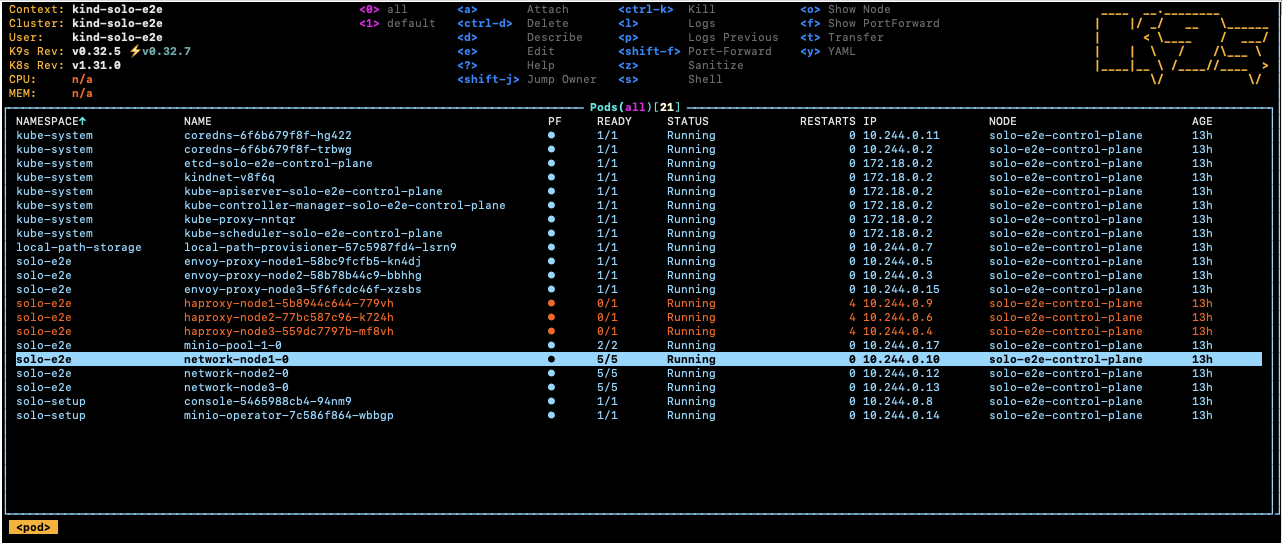
Select the root-container and press s to open a shell inside the container.
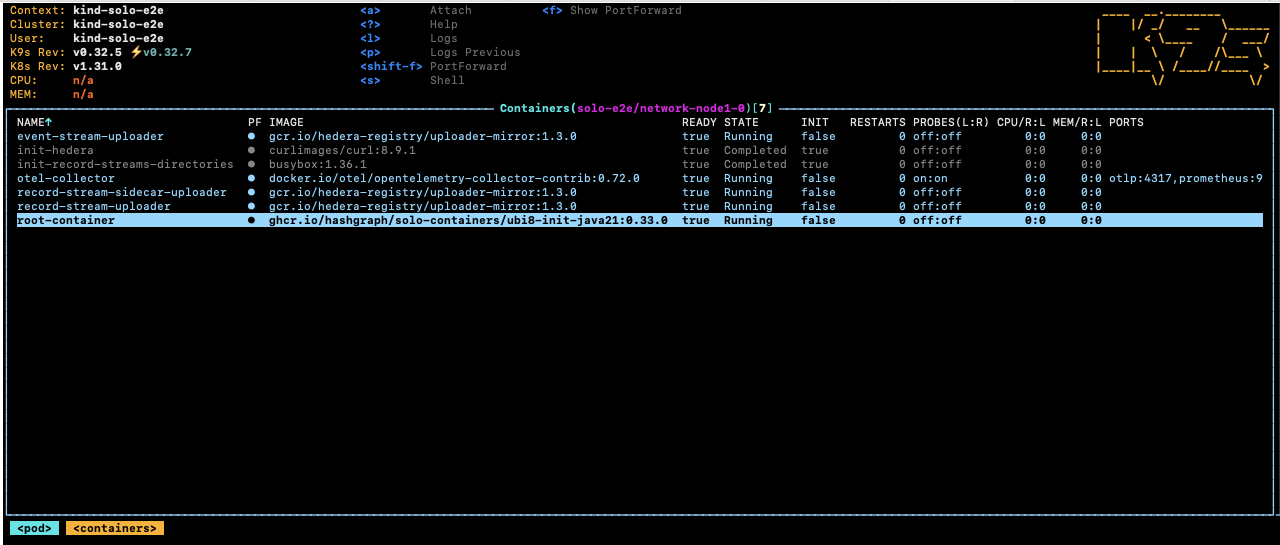
Navigate to the Hedera application directory to browse logs and configuration:
cd /opt/hgcapp/services-hedera/HapiApp2.0/
From there you can inspect logs and configuration files:
[root@network-node1-0 HapiApp2.0]# ls -ltr data/config/
total 0
lrwxrwxrwx 1 root root 27 Dec  4 02:05 bootstrap.properties -> ..data/bootstrap.properties
lrwxrwxrwx 1 root root 29 Dec  4 02:05 application.properties -> ..data/application.properties
lrwxrwxrwx 1 root root 32 Dec  4 02:05 api-permission.properties -> ..data/api-permission.properties

[root@network-node1-0 HapiApp2.0]# ls -ltr output/
total 1148
-rw-r--r-- 1 hedera hedera       0 Dec  4 02:06 hgcaa.log
-rw-r--r-- 1 hedera hedera       0 Dec  4 02:06 queries.log
drwxr-xr-x 2 hedera hedera    4096 Dec  4 02:06 transaction-state
drwxr-xr-x 2 hedera hedera    4096 Dec  4 02:06 state
-rw-r--r-- 1 hedera hedera     190 Dec  4 02:06 swirlds-vmap.log
drwxr-xr-x 2 hedera hedera    4096 Dec  4 16:01 swirlds-hashstream
-rw-r--r-- 1 hedera hedera 1151446 Dec  4 16:07 swirlds.log
Using the Solo CLI (Alternative option)
To download hgcaa.log and swirlds.log as a zip archive without entering
the container shell, run:
# Downloads logs to ~/.solo/logs/<namespace>/<timestamp>/
solo consensus diagnostics all --deployment solo-deployment
2. Attach a JVM Debugger in IntelliJ IDEA
Solo supports pausing node startup at a JDWP debug port so you can attach IntelliJ IDEA before the node begins processing transactions.
Configure IntelliJ IDEA
Create a Remote JVM Debug run configuration in IntelliJ IDEA.
For the Hedera Node application:
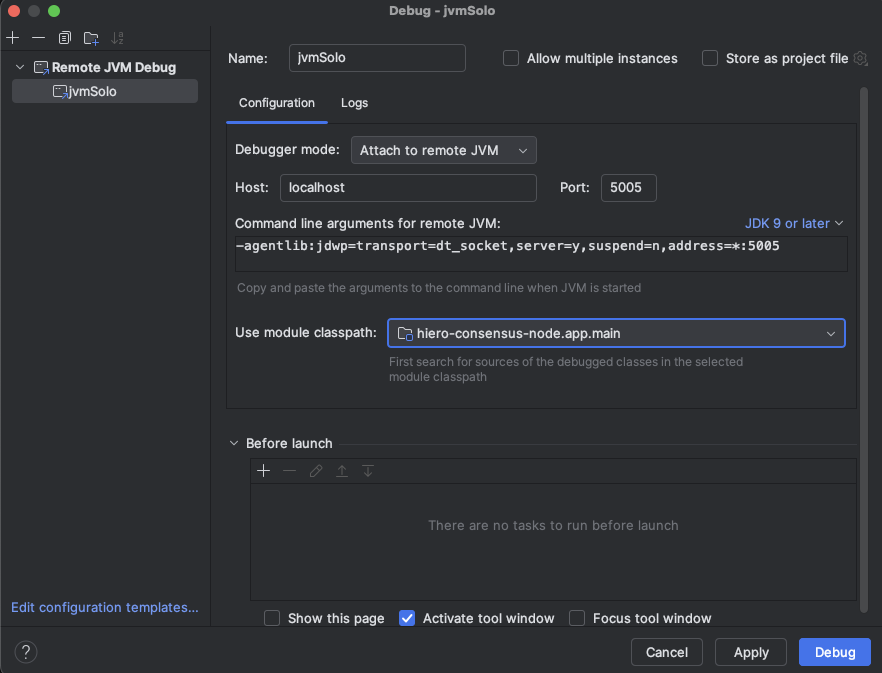
If you are working on the Platform test application instead:
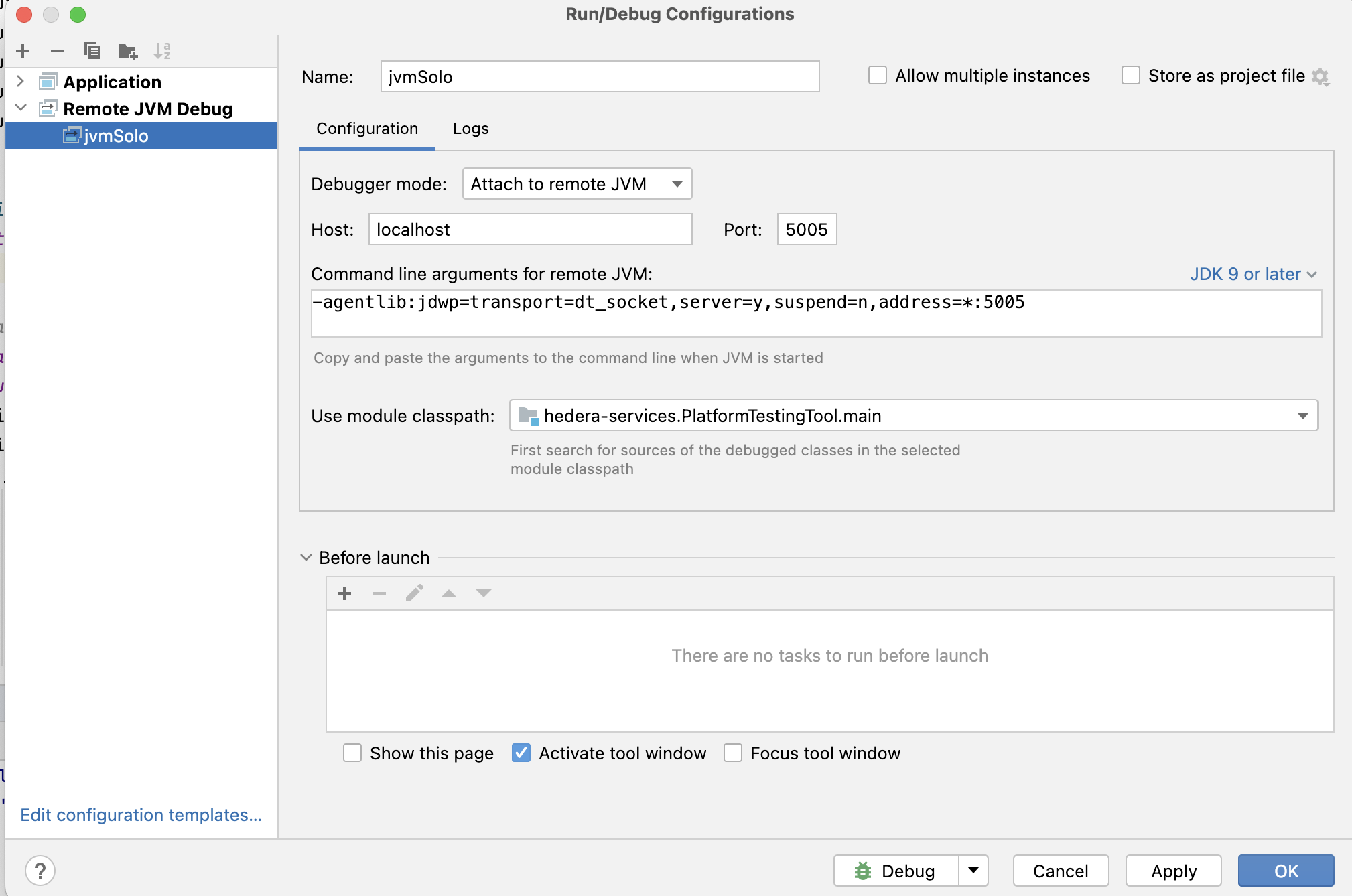
Set any breakpoints you need before launching the Solo command in the next step.
Note: The
local-build-pathin the commands below references../hiero-consensus-node/hedera-node/data. Adjust this path to match your local checkout location. Ensure the directory is up to date by running./gradlew assemblein thehiero-consensus-noderepo before proceeding.
Example 1 — Debug a node during initial network deployment
This example deploys a three-node network and pauses node2 for debugger
attachment.
SOLO_CLUSTER_NAME=solo-cluster
SOLO_NAMESPACE=solo-e2e
SOLO_CLUSTER_SETUP_NAMESPACE=solo-setup
SOLO_DEPLOYMENT=solo-deployment

# Remove any previous state to avoid name collision issues
rm -Rf ~/.solo
kind delete cluster -n "${SOLO_CLUSTER_NAME}"
kind create cluster -n "${SOLO_CLUSTER_NAME}"

solo init
solo cluster-ref config setup -s "${SOLO_CLUSTER_SETUP_NAMESPACE}"
solo cluster-ref config connect --cluster-ref ${SOLO_CLUSTER_NAME} --context kind-${SOLO_CLUSTER_NAME}

solo deployment config create --namespace "${SOLO_NAMESPACE}" --deployment "${SOLO_DEPLOYMENT}"
solo deployment cluster attach --deployment "${SOLO_DEPLOYMENT}" --cluster-ref ${SOLO_CLUSTER_NAME} --num-consensus-nodes 3
solo keys consensus generate --deployment "${SOLO_DEPLOYMENT}" --gossip-keys --tls-keys -i node1,node2,node3

solo consensus network deploy --deployment "${SOLO_DEPLOYMENT}" -i node1,node2,node3 --debug-node-alias node2
solo consensus node setup --deployment "${SOLO_DEPLOYMENT}" -i node1,node2,node3 --local-build-path ../hiero-consensus-node/hedera-node/data
solo consensus node start --deployment "${SOLO_DEPLOYMENT}" -i node1,node2,node3 --debug-node-alias node2
When Solo reaches the active-check phase for node2, it pauses and displays:
❯ Check all nodes are ACTIVE
  Check node: node1,
  Check node: node2,  Please attach JVM debugger now.
  Check node: node3,
? JVM debugger setup for node2. Continue when debugging is complete? (y/N)
At this point, launch the remote debug configuration in IntelliJ IDEA. The node will stop at your breakpoint:
When you are done debugging, resume execution in IntelliJ, then type y in
the terminal to allow Solo to continue.
Example 2 — Debug a node during a node add operation
This example starts a three-node network and then attaches a debugger while
adding node4.
SOLO_CLUSTER_NAME=solo-cluster
SOLO_NAMESPACE=solo-e2e
SOLO_CLUSTER_SETUP_NAMESPACE=solo-setup
SOLO_DEPLOYMENT=solo-deployment

rm -Rf ~/.solo
kind delete cluster -n "${SOLO_CLUSTER_NAME}"
kind create cluster -n "${SOLO_CLUSTER_NAME}"

solo init
solo cluster-ref config setup -s "${SOLO_CLUSTER_SETUP_NAMESPACE}"
solo cluster-ref config connect --cluster-ref ${SOLO_CLUSTER_NAME} --context kind-${SOLO_CLUSTER_NAME}

solo deployment config create --namespace "${SOLO_NAMESPACE}" --deployment "${SOLO_DEPLOYMENT}"
solo deployment cluster attach --deployment "${SOLO_DEPLOYMENT}" --cluster-ref ${SOLO_CLUSTER_NAME} --num-consensus-nodes 3
solo keys consensus generate --deployment "${SOLO_DEPLOYMENT}" --gossip-keys --tls-keys -i node1,node2,node3

solo consensus network deploy --deployment "${SOLO_DEPLOYMENT}" -i node1,node2,node3 --pvcs true
solo consensus node setup --deployment "${SOLO_DEPLOYMENT}" -i node1,node2,node3 --local-build-path ../hiero-consensus-node/hedera-node/data
solo consensus node start --deployment "${SOLO_DEPLOYMENT}" -i node1,node2,node3

solo consensus node add --deployment "${SOLO_DEPLOYMENT}" --gossip-keys --tls-keys \
  --debug-node-alias node4 \
  --local-build-path ../hiero-consensus-node/hedera-node/data \
  --pvcs true
Example 3 — Debug a node during a node update operation
This example attaches a debugger to node2 while it restarts as part of an
update operation.
SOLO_CLUSTER_NAME=solo-cluster
SOLO_NAMESPACE=solo-e2e
SOLO_CLUSTER_SETUP_NAMESPACE=solo-setup
SOLO_DEPLOYMENT=solo-deployment

rm -Rf ~/.solo
kind delete cluster -n "${SOLO_CLUSTER_NAME}"
kind create cluster -n "${SOLO_CLUSTER_NAME}"

solo init
solo cluster-ref config setup -s "${SOLO_CLUSTER_SETUP_NAMESPACE}"
solo cluster-ref config connect --cluster-ref ${SOLO_CLUSTER_NAME} --context kind-${SOLO_CLUSTER_NAME}

solo deployment config create --namespace "${SOLO_NAMESPACE}" --deployment "${SOLO_DEPLOYMENT}"
solo deployment cluster attach --deployment "${SOLO_DEPLOYMENT}" --cluster-ref ${SOLO_CLUSTER_NAME} --num-consensus-nodes 3
solo keys consensus generate --deployment "${SOLO_DEPLOYMENT}" --gossip-keys --tls-keys -i node1,node2,node3

solo consensus network deploy --deployment "${SOLO_DEPLOYMENT}" -i node1,node2,node3
solo consensus node setup --deployment "${SOLO_DEPLOYMENT}" -i node1,node2,node3 --local-build-path ../hiero-consensus-node/hedera-node/data
solo consensus node start --deployment "${SOLO_DEPLOYMENT}" -i node1,node2,node3

solo consensus node update --deployment "${SOLO_DEPLOYMENT}" \
  --node-alias node2 \
  --debug-node-alias node2 \
  --local-build-path ../hiero-consensus-node/hedera-node/data \
  --new-account-number 0.0.7 \
  --gossip-public-key ./s-public-node2.pem \
  --gossip-private-key ./s-private-node2.pem \
  --release-tag v0.59.5
Example 4 — Debug a node during a node delete operation
This example attaches a debugger to node3 while node2 is being removed
from the network.
SOLO_CLUSTER_NAME=solo-cluster
SOLO_NAMESPACE=solo-e2e
SOLO_CLUSTER_SETUP_NAMESPACE=solo-setup
SOLO_DEPLOYMENT=solo-deployment

rm -Rf ~/.solo
kind delete cluster -n "${SOLO_CLUSTER_NAME}"
kind create cluster -n "${SOLO_CLUSTER_NAME}"

solo init
solo cluster-ref config setup -s "${SOLO_CLUSTER_SETUP_NAMESPACE}"
solo cluster-ref config connect --cluster-ref ${SOLO_CLUSTER_NAME} --context kind-${SOLO_CLUSTER_NAME}

solo deployment config create --namespace "${SOLO_NAMESPACE}" --deployment "${SOLO_DEPLOYMENT}"
solo deployment cluster attach --deployment "${SOLO_DEPLOYMENT}" --cluster-ref ${SOLO_CLUSTER_NAME} --num-consensus-nodes 3
solo keys consensus generate --deployment "${SOLO_DEPLOYMENT}" --gossip-keys --tls-keys -i node1,node2,node3

solo consensus network deploy --deployment "${SOLO_DEPLOYMENT}" -i node1,node2,node3
solo consensus node setup --deployment "${SOLO_DEPLOYMENT}" -i node1,node2,node3 --local-build-path ../hiero-consensus-node/hedera-node/data
solo consensus node start --deployment "${SOLO_DEPLOYMENT}" -i node1,node2,node3

solo consensus node destroy --deployment "${SOLO_DEPLOYMENT}" \
  --node-alias node2 \
  --debug-node-alias node3 \
  --local-build-path ../hiero-consensus-node/hedera-node/data
3. Save and Restore Network State
You can snapshot the state of a running network and restore it later. This is useful for replaying specific scenarios or sharing reproducible test cases with the team.
Save state
Stop the nodes first, then download the state archives:
# Stop all nodes before downloading state
solo consensus node stop --deployment "${SOLO_DEPLOYMENT}"

# Download state files to ~/.solo/logs/<namespace>/
solo consensus state download -i node1,node2,node3 --deployment "${SOLO_DEPLOYMENT}"
The state files are saved under ~/.solo/logs/:
└── logs
    ├── solo-e2e
    │   ├── network-node1-0-state.zip
    │   └── network-node2-0-state.zip
    └── solo.log
Restore state
Create a fresh cluster, deploy the network, then upload the saved state before starting the nodes:
SOLO_CLUSTER_NAME=solo-cluster
SOLO_NAMESPACE=solo-e2e
SOLO_CLUSTER_SETUP_NAMESPACE=solo-setup
SOLO_DEPLOYMENT=solo-deployment

rm -Rf ~/.solo
kind delete cluster -n "${SOLO_CLUSTER_NAME}"
kind create cluster -n "${SOLO_CLUSTER_NAME}"

solo init
solo cluster-ref config setup -s "${SOLO_CLUSTER_SETUP_NAMESPACE}"
solo cluster-ref config connect --cluster-ref ${SOLO_CLUSTER_NAME} --context kind-${SOLO_CLUSTER_NAME}

solo deployment config create --namespace "${SOLO_NAMESPACE}" --deployment "${SOLO_DEPLOYMENT}"
solo deployment cluster attach --deployment "${SOLO_DEPLOYMENT}" --cluster-ref ${SOLO_CLUSTER_NAME} --num-consensus-nodes 3
solo keys consensus generate --deployment "${SOLO_DEPLOYMENT}" --gossip-keys --tls-keys -i node1,node2,node3

solo consensus network deploy --deployment "${SOLO_DEPLOYMENT}" -i node1,node2,node3
solo consensus node setup --deployment "${SOLO_DEPLOYMENT}" -i node1,node2,node3 --local-build-path ../hiero-consensus-node/hedera-node/data
solo consensus node start --deployment "${SOLO_DEPLOYMENT}" -i node1,node2,node3
solo consensus node stop --deployment "${SOLO_DEPLOYMENT}"

# Upload previously saved state files
solo consensus node states -i node1,node2,node3 --deployment "${SOLO_DEPLOYMENT}"

# Restart the network using the uploaded state
solo consensus node start --deployment "${SOLO_DEPLOYMENT}" --state-file network-node1-0-state.zip
2.4 - Customizing Solo with Tasks
Use the Task runner to deploy and customize Solo networks, then explore maintained GitHub example projects for common workflows.
Overview
The Task tool (task) is a task runner that enables you to deploy and customize Solo networks using infrastructure-as-code patterns. Rather than running individual Solo CLI commands, you can use predefined Taskfile targets to orchestrate complex deployment workflows with a single command.
This guide covers installing the Task tool, understanding available Taskfile targets, and using them to deploy networks with various configurations. It also points to maintained example projects that demonstrate common Solo workflows.
Note: This guide assumes you have cloned the Solo repository and have basic familiarity with command-line interfaces and Docker.
Prerequisites
Before you begin, ensure you have completed the following:
- System Readiness: Prepare your local environment (Docker, Kind, Kubernetes, and related tooling).
- Quickstart: You are familiar with the basic Solo workflow and the
solo one-shot single deploycommand.
Tip: Task-based workflows are ideal for developers who want to:
- Run the same deployment multiple times reliably.
- Customize network components (add mirror nodes, relays, block nodes, etc.).
- Use version control to track deployment configurations.
- Integrate Solo deployments into CI/CD pipelines.
Install the Task Tool
The Task tool is a dependency for using Taskfile targets in the Solo repository. Install it using one of the following methods:
Using Homebrew (macOS/Linux) (recommended)
brew install go-task/tap/go-task
Using npm
npm install -g @go-task/cli
Verify the installation:
task --version
Expected output:
Task version: v3.X.X
Using package managers
Visit the Task installation guide for additional installation methods for your operating system.
Understanding the Task Structure
The Solo repository uses a modular Task architecture located in the scripts/ directory:
scripts/
├── Taskfile.yml                    # Main entry point (includes other Taskfiles)
├── Taskfile.scripts.yml            # Core deployment and management tasks
├── Taskfile.examples.yml           # Example project tasks
├── Taskfile.release.yml            # Package publishing tasks
└── [other helper scripts]
How to Run Tasks
From the root directory or any example directory, run:
# Run the default task
task

# Run a specific task
task <task-name>

# Run tasks with variables
task <task-name> -- VAR_NAME=value
Deploy Network Configurations
Basic Network Deployment
Deploy a standalone Hiero Consensus Node network with a single command:
# From the repository root, navigate to scripts directory
cd scripts

# Deploy default network (2 consensus nodes)
task default
This command performs the following actions:
- Initializes Solo and downloads required dependencies.
- Creates a local Kubernetes cluster using Kind.
- Deploys 2 consensus nodes.
- Sets up gRPC and JSON-RPC endpoints for client access.
Deploy Network with Mirror Node
Deploy a network with a consensus node, mirror node, and Hiero Explorer:
cd scripts

task default-with-mirror
This configuration includes:
| Component | Description |
|---|---|
| Consensus Node | 2 consensus nodes running Hiero |
| Mirror Node | Stores and serves historical transaction data |
| Explorer UI | Web interface for viewing accounts |
Access the Explorer at: http://localhost:8080
Deploy Network with Relay and Explorer
Deploy a network with consensus nodes, mirror node, explorer, and JSON-RPC relay for Ethereum-compatible access:
cd scripts

task default-with-relay
This configuration includes:
| Component | Description |
|---|---|
| Consensus Node | 2 consensus nodes running Hiero |
| Mirror Node | Stores and serves historical transaction data |
| Explorer UI | Web interface for viewing accounts |
| JSON-RPC Relay | Ethereum-compatible JSON-RPC interface |
Access the services at:
- Explorer:
http://localhost:8080 - JSON-RPC Relay:
http://localhost:7546
Available Taskfile Targets
The Taskfile includes a comprehensive set of targets for deploying and managing Solo networks. Below are the most commonly used targets, organized by category.
Core Deployment Targets
These targets handle the primary deployment lifecycle:
| Task | Description |
|---|---|
default | Complete deployment workflow for Solo |
install | Initialize cluster, create deployment, and setup consensus net |
destroy | Tear down the consensus network |
clean | Full cleanup: destroy network, remove cache, logs, and files |
start | Start all consensus nodes |
stop | Stop all consensus nodes |
Example: Deploy, then clean up
cd scripts

# Deploy the network
task default

# ... (use the network)

# Stop the network
task stop

# Remove all traces of the deployment
task clean
Cache and Log Cleanup
When cleaning up, you can selectively remove specific components:
| Task | Description |
|---|---|
clean:cache | Remove the Solo cache directory (~/.solo/cache) |
clean:logs | Remove the Solo logs directory (~/.solo/logs) |
clean:tmp | Remove temporary deployment files |
Mirror Node Management
Add, configure, or remove mirror nodes from an existing deployment:
| Task | Description |
|---|---|
solo:mirror-node | Add a mirror node to the current deployment |
solo:destroyer-mirror-node | Remove the mirror node from the deployment |
Example: Add mirror node to running network
cd scripts

# Start with a basic network
task default

# Add mirror node later
task solo:mirror-node

# Remove mirror node
task solo:destroyer-mirror-node
Explorer UI Management
Deploy or remove the Hiero Explorer for transaction/account viewing:
| Task | Description |
|---|---|
solo:explorer | Add explorer UI to the current deployment |
solo:destroy-explorer | Remove explorer UI from the deployment |
Example: Deploy network with explorer
cd scripts

task default
task solo:explorer

# Access at http://localhost:8080
JSON-RPC Relay Management
Deploy or remove the Relay for Ethereum-compatible access:
| Task | Description |
|---|---|
solo:relay | Add JSON-RPC relay to the current deployment |
solo:destroy-relay | Remove JSON-RPC relay from the deployment |
Example: Add relay to running network
cd scripts

task default-with-mirror
task solo:relay

# Access JSON-RPC at http://localhost:7546
Block Node Management
Deploy or remove block nodes for streaming block data:
| Task | Description |
|---|---|
solo:block:add | Add a block node to the current deployment |
solo:block:destroy | Remove the block node from the deployment |
Example: Deploy network with block node
cd scripts

task default
task solo:block:add

# Block node will stream block data
Infrastructure Tasks
Low-level tasks for managing clusters and network infrastructure:
| Task | Description |\n| ————————— | ———————————————————- |
| cluster:create | Create a Kind (Kubernetes in Docker) cluster |
| cluster:destroy | Delete the Kind cluster |
| solo:cluster:setup | Setup cluster infrastructure and prerequisites |
| solo:init | Initialize Solo (download tools and templates) |
| solo:deployment:create | Create a new deployment configuration |
| solo:deployment:attach | Attach an existing cluster to a deployment |
| solo:network:deploy | Deploy the consensus network to the cluster |
| solo:network:destroy | Destroy the consensus network |
Tip: Unless you need custom cluster management, use the higher-level tasks like
default,install, ordestroywhich orchestrate these infrastructure tasks automatically.
Utility Tasks
Helpful tasks for inspecting and managing running networks:
| Task | Description |
|---|---|
show:ips | Display the external IPs of all network nodes |
solo:node:logs | Retrieve logs from consensus nodes |
solo:freeze:restart | Execute a freeze/restart upgrade workflow for testing version upgrades |
Example: View network IPs and logs
cd scripts

# See which nodes are running and their IPs
task show:ips

# Retrieve node logs for debugging
task solo:node:logs
Database Tasks
Deploy external databases for specialized configurations:
| Task | Description |
|---|---|
solo:external-database | Setup external PostgreSQL database with Helm |
Advanced Configuration with Environment Variables
You can customize Task behavior by setting environment variables before running tasks. Common variables include:
| Variable | Description | Default |
|---|---|---|
SOLO_NETWORK_SIZE | Number of consensus nodes | 1 |
SOLO_NAMESPACE | Kubernetes namespace | solo-e2e |
CONSENSUS_NODE_VERSION | Consensus node version | v0.65.1 |
MIRROR_NODE_VERSION | Mirror node version | v0.138.0 |
RELAY_VERSION | JSON-RPC Relay version | v0.70.0 |
EXPLORER_VERSION | Explorer UI version | v25.1.1 |
For a comprehensive reference of all available environment variables, see Using Environment Variables.
Example: Deploy with custom versions
cd scripts

# Deploy with specific component versions
CONSENSUS_NODE_VERSION=v0.66.0 \
MIRROR_NODE_VERSION=v0.139.0 \
task default-with-mirror
Example Projects
The Solo repository includes 14+ maintained example projects that demonstrate common Solo workflows. These examples serve as templates and starting points for custom implementations.
Getting Started with Examples
Each example is located in the examples/ directory and includes:
- Pre-configured
Taskfile.ymlwith deployment settings. init-containers-values.yamlfor customization.- Example-specific README with detailed instructions.
To run an example:
cd examples/<example-name>

# Deploy the example
task

# Clean up when done
task clean
Available Examples
Network Setup Examples
- Address Book: Use Yahcli to pull ledger and mirror node address books for querying network state
- Network with Domain Names: Setup a network with custom domain names for nodes instead of IP addresses
- Network with Block Node: Deploy a network with block node for streaming block data
Configuration Examples
- Custom Network Config: Customize consensus network configuration for your specific needs
- Local Build with Custom Config: Deploy using a locally-built consensus node with custom configuration
- Consensus Node JVM Parameters: Customize JVM parameters (memory, GC settings, etc.) for consensus nodes
Database Examples
- External Database Test: Deploy Solo with an external PostgreSQL database instead of embedded storage
- Multi-Cluster Backup and Restore: Backup state from one cluster and restore to another using external database
State Management Examples
- State Save and Restore: Save the network state with mirror node, then restore to a new deployment
- Version Upgrade Test: Upgrade all network components to the current version to test compatibility
Node Transaction Examples
These examples demonstrate manual operations for adding, modifying, and removing nodes:
- Node Create Transaction: Create a new node manually using the NodeCreate transaction
- Node Update Transaction: Update an existing node configuration with NodeUpdate transaction
- Node Delete Transaction: Remove a node from the network with NodeDelete transaction
Integration Examples
- Hardhat with Solo: Test smart contracts locally with Hardhat using Solo as the test network
- One-Shot Falcon Deployment: One-shot deployment using Falcon (consensus node implementation)
- One-Shot Local Build: One-shot deployment using a locally-built consensus node
Testing Examples
- Rapid-Fire: Rapid-fire deployment and teardown commands for stress testing the deployment workflow
- Running Solo Inside Cluster: Deploy Solo within an existing Kubernetes cluster instead of creating a new one
Practical Workflows
Workflow 1: Quick Development Network with Logging
Deploy a network for development and debugging:
cd scripts

# Set logging level
export SOLO_LOG_LEVEL=debug

# Deploy with mirror and relay
task default-with-relay

# Retrieve logs if needed
task solo:node:logs

# View network endpoints
task show:ips

# Clean up
task clean
Workflow 2: Test Configuration Changes
Iterate on network configuration:
cd examples/custom-network-config

# Edit the Taskfile or init-containers-values.yaml

# Deploy with your changes
task

# Test your configuration

# Clean up and try again
task clean
Workflow 3: Upgrade Network Components
Test upgrading Solo components:
cd examples/version-upgrade-test

# Deploy with current versions
task

# The example automatically tests the upgrade path

# Clean up
task clean
Workflow 4: Backup and Restore Network State
Test disaster recovery and state migration:
cd examples/state-save-and-restore

# Deploy initial network with state
task

# The example includes backup/restore operations

# Clean up
task clean
Troubleshooting
Common Issues
Task command not found
Ensure Task is installed and on your PATH:
which task
task --version
Taskfile not found
Run Task commands from the scripts/ directory or an examples/ subdirectory where a Taskfile.yml exists:
cd scripts
task default
Insufficient resources
Some deployments require significant resources. Verify your Docker has at least 12 GB of memory and 6 CPU cores allocated:
docker info --format 'CPU: {{.NCPU}}, Memory: {{.MemTotal | div 1000000000}}GB'
Cluster cleanup issues
If the cluster becomes unstable, perform a full cleanup:
cd scripts

# Remove all traces
task clean

# As a last resort, manually delete the Kind cluster
kind delete cluster --name solo-e2e
Next Steps
After deploying a network with Task, explore:
- Using the JavaScript SDK: Interact with your network programmatically
- Using Network Load Generator: Stress test your network
- Environment Variables Reference: Fine-tune deployment behavior
- Solo CI Workflow: Integrate Solo deployments into CI/CD pipelines
Additional Resources
2.5 - Solo CI Workflow
Learn how to integrate Solo into a GitHub Actions CI pipeline covering runner requirements, tool installation, and automated network deployment within CI environments. Set up fresh isolated Solo networks for each CI run.
Overview
This guide walks you through integrating Solo into a GitHub Actions CI pipeline - covering runner requirements, tool installation, and automated network deployment. Each step installs dependencies directly in the workflow, since CI runners are fresh environments with no pre-installed tools.
Prerequisites
Before proceeding, ensure you have completed the following:
- System Readiness — your local environment meets all hardware and software requirements.
- Quickstart — you are familiar with the basic Solo
workflow and the
solo one-shot single deploycommand.
This guide assumes you are integrating Solo into a GitHub Actions workflow where each runner is a fresh environment. The steps below install all required tools directly inside the workflow rather than relying on pre-installed dependencies.
Runner Requirements
Solo requires a minimum of 6 CPU cores and 12 GB of memory on the runner. If these requirements are not met, Solo components may hang or fail to install during deployment.
Note: The Kubernetes cluster does not have full access to all memory available on the host. Setting Docker to 12 GB of memory means the Kind cluster running inside Docker will have access to less than 12 GB. Memory and CPU utilisation also increase over time as transaction load grows. The requirements above are validated for
solo one-shot single deployas documented in this guide.
To verify that your runner meets these requirements, add the following step to your workflow:
  - name: Check Docker Resources
    run: |
      read cpus mem <<<"$(docker info --format '{{.NCPU}} {{.MemTotal}}')"
      mem_gb=$(awk -v m="$mem" 'BEGIN{printf "%.1f", m/1000000000}')
      echo "CPU cores: $cpus"
      echo "Memory: ${mem_gb} GB"
Expected Output:
  CPU cores: 6
  Memory: 12 GB
Step 1: Set Up Kind
Install Kind to create and manage a local Kubernetes cluster in your workflow.
  - name: Setup Kind
    uses: helm/kind-action@a1b0e391336a6ee6713a0583f8c6240d70863de3
    with:
      install_only: true
      node_image: kindest/node:v1.31.4@sha256:2cb39f7295fe7eafee0842b1052a599a4fb0f8bcf3f83d96c7f4864c357c6c30
      version: v0.26.0
      kubectl_version: v1.31.4
      verbosity: 3
      wait: 120s
Step 2: Install Node.js
  - name: Set up Node.js
    uses: actions/setup-node@49933ea5288caeca8642d1e84afbd3f7d6820020
    with:
      node-version: 22.12.0
Step 3: Install Solo CLI
Install the Solo CLI globally using npm.
Important: Always pin the CLI version. Unpinned installs may pick up breaking changes from newer releases and cause unexpected workflow failures.
  - name: Install Solo CLI
    run: |
      set -euo pipefail
      npm install -g @hashgraph/solo@0.48.0
      solo --version
      kind --version
Step 4: Deploy Solo
Deploy a Solo network to your Kind cluster. This command creates and configures a fully functional local Hiero network, including:
Consensus Node
Mirror Node
Mirror Node Explorer
JSON-RPC Relay
  - name: Deploy Solo
    env:
      SOLO_CLUSTER_NAME: solo
      SOLO_NAMESPACE: solo
      SOLO_CLUSTER_SETUP_NAMESPACE: solo-cluster
      SOLO_DEPLOYMENT: solo-deployment
    run: |
      set -euo pipefail
      kind create cluster -n "${SOLO_CLUSTER_NAME}"
      solo one-shot single deploy | tee solo-deploy.log
Complete Example Workflow
The following is the full workflow combining all steps above. Copy this into your .github/workflows/ directory as a starting point.
  - name: Check Docker Resources
    run: |
      read cpus mem <<<"$(docker info --format '{{.NCPU}} {{.MemTotal}}')"
      mem_gb=$(awk -v m="$mem" 'BEGIN{printf "%.1f", m/1000000000}')
      echo "CPU cores: $cpus"
      echo "Memory: ${mem_gb} GB"

  - name: Setup Kind
    uses: helm/kind-action@a1b0e391336a6ee6713a0583f8c6240d70863de3
    with:
      install_only: true
      node_image: kindest/node:v1.31.4@sha256:2cb39f7295fe7eafee0842b1052a599a4fb0f8bcf3f83d96c7f4864c357c6c30
      version: v0.26.0
      kubectl_version: v1.31.4
      verbosity: 3
      wait: 120s

  - name: Set up Node.js
    uses: actions/setup-node@49933ea5288caeca8642d1e84afbd3f7d6820020
    with:
      node-version: 22.12.0

  - name: Install Solo CLI
    run: |
      set -euo pipefail
      npm install -g @hashgraph/solo@0.48.0
      solo --version
      kind --version

  - name: Deploy Solo
    env:
      SOLO_CLUSTER_NAME: solo
      SOLO_NAMESPACE: solo
      SOLO_CLUSTER_SETUP_NAMESPACE: solo-cluster
      SOLO_DEPLOYMENT: solo-deployment
    run: |
      set -euo pipefail
      kind create cluster -n "${SOLO_CLUSTER_NAME}"
      solo one-shot single deploy | tee solo-deploy.log
2.6 - CLI Reference
Canonical Solo CLI command and flag reference, including migration guidance from legacy command paths. Use this section to look up Solo commands, subcommands, and flags.
2.6.1 - Solo CLI Reference
Canonical Solo CLI command and flag reference for end users.
Overview
This page is the canonical command reference for the Solo CLI.
- Use it to look up command paths, subcommands, and flags.
- Use
solo <command> --helpandsolo <command> <subcommand> --helpfor runtime help on your installed version. - For legacy command mappings, see CLI Migration Reference.
Output Formats (--output, -o)
Solo supports machine-readable output for version output and for command execution flows that honor the output format flag.
solo --version -o json
solo --version -o yaml
solo --version -o wide
Expected formats:
json: JSON object output.yaml: YAML output.wide: plain text value-oriented output.
Global Flags
Global flags shown in root help:
--dev: enable developer mode.--force-port-forward: force port forwarding for network services.-v,--version: print Solo version.
Command and Flag Reference
The sections below are generated from Solo CLI help output using the implementation on hiero-ledger/solo (main), commit f800d3c.
Root Help Output
Usage:
  solo <command> [options]

Commands:
  init         Initialize local environment
  config       Backup and restore component configurations for Solo deployments. These commands display what would be backed up or restored without performing actual operations.
  block        Block Node operations for creating, modifying, and destroying resources. These commands require the presence of an existing deployment.
  cluster-ref  Manages the relationship between Kubernetes context names and Solo cluster references which are an alias for a kubernetes context.
  consensus    Consensus Node operations for creating, modifying, and destroying resources. These commands require the presence of an existing deployment.
  deployment   Create, modify, and delete deployment configurations. Deployments are required for most of the other commands.
  explorer     Explorer Node operations for creating, modifying, and destroying resources.These commands require the presence of an existing deployment.
  keys         Consensus key generation operations
  ledger       System, Account, and Crypto ledger-based management operations. These commands require an operational set of consensus nodes and may require an operational mirror node.
  mirror       Mirror Node operations for creating, modifying, and destroying resources. These commands require the presence of an existing deployment.
  relay        RPC Relay Node operations for creating, modifying, and destroying resources. These commands require the presence of an existing deployment.
  one-shot     One Shot commands for new and returning users who need a preset environment type. These commands use reasonable defaults to provide a single command out of box experience.
  rapid-fire   Commands for performing load tests a Solo deployment

Options:


     --dev                 Enable developer mode           [boolean] [default: false]
     --force-port-forward  Force port forward to access    [boolean] [default: true]
                           the network services
-v,  --version             Show version number             [boolean]
init
init

Initialize local environment

Options:


     --cache-dir           Local cache directory           [string] [default: "~/.solo/cache"]
     --dev                 Enable developer mode           [boolean] [default: false]
     --force-port-forward  Force port forward to access    [boolean] [default: true]
                           the network services
-q,  --quiet-mode          Quiet mode, do not prompt for   [boolean] [default: false]
                           confirmation
-u,  --user                Optional user name used for     [string]
                           local configuration. Only
                           accepts letters and numbers.
                           Defaults to the username
                           provided by the OS
-v,  --version             Show version number             [boolean]
config
config

Backup and restore component configurations for Solo deployments. These commands display what would be backed up or restored without performing actual operations.

Commands:
  config ops   Configuration backup and restore operations

Options:


     --dev                 Enable developer mode           [boolean] [default: false]
     --force-port-forward  Force port forward to access    [boolean] [default: true]
                           the network services
-v,  --version             Show version number             [boolean]
config ops
config ops

Configuration backup and restore operations

Commands:
  config ops backup             Display backup plan for all component configurations of a deployment. Shows what files and configurations would be backed up without performing the actual backup.
  config ops restore-config     Restore component configurations from backup. Imports ConfigMaps, Secrets, logs, and state files for a running deployment.
  config ops restore-clusters   Restore Kind clusters from backup directory structure. Creates clusters, sets up Docker network, installs MetalLB, and initializes cluster configurations. Does not deploy network components.
  config ops restore-network    Deploy network components to existing clusters from backup. Deploys consensus nodes, block nodes, mirror nodes, explorers, and relay nodes. Requires clusters to be already created (use restore-clusters first).

Options:


     --dev                 Enable developer mode           [boolean] [default: false]
     --force-port-forward  Force port forward to access    [boolean] [default: true]
                           the network services
-v,  --version             Show version number             [boolean]
config ops backup
config ops backup

Display backup plan for all component configurations of a deployment. Shows what files and configurations would be backed up without performing the actual backup.

Options:

-d,  --deployment          The name the user will          [string] [required]
                           reference locally to link to a
                           deployment

     --dev                 Enable developer mode           [boolean] [default: false]
     --force-port-forward  Force port forward to access    [boolean] [default: true]
                           the network services
     --output-dir          Path to the directory where     [string]
                           the command context will be
                           saved to
-q,  --quiet-mode          Quiet mode, do not prompt for   [boolean] [default: false]
                           confirmation
-v,  --version             Show version number             [boolean]
     --zip-file            Path to the encrypted backup    [string]
                           ZIP archive used during
                           restore
     --zip-password        Password to encrypt generated   [string]
                           backup ZIP archives
config ops restore-config
config ops restore-config

Restore component configurations from backup. Imports ConfigMaps, Secrets, logs, and state files for a running deployment.

Options:

-d,  --deployment          The name the user will          [string] [required]
                           reference locally to link to a
                           deployment

     --dev                 Enable developer mode           [boolean] [default: false]
     --force-port-forward  Force port forward to access    [boolean] [default: true]
                           the network services
     --input-dir           Path to the directory where     [string]
                           the command context will be
                           loaded from
-q,  --quiet-mode          Quiet mode, do not prompt for   [boolean] [default: false]
                           confirmation
-v,  --version             Show version number             [boolean]
config ops restore-clusters
config ops restore-clusters

Restore Kind clusters from backup directory structure. Creates clusters, sets up Docker network, installs MetalLB, and initializes cluster configurations. Does not deploy network components.

Options:

     --input-dir           Path to the directory where     [string] [required]
                           the command context will be
                           loaded from

     --dev                 Enable developer mode           [boolean] [default: false]
     --force-port-forward  Force port forward to access    [boolean] [default: true]
                           the network services
     --metallb-config      Path pattern for MetalLB        [string] [default: "metallb-cluster-{index}.yaml"]
                           configuration YAML files
                           (supports {index} placeholder
                           for cluster number)
     --options-file        Path to YAML file containing    [string]
                           component-specific deployment
                           options (consensus, block,
                           mirror, relay, explorer)
-q,  --quiet-mode          Quiet mode, do not prompt for   [boolean] [default: false]
                           confirmation
-v,  --version             Show version number             [boolean]
     --zip-file            Path to the encrypted backup    [string]
                           ZIP archive used during
                           restore
     --zip-password        Password to encrypt generated   [string]
                           backup ZIP archives
config ops restore-network
config ops restore-network

Deploy network components to existing clusters from backup. Deploys consensus nodes, block nodes, mirror nodes, explorers, and relay nodes. Requires clusters to be already created (use restore-clusters first).

Options:

     --input-dir           Path to the directory where     [string] [required]
                           the command context will be
                           loaded from

     --dev                 Enable developer mode           [boolean] [default: false]
     --force-port-forward  Force port forward to access    [boolean] [default: true]
                           the network services
     --options-file        Path to YAML file containing    [string]
                           component-specific deployment
                           options (consensus, block,
                           mirror, relay, explorer)
-q,  --quiet-mode          Quiet mode, do not prompt for   [boolean] [default: false]
                           confirmation
     --realm               Realm number. Requires          [number] [default: 0]
                           network-node > v61.0 for
                           non-zero values
     --shard               Shard number. Requires          [number] [default: 0]
                           network-node > v61.0 for
                           non-zero values
-v,  --version             Show version number             [boolean]
block
block

Block Node operations for creating, modifying, and destroying resources. These commands require the presence of an existing deployment.

Commands:
  block node   Create, manage, or destroy block node instances. Operates on a single block node instance at a time.

Options:


     --dev                 Enable developer mode           [boolean] [default: false]
     --force-port-forward  Force port forward to access    [boolean] [default: true]
                           the network services
-v,  --version             Show version number             [boolean]
block node
block node

Create, manage, or destroy block node instances. Operates on a single block node instance at a time.

Commands:
  block node add               Creates and configures a new block node instance for the specified deployment using the specified Kubernetes cluster. The cluster must be accessible and attached to the specified deployment.
  block node destroy           Destroys a single block node instance in the specified deployment. Requires access to all Kubernetes clusters attached to the deployment.
  block node upgrade           Upgrades a single block node instance in the specified deployment. Requires access to all Kubernetes clusters attached to the deployment.
  block node add-external      Add an external block node for the specified deployment. You can specify the priority and consensus nodes to which to connect or use the default settings.
  block node delete-external   Deletes an external block node from the specified deployment.

Options:


     --dev                 Enable developer mode           [boolean] [default: false]
     --force-port-forward  Force port forward to access    [boolean] [default: true]
                           the network services
-v,  --version             Show version number             [boolean]
block node add
block node add

Creates and configures a new block node instance for the specified deployment using the specified Kubernetes cluster. The cluster must be accessible and attached to the specified deployment.

Options:

-d,  --deployment              The name the user will          [string] [required]
                               reference locally to link to a
                               deployment

     --block-node-chart-dir    Block node local chart          [string]
                               directory path (e.g.
                               ~/hiero-block-node/charts)
     --block-node-tss-overlay  Force-apply block-node TSS      [boolean] [default: false]
                               values overlay when deploying
                               block nodes before consensus
                               deployment sets tssEnabled in
                               remote config.
     --chart-dir               Local chart directory path      [string]
                               (e.g. ~/solo-charts/charts)
     --chart-version           Block nodes chart version       [string] [default: "v0.28.1"]
-c,  --cluster-ref             The cluster reference that      [string]
                               will be used for referencing
                               the Kubernetes cluster and
                               stored in the local and remote
                               configuration for the
                               deployment.  For commands that
                               take multiple clusters they
                               can be separated by commas.
     --dev                     Enable developer mode           [boolean] [default: false]
     --domain-name             Custom domain name              [string]
     --enable-ingress          enable ingress on the           [boolean] [default: false]
                               component/pod
     --force-port-forward      Force port forward to access    [boolean] [default: true]
                               the network services
     --image-tag               The Docker image tag to         [string]
                               override what is in the Helm
                               Chart
     --priority-mapping        Configure block node priority   [string]
                               mapping. Unlisted nodes will
                               not be routed to a block node
                               Default: all consensus nodes
                               included, first node priority
                               is 2. Example:
                               "priority-mapping
                               node1=2,node2=1"
-q,  --quiet-mode              Quiet mode, do not prompt for   [boolean] [default: false]
                               confirmation
-t,  --release-tag             Release tag to be used (e.g.    [string] [default: "v0.71.0"]
                               v0.71.0)
-f,  --values-file             Comma separated chart values    [string]
                               file
-v,  --version                 Show version number             [boolean]
block node destroy
block node destroy

Destroys a single block node instance in the specified deployment. Requires access to all Kubernetes clusters attached to the deployment.

Options:

-d,  --deployment          The name the user will          [string] [required]
                           reference locally to link to a
                           deployment

     --chart-dir           Local chart directory path      [string]
                           (e.g. ~/solo-charts/charts)
-c,  --cluster-ref         The cluster reference that      [string]
                           will be used for referencing
                           the Kubernetes cluster and
                           stored in the local and remote
                           configuration for the
                           deployment.  For commands that
                           take multiple clusters they
                           can be separated by commas.
     --dev                 Enable developer mode           [boolean] [default: false]
     --force               Force actions even if those     [boolean] [default: false]
                           can be skipped
     --force-port-forward  Force port forward to access    [boolean] [default: true]
                           the network services
     --id                  The numeric identifier for the  [number]
                           component
-q,  --quiet-mode          Quiet mode, do not prompt for   [boolean] [default: false]
                           confirmation
-v,  --version             Show version number             [boolean]
block node upgrade
block node upgrade

Upgrades a single block node instance in the specified deployment. Requires access to all Kubernetes clusters attached to the deployment.

Options:

-d,  --deployment            The name the user will          [string] [required]
                             reference locally to link to a
                             deployment

     --block-node-chart-dir  Block node local chart          [string]
                             directory path (e.g.
                             ~/hiero-block-node/charts)
     --chart-dir             Local chart directory path      [string]
                             (e.g. ~/solo-charts/charts)
-c,  --cluster-ref           The cluster reference that      [string]
                             will be used for referencing
                             the Kubernetes cluster and
                             stored in the local and remote
                             configuration for the
                             deployment.  For commands that
                             take multiple clusters they
                             can be separated by commas.
     --dev                   Enable developer mode           [boolean] [default: false]
     --force                 Force actions even if those     [boolean] [default: false]
                             can be skipped
     --force-port-forward    Force port forward to access    [boolean] [default: true]
                             the network services
     --id                    The numeric identifier for the  [number]
                             component
-q,  --quiet-mode            Quiet mode, do not prompt for   [boolean] [default: false]
                             confirmation
     --upgrade-version       Version to be used for the      [string]
                             upgrade
-f,  --values-file           Comma separated chart values    [string]
                             file
-v,  --version               Show version number             [boolean]
block node add-external
block node add-external

Add an external block node for the specified deployment. You can specify the priority and consensus nodes to which to connect or use the default settings.

Options:

     --address             Provide external block node     [string] [required]
                           address (IP or domain), with
                           optional port (Default port:
                           40840) Examples: " --address
                           localhost:8080", " --address
                           192.0.0.1"
-d,  --deployment          The name the user will          [string] [required]
                           reference locally to link to a
                           deployment

-c,  --cluster-ref         The cluster reference that      [string]
                           will be used for referencing
                           the Kubernetes cluster and
                           stored in the local and remote
                           configuration for the
                           deployment.  For commands that
                           take multiple clusters they
                           can be separated by commas.
     --dev                 Enable developer mode           [boolean] [default: false]
     --force-port-forward  Force port forward to access    [boolean] [default: true]
                           the network services
     --priority-mapping    Configure block node priority   [string]
                           mapping. Unlisted nodes will
                           not be routed to a block node
                           Default: all consensus nodes
                           included, first node priority
                           is 2. Example:
                           "priority-mapping
                           node1=2,node2=1"
-q,  --quiet-mode          Quiet mode, do not prompt for   [boolean] [default: false]
                           confirmation
-v,  --version             Show version number             [boolean]
block node delete-external
block node delete-external

Deletes an external block node from the specified deployment.

Options:

-d,  --deployment          The name the user will          [string] [required]
                           reference locally to link to a
                           deployment

-c,  --cluster-ref         The cluster reference that      [string]
                           will be used for referencing
                           the Kubernetes cluster and
                           stored in the local and remote
                           configuration for the
                           deployment.  For commands that
                           take multiple clusters they
                           can be separated by commas.
     --dev                 Enable developer mode           [boolean] [default: false]
     --force               Force actions even if those     [boolean] [default: false]
                           can be skipped
     --force-port-forward  Force port forward to access    [boolean] [default: true]
                           the network services
     --id                  The numeric identifier for the  [number]
                           component
-q,  --quiet-mode          Quiet mode, do not prompt for   [boolean] [default: false]
                           confirmation
-v,  --version             Show version number             [boolean]
cluster-ref
cluster-ref

Manages the relationship between Kubernetes context names and Solo cluster references which are an alias for a kubernetes context.

Commands:
  cluster-ref config   List, create, manage, and remove associations between Kubernetes contexts and Solo cluster references.

Options:


     --dev                 Enable developer mode           [boolean] [default: false]
     --force-port-forward  Force port forward to access    [boolean] [default: true]
                           the network services
-v,  --version             Show version number             [boolean]
cluster-ref config
cluster-ref config

List, create, manage, and remove associations between Kubernetes contexts and Solo cluster references.

Commands:
  cluster-ref config connect      Creates a new internal Solo cluster name to a Kubernetes context or maps a Kubernetes context to an existing internal Solo cluster reference
  cluster-ref config disconnect   Removes the Kubernetes context associated with an internal Solo cluster reference.
  cluster-ref config list         Lists the configured Kubernetes context to Solo cluster reference mappings.
  cluster-ref config info         Displays the status information and attached deployments for a given Solo cluster reference mapping.
  cluster-ref config setup        Setup cluster with shared components
  cluster-ref config reset        Uninstall shared components from cluster

Options:


     --dev                 Enable developer mode           [boolean] [default: false]
     --force-port-forward  Force port forward to access    [boolean] [default: true]
                           the network services
-v,  --version             Show version number             [boolean]
cluster-ref config connect
cluster-ref config connect

Creates a new internal Solo cluster name to a Kubernetes context or maps a Kubernetes context to an existing internal Solo cluster reference

Options:

-c,  --cluster-ref         The cluster reference that      [string] [required]
                           will be used for referencing
                           the Kubernetes cluster and
                           stored in the local and remote
                           configuration for the
                           deployment.  For commands that
                           take multiple clusters they
                           can be separated by commas.
     --context             The Kubernetes context name to  [string] [required]
                           be used

     --dev                 Enable developer mode           [boolean] [default: false]
     --force-port-forward  Force port forward to access    [boolean] [default: true]
                           the network services
-q,  --quiet-mode          Quiet mode, do not prompt for   [boolean] [default: false]
                           confirmation
-v,  --version             Show version number             [boolean]
cluster-ref config disconnect
cluster-ref config disconnect

Removes the Kubernetes context associated with an internal Solo cluster reference.

Options:

-c,  --cluster-ref         The cluster reference that      [string] [required]
                           will be used for referencing
                           the Kubernetes cluster and
                           stored in the local and remote
                           configuration for the
                           deployment.  For commands that
                           take multiple clusters they
                           can be separated by commas.

     --dev                 Enable developer mode           [boolean] [default: false]
     --force-port-forward  Force port forward to access    [boolean] [default: true]
                           the network services
-q,  --quiet-mode          Quiet mode, do not prompt for   [boolean] [default: false]
                           confirmation
-v,  --version             Show version number             [boolean]
cluster-ref config list
cluster-ref config list

Lists the configured Kubernetes context to Solo cluster reference mappings.

Options:


     --dev                 Enable developer mode           [boolean] [default: false]
     --force-port-forward  Force port forward to access    [boolean] [default: true]
                           the network services
-q,  --quiet-mode          Quiet mode, do not prompt for   [boolean] [default: false]
                           confirmation
-v,  --version             Show version number             [boolean]
cluster-ref config info
cluster-ref config info

Displays the status information and attached deployments for a given Solo cluster reference mapping.

Options:

-c,  --cluster-ref         The cluster reference that      [string] [required]
                           will be used for referencing
                           the Kubernetes cluster and
                           stored in the local and remote
                           configuration for the
                           deployment.  For commands that
                           take multiple clusters they
                           can be separated by commas.

     --dev                 Enable developer mode           [boolean] [default: false]
     --force-port-forward  Force port forward to access    [boolean] [default: true]
                           the network services
-q,  --quiet-mode          Quiet mode, do not prompt for   [boolean] [default: false]
                           confirmation
-v,  --version             Show version number             [boolean]
cluster-ref config setup
cluster-ref config setup

Setup cluster with shared components

Options:


     --chart-dir                Local chart directory path      [string]
                                (e.g. ~/solo-charts/charts)
-c,  --cluster-ref              The cluster reference that      [string]
                                will be used for referencing
                                the Kubernetes cluster and
                                stored in the local and remote
                                configuration for the
                                deployment.  For commands that
                                take multiple clusters they
                                can be separated by commas.
-s,  --cluster-setup-namespace  Cluster Setup Namespace         [string] [default: "solo-setup"]
     --dev                      Enable developer mode           [boolean] [default: false]
     --force-port-forward       Force port forward to access    [boolean] [default: true]
                                the network services
     --minio                    Deploy minio operator           [boolean] [default: true]
     --prometheus-stack         Deploy prometheus stack         [boolean] [default: false]
-q,  --quiet-mode               Quiet mode, do not prompt for   [boolean] [default: false]
                                confirmation
     --solo-chart-version       Solo testing chart version      [string] [default: "0.63.2"]
-v,  --version                  Show version number             [boolean]
cluster-ref config reset
cluster-ref config reset

Uninstall shared components from cluster

Options:

-c,  --cluster-ref              The cluster reference that      [string] [required]
                                will be used for referencing
                                the Kubernetes cluster and
                                stored in the local and remote
                                configuration for the
                                deployment.  For commands that
                                take multiple clusters they
                                can be separated by commas.

-s,  --cluster-setup-namespace  Cluster Setup Namespace         [string] [default: "solo-setup"]
     --dev                      Enable developer mode           [boolean] [default: false]
     --force                    Force actions even if those     [boolean] [default: false]
                                can be skipped
     --force-port-forward       Force port forward to access    [boolean] [default: true]
                                the network services
-q,  --quiet-mode               Quiet mode, do not prompt for   [boolean] [default: false]
                                confirmation
-v,  --version                  Show version number             [boolean]
consensus
consensus

Consensus Node operations for creating, modifying, and destroying resources. These commands require the presence of an existing deployment.

Commands:
  consensus network            Ledger/network wide consensus operations such as freeze, upgrade, and deploy. Operates on the entire ledger and all consensus node instances.
  consensus node               List, create, manage, or destroy consensus node instances. Operates on a single consensus node instance at a time.
  consensus state              List, download, and upload consensus node state backups to/from individual consensus node instances.
  consensus dev-node-add       Dev operations for adding consensus nodes.
  consensus dev-node-update    Dev operations for updating consensus nodes
  consensus dev-node-upgrade   Dev operations for upgrading consensus nodes
  consensus dev-node-delete    Dev operations for delete consensus nodes
  consensus dev-freeze         Dev operations for freezing consensus nodes

Options:


     --dev                 Enable developer mode           [boolean] [default: false]
     --force-port-forward  Force port forward to access    [boolean] [default: true]
                           the network services
-v,  --version             Show version number             [boolean]
consensus network
consensus network

Ledger/network wide consensus operations such as freeze, upgrade, and deploy. Operates on the entire ledger and all consensus node instances.

Commands:
  consensus network deploy    Installs and configures all consensus nodes for the deployment.
  consensus network destroy   Removes all consensus network components from the deployment.
  consensus network freeze    Initiates a network freeze for scheduled maintenance or upgrades
  consensus network upgrade   Upgrades the software version running on all consensus nodes.

Options:


     --dev                 Enable developer mode           [boolean] [default: false]
     --force-port-forward  Force port forward to access    [boolean] [default: true]
                           the network services
-v,  --version             Show version number             [boolean]
consensus network deploy
consensus network deploy

Installs and configures all consensus nodes for the deployment.

Options:

-d,  --deployment                 The name the user will          [string] [required]
                                  reference locally to link to a
                                  deployment

     --api-permission-properties  api-permission.properties file  [string] [default: "templates/api-permission.properties"]
                                  for node
     --app                        Testing app name                [string] [default: "HederaNode.jar"]
     --application-env            the application.env file for    [string] [default: "templates/application.env"]
                                  the node provides environment
                                  variables to the
                                  solo-container to be used when
                                  the hedera platform is started
     --application-properties     application.properties file     [string] [default: "templates/application.properties"]
                                  for node
     --aws-bucket                 name of aws storage bucket      [string]
     --aws-bucket-prefix          path prefix of aws storage      [string]
                                  bucket
     --aws-bucket-region          name of aws bucket region       [string]
     --aws-endpoint               aws storage endpoint URL        [string]
     --aws-write-access-key       aws storage access key for      [string]
                                  write access
     --aws-write-secrets          aws storage secret key for      [string]
                                  write access
     --backup-bucket              name of bucket for backing up   [string]
                                  state files
     --backup-endpoint            backup storage endpoint URL     [string]
     --backup-provider            backup storage service          [string] [default: "GCS"]
                                  provider, GCS or AWS
     --backup-region              backup storage region           [string] [default: "us-central1"]
     --backup-write-access-key    backup storage access key for   [string]
                                  write access
     --backup-write-secrets       backup storage secret key for   [string]
                                  write access
     --bootstrap-properties       bootstrap.properties file for   [string] [default: "templates/bootstrap.properties"]
                                  node
     --cache-dir                  Local cache directory           [string] [default: "~/.solo/cache"]
-l,  --chain-id                   Chain ID                        [string] [default: "298"]
     --chart-dir                  Local chart directory path      [string]
                                  (e.g. ~/solo-charts/charts)
     --debug-node-alias           Enable default jvm debug port   [string]
                                  (5005) for the given node id
     --dev                        Enable developer mode           [boolean] [default: false]
     --domain-names               Custom domain names for         [string]
                                  consensus nodes mapping for
                                  the(e.g. node0=domain.name
                                  where key is node alias and
                                  value is domain name)with
                                  multiple nodes comma separated
     --enable-monitoring-support  Enables CRDs for Prometheus     [boolean] [default: true]
                                  and Grafana.
     --envoy-ips                  IP mapping where key = value    [string]
                                  is node alias and static ip
                                  for envoy proxy, (e.g.:
                                  --envoy-ips
                                  node1=127.0.0.1,node2=127.0.0.1)
     --force-port-forward         Force port forward to access    [boolean] [default: true]
                                  the network services
     --gcs-bucket                 name of gcs storage bucket      [string]
     --gcs-bucket-prefix          path prefix of google storage   [string]
                                  bucket
     --gcs-endpoint               gcs storage endpoint URL        [string]
     --gcs-write-access-key       gcs storage access key for      [string]
                                  write access
     --gcs-write-secrets          gcs storage secret key for      [string]
                                  write access
     --genesis-throttles-fil
consensus network destroy
consensus network destroy

Removes all consensus network components from the deployment.

Options:

-d,  --deployment          The name the user will          [string] [required]
                           reference locally to link to a
                           deployment

     --delete-pvcs         Delete the persistent volume    [boolean] [default: false]
                           claims. If both  --delete-pvcs
                            and  --delete-secrets  are
                           set to true, the namespace
                           will be deleted.
     --delete-secrets      Delete the network secrets. If  [boolean] [default: false]
                           both  --delete-pvcs  and
                           --delete-secrets  are set to
                           true, the namespace will be
                           deleted.
     --dev                 Enable developer mode           [boolean] [default: false]
     --enable-timeout      enable time out for running a   [boolean] [default: false]
                           command
     --force               Force actions even if those     [boolean] [default: false]
                           can be skipped
     --force-port-forward  Force port forward to access    [boolean] [default: true]
                           the network services
-q,  --quiet-mode          Quiet mode, do not prompt for   [boolean] [default: false]
                           confirmation
-v,  --version             Show version number             [boolean]
consensus network freeze
consensus network freeze

Initiates a network freeze for scheduled maintenance or upgrades

Options:

-d,  --deployment          The name the user will          [string] [required]
                           reference locally to link to a
                           deployment

     --dev                 Enable developer mode           [boolean] [default: false]
     --force-port-forward  Force port forward to access    [boolean] [default: true]
                           the network services
-q,  --quiet-mode          Quiet mode, do not prompt for   [boolean] [default: false]
                           confirmation
-v,  --version             Show version number             [boolean]
consensus network upgrade
consensus network upgrade

Upgrades the software version running on all consensus nodes.

Options:

-d,  --deployment                 The name the user will          [string] [required]
                                  reference locally to link to a
                                  deployment

     --api-permission-properties  api-permission.properties file  [string] [default: "templates/api-permission.properties"]
                                  for node
     --app                        Testing app name                [string] [default: "HederaNode.jar"]
     --application-env            the application.env file for    [string] [default: "templates/application.env"]
                                  the node provides environment
                                  variables to the
                                  solo-container to be used when
                                  the hedera platform is started
     --application-properties     application.properties file     [string] [default: "templates/application.properties"]
                                  for node
     --bootstrap-properties       bootstrap.properties file for   [string] [default: "templates/bootstrap.properties"]
                                  node
     --cache-dir                  Local cache directory           [string] [default: "~/.solo/cache"]
     --chart-dir                  Local chart directory path      [string]
                                  (e.g. ~/solo-charts/charts)
     --debug-node-alias           Enable default jvm debug port   [string]
                                  (5005) for the given node id
     --dev                        Enable developer mode           [boolean] [default: false]
     --force                      Force actions even if those     [boolean] [default: false]
                                  can be skipped
     --force-port-forward         Force port forward to access    [boolean] [default: true]
                                  the network services
     --local-build-path           path of hedera local repo       [string]
     --log4j2-xml                 log4j2.xml file for node        [string] [default: "templates/log4j2.xml"]
-i,  --node-aliases               Comma separated node aliases    [string]
                                  (empty means all nodes)
-q,  --quiet-mode                 Quiet mode, do not prompt for   [boolean] [default: false]
                                  confirmation
     --settings-txt               settings.txt file for node      [string] [default: "templates/settings.txt"]
     --solo-chart-version         Solo testing chart version      [string] [default: "0.63.2"]
     --upgrade-version            Version to be used for the      [string]
                                  upgrade
     --upgrade-zip-file           A zipped file used for network  [string]
                                  upgrade
-f,  --values-file                Comma separated chart values    [string]
                                  file paths for each cluster
                                  (e.g.
                                  values.yaml,cluster-1=./a/b/values1.yaml,cluster-2=./a/b/values2.yaml)
-v,  --version                    Show version number             [boolean]
     --wraps-key-path             Path to a local directory       [string]
                                  containing pre-existing WRAPs
                                  proving key files (.bin)
consensus node
consensus node

List, create, manage, or destroy consensus node instances. Operates on a single consensus node instance at a time.

Commands:
  consensus node setup         Setup node with a specific version of Hedera platform
  consensus node start         Start a node
  consensus node stop          Stop a node
  consensus node restart       Restart all nodes of the network
  consensus node refresh       Reset and restart a node
  consensus node add           Adds a node with a specific version of Hedera platform
  consensus node update        Update a node with a specific version of Hedera platform
  consensus node destroy       Delete a node with a specific version of Hedera platform
  consensus node collect-jfr   Collect Java Flight Recorder (JFR) files from a node for diagnostics and performance analysis. Requires the node to be running with Java Flight Recorder enabled.

Options:


     --dev                 Enable developer mode           [boolean] [default: false]
     --force-port-forward  Force port forward to access    [boolean] [default: true]
                           the network services
-v,  --version             Show version number             [boolean]
consensus node setup
consensus node setup

Setup node with a specific version of Hedera platform

Options:

-d,  --deployment          The name the user will          [string] [required]
                           reference locally to link to a
                           deployment

     --admin-public-keys   Comma separated list of DER     [string]
                           encoded ED25519 public keys
                           and must match the order of
                           the node aliases
     --app                 Testing app name                [string] [default: "HederaNode.jar"]
     --app-config          json config file of testing     [string]
                           app
     --cache-dir           Local cache directory           [string] [default: "~/.solo/cache"]
     --dev                 Enable developer mode           [boolean] [default: false]
     --domain-names        Custom domain names for         [string]
                           consensus nodes mapping for
                           the(e.g. node0=domain.name
                           where key is node alias and
                           value is domain name)with
                           multiple nodes comma separated
     --force-port-forward  Force port forward to access    [boolean] [default: true]
                           the network services
     --local-build-path    path of hedera local repo       [string]
-i,  --node-aliases        Comma separated node aliases    [string]
                           (empty means all nodes)
-q,  --quiet-mode          Quiet mode, do not prompt for   [boolean] [default: false]
                           confirmation
-t,  --release-tag         Release tag to be used (e.g.    [string] [default: "v0.71.0"]
                           v0.71.0)
-v,  --version             Show version number             [boolean]
consensus node start
consensus node start

Start a node

Options:

-d,  --deployment          The name the user will          [string] [required]
                           reference locally to link to a
                           deployment

     --app                 Testing app name                [string] [default: "HederaNode.jar"]
     --debug-node-alias    Enable default jvm debug port   [string]
                           (5005) for the given node id
     --dev                 Enable developer mode           [boolean] [default: false]
     --force-port-forward  Force port forward to access    [boolean] [default: true]
                           the network services
     --grpc-web-endpoints  Configure gRPC Web endpoints    [Format: <alias>=<address>[:<port>][,<alias>=<address>[:<port>]]][string]
                           mapping, comma separated
                           (Default port: 8080) (Aliases
                           can be provided explicitly, or
                           inferred by node id order)
                           Examples:
                           node1=127.0.0.1:8080,node2=127.0.0.1:8081 node1=localhost,node2=localhost:8081 localhost,127.0.0.2:8081
-i,  --node-aliases        Comma separated node aliases    [string]
                           (empty means all nodes)
-q,  --quiet-mode          Quiet mode, do not prompt for   [boolean] [default: false]
                           confirmation
     --stake-amounts       The amount to be staked in the  [string]
                           same order you list the node
                           aliases with multiple node
                           staked values comma separated
     --state-file          A zipped state file to be used  [string]
                           for the network
-v,  --version             Show version number             [boolean]
     --wraps-key-path      Path to a local directory       [string]
                           containing pre-existing WRAPs
                           proving key files (.bin)
consensus node stop
consensus node stop

Stop a node

Options:

-d,  --deployment          The name the user will          [string] [required]
                           reference locally to link to a
                           deployment

     --dev                 Enable developer mode           [boolean] [default: false]
     --force-port-forward  Force port forward to access    [boolean] [default: true]
                           the network services
-i,  --node-aliases        Comma separated node aliases    [string]
                           (empty means all nodes)
-q,  --quiet-mode          Quiet mode, do not prompt for   [boolean] [default: false]
                           confirmation
-v,  --version             Show version number             [boolean]
consensus node restart
consensus node restart

Restart all nodes of the network

Options:

-d,  --deployment          The name the user will          [string] [required]
                           reference locally to link to a
                           deployment

     --dev                 Enable developer mode           [boolean] [default: false]
     --force-port-forward  Force port forward to access    [boolean] [default: true]
                           the network services
-q,  --quiet-mode          Quiet mode, do not prompt for   [boolean] [default: false]
                           confirmation
-v,  --version             Show version number             [boolean]
     --wraps-key-path      Path to a local directory       [string]
                           containing pre-existing WRAPs
                           proving key files (.bin)
consensus node refresh
consensus node refresh

Reset and restart a node

Options:

-d,  --deployment          The name the user will          [string] [required]
                           reference locally to link to a
                           deployment

     --app                 Testing app name                [string] [default: "HederaNode.jar"]
     --cache-dir           Local cache directory           [string] [default: "~/.solo/cache"]
     --dev                 Enable developer mode           [boolean] [default: false]
     --domain-names        Custom domain names for         [string]
                           consensus nodes mapping for
                           the(e.g. node0=domain.name
                           where key is node alias and
                           value is domain name)with
                           multiple nodes comma separated
     --force-port-forward  Force port forward to access    [boolean] [default: true]
                           the network services
     --local-build-path    path of hedera local repo       [string]
-i,  --node-aliases        Comma separated node aliases    [string]
                           (empty means all nodes)
-q,  --quiet-mode          Quiet mode, do not prompt for   [boolean] [default: false]
                           confirmation
-t,  --release-tag         Release tag to be used (e.g.    [string] [default: "v0.71.0"]
                           v0.71.0)
-v,  --version             Show version number             [boolean]
consensus node add
consensus node add

Adds a node with a specific version of Hedera platform

Options:

-d,  --deployment                   The name the user will          [string] [required]
                                    reference locally to link to a
                                    deployment

     --admin-key                    Admin key                       [string] [default: "302e020100300506032b65700422042091132178e72057a1d7528025956fe39b0b847f200ab59b2fdd367017f3087137"]
     --app                          Testing app name                [string] [default: "HederaNode.jar"]
     --block-node-mapping           Configure block-node priority   [string]
                                    mapping. Default: all
                                    block-node included, first's
                                    priority is 2. Unlisted
                                    block-node will not routed to
                                    the consensus node node.
                                    Example:  --block-node-mapping
                                     1=2,2=1
     --cache-dir                    Local cache directory           [string] [default: "~/.solo/cache"]
-l,  --chain-id                     Chain ID                        [string] [default: "298"]
     --chart-dir                    Local chart directory path      [string]
                                    (e.g. ~/solo-charts/charts)
-c,  --cluster-ref                  The cluster reference that      [string]
                                    will be used for referencing
                                    the Kubernetes cluster and
                                    stored in the local and remote
                                    configuration for the
                                    deployment.  For commands that
                                    take multiple clusters they
                                    can be separated by commas.
     --debug-node-alias             Enable default jvm debug port   [string]
                                    (5005) for the given node id
     --dev                          Enable developer mode           [boolean] [default: false]
     --domain-names                 Custom domain names for         [string]
                                    consensus nodes mapping for
                                    the(e.g. node0=domain.name
                                    where key is node alias and
                                    value is domain name)with
                                    multiple nodes comma separated
     --endpoint-type                Endpoint type (IP or FQDN)      [string] [default: "FQDN"]
     --envoy-ips                    IP mapping where key = value    [string]
                                    is node alias and static ip
                                    for envoy proxy, (e.g.:
                                    --envoy-ips
                                    node1=127.0.0.1,node2=127.0.0.1)
     --external-block-node-mapping  Configure external-block-node   [string]
                                    priority mapping. Default: all
                                    external-block-node includ
consensus node update
consensus node update

Update a node with a specific version of Hedera platform

Options:

-d,  --deployment          The name the user will          [string] [required]
                           reference locally to link to a
                           deployment
     --node-alias          Node alias (e.g. node99)        [string] [required]

     --app                 Testing app name                [string] [default: "HederaNode.jar"]
     --cache-dir           Local cache directory           [string] [default: "~/.solo/cache"]
     --chart-dir           Local chart directory path      [string]
                           (e.g. ~/solo-charts/charts)
     --debug-node-alias    Enable default jvm debug port   [string]
                           (5005) for the given node id
     --dev                 Enable developer mode           [boolean] [default: false]
     --domain-names        Custom domain names for         [string]
                           consensus nodes mapping for
                           the(e.g. node0=domain.name
                           where key is node alias and
                           value is domain name)with
                           multiple nodes comma separated
     --endpoint-type       Endpoint type (IP or FQDN)      [string] [default: "FQDN"]
     --force               Force actions even if those     [boolean] [default: false]
                           can be skipped
     --force-port-forward  Force port forward to access    [boolean] [default: true]
                           the network services
     --gossip-endpoints    Comma separated gossip          [string]
                           endpoints of the node(e.g.
                           first one is internal, second
                           one is external)
     --gossip-private-key  path and file name of the       [string]
                           private key for signing gossip
                           in PEM key format to be used
     --gossip-public-key   path and file name of the       [string]
                           public key for signing gossip
                           in PEM key format to be used
     --grpc-endpoints      Comma separated gRPC endpoints  [string]
                           of the node (at most 8)
     --local-build-path    path of hedera local repo       [string]
     --new-account-number  new account number for node     [string]
                           update transaction
     --new-admin-key       new admin key for the Hedera    [string]
                           account
-q,  --quiet-mode          Quiet mode, do not prompt for   [boolean] [default: false]
                           confirmation
-t,  --release-tag         Release tag to be used (e.g.    [string] [default: "v0.71.0"]
                           v0.71.0)
     --solo-chart-version  Solo testing chart version      [string] [default: "0.63.2"]
     --tls-private-key     path and file name of the       [string]
                           private TLS key to be used
     --tls-public-key      path and file name of the       [string]
                           public TLS key to be used
-v,  --version             Show version number             [boolean]
     --wraps-key-path      Path to a local directory       [string]
                           containing pre-existing WRAPs
                           proving key files (.bin)
consensus node destroy
consensus node destroy

Delete a node with a specific version of Hedera platform

Options:

-d,  --deployment          The name the user will          [string] [required]
                           reference locally to link to a
                           deployment
     --node-alias          Node alias (e.g. node99)        [string] [required]

     --app                 Testing app name                [string] [default: "HederaNode.jar"]
     --cache-dir           Local cache directory           [string] [default: "~/.solo/cache"]
-l,  --chain-id            Chain ID                        [string] [default: "298"]
     --chart-dir           Local chart directory path      [string]
                           (e.g. ~/solo-charts/charts)
     --debug-node-alias    Enable default jvm debug port   [string]
                           (5005) for the given node id
     --dev                 Enable developer mode           [boolean] [default: false]
     --domain-names        Custom domain names for         [string]
                           consensus nodes mapping for
                           the(e.g. node0=domain.name
                           where key is node alias and
                           value is domain name)with
                           multiple nodes comma separated
     --endpoint-type       Endpoint type (IP or FQDN)      [string] [default: "FQDN"]
     --force               Force actions even if those     [boolean] [default: false]
                           can be skipped
     --force-port-forward  Force port forward to access    [boolean] [default: true]
                           the network services
     --local-build-path    path of hedera local repo       [string]
-q,  --quiet-mode          Quiet mode, do not prompt for   [boolean] [default: false]
                           confirmation
-t,  --release-tag         Release tag to be used (e.g.    [string] [default: "v0.71.0"]
                           v0.71.0)
     --solo-chart-version  Solo testing chart version      [string] [default: "0.63.2"]
-v,  --version             Show version number             [boolean]
consensus node collect-jfr
consensus node collect-jfr

Collect Java Flight Recorder (JFR) files from a node for diagnostics and performance analysis. Requires the node to be running with Java Flight Recorder enabled.

Options:

-d,  --deployment          The name the user will          [string] [required]
                           reference locally to link to a
                           deployment
     --node-alias          Node alias (e.g. node99)        [string] [required]

     --dev                 Enable developer mode           [boolean] [default: false]
     --force-port-forward  Force port forward to access    [boolean] [default: true]
                           the network services
-q,  --quiet-mode          Quiet mode, do not prompt for   [boolean] [default: false]
                           confirmation
-v,  --version             Show version number             [boolean]
consensus state
consensus state

List, download, and upload consensus node state backups to/from individual consensus node instances.

Commands:
  consensus state download   Downloads a signed state from consensus node/nodes.

Options:


     --dev                 Enable developer mode           [boolean] [default: false]
     --force-port-forward  Force port forward to access    [boolean] [default: true]
                           the network services
-v,  --version             Show version number             [boolean]
consensus state download
consensus state download

Downloads a signed state from consensus node/nodes.

Options:

-d,  --deployment          The name the user will          [string] [required]
                           reference locally to link to a
                           deployment
-i,  --node-aliases        Comma separated node aliases    [string] [required]
                           (empty means all nodes)

-c,  --cluster-ref         The cluster reference that      [string]
                           will be used for referencing
                           the Kubernetes cluster and
                           stored in the local and remote
                           configuration for the
                           deployment.  For commands that
                           take multiple clusters they
                           can be separated by commas.
     --dev                 Enable developer mode           [boolean] [default: false]
     --force-port-forward  Force port forward to access    [boolean] [default: true]
                           the network services
-q,  --quiet-mode          Quiet mode, do not prompt for   [boolean] [default: false]
                           confirmation
-v,  --version             Show version number             [boolean]
consensus dev-node-add
consensus dev-node-add

Dev operations for adding consensus nodes.

Commands:
  consensus dev-node-add prepare               Prepares the addition of a node with a specific version of Hedera platform
  consensus dev-node-add submit-transactions   Submits NodeCreateTransaction and Upgrade transactions to the network nodes
  consensus dev-node-add execute               Executes the addition of a previously prepared node

Options:


     --dev                 Enable developer mode           [boolean] [default: false]
     --force-port-forward  Force port forward to access    [boolean] [default: true]
                           the network services
-v,  --version             Show version number             [boolean]
consensus dev-node-add prepare
consensus dev-node-add prepare

Prepares the addition of a node with a specific version of Hedera platform

Options:

-d,  --deployment                   The name the user will          [string] [required]
                                    reference locally to link to a
                                    deployment
     --output-dir                   Path to the directory where     [string] [required]
                                    the command context will be
                                    saved to

     --admin-key                    Admin key                       [string] [default: "302e020100300506032b65700422042091132178e72057a1d7528025956fe39b0b847f200ab59b2fdd367017f3087137"]
     --app                          Testing app name                [string] [default: "HederaNode.jar"]
     --block-node-mapping           Configure block-node priority   [string]
                                    mapping. Default: all
                                    block-node included, first's
                                    priority is 2. Unlisted
                                    block-node will not routed to
                                    the consensus node node.
                                    Example:  --block-node-mapping
                                     1=2,2=1
     --cache-dir                    Local cache directory           [string] [default: "~/.solo/cache"]
-l,  --chain-id                     Chain ID                        [string] [default: "298"]
     --chart-dir                    Local chart directory path      [string]
                                    (e.g. ~/solo-charts/charts)
-c,  --cluster-ref                  The cluster reference that      [string]
                                    will be used for referencing
                                    the Kubernetes cluster and
                                    stored in the local and remote
                                    configuration for the
                                    deployment.  For commands that
                                    take multiple clusters they
                                    can be separated by commas.
     --debug-node-alias             Enable default jvm debug port   [string]
                                    (5005) for the given node id
     --dev                          Enable developer mode           [boolean] [default: false]
     --domain-names                 Custom domain names for         [string]
                                    consensus nodes mapping for
                                    the(e.g. node0=domain.name
                                    where key is node alias and
                                    value is domain name)with
                                    multiple nodes comma separated
     --endpoint-type                Endpoint type (IP or FQDN)      [string] [default: "FQDN"]
     --external-block-node-mapping  Configure external-block-node   [string]
                                    priority mapping. Default: all
                                    external-block-node included,
                                    first's priority is 2.
consensus dev-node-add submit-transactions
consensus dev-node-add submit-transactions

Submits NodeCreateTransaction and Upgrade transactions to the network nodes

Options:

-d,  --deployment                   The name the user will          [string] [required]
                                    reference locally to link to a
                                    deployment
     --input-dir                    Path to the directory where     [string] [required]
                                    the command context will be
                                    loaded from

     --app                          Testing app name                [string] [default: "HederaNode.jar"]
     --block-node-mapping           Configure block-node priority   [string]
                                    mapping. Default: all
                                    block-node included, first's
                                    priority is 2. Unlisted
                                    block-node will not routed to
                                    the consensus node node.
                                    Example:  --block-node-mapping
                                     1=2,2=1
     --cache-dir                    Local cache directory           [string] [default: "~/.solo/cache"]
-l,  --chain-id                     Chain ID                        [string] [default: "298"]
     --chart-dir                    Local chart directory path      [string]
                                    (e.g. ~/solo-charts/charts)
-c,  --cluster-ref                  The cluster reference that      [string]
                                    will be used for referencing
                                    the Kubernetes cluster and
                                    stored in the local and remote
                                    configuration for the
                                    deployment.  For commands that
                                    take multiple clusters they
                                    can be separated by commas.
     --debug-node-alias             Enable default jvm debug port   [string]
                                    (5005) for the given node id
     --dev                          Enable developer mode           [boolean] [default: false]
     --domain-names                 Custom domain names for         [string]
                                    consensus nodes mapping for
                                    the(e.g. node0=domain.name
                                    where key is node alias and
                                    value is domain name)with
                                    multiple nodes comma separated
     --endpoint-type                Endpoint type (IP or FQDN)      [string] [default: "FQDN"]
     --external-block-node-mapping  Configure external-block-node   [string]
                                    priority mapping. Default: all
                                    external-block-node included,
                                    first's priority is 2.
                                    Unlisted external-block-node
                                    will not routed to the
                                    consensus node node. Example:
                                    --external-block-node-mapping
                                    1=2,2=1
     --force                        Force actions even if those     [boolean] [default: false]
                                    can be skipped
     --force-port-forward           Force port forward to access    [boolean] [default: true]
                                    the network services
     --gossip-endpoints             Comma separated gossip          [string]
                                    endpoints of the node(e.g.
                                    first one is internal, second
                                    one is external)
     --gossip-keys                  Generate gossip keys for nodes  [boolean] [default: false]
     --grpc-endpoints               Comma separated gRPC endpoints  [string]
                                    of the node (at most 8)
     --grpc-tls-cert                TLS Certificate path for the    [string]
                                    gRPC (e.g.
                                    "node1=/Users/username/node1-grpc.cert" with multiple nodes comma separated)
     --grpc-tls-key                 TLS Certificate key path for    [string]
                                    the gRPC (e.g.
                                    "node1=/Users/username/node1-grpc.key" with multiple nodes comma separated)
     --grpc-web-endpoint            Configure gRPC Web endpoint     [Format: <address>[:<port>]]  [string]
                                    (Default port: 8080)
     --grpc-web-tls-cert            TLS Certificate path for gRPC   [string]
                                    Web (e.g.
                                    "node1=/Users/username/node1-grpc-web.cert" with multiple nodes comma separated)
consensus dev-node-add execute
consensus dev-node-add execute

Executes the addition of a previously prepared node

Options:

-d,  --deployment                   The name the user will          [string] [required]
                                    reference locally to link to a
                                    deployment
     --input-dir                    Path to the directory where     [string] [required]
                                    the command context will be
                                    loaded from

     --admin-key                    Admin key                       [string] [default: "302e020100300506032b65700422042091132178e72057a1d7528025956fe39b0b847f200ab59b2fdd367017f3087137"]
     --app                          Testing app name                [string] [default: "HederaNode.jar"]
     --block-node-mapping           Configure block-node priority   [string]
                                    mapping. Default: all
                                    block-node included, first's
                                    priority is 2. Unlisted
                                    block-node will not routed to
                                    the consensus node node.
                                    Example:  --block-node-mapping
                                     1=2,2=1
     --cache-dir                    Local cache directory           [string] [default: "~/.solo/cache"]
-l,  --chain-id                     Chain ID                        [string] [default: "298"]
     --chart-dir                    Local chart directory path      [string]
                                    (e.g. ~/solo-charts/charts)
-c,  --cluster-ref                  The cluster reference that      [string]
                                    will be used for referencing
                                    the Kubernetes cluster and
                                    stored in the local and remote
                                    configuration for the
                                    deployment.  For commands that
                                    take multiple clusters they
                                    can be separated by commas.
     --debug-node-alias             Enable default jvm debug port   [string]
                                    (5005) for the given node id
     --dev                          Enable developer mode           [boolean] [default: false]
     --domain-names                 Custom domain names for         [string]
                                    consensus nodes mapping for
                                    the(e.g. node0=domain.name
                                    where key is node alias and
                                    value is domain name)with
                                    multiple nodes comma separated
     --endpoint-type                Endpoint type (IP or FQDN)      [string] [default: "FQDN"]
     --envoy-ips                    IP mapping where key = value    [string]
                                    is node alias and static ip
                                    for envoy proxy, (e.g.:
                                    --envoy-ips
                                    node1=127.0.0.1,nod
consensus dev-node-update
consensus dev-node-update

Dev operations for updating consensus nodes

Commands:
  consensus dev-node-update prepare               Prepare the deployment to update a node with a specific version of Hedera platform
  consensus dev-node-update submit-transactions   Submit transactions for updating a node with a specific version of Hedera platform
  consensus dev-node-update execute               Executes the updating of a node with a specific version of Hedera platform

Options:


     --dev                 Enable developer mode           [boolean] [default: false]
     --force-port-forward  Force port forward to access    [boolean] [default: true]
                           the network services
-v,  --version             Show version number             [boolean]
consensus dev-node-update prepare
consensus dev-node-update prepare

Prepare the deployment to update a node with a specific version of Hedera platform

Options:

-d,  --deployment          The name the user will          [string] [required]
                           reference locally to link to a
                           deployment
     --node-alias          Node alias (e.g. node99)        [string] [required]
     --output-dir          Path to the directory where     [string] [required]
                           the command context will be
                           saved to

     --app                 Testing app name                [string] [default: "HederaNode.jar"]
     --cache-dir           Local cache directory           [string] [default: "~/.solo/cache"]
     --chart-dir           Local chart directory path      [string]
                           (e.g. ~/solo-charts/charts)
     --debug-node-alias    Enable default jvm debug port   [string]
                           (5005) for the given node id
     --dev                 Enable developer mode           [boolean] [default: false]
     --domain-names        Custom domain names for         [string]
                           consensus nodes mapping for
                           the(e.g. node0=domain.name
                           where key is node alias and
                           value is domain name)with
                           multiple nodes comma separated
     --endpoint-type       Endpoint type (IP or FQDN)      [string] [default: "FQDN"]
     --force               Force actions even if those     [boolean] [default: false]
                           can be skipped
     --force-port-forward  Force port forward to access    [boolean] [default: true]
                           the network services
     --gossip-endpoints    Comma separated gossip          [string]
                           endpoints of the node(e.g.
                           first one is internal, second
                           one is external)
     --gossip-private-key  path and file name of the       [string]
                           private key for signing gossip
                           in PEM key format to be used
     --gossip-public-key   path and file name of the       [string]
                           public key for signing gossip
                           in PEM key format to be used
     --grpc-endpoints      Comma separated gRPC endpoints  [string]
                           of the node (at most 8)
     --local-build-path    path of hedera local repo       [string]
     --new-account-number  new account number for node     [string]
                           update transaction
     --new-admin-key       new admin key for the Hedera    [string]
                           account
-q,  --quiet-mode          Quiet mode, do not prompt for   [boolean] [default: false]
                           confirmation
-t,  --release-tag         Release tag to be used (e.g.    [string] [default: "v0.71.0"]
                           v0.71.0)
     --solo-chart-version  Solo testing chart version      [string] [default: "0.63.2"]
     --tls-private-key     path and file name of the       [string]
                           private TLS key to be used
     --tls-public-key      path and file name of the       [string]
                           public TLS key to be used
-v,  --version             Show version number             [boolean]
     --wraps-key-path      Path to a local directory       [string]
                           containing pre-existing WRAPs
                           proving key files (.bin)
consensus dev-node-update submit-transactions
consensus dev-node-update submit-transactions

Submit transactions for updating a node with a specific version of Hedera platform

Options:

-d,  --deployment          The name the user will          [string] [required]
                           reference locally to link to a
                           deployment
     --input-dir           Path to the directory where     [string] [required]
                           the command context will be
                           loaded from

     --app                 Testing app name                [string] [default: "HederaNode.jar"]
     --cache-dir           Local cache directory           [string] [default: "~/.solo/cache"]
     --chart-dir           Local chart directory path      [string]
                           (e.g. ~/solo-charts/charts)
     --debug-node-alias    Enable default jvm debug port   [string]
                           (5005) for the given node id
     --dev                 Enable developer mode           [boolean] [default: false]
     --domain-names        Custom domain names for         [string]
                           consensus nodes mapping for
                           the(e.g. node0=domain.name
                           where key is node alias and
                           value is domain name)with
                           multiple nodes comma separated
     --endpoint-type       Endpoint type (IP or FQDN)      [string] [default: "FQDN"]
     --force               Force actions even if those     [boolean] [default: false]
                           can be skipped
     --force-port-forward  Force port forward to access    [boolean] [default: true]
                           the network services
     --gossip-endpoints    Comma separated gossip          [string]
                           endpoints of the node(e.g.
                           first one is internal, second
                           one is external)
     --grpc-endpoints      Comma separated gRPC endpoints  [string]
                           of the node (at most 8)
     --local-build-path    path of hedera local repo       [string]
-q,  --quiet-mode          Quiet mode, do not prompt for   [boolean] [default: false]
                           confirmation
-t,  --release-tag         Release tag to be used (e.g.    [string] [default: "v0.71.0"]
                           v0.71.0)
     --solo-chart-version  Solo testing chart version      [string] [default: "0.63.2"]
-v,  --version             Show version number             [boolean]
     --wraps-key-path      Path to a local directory       [string]
                           containing pre-existing WRAPs
                           proving key files (.bin)
consensus dev-node-update execute
consensus dev-node-update execute

Executes the updating of a node with a specific version of Hedera platform

Options:

-d,  --deployment          The name the user will          [string] [required]
                           reference locally to link to a
                           deployment
     --input-dir           Path to the directory where     [string] [required]
                           the command context will be
                           loaded from

     --admin-key           Admin key                       [string] [default: "302e020100300506032b65700422042091132178e72057a1d7528025956fe39b0b847f200ab59b2fdd367017f3087137"]
     --app                 Testing app name                [string] [default: "HederaNode.jar"]
     --cache-dir           Local cache directory           [string] [default: "~/.solo/cache"]
     --chart-dir           Local chart directory path      [string]
                           (e.g. ~/solo-charts/charts)
     --debug-node-alias    Enable default jvm debug port   [string]
                           (5005) for the given node id
     --dev                 Enable developer mode           [boolean] [default: false]
     --domain-names        Custom domain names for         [string]
                           consensus nodes mapping for
                           the(e.g. node0=domain.name
                           where key is node alias and
                           value is domain name)with
                           multiple nodes comma separated
     --endpoint-type       Endpoint type (IP or FQDN)      [string] [default: "FQDN"]
     --force               Force actions even if those     [boolean] [default: false]
                           can be skipped
     --force-port-forward  Force port forward to access    [boolean] [default: true]
                           the network services
     --gossip-endpoints    Comma separated gossip          [string]
                           endpoints of the node(e.g.
                           first one is internal, second
                           one is external)
     --grpc-endpoints      Comma separated gRPC endpoints  [string]
                           of the node (at most 8)
     --local-build-path    path of hedera local repo       [string]
     --new-account-number  new account number for node     [string]
                           update transaction
     --new-admin-key       new admin key for the Hedera    [string]
                           account
-q,  --quiet-mode          Quiet mode, do not prompt for   [boolean] [default: false]
                           confirmation
-t,  --release-tag         Release tag to be used (e.g.    [string] [default: "v0.71.0"]
                           v0.71.0)
     --solo-chart-version  Solo testing chart version      [string] [default: "0.63.2"]
-v,  --version             Show version number             [boolean]
     --wraps-key-path      Path to a local directory       [string]
                           containing pre-existing WRAPs
                           proving key files (.bin)
consensus dev-node-upgrade
consensus dev-node-upgrade

Dev operations for upgrading consensus nodes

Commands:
  consensus dev-node-upgrade prepare               Prepare for upgrading network
  consensus dev-node-upgrade submit-transactions   Submit transactions for upgrading network
  consensus dev-node-upgrade execute               Executes the upgrading the network

Options:


     --dev                 Enable developer mode           [boolean] [default: false]
     --force-port-forward  Force port forward to access    [boolean] [default: true]
                           the network services
-v,  --version             Show version number             [boolean]
consensus dev-node-upgrade prepare
consensus dev-node-upgrade prepare

Prepare for upgrading network

Options:

-d,  --deployment          The name the user will          [string] [required]
                           reference locally to link to a
                           deployment
     --output-dir          Path to the directory where     [string] [required]
                           the command context will be
                           saved to

     --app                 Testing app name                [string] [default: "HederaNode.jar"]
     --cache-dir           Local cache directory           [string] [default: "~/.solo/cache"]
     --chart-dir           Local chart directory path      [string]
                           (e.g. ~/solo-charts/charts)
     --debug-node-alias    Enable default jvm debug port   [string]
                           (5005) for the given node id
     --dev                 Enable developer mode           [boolean] [default: false]
     --force               Force actions even if those     [boolean] [default: false]
                           can be skipped
     --force-port-forward  Force port forward to access    [boolean] [default: true]
                           the network services
     --local-build-path    path of hedera local repo       [string]
-i,  --node-aliases        Comma separated node aliases    [string]
                           (empty means all nodes)
-q,  --quiet-mode          Quiet mode, do not prompt for   [boolean] [default: false]
                           confirmation
     --solo-chart-version  Solo testing chart version      [string] [default: "0.63.2"]
     --upgrade-zip-file    A zipped file used for network  [string]
                           upgrade
-v,  --version             Show version number             [boolean]
consensus dev-node-upgrade submit-transactions
consensus dev-node-upgrade submit-transactions

Submit transactions for upgrading network

Options:

-d,  --deployment          The name the user will          [string] [required]
                           reference locally to link to a
                           deployment
     --input-dir           Path to the directory where     [string] [required]
                           the command context will be
                           loaded from

     --app                 Testing app name                [string] [default: "HederaNode.jar"]
     --cache-dir           Local cache directory           [string] [default: "~/.solo/cache"]
     --chart-dir           Local chart directory path      [string]
                           (e.g. ~/solo-charts/charts)
     --debug-node-alias    Enable default jvm debug port   [string]
                           (5005) for the given node id
     --dev                 Enable developer mode           [boolean] [default: false]
     --force               Force actions even if those     [boolean] [default: false]
                           can be skipped
     --force-port-forward  Force port forward to access    [boolean] [default: true]
                           the network services
     --local-build-path    path of hedera local repo       [string]
-i,  --node-aliases        Comma separated node aliases    [string]
                           (empty means all nodes)
-q,  --quiet-mode          Quiet mode, do not prompt for   [boolean] [default: false]
                           confirmation
     --solo-chart-version  Solo testing chart version      [string] [default: "0.63.2"]
     --upgrade-zip-file    A zipped file used for network  [string]
                           upgrade
-v,  --version             Show version number             [boolean]
consensus dev-node-upgrade execute
consensus dev-node-upgrade execute

Executes the upgrading the network

Options:

-d,  --deployment          The name the user will          [string] [required]
                           reference locally to link to a
                           deployment
     --input-dir           Path to the directory where     [string] [required]
                           the command context will be
                           loaded from

     --app                 Testing app name                [string] [default: "HederaNode.jar"]
     --cache-dir           Local cache directory           [string] [default: "~/.solo/cache"]
     --chart-dir           Local chart directory path      [string]
                           (e.g. ~/solo-charts/charts)
     --debug-node-alias    Enable default jvm debug port   [string]
                           (5005) for the given node id
     --dev                 Enable developer mode           [boolean] [default: false]
     --force               Force actions even if those     [boolean] [default: false]
                           can be skipped
     --force-port-forward  Force port forward to access    [boolean] [default: true]
                           the network services
     --local-build-path    path of hedera local repo       [string]
-i,  --node-aliases        Comma separated node aliases    [string]
                           (empty means all nodes)
-q,  --quiet-mode          Quiet mode, do not prompt for   [boolean] [default: false]
                           confirmation
     --solo-chart-version  Solo testing chart version      [string] [default: "0.63.2"]
     --upgrade-zip-file    A zipped file used for network  [string]
                           upgrade
-v,  --version             Show version number             [boolean]
consensus dev-node-delete
consensus dev-node-delete

Dev operations for delete consensus nodes

Commands:
  consensus dev-node-delete prepare               Prepares the deletion of a node with a specific version of Hedera platform
  consensus dev-node-delete submit-transactions   Submits transactions to the network nodes for deleting a node
  consensus dev-node-delete execute               Executes the deletion of a previously prepared node

Options:


     --dev                 Enable developer mode           [boolean] [default: false]
     --force-port-forward  Force port forward to access    [boolean] [default: true]
                           the network services
-v,  --version             Show version number             [boolean]
consensus dev-node-delete prepare
consensus dev-node-delete prepare

Prepares the deletion of a node with a specific version of Hedera platform

Options:

-d,  --deployment          The name the user will          [string] [required]
                           reference locally to link to a
                           deployment
     --node-alias          Node alias (e.g. node99)        [string] [required]
     --output-dir          Path to the directory where     [string] [required]
                           the command context will be
                           saved to

     --app                 Testing app name                [string] [default: "HederaNode.jar"]
     --cache-dir           Local cache directory           [string] [default: "~/.solo/cache"]
-l,  --chain-id            Chain ID                        [string] [default: "298"]
     --chart-dir           Local chart directory path      [string]
                           (e.g. ~/solo-charts/charts)
     --debug-node-alias    Enable default jvm debug port   [string]
                           (5005) for the given node id
     --dev                 Enable developer mode           [boolean] [default: false]
     --domain-names        Custom domain names for         [string]
                           consensus nodes mapping for
                           the(e.g. node0=domain.name
                           where key is node alias and
                           value is domain name)with
                           multiple nodes comma separated
     --endpoint-type       Endpoint type (IP or FQDN)      [string] [default: "FQDN"]
     --force               Force actions even if those     [boolean] [default: false]
                           can be skipped
     --force-port-forward  Force port forward to access    [boolean] [default: true]
                           the network services
     --local-build-path    path of hedera local repo       [string]
-q,  --quiet-mode          Quiet mode, do not prompt for   [boolean] [default: false]
                           confirmation
-t,  --release-tag         Release tag to be used (e.g.    [string] [default: "v0.71.0"]
                           v0.71.0)
     --solo-chart-version  Solo testing chart version      [string] [default: "0.63.2"]
-v,  --version             Show version number             [boolean]
consensus dev-node-delete submit-transactions
consensus dev-node-delete submit-transactions

Submits transactions to the network nodes for deleting a node

Options:

-d,  --deployment          The name the user will          [string] [required]
                           reference locally to link to a
                           deployment
     --input-dir           Path to the directory where     [string] [required]
                           the command context will be
                           loaded from
     --node-alias          Node alias (e.g. node99)        [string] [required]

     --app                 Testing app name                [string] [default: "HederaNode.jar"]
     --cache-dir           Local cache directory           [string] [default: "~/.solo/cache"]
-l,  --chain-id            Chain ID                        [string] [default: "298"]
     --chart-dir           Local chart directory path      [string]
                           (e.g. ~/solo-charts/charts)
     --debug-node-alias    Enable default jvm debug port   [string]
                           (5005) for the given node id
     --dev                 Enable developer mode           [boolean] [default: false]
     --domain-names        Custom domain names for         [string]
                           consensus nodes mapping for
                           the(e.g. node0=domain.name
                           where key is node alias and
                           value is domain name)with
                           multiple nodes comma separated
     --endpoint-type       Endpoint type (IP or FQDN)      [string] [default: "FQDN"]
     --force               Force actions even if those     [boolean] [default: false]
                           can be skipped
     --force-port-forward  Force port forward to access    [boolean] [default: true]
                           the network services
     --local-build-path    path of hedera local repo       [string]
-q,  --quiet-mode          Quiet mode, do not prompt for   [boolean] [default: false]
                           confirmation
-t,  --release-tag         Release tag to be used (e.g.    [string] [default: "v0.71.0"]
                           v0.71.0)
     --solo-chart-version  Solo testing chart version      [string] [default: "0.63.2"]
-v,  --version             Show version number             [boolean]
consensus dev-node-delete execute
consensus dev-node-delete execute

Executes the deletion of a previously prepared node

Options:

-d,  --deployment          The name the user will          [string] [required]
                           reference locally to link to a
                           deployment
     --input-dir           Path to the directory where     [string] [required]
                           the command context will be
                           loaded from
     --node-alias          Node alias (e.g. node99)        [string] [required]

     --app                 Testing app name                [string] [default: "HederaNode.jar"]
     --cache-dir           Local cache directory           [string] [default: "~/.solo/cache"]
-l,  --chain-id            Chain ID                        [string] [default: "298"]
     --chart-dir           Local chart directory path      [string]
                           (e.g. ~/solo-charts/charts)
     --debug-node-alias    Enable default jvm debug port   [string]
                           (5005) for the given node id
     --dev                 Enable developer mode           [boolean] [default: false]
     --domain-names        Custom domain names for         [string]
                           consensus nodes mapping for
                           the(e.g. node0=domain.name
                           where key is node alias and
                           value is domain name)with
                           multiple nodes comma separated
     --endpoint-type       Endpoint type (IP or FQDN)      [string] [default: "FQDN"]
     --force               Force actions even if those     [boolean] [default: false]
                           can be skipped
     --force-port-forward  Force port forward to access    [boolean] [default: true]
                           the network services
     --local-build-path    path of hedera local repo       [string]
-q,  --quiet-mode          Quiet mode, do not prompt for   [boolean] [default: false]
                           confirmation
-t,  --release-tag         Release tag to be used (e.g.    [string] [default: "v0.71.0"]
                           v0.71.0)
     --solo-chart-version  Solo testing chart version      [string] [default: "0.63.2"]
-v,  --version             Show version number             [boolean]
consensus dev-freeze
consensus dev-freeze

Dev operations for freezing consensus nodes

Commands:
  consensus dev-freeze prepare-upgrade   Prepare the network for a Freeze Upgrade operation
  consensus dev-freeze freeze-upgrade    Performs a Freeze Upgrade operation with on the network after it has been prepared with prepare-upgrade

Options:


     --dev                 Enable developer mode           [boolean] [default: false]
     --force-port-forward  Force port forward to access    [boolean] [default: true]
                           the network services
-v,  --version             Show version number             [boolean]
consensus dev-freeze prepare-upgrade
consensus dev-freeze prepare-upgrade

Prepare the network for a Freeze Upgrade operation

Options:

-d,  --deployment          The name the user will          [string] [required]
                           reference locally to link to a
                           deployment

     --cache-dir           Local cache directory           [string] [default: "~/.solo/cache"]
     --dev                 Enable developer mode           [boolean] [default: false]
     --force-port-forward  Force port forward to access    [boolean] [default: true]
                           the network services
-q,  --quiet-mode          Quiet mode, do not prompt for   [boolean] [default: false]
                           confirmation
     --skip-node-alias     The node alias to skip,         [string]
                           because of a
                           NodeUpdateTransaction or it is
                           down (e.g. node99)
-v,  --version             Show version number             [boolean]
consensus dev-freeze freeze-upgrade
consensus dev-freeze freeze-upgrade

Performs a Freeze Upgrade operation with on the network after it has been prepared with prepare-upgrade

Options:

-d,  --deployment          The name the user will          [string] [required]
                           reference locally to link to a
                           deployment

     --cache-dir           Local cache directory           [string] [default: "~/.solo/cache"]
     --dev                 Enable developer mode           [boolean] [default: false]
     --force-port-forward  Force port forward to access    [boolean] [default: true]
                           the network services
-q,  --quiet-mode          Quiet mode, do not prompt for   [boolean] [default: false]
                           confirmation
     --skip-node-alias     The node alias to skip,         [string]
                           because of a
                           NodeUpdateTransaction or it is
                           down (e.g. node99)
-v,  --version             Show version number             [boolean]
deployment
deployment

Create, modify, and delete deployment configurations. Deployments are required for most of the other commands.

Commands:
  deployment cluster       View and manage Solo cluster references used by a deployment.
  deployment config        List, view, create, delete, and import deployments. These commands affect the local configuration only.
  deployment refresh       Refresh port-forward processes for all components in the deployment.
  deployment diagnostics   Capture diagnostic information such as logs, signed states, and ledger/network/node configurations.

Options:


     --dev                 Enable developer mode           [boolean] [default: false]
     --force-port-forward  Force port forward to access    [boolean] [default: true]
                           the network services
-v,  --version             Show version number             [boolean]
deployment cluster
deployment cluster

View and manage Solo cluster references used by a deployment.

Commands:
  deployment cluster attach   Attaches a cluster reference to a deployment.

Options:


     --dev                 Enable developer mode           [boolean] [default: false]
     --force-port-forward  Force port forward to access    [boolean] [default: true]
                           the network services
-v,  --version             Show version number             [boolean]
deployment cluster attach
deployment cluster attach

Attaches a cluster reference to a deployment.

Options:

-c,  --cluster-ref                 The cluster reference that      [string] [required]
                                   will be used for referencing
                                   the Kubernetes cluster and
                                   stored in the local and remote
                                   configuration for the
                                   deployment.  For commands that
                                   take multiple clusters they
                                   can be separated by commas.
-d,  --deployment                  The name the user will          [string] [required]
                                   reference locally to link to a
                                   deployment

     --dev                         Enable developer mode           [boolean] [default: false]
     --dns-base-domain             Base domain for the DNS is the  [string] [default: "cluster.local"]
                                   suffix used to construct the
                                   fully qualified domain name
                                   (FQDN)
     --dns-consensus-node-pattern  Pattern to construct the        [string] [default: "network-{nodeAlias}-svc.{namespace}.svc"]
                                   prefix for the fully qualified
                                   domain name (FQDN) for the
                                   consensus node, the suffix is
                                   provided by the
                                   --dns-base-domain  option (ex.
                                   network-{nodeAlias}-svc.{namespace}.svc)
     --enable-cert-manager         Pass the flag to enable cert    [boolean] [default: false]
                                   manager
     --force-port-forward          Force port forward to access    [boolean] [default: true]
                                   the network services
     --num-consensus-nodes         Used to specify desired number  [number]
                                   of consensus nodes for
                                   pre-genesis deployments
-q,  --quiet-mode                  Quiet mode, do not prompt for   [boolean] [default: false]
                                   confirmation
-v,  --version                     Show version number             [boolean]
deployment config
deployment config

List, view, create, delete, and import deployments. These commands affect the local configuration only.

Commands:
  deployment config list     Lists all local deployment configurations or deployments in a specific cluster.
  deployment config create   Creates a new local deployment configuration.
  deployment config delete   Removes a local deployment configuration.
  deployment config info     Displays the full status of a deployment including components, versions, and port-forward status.

Options:


     --dev                 Enable developer mode           [boolean] [default: false]
     --force-port-forward  Force port forward to access    [boolean] [default: true]
                           the network services
-v,  --version             Show version number             [boolean]
deployment config list
deployment config list

Lists all local deployment configurations or deployments in a specific cluster.

Options:


-c,  --cluster-ref         The cluster reference that      [string]
                           will be used for referencing
                           the Kubernetes cluster and
                           stored in the local and remote
                           configuration for the
                           deployment.  For commands that
                           take multiple clusters they
                           can be separated by commas.
     --dev                 Enable developer mode           [boolean] [default: false]
     --force-port-forward  Force port forward to access    [boolean] [default: true]
                           the network services
-q,  --quiet-mode          Quiet mode, do not prompt for   [boolean] [default: false]
                           confirmation
-v,  --version             Show version number             [boolean]
deployment config create
deployment config create

Creates a new local deployment configuration.

Options:

-d,  --deployment          The name the user will          [string] [required]
                           reference locally to link to a
                           deployment
-n,  --namespace           Namespace                       [string] [required]

     --dev                 Enable developer mode           [boolean] [default: false]
     --force-port-forward  Force port forward to access    [boolean] [default: true]
                           the network services
-q,  --quiet-mode          Quiet mode, do not prompt for   [boolean] [default: false]
                           confirmation
     --realm               Realm number. Requires          [number] [default: 0]
                           network-node > v61.0 for
                           non-zero values
     --shard               Shard number. Requires          [number] [default: 0]
                           network-node > v61.0 for
                           non-zero values
-v,  --version             Show version number             [boolean]
deployment config delete
deployment config delete

Removes a local deployment configuration.

Options:

-d,  --deployment          The name the user will          [string] [required]
                           reference locally to link to a
                           deployment

     --dev                 Enable developer mode           [boolean] [default: false]
     --force-port-forward  Force port forward to access    [boolean] [default: true]
                           the network services
-q,  --quiet-mode          Quiet mode, do not prompt for   [boolean] [default: false]
                           confirmation
-v,  --version             Show version number             [boolean]
deployment config info
deployment config info

Displays the full status of a deployment including components, versions, and port-forward status.

Options:


-c,  --cluster-ref         The cluster reference that      [string]
                           will be used for referencing
                           the Kubernetes cluster and
                           stored in the local and remote
                           configuration for the
                           deployment.  For commands that
                           take multiple clusters they
                           can be separated by commas.
-d,  --deployment          The name the user will          [string]
                           reference locally to link to a
                           deployment
     --dev                 Enable developer mode           [boolean] [default: false]
     --force-port-forward  Force port forward to access    [boolean] [default: true]
                           the network services
-q,  --quiet-mode          Quiet mode, do not prompt for   [boolean] [default: false]
                           confirmation
-v,  --version             Show version number             [boolean]
deployment refresh
deployment refresh

Refresh port-forward processes for all components in the deployment.

Commands:
  deployment refresh port-forwards   Refresh and restore killed port-forward processes.

Options:


     --dev                 Enable developer mode           [boolean] [default: false]
     --force-port-forward  Force port forward to access    [boolean] [default: true]
                           the network services
-v,  --version             Show version number             [boolean]
deployment refresh port-forwards
deployment refresh port-forwards

Refresh and restore killed port-forward processes.

Options:

-d,  --deployment          The name the user will          [string] [required]
                           reference locally to link to a
                           deployment

     --dev                 Enable developer mode           [boolean] [default: false]
     --force-port-forward  Force port forward to access    [boolean] [default: true]
                           the network services
-q,  --quiet-mode          Quiet mode, do not prompt for   [boolean] [default: false]
                           confirmation
-v,  --version             Show version number             [boolean]
deployment diagnostics
deployment diagnostics

Capture diagnostic information such as logs, signed states, and ledger/network/node configurations.

Commands:
  deployment diagnostics all           Captures logs, configs, and diagnostic artifacts from all consensus nodes and test connections.
  deployment diagnostics debug         Similar to diagnostics all subcommand, but creates a zip archive for easy sharing.
  deployment diagnostics connections   Tests connections to Consensus, Relay, Explorer, Mirror and Block nodes.
  deployment diagnostics logs          Get logs and configuration files from consensus node/nodes.

Options:


     --dev                 Enable developer mode           [boolean] [default: false]
     --force-port-forward  Force port forward to access    [boolean] [default: true]
                           the network services
-v,  --version             Show version number             [boolean]
deployment diagnostics all
deployment diagnostics all

Captures logs, configs, and diagnostic artifacts from all consensus nodes and test connections.

Options:

-d,  --deployment          The name the user will          [string] [required]
                           reference locally to link to a
                           deployment

     --dev                 Enable developer mode           [boolean] [default: false]
     --force-port-forward  Force port forward to access    [boolean] [default: true]
                           the network services
-q,  --quiet-mode          Quiet mode, do not prompt for   [boolean] [default: false]
                           confirmation
-v,  --version             Show version number             [boolean]
deployment diagnostics debug
deployment diagnostics debug

Similar to diagnostics all subcommand, but creates a zip archive for easy sharing.

Options:


-d,  --deployment          The name the user will          [string]
                           reference locally to link to a
                           deployment
     --dev                 Enable developer mode           [boolean] [default: false]
     --force-port-forward  Force port forward to access    [boolean] [default: true]
                           the network services
     --output-dir          Path to the directory where     [string]
                           the command context will be
                           saved to
-q,  --quiet-mode          Quiet mode, do not prompt for   [boolean] [default: false]
                           confirmation
-v,  --version             Show version number             [boolean]
deployment diagnostics connections
deployment diagnostics connections

Tests connections to Consensus, Relay, Explorer, Mirror and Block nodes.

Options:

-d,  --deployment          The name the user will          [string] [required]
                           reference locally to link to a
                           deployment

     --dev                 Enable developer mode           [boolean] [default: false]
     --force-port-forward  Force port forward to access    [boolean] [default: true]
                           the network services
-q,  --quiet-mode          Quiet mode, do not prompt for   [boolean] [default: false]
                           confirmation
-v,  --version             Show version number             [boolean]
deployment diagnostics logs
deployment diagnostics logs

Get logs and configuration files from consensus node/nodes.

Options:


-d,  --deployment          The name the user will          [string]
                           reference locally to link to a
                           deployment
     --dev                 Enable developer mode           [boolean] [default: false]
     --force-port-forward  Force port forward to access    [boolean] [default: true]
                           the network services
     --output-dir          Path to the directory where     [string]
                           the command context will be
                           saved to
-q,  --quiet-mode          Quiet mode, do not prompt for   [boolean] [default: false]
                           confirmation
-v,  --version             Show version number             [boolean]
explorer
explorer

Explorer Node operations for creating, modifying, and destroying resources.These commands require the presence of an existing deployment.

Commands:
  explorer node   List, create, manage, or destroy explorer node instances. Operates on a single explorer node instance at a time.

Options:


     --dev                 Enable developer mode           [boolean] [default: false]
     --force-port-forward  Force port forward to access    [boolean] [default: true]
                           the network services
-v,  --version             Show version number             [boolean]
explorer node
explorer node

List, create, manage, or destroy explorer node instances. Operates on a single explorer node instance at a time.

Commands:
  explorer node add       Adds and configures a new node instance.
  explorer node destroy   Deletes the specified node from the deployment.
  explorer node upgrade   Upgrades the specified node in the deployment.

Options:


     --dev                 Enable developer mode           [boolean] [default: false]
     --force-port-forward  Force port forward to access    [boolean] [default: true]
                           the network services
-v,  --version             Show version number             [boolean]
explorer node add
explorer node add

Adds and configures a new node instance.

Options:

-d,  --deployment                     The name the user will          [string] [required]
                                      reference locally to link to a
                                      deployment

     --cache-dir                      Local cache directory           [string] [default: "~/.solo/cache"]
     --chart-dir                      Local chart directory path      [string]
                                      (e.g. ~/solo-charts/charts)
-c,  --cluster-ref                    The cluster reference that      [string]
                                      will be used for referencing
                                      the Kubernetes cluster and
                                      stored in the local and remote
                                      configuration for the
                                      deployment.  For commands that
                                      take multiple clusters they
                                      can be separated by commas.
-s,  --cluster-setup-namespace        Cluster Setup Namespace         [string] [default: "solo-setup"]
     --dev                            Enable developer mode           [boolean] [default: false]
     --domain-name                    Custom domain name              [string]
     --enable-explorer-tls            Enable Explorer TLS, defaults   [boolean] [default: false]
                                      to false, requires certManager
                                      and certManagerCrds, which can
                                      be deployed through
                                      solo-cluster-setup chart or
                                      standalone
     --enable-ingress                 enable ingress on the           [boolean] [default: false]
                                      component/pod
     --explorer-chart-dir             Explorer local chart directory  [string]
                                      path (e.g.
                                      ~/hiero-mirror-node-explorer/charts)
     --explorer-static-ip             The static IP address to use    [string]
                                      for the Explorer load
                                      balancer, defaults to ""
     --explorer-tls-host-name         The host name to use for the    [string] [default: "explorer.solo.local"]
                                      Explorer TLS, defaults to
                                      "explorer.solo.local"
     --explorer-version               Explorer chart version          [string] [default: "26.0.0"]
     --force-port-forward             Force port forward to access    [boolean] [default: true]
                                      the network services
     --ingress-controller-value-file  The value file to use for       [string]
                                      ingress controller, defaults
                                      to ""
     --mirror-namespace               Namespace to use for the        [string]
                                      Mirror Node deployment, a new
                                      one will be created if it does
                                      not exist
     --mirror-node-id                 The id of the mirror node       [number]
                                      which to connect
-n,  --namespace                      Namespace                       [string]
-q,  --quiet-mode                     Quiet mode, do not prompt for   [boolean] [default: false]
                                      confirmation
     --solo-chart-version             Solo testing chart version      [string] [default: "0.63.2"]
     --tls-cluster-issuer-type        The TLS cluster issuer type to  [string] [default: "self-signed"]
                                      use for hedera explorer,
                                      defaults to "self-signed", the
                                      available options are:
                                      "acme-staging", "acme-prod",
                                      or "self-signed"
-f,  --values-file                    Comma separated chart values    [string]
                                      file
-v,  --version                        Show version number             [boolean]
explorer node destroy
explorer node destroy

Deletes the specified node from the deployment.

Options:

-d,  --deployment          The name the user will          [string] [required]
                           reference locally to link to a
                           deployment

     --chart-dir           Local chart directory path      [string]
                           (e.g. ~/solo-charts/charts)
-c,  --cluster-ref         The cluster reference that      [string]
                           will be used for referencing
                           the Kubernetes cluster and
                           stored in the local and remote
                           configuration for the
                           deployment.  For commands that
                           take multiple clusters they
                           can be separated by commas.
     --dev                 Enable developer mode           [boolean] [default: false]
     --force               Force actions even if those     [boolean] [default: false]
                           can be skipped
     --force-port-forward  Force port forward to access    [boolean] [default: true]
                           the network services
-q,  --quiet-mode          Quiet mode, do not prompt for   [boolean] [default: false]
                           confirmation
-v,  --version             Show version number             [boolean]
explorer node upgrade
explorer node upgrade

Upgrades the specified node in the deployment.

Options:

-d,  --deployment                     The name the user will          [string] [required]
                                      reference locally to link to a
                                      deployment

     --cache-dir                      Local cache directory           [string] [default: "~/.solo/cache"]
     --chart-dir                      Local chart directory path      [string]
                                      (e.g. ~/solo-charts/charts)
-c,  --cluster-ref                    The cluster reference that      [string]
                                      will be used for referencing
                                      the Kubernetes cluster and
                                      stored in the local and remote
                                      configuration for the
                                      deployment.  For commands that
                                      take multiple clusters they
                                      can be separated by commas.
-s,  --cluster-setup-namespace        Cluster Setup Namespace         [string] [default: "solo-setup"]
     --dev                            Enable developer mode           [boolean] [default: false]
     --domain-name                    Custom domain name              [string]
     --enable-explorer-tls            Enable Explorer TLS, defaults   [boolean] [default: false]
                                      to false, requires certManager
                                      and certManagerCrds, which can
                                      be deployed through
                                      solo-cluster-setup chart or
                                      standalone
     --enable-ingress                 enable ingress on the           [boolean] [default: false]
                                      component/pod
     --explorer-chart-dir             Explorer local chart directory  [string]
                                      path (e.g.
                                      ~/hiero-mirror-node-explorer/charts)
     --explorer-static-ip             The static IP address to use    [string]
                                      for the Explorer load
                                      balancer, defaults to ""
     --explorer-tls-host-name         The host name to use for the    [string] [default: "explorer.solo.local"]
                                      Explorer TLS, defaults to
                                      "explorer.solo.local"
     --explorer-version               Explorer chart version          [string] [default: "26.0.0"]
     --force-port-forward             Force port forward to access    [boolean] [default: true]
                                      the network services
     --id                             The numeric identifier for the  [number]
                                      component
     --ingress-controller-value-file  The value file to use for       [string]
                                      ingress controller, defaults
                                      to ""
     --mirror-namespace               Namespace to use for the        [string]
                                      Mirror Node deployment, a new
                                      one will be created if it does
                                      not exist
     --mirror-node-id                 The id of the mirror node       [number]
                                      which to connect
-n,  --namespace                      Namespace                       [string]
-q,  --quiet-mode                     Quiet mode, do not prompt for   [boolean] [default: false]
                                      confirmation
     --solo-chart-version             Solo testing chart version      [string] [default: "0.63.2"]
     --tls-cluster-issuer-type        The TLS cluster issuer type to  [string] [default: "self-signed"]
                                      use for hedera explorer,
                                      defaults to "self-signed", the
                                      available options are:
                                      "acme-staging", "acme-prod",
                                      or "self-signed"
-f,  --values-file                    Comma separated chart values    [string]
                                      file
-v,  --version                        Show version number             [boolean]
keys
keys

Consensus key generation operations

Commands:
  keys consensus   Generate unique cryptographic keys (gossip or grpc TLS keys) for the Consensus Node instances.

Options:


     --dev                 Enable developer mode           [boolean] [default: false]
     --force-port-forward  Force port forward to access    [boolean] [default: true]
                           the network services
-v,  --version             Show version number             [boolean]
keys consensus
keys consensus

Generate unique cryptographic keys (gossip or grpc TLS keys) for the Consensus Node instances.

Commands:
  keys consensus generate   Generates TLS keys required for consensus node communication.

Options:


     --dev                 Enable developer mode           [boolean] [default: false]
     --force-port-forward  Force port forward to access    [boolean] [default: true]
                           the network services
-v,  --version             Show version number             [boolean]
keys consensus generate
keys consensus generate

Generates TLS keys required for consensus node communication.

Options:

-d,  --deployment          The name the user will          [string] [required]
                           reference locally to link to a
                           deployment

     --cache-dir           Local cache directory           [string] [default: "~/.solo/cache"]
     --dev                 Enable developer mode           [boolean] [default: false]
     --force-port-forward  Force port forward to access    [boolean] [default: true]
                           the network services
     --gossip-keys         Generate gossip keys for nodes  [boolean] [default: false]
-n,  --namespace           Namespace                       [string]
-i,  --node-aliases        Comma separated node aliases    [string]
                           (empty means all nodes)
-q,  --quiet-mode          Quiet mode, do not prompt for   [boolean] [default: false]
                           confirmation
     --tls-keys            Generate gRPC TLS keys for      [boolean] [default: false]
                           nodes
-v,  --version             Show version number             [boolean]
ledger
ledger

System, Account, and Crypto ledger-based management operations. These commands require an operational set of consensus nodes and may require an operational mirror node.

Commands:
  ledger system    Perform a full ledger initialization on a new deployment, rekey privileged/system accounts, or setup network staking parameters.
  ledger account   View, list, create, update, delete, and import ledger accounts.
  ledger file      Upload or update files on the Hiero network.

Options:


     --dev                 Enable developer mode           [boolean] [default: false]
     --force-port-forward  Force port forward to access    [boolean] [default: true]
                           the network services
-v,  --version             Show version number             [boolean]
ledger system
ledger system

Perform a full ledger initialization on a new deployment, rekey privileged/system accounts, or setup network staking parameters.

Commands:
  ledger system init   Re-keys ledger system accounts and consensus node admin keys with uniquely generated ED25519 private keys and will stake consensus nodes.

Options:


     --dev                 Enable developer mode           [boolean] [default: false]
     --force-port-forward  Force port forward to access    [boolean] [default: true]
                           the network services
-v,  --version             Show version number             [boolean]
ledger system init
ledger system init

Re-keys ledger system accounts and consensus node admin keys with uniquely generated ED25519 private keys and will stake consensus nodes.

Options:

-d,  --deployment          The name the user will          [string] [required]
                           reference locally to link to a
                           deployment

-c,  --cluster-ref         The cluster reference that      [string]
                           will be used for referencing
                           the Kubernetes cluster and
                           stored in the local and remote
                           configuration for the
                           deployment.  For commands that
                           take multiple clusters they
                           can be separated by commas.
     --dev                 Enable developer mode           [boolean] [default: false]
     --force-port-forward  Force port forward to access    [boolean] [default: true]
                           the network services
-i,  --node-aliases        Comma separated node aliases    [string]
                           (empty means all nodes)
-v,  --version             Show version number             [boolean]
ledger account
ledger account

View, list, create, update, delete, and import ledger accounts.

Commands:
  ledger account update       Updates an existing ledger account.
  ledger account create       Creates a new ledger account.
  ledger account info         Gets the account info including the current amount of HBAR
  ledger account predefined   Creates predefined accounts used by one-shot deployments.

Options:


     --dev                 Enable developer mode           [boolean] [default: false]
     --force-port-forward  Force port forward to access    [boolean] [default: true]
                           the network services
-v,  --version             Show version number             [boolean]
ledger account update
ledger account update

Updates an existing ledger account.

Options:

     --account-id           The Hedera account id, e.g.:    [string] [required]
                            0.0.1001
-d,  --deployment           The name the user will          [string] [required]
                            reference locally to link to a
                            deployment

-c,  --cluster-ref          The cluster reference that      [string]
                            will be used for referencing
                            the Kubernetes cluster and
                            stored in the local and remote
                            configuration for the
                            deployment.  For commands that
                            take multiple clusters they
                            can be separated by commas.
     --dev                  Enable developer mode           [boolean] [default: false]
     --ecdsa-private-key    Specify a hex-encoded ECDSA     [string]
                            private key for the Hedera
                            account
     --ed25519-private-key  Specify a hex-encoded ED25519   [string]
                            private key for the Hedera
                            account
     --force-port-forward   Force port forward to access    [boolean] [default: true]
                            the network services
     --hbar-amount          Amount of HBAR to add           [number] [default: 100]
-v,  --version              Show version number             [boolean]
ledger account create
ledger account create

Creates a new ledger account.

Options:

-d,  --deployment           The name the user will          [string] [required]
                            reference locally to link to a
                            deployment

-c,  --cluster-ref          The cluster reference that      [string]
                            will be used for referencing
                            the Kubernetes cluster and
                            stored in the local and remote
                            configuration for the
                            deployment.  For commands that
                            take multiple clusters they
                            can be separated by commas.
     --create-amount        Amount of new account to        [number] [default: 1]
                            create
     --dev                  Enable developer mode           [boolean] [default: false]
     --ecdsa-private-key    Specify a hex-encoded ECDSA     [string]
                            private key for the Hedera
                            account
     --ed25519-private-key  Specify a hex-encoded ED25519   [string]
                            private key for the Hedera
                            account
     --force-port-forward   Force port forward to access    [boolean] [default: true]
                            the network services
     --generate-ecdsa-key   Generate ECDSA private key for  [boolean] [default: false]
                            the Hedera account
     --hbar-amount          Amount of HBAR to add           [number] [default: 100]
     --private-key          Show private key information    [boolean] [default: false]
     --set-alias            Sets the alias for the Hedera   [boolean] [default: false]
                            account when it is created,
                            requires  --ecdsa-private-key
-v,  --version              Show version number             [boolean]
ledger account info
ledger account info

Gets the account info including the current amount of HBAR

Options:

     --account-id          The Hedera account id, e.g.:    [string] [required]
                           0.0.1001
-d,  --deployment          The name the user will          [string] [required]
                           reference locally to link to a
                           deployment

-c,  --cluster-ref         The cluster reference that      [string]
                           will be used for referencing
                           the Kubernetes cluster and
                           stored in the local and remote
                           configuration for the
                           deployment.  For commands that
                           take multiple clusters they
                           can be separated by commas.
     --dev                 Enable developer mode           [boolean] [default: false]
     --force-port-forward  Force port forward to access    [boolean] [default: true]
                           the network services
     --private-key         Show private key information    [boolean] [default: false]
-v,  --version             Show version number             [boolean]
ledger account predefined
ledger account predefined

Creates predefined accounts used by one-shot deployments.

Options:

-d,  --deployment          The name the user will          [string] [required]
                           reference locally to link to a
                           deployment

     --cache-dir           Local cache directory           [string] [default: "~/.solo/cache"]
-c,  --cluster-ref         The cluster reference that      [string]
                           will be used for referencing
                           the Kubernetes cluster and
                           stored in the local and remote
                           configuration for the
                           deployment.  For commands that
                           take multiple clusters they
                           can be separated by commas.
     --dev                 Enable developer mode           [boolean] [default: false]
     --force-port-forward  Force port forward to access    [boolean] [default: true]
                           the network services
-q,  --quiet-mode          Quiet mode, do not prompt for   [boolean] [default: false]
                           confirmation
-v,  --version             Show version number             [boolean]
ledger file
ledger file

Upload or update files on the Hiero network.

Commands:
  ledger file create   Create a new file on the Hiero network
  ledger file update   Update an existing file on the Hiero network

Options:


     --dev                 Enable developer mode           [boolean] [default: false]
     --force-port-forward  Force port forward to access    [boolean] [default: true]
                           the network services
-v,  --version             Show version number             [boolean]
ledger file create
ledger file create

Create a new file on the Hiero network

Options:

-d,  --deployment          The name the user will          [string] [required]
                           reference locally to link to a
                           deployment
     --file-path           Local path to the file to       [string] [required]
                           upload

     --dev                 Enable developer mode           [boolean] [default: false]
     --force-port-forward  Force port forward to access    [boolean] [default: true]
                           the network services
-v,  --version             Show version number             [boolean]
ledger file update
ledger file update

Update an existing file on the Hiero network

Options:

-d,  --deployment          The name the user will          [string] [required]
                           reference locally to link to a
                           deployment
     --file-id             The network file id, e.g.:      [string] [required]
                           0.0.150
     --file-path           Local path to the file to       [string] [required]
                           upload

     --dev                 Enable developer mode           [boolean] [default: false]
     --force-port-forward  Force port forward to access    [boolean] [default: true]
                           the network services
-v,  --version             Show version number             [boolean]
mirror
mirror

Mirror Node operations for creating, modifying, and destroying resources. These commands require the presence of an existing deployment.

Commands:
  mirror node   List, create, manage, or destroy mirror node instances. Operates on a single mirror node instance at a time.

Options:


     --dev                 Enable developer mode           [boolean] [default: false]
     --force-port-forward  Force port forward to access    [boolean] [default: true]
                           the network services
-v,  --version             Show version number             [boolean]
mirror node
mirror node

List, create, manage, or destroy mirror node instances. Operates on a single mirror node instance at a time.

Commands:
  mirror node add       Adds and configures a new node instance.
  mirror node destroy   Deletes the specified node from the deployment.
  mirror node upgrade   Upgrades the specified node from the deployment.

Options:


     --dev                 Enable developer mode           [boolean] [default: false]
     --force-port-forward  Force port forward to access    [boolean] [default: true]
                           the network services
-v,  --version             Show version number             [boolean]
mirror node add
mirror node add

Adds and configures a new node instance.

Options:

-d,  --deployment                        The name the user will          [string] [required]
                                         reference locally to link to a
                                         deployment

     --cache-dir                         Local cache directory           [string] [default: "~/.solo/cache"]
     --chart-dir                         Local chart directory path      [string]
                                         (e.g. ~/solo-charts/charts)
-c,  --cluster-ref                       The cluster reference that      [string]
                                         will be used for referencing
                                         the Kubernetes cluster and
                                         stored in the local and remote
                                         configuration for the
                                         deployment.  For commands that
                                         take multiple clusters they
                                         can be separated by commas.
     --dev                               Enable developer mode           [boolean] [default: false]
     --domain-name                       Custom domain name              [string]
     --enable-ingress                    enable ingress on the           [boolean] [default: false]
                                         component/pod
     --external-database-host            Use to provide the external     [string]
                                         database host if the '
                                         --use-external-database ' is
                                         passed
     --external-database-owner-password  Use to provide the external     [string]
                                         database owner's password if
                                         the ' --use-external-database
                                         ' is passed
     --external-database-owner-username  Use to provide the external     [string]
                                         database owner's username if
                                         the ' --use-external-database
                                         ' is passed
     --external-database-read-password   Use to provide the external     [string]
                                         database readonly user's
                                         password if the '
                                         --use-external-database ' is
                                         passed
     --external-database-read-username   Use to provide the external     [string]
                                         database readonly user's
                                         username if the '
                                         --use-external-database ' is
                                         passed
     --force                             Force enable block node         [boolean] [default: false]
                                         integration bypassing the
                                         version requirements CN >=
                                         v0.72.0, BN >= 0.29.0, CN >=
                                         0.150.0
     --force-port-forward                Force port forward to access    [boolean] [default: true]
                                         the network services
     --ingress-controller-value-file     The value file to use for       [string]
                                         ingress controller, defaults
                                         to ""
     --mirror-node-chart-dir             Mirror node local chart         [string]
                                         directory path (e.g.
                                         ~/hiero-mirror-node/charts)
     --mirror-node-version               Mirror node chart version       [string] [default: "v0.151.0"]
     --mirror-static-ip                  static IP address for the       [string]
                                         mirror node
     --operator-id                       Operator ID                     [string]
     --operator-key                      Operator Key                    [string]
     --pinger                            Enable Pinger service in the    [boolean] [default: false]
                                         Mirror node monitor
-q,  --quiet-mode                        Quiet mode, do not prompt for   [boolean] [default: false]
                                         confirmation
     --solo-chart-version                Solo testing chart version      [string] [default: "0.63.2"]
     --storage-bucket                    name of storage bucket for      [string]
                                         mirror node importer
     --storage-bucket-prefix             path prefix of storage bucket   [string]
                                         mirror node importer
mirror node destroy
mirror node destroy

Deletes the specified node from the deployment.

Options:

-d,  --deployment          The name the user will          [string] [required]
                           reference locally to link to a
                           deployment

     --chart-dir           Local chart directory path      [string]
                           (e.g. ~/solo-charts/charts)
-c,  --cluster-ref         The cluster reference that      [string]
                           will be used for referencing
                           the Kubernetes cluster and
                           stored in the local and remote
                           configuration for the
                           deployment.  For commands that
                           take multiple clusters they
                           can be separated by commas.
     --dev                 Enable developer mode           [boolean] [default: false]
     --force               Force actions even if those     [boolean] [default: false]
                           can be skipped
     --force-port-forward  Force port forward to access    [boolean] [default: true]
                           the network services
     --id                  The numeric identifier for the  [number]
                           component
-q,  --quiet-mode          Quiet mode, do not prompt for   [boolean] [default: false]
                           confirmation
-v,  --version             Show version number             [boolean]
mirror node upgrade
mirror node upgrade

Upgrades the specified node from the deployment.

Options:

-d,  --deployment                        The name the user will          [string] [required]
                                         reference locally to link to a
                                         deployment

     --cache-dir                         Local cache directory           [string] [default: "~/.solo/cache"]
     --chart-dir                         Local chart directory path      [string]
                                         (e.g. ~/solo-charts/charts)
-c,  --cluster-ref                       The cluster reference that      [string]
                                         will be used for referencing
                                         the Kubernetes cluster and
                                         stored in the local and remote
                                         configuration for the
                                         deployment.  For commands that
                                         take multiple clusters they
                                         can be separated by commas.
     --dev                               Enable developer mode           [boolean] [default: false]
     --domain-name                       Custom domain name              [string]
     --enable-ingress                    enable ingress on the           [boolean] [default: false]
                                         component/pod
     --external-database-host            Use to provide the external     [string]
                                         database host if the '
                                         --use-external-database ' is
                                         passed
     --external-database-owner-password  Use to provide the external     [string]
                                         database owner's password if
                                         the ' --use-external-database
                                         ' is passed
     --external-database-owner-username  Use to provide the external     [string]
                                         database owner's username if
                                         the ' --use-external-database
                                         ' is passed
     --external-database-read-password   Use to provide the external     [string]
                                         database readonly user's
                                         password if the '
                                         --use-external-database ' is
                                         passed
     --external-database-read-username   Use to provide the external     [string]
                                         database readonly user's
                                         username if the '
                                         --use-external-database ' is
                                         passed
     --force                             Force enable block node         [boolean] [default: false]
                                         integration bypassing the
                                         version requirements CN >=
                                         v0.72.0, BN >= 0.29.0, CN >=
                                         0.150.0
     --force-port-forward                Force port forward to access    [boolean] [default: true]
                                         the network services
     --id                                The numeric identifier for the  [number]
                                         component
     --ingress-controller-value-file     The value file to use for       [string]
                                         ingress controller, defaults
                                         to ""
     --mirror-node-chart-dir             Mirror node local chart         [string]
                                         directory path (e.g.
                                         ~/hiero-mirror-node/charts)
     --mirror-node-version               Mirror node chart version       [string] [default: "v0.151.0"]
     --mirror-static-ip                  static IP address for the       [string]
                                         mirror node
     --operator-id                       Operator ID                     [string]
     --operator-key                      Operator Key                    [string]
     --pinger                            Enable Pinger service in the    [boolean] [default: false]
                                         Mirror node monitor
-q,  --quiet-mode                        Quiet mode, do not prompt for   [boolean] [default: false]
                                         confirmation
     --solo-chart-version                Solo testing chart version      [string] [default: "0.63.2"]
     --storage-bucket                    name of storage bucket for      [string]
                                         mirror node importer
relay
relay

RPC Relay Node operations for creating, modifying, and destroying resources. These commands require the presence of an existing deployment.

Commands:
  relay node   List, create, manage, or destroy relay node instances. Operates on a single relay node instance at a time.

Options:


     --dev                 Enable developer mode           [boolean] [default: false]
     --force-port-forward  Force port forward to access    [boolean] [default: true]
                           the network services
-v,  --version             Show version number             [boolean]
relay node
relay node

List, create, manage, or destroy relay node instances. Operates on a single relay node instance at a time.

Commands:
  relay node add       Adds and configures a new node instance.
  relay node destroy   Deletes the specified node from the deployment.
  relay node upgrade   Upgrades the specified node from the deployment.

Options:


     --dev                 Enable developer mode           [boolean] [default: false]
     --force-port-forward  Force port forward to access    [boolean] [default: true]
                           the network services
-v,  --version             Show version number             [boolean]
relay node add
relay node add

Adds and configures a new node instance.

Options:

-d,  --deployment          The name the user will          [string] [required]
                           reference locally to link to a
                           deployment

     --cache-dir           Local cache directory           [string] [default: "~/.solo/cache"]
-l,  --chain-id            Chain ID                        [string] [default: "298"]
     --chart-dir           Local chart directory path      [string]
                           (e.g. ~/solo-charts/charts)
-c,  --cluster-ref         The cluster reference that      [string]
                           will be used for referencing
                           the Kubernetes cluster and
                           stored in the local and remote
                           configuration for the
                           deployment.  For commands that
                           take multiple clusters they
                           can be separated by commas.
     --dev                 Enable developer mode           [boolean] [default: false]
     --domain-name         Custom domain name              [string]
     --force-port-forward  Force port forward to access    [boolean] [default: true]
                           the network services
     --mirror-namespace    Namespace to use for the        [string]
                           Mirror Node deployment, a new
                           one will be created if it does
                           not exist
     --mirror-node-id      The id of the mirror node       [number]
                           which to connect
-i,  --node-aliases        Comma separated node aliases    [string]
                           (empty means all nodes)
     --operator-id         Operator ID                     [string]
     --operator-key        Operator Key                    [string]
-q,  --quiet-mode          Quiet mode, do not prompt for   [boolean] [default: false]
                           confirmation
     --relay-chart-dir     Relay local chart directory     [string]
                           path (e.g.
                           ~/hiero-json-rpc-relay/charts)
     --relay-release       Relay release tag to be used    [string] [default: "0.75.0"]
                           (e.g. v0.48.0)
     --replica-count       Replica count                   [number] [default: 1]
-f,  --values-file         Comma separated chart values    [string]
                           file
-v,  --version             Show version number             [boolean]
relay node destroy
relay node destroy

Deletes the specified node from the deployment.

Options:

-d,  --deployment          The name the user will          [string] [required]
                           reference locally to link to a
                           deployment

     --chart-dir           Local chart directory path      [string]
                           (e.g. ~/solo-charts/charts)
-c,  --cluster-ref         The cluster reference that      [string]
                           will be used for referencing
                           the Kubernetes cluster and
                           stored in the local and remote
                           configuration for the
                           deployment.  For commands that
                           take multiple clusters they
                           can be separated by commas.
     --dev                 Enable developer mode           [boolean] [default: false]
     --force-port-forward  Force port forward to access    [boolean] [default: true]
                           the network services
     --id                  The numeric identifier for the  [number]
                           component
-i,  --node-aliases        Comma separated node aliases    [string]
                           (empty means all nodes)
-q,  --quiet-mode          Quiet mode, do not prompt for   [boolean] [default: false]
                           confirmation
-v,  --version             Show version number             [boolean]
relay node upgrade
relay node upgrade

Upgrades the specified node from the deployment.

Options:

-d,  --deployment          The name the user will          [string] [required]
                           reference locally to link to a
                           deployment

     --cache-dir           Local cache directory           [string] [default: "~/.solo/cache"]
-l,  --chain-id            Chain ID                        [string] [default: "298"]
     --chart-dir           Local chart directory path      [string]
                           (e.g. ~/solo-charts/charts)
-c,  --cluster-ref         The cluster reference that      [string]
                           will be used for referencing
                           the Kubernetes cluster and
                           stored in the local and remote
                           configuration for the
                           deployment.  For commands that
                           take multiple clusters they
                           can be separated by commas.
     --dev                 Enable developer mode           [boolean] [default: false]
     --domain-name         Custom domain name              [string]
     --force-port-forward  Force port forward to access    [boolean] [default: true]
                           the network services
     --id                  The numeric identifier for the  [number]
                           component
     --mirror-namespace    Namespace to use for the        [string]
                           Mirror Node deployment, a new
                           one will be created if it does
                           not exist
     --mirror-node-id      The id of the mirror node       [number]
                           which to connect
-i,  --node-aliases        Comma separated node aliases    [string]
                           (empty means all nodes)
     --operator-id         Operator ID                     [string]
     --operator-key        Operator Key                    [string]
-q,  --quiet-mode          Quiet mode, do not prompt for   [boolean] [default: false]
                           confirmation
     --relay-chart-dir     Relay local chart directory     [string]
                           path (e.g.
                           ~/hiero-json-rpc-relay/charts)
     --relay-release       Relay release tag to be used    [string] [default: "0.75.0"]
                           (e.g. v0.48.0)
     --replica-count       Replica count                   [number] [default: 1]
-f,  --values-file         Comma separated chart values    [string]
                           file
-v,  --version             Show version number             [boolean]
one-shot
one-shot

One Shot commands for new and returning users who need a preset environment type. These commands use reasonable defaults to provide a single command out of box experience.

Commands:
  one-shot single   Creates a uniquely named deployment with a single consensus node, mirror node, block node, relay node, and explorer node.
  one-shot multi    Creates a uniquely named deployment with multiple consensus nodes, mirror node, block node, relay node, and explorer node.
  one-shot falcon   Creates a uniquely named deployment with optional chart values override using --values-file.
  one-shot show     Display information about one-shot deployments.

Options:


     --dev                 Enable developer mode           [boolean] [default: false]
     --force-port-forward  Force port forward to access    [boolean] [default: true]
                           the network services
-v,  --version             Show version number             [boolean]
one-shot single
one-shot single

Creates a uniquely named deployment with a single consensus node, mirror node, block node, relay node, and explorer node.

Commands:
  one-shot single deploy    Deploys all required components for the selected one shot configuration.
  one-shot single destroy   Removes the deployed resources for the selected one shot configuration.

Options:


     --dev                 Enable developer mode           [boolean] [default: false]
     --force-port-forward  Force port forward to access    [boolean] [default: true]
                           the network services
-v,  --version             Show version number             [boolean]
one-shot single deploy
one-shot single deploy

Deploys all required components for the selected one shot configuration.

Options:


-c,  --cluster-ref         The cluster reference that      [string]
                           will be used for referencing
                           the Kubernetes cluster and
                           stored in the local and remote
                           configuration for the
                           deployment.  For commands that
                           take multiple clusters they
                           can be separated by commas.
-d,  --deployment          The name the user will          [string]
                           reference locally to link to a
                           deployment
     --dev                 Enable developer mode           [boolean] [default: false]
     --force               Force actions even if those     [boolean] [default: false]
                           can be skipped
     --force-port-forward  Force port forward to access    [boolean] [default: true]
                           the network services
     --minimal-setup       Create a deployment with        [boolean] [default: false]
                           minimal setup. Only includes a
                           single consensus node and
                           mirror node
-n,  --namespace           Namespace                       [string]
-q,  --quiet-mode          Quiet mode, do not prompt for   [boolean] [default: false]
                           confirmation
     --rollback            Automatically clean up          [boolean] [default: false]
                           resources when deploy fails.
                           Use  --no-rollback  to skip
                           cleanup and keep partial
                           resources for inspection.
-v,  --version             Show version number             [boolean]
one-shot single destroy
one-shot single destroy
Removes the deployed resources for the selected one shot configuration.
Options:
-d, --deployment The name the user will [string]
reference locally to link to a
deployment
--dev Enable developer mode [boolean] [default: false]
--force-port-forward Force port forward to access [boolean] [default: true]
the network services
-q, --quiet-mode Quiet mode, do not prompt for [boolean] [default: false]
confirmation
-v, --version Show version number [boolean]
one-shot multi
one-shot multi
Creates a uniquely named deployment with multiple consensus nodes, mirror node, block node, relay node, and explorer node.
Commands:
one-shot multi deploy Deploys all required components for the selected multiple node one shot configuration.
one-shot multi destroy Removes the deployed resources for the selected multiple node one shot configuration.
Options:
--dev Enable developer mode [boolean] [default: false]
--force-port-forward Force port forward to access [boolean] [default: true]
the network services
-v, --version Show version number [boolean]
one-shot multi deploy
one-shot multi deploy
Deploys all required components for the selected multiple node one shot configuration.
Options:
-c, --cluster-ref The cluster reference that [string]
will be used for referencing
the Kubernetes cluster and
stored in the local and remote
configuration for the
deployment. For commands that
take multiple clusters they
can be separated by commas.
-d, --deployment The name the user will [string]
reference locally to link to a
deployment
--dev Enable developer mode [boolean] [default: false]
--force Force actions even if those [boolean] [default: false]
can be skipped
--force-port-forward Force port forward to access [boolean] [default: true]
the network services
--minimal-setup Create a deployment with [boolean] [default: false]
minimal setup. Only includes a
single consensus node and
mirror node
-n, --namespace Namespace [string]
--num-consensus-nodes Used to specify desired number [number]
of consensus nodes for
pre-genesis deployments
-q, --quiet-mode Quiet mode, do not prompt for [boolean] [default: false]
confirmation
--rollback Automatically clean up [boolean] [default: false]
resources when deploy fails.
Use --no-rollback to skip
cleanup and keep partial
resources for inspection.
-v, --version Show version number [boolean]
one-shot multi destroy
one-shot multi destroy
Removes the deployed resources for the selected multiple node one shot configuration.
Options:
-d, --deployment The name the user will [string]
reference locally to link to a
deployment
--dev Enable developer mode [boolean] [default: false]
--force-port-forward Force port forward to access [boolean] [default: true]
the network services
-q, --quiet-mode Quiet mode, do not prompt for [boolean] [default: false]
confirmation
-v, --version Show version number [boolean]
one-shot falcon
one-shot falcon
Creates a uniquely named deployment with optional chart values override using --values-file.
Commands:
one-shot falcon deploy Deploys all required components for the selected one shot configuration (with optional values file).
one-shot falcon destroy Removes the deployed resources for the selected one shot configuration (with optional values file).
Options:
--dev Enable developer mode [boolean] [default: false]
--force-port-forward Force port forward to access [boolean] [default: true]
the network services
-v, --version Show version number [boolean]
one-shot falcon deploy
one-shot falcon deploy
Deploys all required components for the selected one shot configuration (with optional values file).
Options:
-c, --cluster-ref The cluster reference that [string]
will be used for referencing
the Kubernetes cluster and
stored in the local and remote
configuration for the
deployment. For commands that
take multiple clusters they
can be separated by commas.
--deploy-explorer Deploy explorer as part of [boolean] [default: true]
one-shot falcon deployment
--deploy-mirror-node Deploy mirror node as part of [boolean] [default: true]
one-shot falcon deployment
--deploy-relay Deploy relay as part of [boolean] [default: true]
one-shot falcon deployment
-d, --deployment The name the user will [string]
reference locally to link to a
deployment
--dev Enable developer mode [boolean] [default: false]
--force Force actions even if those [boolean] [default: false]
can be skipped
--force-port-forward Force port forward to access [boolean] [default: true]
the network services
-n, --namespace Namespace [string]
--num-consensus-nodes Used to specify desired number [number]
of consensus nodes for
pre-genesis deployments
-q, --quiet-mode Quiet mode, do not prompt for [boolean] [default: false]
confirmation
--rollback Automatically clean up [boolean] [default: false]
resources when deploy fails.
Use --no-rollback to skip
cleanup and keep partial
resources for inspection.
-f, --values-file Comma separated chart values [string]
file
-v, --version Show version number [boolean]
one-shot falcon destroy
one-shot falcon destroy
Removes the deployed resources for the selected one shot configuration (with optional values file).
Options:
-d, --deployment The name the user will [string]
reference locally to link to a
deployment
--dev Enable developer mode [boolean] [default: false]
--force-port-forward Force port forward to access [boolean] [default: true]
the network services
-q, --quiet-mode Quiet mode, do not prompt for [boolean] [default: false]
confirmation
-v, --version Show version number [boolean]
one-shot show
one-shot show
Display information about one-shot deployments.
Commands:
one-shot show deployment Display information about the last one-shot deployment including name, versions, and deployed components.
Options:
--dev Enable developer mode [boolean] [default: false]
--force-port-forward Force port forward to access [boolean] [default: true]
the network services
-v, --version Show version number [boolean]
one-shot show deployment
one-shot show deployment
Display information about the last one-shot deployment including name, versions, and deployed components.
Options:
-d, --deployment The name the user will [string]
reference locally to link to a
deployment
--dev Enable developer mode [boolean] [default: false]
--force-port-forward Force port forward to access [boolean] [default: true]
the network services
-q, --quiet-mode Quiet mode, do not prompt for [boolean] [default: false]
confirmation
-v, --version Show version number [boolean]
rapid-fire
rapid-fire
Commands for performing load tests a Solo deployment
Commands:
rapid-fire load Run load tests using the network load generator with the selected class.
rapid-fire destroy Uninstall the Network Load Generator Helm chart and clean up resources.
Options:
--dev Enable developer mode [boolean] [default: false]
--force-port-forward Force port forward to access [boolean] [default: true]
the network services
-v, --version Show version number [boolean]
rapid-fire load
rapid-fire load
Run load tests using the network load generator with the selected class.
Commands:
rapid-fire load start Start a rapid-fire load test using the selected class.
rapid-fire load stop Stop any running processes using the selected class.
Options:
--dev Enable developer mode [boolean] [default: false]
--force-port-forward Force port forward to access [boolean] [default: true]
the network services
-v, --version Show version number [boolean]
rapid-fire load start
rapid-fire load start
Start a rapid-fire load test using the selected class.
Options:
--args All arguments to be passed to [string] [required]
the NLG load test class. Value
MUST be wrapped in 2 sets of
different quotes. Example:
'"-c 100 -a 40 -t 3600"'
-d, --deployment The name the user will [string] [required]
reference locally to link to a
deployment
--test The class name of the [string] [required]
Performance Test to run
--dev Enable developer mode [boolean] [default: false]
--force Force actions even if those [boolean] [default: false]
can be skipped
--force-port-forward Force port forward to access [boolean] [default: true]
the network services
--javaHeap Max Java heap size in GB for [number] [default: 8]
the NLG load test class,
defaults to 8
--max-tps The maximum transactions per [number] [default: 0]
second to be generated by the
NLG load test
--package The package name of the [string] [default: "com.hedera.benchmark"]
Performance Test to run.
Defaults to
-q, --quiet-mode Quiet mode, do not prompt for [boolean] [default: false]
confirmation
-f, --values-file Comma separated chart values [string]
file
-v, --version Show version number [boolean]
rapid-fire load stop
rapid-fire load stop
Stop any running processes using the selected class.
Options:
-d, --deployment The name the user will [string] [required]
reference locally to link to a
deployment
--test The class name of the [string] [required]
Performance Test to run
--dev Enable developer mode [boolean] [default: false]
--force Force actions even if those [boolean] [default: false]
can be skipped
--force-port-forward Force port forward to access [boolean] [default: true]
the network services
--package The package name of the [string] [default: "com.hedera.benchmark"]
Performance Test to run.
Defaults to
-q, --quiet-mode Quiet mode, do not prompt for [boolean] [default: false]
confirmation
-v, --version Show version number [boolean]
rapid-fire destroy
rapid-fire destroy
Uninstall the Network Load Generator Helm chart and clean up resources.
Commands:
rapid-fire destroy all Uninstall the Network Load Generator Helm chart and remove all related resources.
Options:
--dev Enable developer mode [boolean] [default: false]
--force-port-forward Force port forward to access [boolean] [default: true]
the network services
-v, --version Show version number [boolean]
rapid-fire destroy all
rapid-fire destroy all
Uninstall the Network Load Generator Helm chart and remove all related resources.
Options:
-d, --deployment The name the user will [string] [required]
reference locally to link to a
deployment
--dev Enable developer mode [boolean] [default: false]
--force Force actions even if those [boolean] [default: false]
can be skipped
--force-port-forward Force port forward to access [boolean] [default: true]
the network services
-q, --quiet-mode Quiet mode, do not prompt for [boolean] [default: false]
confirmation
-v, --version Show version number [boolean]
2.6.2 - CLI Migration Reference
Legacy-to-current Solo CLI command mappings for users migrating from pre-v0.44 command paths.
Overview
Use this page when migrating scripts or runbooks from legacy Solo CLI command paths (< v0.44.0) to the current command structure.
For full current syntax and flags, see Solo CLI Reference.
Legacy to Current Mapping
| Legacy command | Current command |
|---|---|
init | init |
block node add | block node add |
block node destroy | block node destroy |
block node upgrade | block node upgrade |
account init | ledger system init |
account update | ledger account update |
account create | ledger account create |
account get | ledger account info |
quick-start single deploy | one-shot single deploy |
quick-start single destroy | one-shot single destroy |
cluster-ref connect | cluster-ref config connect |
cluster-ref disconnect | cluster-ref config disconnect |
cluster-ref list | cluster-ref config list |
cluster-ref info | cluster-ref config info |
cluster-ref setup | cluster-ref config setup |
cluster-ref reset | cluster-ref config reset |
deployment add-cluster | deployment cluster attach |
deployment list | deployment config list |
deployment create | deployment config create |
deployment delete | deployment config delete |
explorer deploy | explorer node add |
explorer destroy | explorer node destroy |
mirror-node deploy | mirror node add |
mirror-node destroy | mirror node destroy |
relay deploy | relay node add |
relay destroy | relay node destroy |
network deploy | consensus network deploy |
network destroy | consensus network destroy |
node keys | keys consensus generate |
node freeze | consensus network freeze |
node upgrade | consensus network upgrade |
node setup | consensus node setup |
node start | consensus node start |
node stop | consensus node stop |
node restart | consensus node restart |
node refresh | consensus node refresh |
node add | consensus node add |
node update | consensus node update |
node delete | consensus node destroy |
node add-prepare | consensus dev-node-add prepare |
node add-submit-transaction | consensus dev-node-add submit-transactions |
node add-execute | consensus dev-node-add execute |
node update-prepare | consensus dev-node-update prepare |
node update-submit-transaction | consensus dev-node-update submit-transactions |
node update-execute | consensus dev-node-update execute |
node upgrade-prepare | consensus dev-node-upgrade prepare |
node upgrade-submit-transaction | consensus dev-node-upgrade submit-transactions |
node upgrade-execute | consensus dev-node-upgrade execute |
node delete-prepare | consensus dev-node-delete prepare |
node delete-submit-transaction | consensus dev-node-delete submit-transactions |
node delete-execute | consensus dev-node-delete execute |
node prepare-upgrade | consensus dev-freeze prepare-upgrade |
node freeze-upgrade | consensus dev-freeze freeze-upgrade |
node logs | deployment diagnostics logs |
node download-generated-files | No direct equivalent. Use deployment diagnostics all or deployment diagnostics debug based on intent. |
node states | consensus state download |
Notes
- Current command tree includes additional commands not present in legacy CLI (for example
ledger account predefined,deployment refresh port-forwards, andconsensus node collect-jfr). - Legacy mappings are intended for migration support only. Prefer documenting and scripting the current command paths.
3 - Using Solo
Explore practical applications and integrations for Solo. This section covers using Solo networks with the JavaScript SDK, integrating with external tools, and building applications on Hiero consensus nodes.
3.1 - Accessing Solo Services
Learn how to locate and connect to ancillary services deployed alongside Solo networks, including Mirror Node Explorer, Block Nodes, and JSON-RPC Relay services.
3.1.1 - Using Solo with Mirror Node
Add Mirror Node to a Solo network to stream and query transaction records, account history, and token data via the Hiero Mirror Node REST API.
Overview
The Hiero Mirror Node stores the full transaction history of your local Solo network and exposes it through several interfaces:
- A web-based block explorer (Hiero Mirror Node Explorer) at
http://localhost:8080. - A REST API via the mirror-ingress service at
http://localhost:8081(recommended entry point-routes to the correct REST implementation). - A gRPC endpoint for mirror node subscriptions.
This guide walks you through adding Mirror Node and the Hiero Explorer to a Solo network, and shows you how to query transaction data and create accounts.
Prerequisites
Before proceeding, ensure you have completed the following:
System Readiness - your local environment meets all hardware and software requirements, including Docker and Solo.
Quickstart - you have a running Solo network deployed using
solo one-shot single deploy.To find your deployment name at any time, run:
cat ~/.solo/cache/last-one-shot-deployment.txt
Step 1: Deploy Solo with Mirror Node
Note: If you deployed your network using one-shot, Falcon, or the Task Tool, Mirror Node is already running - skip to Step 2: Access the Mirror Node Explorer.
Fresh manual Deployment
If you are building a custom network or adding the mirror node to an existing deployment, run the following commands in sequence:
# Set environment variables
export SOLO_CLUSTER_NAME=solo-cluster
export SOLO_NAMESPACE=solo-e2e
export SOLO_CLUSTER_SETUP_NAMESPACE=solo-cluster-setup
export SOLO_DEPLOYMENT=solo-deployment
# Reset environment
rm -Rf ~/.solo
kind delete cluster -n "${SOLO_CLUSTER_NAME}"
kind create cluster -n "${SOLO_CLUSTER_NAME}"
# Initialize Solo and configure cluster
solo init
solo cluster-ref config setup \
--cluster-setup-namespace "${SOLO_CLUSTER_SETUP_NAMESPACE}"
solo cluster-ref config connect \
--cluster-ref ${SOLO_CLUSTER_NAME} \
--context kind-${SOLO_CLUSTER_NAME}
# Create deployment
solo deployment config create \
--namespace "${SOLO_NAMESPACE}" \
--deployment "${SOLO_DEPLOYMENT}"
solo deployment cluster attach \
--deployment "${SOLO_DEPLOYMENT}" \
--cluster-ref ${SOLO_CLUSTER_NAME} \
--num-consensus-nodes 2
# Generate keys and deploy consensus nodes
solo keys consensus generate \
--deployment "${SOLO_DEPLOYMENT}" \
--gossip-keys --tls-keys \
-i node1,node2
solo consensus network deploy --deployment "${SOLO_DEPLOYMENT}" -i node1,node2
solo consensus node setup --deployment "${SOLO_DEPLOYMENT}" -i node1,node2
solo consensus node start --deployment "${SOLO_DEPLOYMENT}" -i node1,node2
# Add mirror node and explorer
solo mirror node add \
--deployment "${SOLO_DEPLOYMENT}" \
--cluster-ref ${SOLO_CLUSTER_NAME} \
--enable-ingress \
--pinger
solo explorer node add \
--deployment "${SOLO_DEPLOYMENT}" \
--cluster-ref ${SOLO_CLUSTER_NAME}
Note: The
--pingerflag insolo mirror node addstarts a background service that sends transactions to the network at regular intervals. This is required because mirror node record files are only imported when a new record file is created - without it, the mirror node will appear empty until the next transaction occurs naturally.
Step 2: Access the Mirror Node Explorer
Once Mirror Node is running, open the Hiero Explorer in your browser at:
http://localhost:8080
The Explorer lets you browse accounts, transactions, tokens, and contracts on your Solo network in real time.
Step 3: Create Accounts and View Transactions
Create test accounts and observe them appearing in the Explorer:
solo ledger account create --deployment solo-deployment --hbar-amount 100
solo ledger account create --deployment solo-deployment --hbar-amount 100
Open the Explorer at http://localhost:8080 to see the new accounts and their
transactions recorded by the Mirror Node.
You can also use the Hiero JavaScript SDK to create a topic, submit a message, and subscribe to it.
Step 4: Access Mirror Node APIs
Option A: Mirror-Ingress (localhost:8081)
Use localhost:8081 for all Mirror Node REST API access. The mirror-ingress
service routes requests to the correct REST implementation automatically. This
is important because certain endpoints are only supported in the newer
rest-java version.
# List recent transactions
curl -s "http://localhost:8081/api/v1/transactions?limit=5"
# Get account details
curl -s "http://localhost:8081/api/v1/accounts/0.0.2"
Note:
localhost:5551(the legacy Mirror Node REST API) is being phased out. Always uselocalhost:8081to ensure compatibility with all endpoints.
If you need to access it directly:
kubectl port-forward svc/mirror-1-rest -n "${SOLO_NAMESPACE}" 5551:80 &
curl -s "http://${REST_IP:-127.0.0.1}:5551/api/v1/transactions?limit=1"
Option B: Mirror Node gRPC
For mirror node gRPC subscriptions (e.g. topic messages, account balance updates), enable port-forwarding manually if not already active:
kubectl port-forward svc/mirror-1-grpc -n "${SOLO_NAMESPACE}" 5600:5600 &
Then verify available services:
grpcurl -plaintext "${GRPC_IP:-127.0.0.1}:5600" list
Option C: Mirror Node REST-Java (Direct Access)
For direct access to the rest-java service (bypassing the ingress):
kubectl port-forward service/mirror-1-restjava -n "${SOLO_NAMESPACE}" 8084:80 &
# Example: NFT allowances
curl -s "http://${REST_IP:-127.0.0.1}:8084/api/v1/accounts/0.0.2/allowances/nfts"
In most cases you should use localhost:8081 instead.
Port Reference
| Service | Local Port | Access Method |
|---|---|---|
| Hiero Explorer | 8080 | Browser (--enable-ingress) |
| Mirror Node (all-in-one) | 8081 | HTTP (--enable-ingress) |
| Mirror Node REST API | 5551 | kubectl port-forward |
| Mirror Node gRPC | 5600 | kubectl port-forward |
| Mirror Node REST Java | 8084 | kubectl port-forward |
Restoring Port-Forwards
If port-forwards are interrupted-for example after a system restart-restore them without redeploying:
solo deployment refresh port-forwards
Tearing Down
To remove the Mirror Node from a running deployment:
solo mirror node destroy --deployment "${SOLO_DEPLOYMENT}" --force
To remove the Hiero Mirror Node Explorer:
solo explorer node destroy --deployment "${SOLO_DEPLOYMENT}" --force
For full network teardown, see Step-by-Step Manual Deployment-Cleanup.
3.2 - Using Solo with Hiero JavaScript SDK
Walk through submitting your first transaction to a local Solo network using the Hiero JavaScript SDK.
Overview
The Hiero JavaScript SDK lets you build and test applications on the Hiero network using JavaScript or TypeScript. This guide walks you through launching a local Solo network, creating a funded test account, connecting the SDK, and running example scripts to submit your first transaction.
Prerequisites
Before proceeding, ensure you have completed the following:
- System Readiness:
Your local environment meets all hardware and software requirements, including Docker, kubectl, and Solo.
You will need the following tools installed:
Requirement Version Purpose Docker Desktop Latest Runs the Solo cluster containers Solo Latest Deploys and manages the local network Node.js v18 or higher Runs the SDK examples Taskfile Latest Runs convenience scripts in the Solo repo
Note: Solo uses Docker Desktop to spin up local Hiero consensus and mirror nodes. Ensure Docker Desktop is running before executing any
taskcommands.
Step 1: Launch a Local Solo Network
Clone the Solo repository and navigate into the scripts directory, then start the
network with the mirror node and Hiero Explorer:
# Clone Solo repo
git clone https://github.com/hiero-ledger/solo.git
cd solo
# Launch a local Solo network with mirror node and Hiero Explorer
cd scripts
task default-with-mirror
This command starts:
- Creates a local Kind Kubernetes cluster.
- Deploys a local Hiero consensus node.
- A mirror node for transaction history queries , and Hiero Explorer.
Once complete, the Hiero Explorer is available at: http://localhost:8080/localnet/dashboard.
Step 2: Install the Hiero JavaScript SDK
Clone the Hiero JavaScript SDK repository and install its dependencies:
git clone https://github.com/hiero-ledger/hiero-sdk-js.git cd hiero-sdk-js npm installThe SDK provides classes for building and submitting transactions (e.g.,
AccountCreateTransaction,TopicCreateTransaction) and for reading receipts and query responses from the network.
Step 3: Create a Test Account
With your Solo network running, create a funded operator account with 100 HBAR that your scripts will use to sign and pay for transactions.
From the
solorepository root, run:npm run solo-test -- ledger account create \ --deployment solo-deployment \ --hbar-amount 100Example output:
*** new account created *** ------------------------------------------------------------------------------- { "accountId": "0.0.1007", "publicKey": "302a300506032b65700321001d8978e647aca1195c54a4d3d5dc469b95666de14e9b6edde8ed337917b96013", "balance": 100 }
Note the accountId value (0.0.1007 in this example). You will use it in the
next step.
Retrieve the Private Key
To sign transactions you need the account’s private key. Retrieve it with:
npm run solo-test -- ledger account info \ --account-id 0.0.1007 \ --deployment solo-deployment \ --private-keyExpected output:
{ "accountId": "0.0.1007", "privateKey": "302e020100300506032b657004220420411a561013bceabb8cb83e3dc5558d052b9bd6a8977b5a7348bf9653034a29d7", "privateKeyRaw": "411a561013bceabb8cb83e3dc5558d052b9bd6a8977b5a7348bf9653034a29d7", "publicKey": "302a300506032b65700321001d8978e647aca1195c54a4d3d5dc469b95666de14e9b6edde8ed337917b96013", "balance": 100 }Save the
accountIdandprivateKeyvalues - you will configure the SDK with them in the next step.
Step 4: Configure the SDK to Connect to Solo
The Hiero JavaScript SDK uses environment variables to locate the network and authenticate the operator account. Create a
.envfile at the root of thehiero-sdk-jsdirectory:# Navigate to the SDK root cd hiero-sdk-js # Create the environment file cat > .env <<EOF # Operator account ID (accountId from Step 3) export OPERATOR_ID="0.0.1007" # Operator private key (not publicKey) from Step 3 export OPERATOR_KEY="302e020100300506032b657004220420411a561013bceabb8cb83e3dc5558d052b9bd6a8977b5a7348bf9653034a29d7" # Target the local Solo network export HEDERA_NETWORK="local-node" EOF # Load the variables into your current shell session source .envImportant:
OPERATOR_KEYmust be set to theprivateKeyvalue, not thepublicKey. The private key is the longer DER-encoded string beginning with302e....When
HEDERA_NETWORKis set to"local-node", the SDK automatically connects to the Solo consensus node atlocalhost:50211and the mirror node REST API atlocalhost:5551.
Step 5: Submit Your First Transaction
Example 1: Create an Account (AccountCreateTransaction)
This example uses
AccountCreateTransactionto create a new account on your local Solo network, waits for consensus, and prints the resulting receipt.node examples/create-account.jsExpected output:
private key = 302e020100300506032b6570042204208a3c1093c4df779c4aa980d20731899e0b509c7a55733beac41857a9dd3f1193 public key = 302a300506032b6570032100c55adafae7e85608ea893d0e2c77e2dae3df90ba8ee7af2f16a023ba2258c143 account id = 0.0.1009
What happened:
- The SDK built an
AccountCreateTransactionsigned by your operator key. - The transaction was submitted to the Solo consensus node.
- The SDK polled for the transaction receipt until consensus was reached.
- The receipt confirmed the new account ID (
0.0.1009).
Example 2: Create a Topic (TopicCreateTransaction)
The Hiero Consensus Service (HCS) lets you create topics and publish messages to them. Run the topic creation example:
node examples/create-topic.jsExpected output:
topic id = 0.0.1008 topic sequence number = 1
What happened:
- The SDK submitted a
TopicCreateTransaction. - After consensus, the receipt returned a new topic ID (
0.0.1008). - A test message was published and its sequence number confirmed.
Verify both transactions in the Hiero Explorer: http://localhost:8080/localnet/dashboard.
Step 6: Tear Down the Network
When you are finished, stop and remove all Solo containers:
# Run from the solo/scripts directory
cd solo/scripts
task clean
This removes the local consensus node, mirror node, and all associated data volumes.
Read a Transaction Receipt
Every transaction submitted via the Hiero JavaScript SDK returns a
TransactionReceiptafter reaching consensus. A receipt includes:Field Description statusSUCCESSif consensus was reached, otherwise an error codeaccountIdSet when an account was created topicIdSet when a topic was created fileIdSet when a file was created topicSequenceNumberSequence number of an HCS message In your own
TypeScript/JavaScriptcode, the pattern looks like this:import { Client, AccountCreateTransaction, PrivateKey, Hbar, } from "@hashgraph/sdk"; // Configure the client to connect to the local Solo network const client = Client.forLocalNode(); client.setOperator( process.env.OPERATOR_ID!, process.env.OPERATOR_KEY! ); // Build and submit the transaction const newKey = PrivateKey.generateED25519(); const response = await new AccountCreateTransaction() .setKey(newKey.publicKey) .setInitialBalance(new Hbar(10)) .execute(client); // Wait for consensus and read the receipt const receipt = await response.getReceipt(client); console.log(`Transaction status : ${receipt.status}`); console.log(`New account ID : ${receipt.accountId}`);Tip: If
receipt.statusis notSUCCESS, the SDK throws aReceiptStatusErrorwith the error code. Common causes on a fresh Solo network are insufficient HBAR balance or a misconfigured operator key.
Optional: Manage Files on the Network
Solo provides CLI commands to create and update files stored on the Hiero File Service.
Create a New File
npm run solo-test -- ledger file create \
--deployment solo-deployment \
--file-path ./config.json
This command:
- Creates a new file on the network and returns a system-assigned file ID.
- Automatically splits files larger than 4 KB into chunks using
FileAppendTransaction. - Verifies that the uploaded content matches the local file.
Example output:
✓ Initialize configuration
File: config.json
Size: 2048 bytes
✓ Load node client and treasury keys
✓ Create file on Hiero network
✓ Create new file
Creating file with 2048 bytes...
✓ File created with ID: 0.0.1234
✓ Verify uploaded file
Querying file contents to verify upload...
Expected size: 2048 bytes
Retrieved size: 2048 bytes
✓ File verification successful
✓ Size: 2048 bytes
✓ Content matches uploaded file
✅ File created successfully!
📄 File ID: 0.0.1234
Update an existing file
npm run solo-test -- ledger file update \
--deployment solo-deployment \
--file-id 0.0.1234 \
--file-path ./updated-config.json
This command:
- Verifies the file exists on the network (errors if not found).
- Replaces the file content and re-verifies the upload.
- Automatically handles chunking for large files (>4 KB).
Example output:
✓ Initialize configuration
File: updated-config.json
Size: 3072 bytes
File ID: 0.0.1234
✓ Load node client and treasury keys
✓ Check if file exists
File 0.0.1234 exists. Proceeding with update.
Current size: 2048 bytes
Keys: 1
✓ Update file on Hiero network
✓ Update existing file
Updating file with 3072 bytes...
✓ File updated successfully
✓ Verify uploaded file
Querying file contents to verify upload...
Expected size: 3072 bytes
Retrieved size: 3072 bytes
✓ File verification successful
✓ Size: 3072 bytes
✓ Content matches uploaded file
✅ File updated successfully!
Note: For files larger than 4 KB, both commands split content into 4 KB chunks and display per-chunk progress during the append phase.
✓ Create file on Hiero network
✓ Create new file
Creating file with first 4096 bytes (multi-part create)...
✓ File created with ID: 0.0.1234
✓ Append remaining file content (chunk 1/3)
Appending chunk 1/3 (4096 bytes, 8192 bytes remaining)...
✓ Append remaining file content (chunk 2/3)
Appending chunk 2/3 (4096 bytes, 4096 bytes remaining)...
✓ Append remaining file content (chunk 3/3)
Appending chunk 3/3 (4096 bytes, 0 bytes remaining)...
✓ Append remaining file content (3 chunks completed)
✓ Appended 3 chunks successfully
Inspect Transactions in Hiero Explorer
While your Solo network is running, open the Hiero Explorer to visually inspect submitted transactions, accounts, topics, and files:
http://localhost:8080/localnet/dashboard
You can search by account ID, transaction ID, or topic ID to confirm that your transactions reached consensus and view their receipts.
Retrieving Logs
Solo writes logs to ~/.solo/logs/:
| Log File | Contents |
|---|---|
solo.log | All Solo CLI command output and lifecycle events |
hashgraph-sdk.log | SDK-level transaction submissions and responses sent to network nodes |
These logs are useful for debugging failed transactions or connectivity issues between the SDK and your local Solo network.
Troubleshooting
| Symptom | Likely Cause | Fix |
|---|---|---|
INVALID_SIGNATURE receipt error | OPERATOR_KEY set to public key instead of private key | Re-check your .env - use the privateKey field value |
INSUFFICIENT_TX_FEE | Operator account has no HBAR | Re-create the account with --hbar-amount 100 |
| SDK cannot connect | Solo network not running or Docker not started | Run task default-with-mirror and wait for full startup |
HEDERA_NETWORK not recognized | .env not sourced | Run source .env before executing example scripts |
3.3 - Using Solo with EVM Tools
Point your existing Ethereum tooling (Hardhat, ethers.js, and MetaMask) at a local Hiero network via the Hiero JSON-RPC relay. This document covers enabling the relay, creating and configuring a Hardhat project, deploying a Solidity contract, and configuring wallets.
Overview
Hiero is EVM-compatible. The Hiero JSON-RPC relay exposes a standard Ethereum JSON-RPC interface on your local Solo network, letting you use familiar EVM tools without modification.
This guide walks you through:
- Launching a Solo network with the JSON-RPC relay enabled.
- Retrieving ECDSA accounts for EVM tooling.
- Creating and configuring a Hardhat project against the relay.
- Deploying and interacting with a Solidity contract.
- Verifying transactions via the Explorer and Mirror Node.
- Configuring ethers.js and MetaMask.
Prerequisites
Before proceeding, ensure you have completed the following:
- System Readiness - your local environment meets all hardware and software requirements, including Docker and Solo.
- Quickstart - you are comfortable running Solo deployments.
You will also need:
- Git - to clone the optional pre-built example.
- Taskfile - only required if using the automated example.
Step 1: Launch a Solo Network with the JSON-RPC Relay
The easiest way to start a Solo network with the relay pre-configured is via
one-shot single deploy, which provisions the consensus node, mirror node,
Hiero Mirror Node Explorer, and the Hiero JSON-RPC relay in a single step:
npx @hashgraph/solo one-shot single deploy
This command:
- Creates a local Kind Kubernetes cluster.
- Deploys a Hiero consensus node, mirror node, and Hiero Mirror Node Explorer.
- Deploys the Hiero JSON-RPC relay and exposes it at
http://localhost:7546. - Generates three groups of pre-funded accounts, including ECDSA (EVM-compatible) accounts.
Relay endpoint summary:
Property Value RPC URL http://localhost:7546Chain ID 298Currency symbol HBAR
Adding the Relay to an Existing Deployment
If you already have a running Solo network without the relay, see Step 10: Deploy JSON-RPC Relay in the Step-by-Step Manual Deployment guide for full instructions, then return here once your relay is running on http://localhost:7546.
To remove the relay when you no longer need it, see Cleanup Step 1: Destroy JSON-RPC Relay in the same guide.
Step 2: Retrieve Your ECDSA Account and Private Key
one-shot single deploy creates ECDSA alias accounts, which are required for EVM tooling such as Hardhat, ethers.js, and MetaMask.
These accounts and their private keys are saved to a cache directory on completion.
Note: ED25519 accounts are not compatible with Hardhat, ethers.js, or MetaMask when used via the JSON-RPC interface. Always use the ECDSA keys from accounts.json for EVM tooling.
To find your deployment name, run:
cat ~/.solo/cache/last-one-shot-deployment.txtThen open the accounts file at:
~/.solo/cache/one-shot-<deployment-name>/accounts.jsonOpen that file to retrieve your ECDSA keys and EVM address. Each account entry contains:
- An ECDSA private key - 64 hex characters with a
0xprefix (e.g.0x105d0050...). - An ECDSA public key - the corresponding public key.
- An EVM address - derived from the public key (e.g.
0x70d379d473e2005bb054f50a1d9322f45acb215a). In Hiero terminology, this means the account has an EVM address aliased from its ECDSA public key.
0x105d0050185ccb907fba04dd92d8de9e32c18305e097ab41dadda21489a211524 0x2e1d968b041d84dd120a5860cee60cd83f9374ef527ca86996317ada3d0d03e7 ...- An ECDSA private key - 64 hex characters with a
Export the private key for one account as an environment variable - never hardcode private keys in source files:
export SOLO_EVM_PRIVATE_KEY="0x105d0050185ccb907fba04dd92d8de9e32c18305e097ab41dadda21489a211524"
Step 3: Create and Configure a Hardhat Project
Option A: Use the Pre-Built Solo Example (Recommended for First Time)
A ready-to-run Hardhat project is provided in the Solo repository. Skip to Step 4 after cloning:
git clone https://github.com/hiero-ledger/solo.git
cd solo/examples/hardhat-with-solo/hardhat-example
npm install
Option B: Create a New Hardhat Project from Scratch
If you want to integrate Solo into your own project:
mkdir solo-hardhat && cd solo-hardhat
npm init -y
npm install --save-dev hardhat @nomicfoundation/hardhat-toolbox
npx hardhat init
When prompted, choose TypeScript project or JavaScript project based on your preference.
Install dependencies:
npm install
Configure Hardhat to Connect to the Solo Relay
Create or update hardhat.config.ts to point at the Solo JSON-RPC relay.
The chainId of 298 is required - Hardhat will reject transactions if it
does not match the network:
import type { HardhatUserConfig } from "hardhat/config";
import "@nomicfoundation/hardhat-toolbox";
const config: HardhatUserConfig = {
solidity: "0.8.28",
networks: {
solo: {
url: "http://127.0.0.1:7546",
chainId: 298,
// Load from environment — never commit private keys to source control
accounts: process.env.SOLO_EVM_PRIVATE_KEY
? [process.env.SOLO_EVM_PRIVATE_KEY]
: [],
},
},
};
export default config;
Important:
chainId: 298must be set explicitly. Without it, Hardhat’s network validation will fail when connecting to the Solo relay.
Step 4: Deploy and Interact with a Solidity Contract
The Sample Contract
If using the pre-built Solo example, contracts/SimpleStorage.sol is included.
For a new project, create contracts/SimpleStorage.sol:
// SPDX-License-Identifier: MIT
pragma solidity ^0.8.19;
contract SimpleStorage {
uint256 private value;
event ValueChanged(
uint256 indexed oldValue,
uint256 indexed newValue,
address indexed changer
);
constructor(uint256 initial) {
value = initial;
}
function get() external view returns (uint256) {
return value;
}
function set(uint256 newValue) external {
uint256 old = value;
value = newValue;
emit ValueChanged(old, newValue, msg.sender);
}
}
Compile the Contract
npx hardhat compile
Expected output:
Compiled 1 Solidity file successfully (evm target: paris).
Run the Tests
npx hardhat test --network solo
For the pre-built example, the test suite covers three scenarios:
SimpleStorage
✔ deploys with initial value
✔ updates value and emits ValueChanged event
✔ allows other accounts to set value
3 passing (12s)
Deploy via a Script
To deploy SimpleStorage to your Solo network using a deploy script:
npx hardhat run scripts/deploy.ts --network solo
A minimal scripts/deploy.ts looks like:
import { ethers } from "hardhat";
async function main() {
const SimpleStorage = await ethers.getContractFactory("SimpleStorage");
const contract = await SimpleStorage.deploy(42);
await contract.waitForDeployment();
console.log("SimpleStorage deployed to:", await contract.getAddress());
}
main().catch((err) => {
console.error(err);
process.exit(1);
});
Step 5: Send a Transaction with ethers.js
To submit a transaction directly from a script using ethers.js via Hardhat:
import { ethers } from "hardhat";
async function main() {
const [sender] = await ethers.getSigners();
console.log("Sender:", sender.address);
const balance = await ethers.provider.getBalance(sender.address);
console.log("Balance:", ethers.formatEther(balance), "HBAR");
const tx = await sender.sendTransaction({
to: sender.address,
value: 10_000_000_000n,
});
await tx.wait();
console.log("Transaction confirmed. Hash:", tx.hash);
}
main().catch((err) => {
console.error(err);
process.exit(1);
});
Run it with:
npx hardhat run scripts/send-tx.ts --network solo
Step 6: Verify Transactions
Confirm your transactions reached consensus using any of the following:
Hiero Mirror Node Explorer
http://localhost:8080/localnet/dashboard
Search by account address, transaction hash, or contract address to view transaction details and receipts.
Hiero Mirror Node REST API
http://localhost:8081/api/v1/transactions?limit=5
Returns the five most recent transactions in JSON format. Useful for scripted verification.
Note:
localhost:5551(the legacy Mirror Node REST API) is being phased out. Always uselocalhost:8081to ensure compatibility with all endpoints.
Hiero JSON RPC Relay (eth_getTransactionReceipt)
curl -X POST http://localhost:7546 \
-H "Content-Type: application/json" \
-d '{"jsonrpc":"2.0","method":"eth_getTransactionReceipt","params":["0xYOUR_TX_HASH"],"id":1}'
Step 7: Configure MetaMask
To connect MetaMask to your local Solo network:
Open MetaMask and go to Settings → Networks → Add a network → Add a network manually.
Enter the following values:
Field Value Network name Solo LocalNew RPC URL http://localhost:7546Chain ID 298Currency symbol HBARBlock explorer URL http://localhost:8080/localnet/dashboard(optional)Click Save and switch to the Solo Local network.
Import an account using an ECDSA private key from
accounts.json:- Click the account icon → Import account.
- Paste the private key (with
0xprefix). - Click Import.
Your MetaMask wallet is now connected to the local Solo network and funded with the pre-allocated HBAR balance.
Step 8: Tear Down the Network
When finished, destroy the Solo deployment and all associated containers:
npx @hashgraph/solo one-shot single destroy
If you added the relay manually to an existing deployment:
solo relay node destroy --deployment "${SOLO_DEPLOYMENT}"
Reference: Running the Full Example Automatically
The hardhat-with-solo example includes a Taskfile.yml that automates all
steps - deploy network, install dependencies, compile, and test - in a single
command:
cd solo/examples/hardhat-with-solo
task
To tear everything down:
task destroy
This is useful for CI pipelines. See the Solo deployment with Hardhat Example for full details.
Troubleshooting
| Symptom | Likely Cause | Fix |
|---|---|---|
connection refused on port 7546 | Relay not running | Run one-shot single deploy or solo relay node add |
invalid sender or signature error | Using ED25519 key instead of ECDSA | Use ECDSA keys from accounts.json |
Hardhat chainId mismatch error | Missing or wrong chainId in config | Set chainId: 298 in hardhat.config.ts |
| MetaMask shows wrong network | Chain ID mismatch | Ensure Chain ID is 298 in MetaMask network settings |
INSUFFICIENT_TX_FEE on transaction | Account not funded | Use a pre-funded ECDSA account from accounts.json |
| Hardhat test timeout | Network not fully started | Wait for one-shot to fully complete before running tests |
Port 7546 already in use | Another process is using the port | Run lsof -i :7546 and stop the conflicting process |
Further Reading
- Solo deployment with Hardhat Example.
- Configuring Hardhat with Hiero Local Node - the Hedera tutorial this guide is modelled on.
- Retrieving Logs - for debugging network-level issues.
3.4 - Using Network Load Generator with Solo
Learn how to run load tests against a Solo network using the Network Load Generator (NLG). Generate realistic transaction flows and stress-test your deployment to verify performance under load.
Using Network Load Generator with Solo
The Network Load Generator (NLG) is a benchmarking tool that stress tests Hiero networks by generating configurable transaction loads. Use it to validate the performance and stability of your Solo network before deploying to production or running integration tests.
Prerequisites
Before proceeding, ensure you have completed the following:
- System Readiness — your local environment meets all hardware and software requirements.
- Quickstart — you have a running Solo network and are familiar with the basic Solo workflow.
Step 1: Start a Load Test
Use the rapid-fire load start command to install the NLG Helm chart and
begin a load test against your deployment.
npx @hashgraph/solo@latest rapid-fire load start \
--deployment <deployment-name> \
--args '"-c 3 -a 10 -t 60"' \
--test CryptoTransferLoadTest
Replace <deployment-name> with your deployment name. You can find it by running:
cat ~/.solo/cache/last-one-shot-deployment.txt
The --args flag passes arguments directly to the NLG. In this example:
- -c 3 — 3 concurrent threads
- -a 10 — 10 accounts
- -t 60 — run for 60 seconds
Step 2: Run Multiple Load Tests (Optional)
You can run additional load tests in parallel from a separate terminal. Each test runs independently against the same deployment:
npx @hashgraph/solo@latest rapid-fire load start \
--deployment <deployment-name> \
--args '"-c 3 -a 10 -t 60"' \
--test NftTransferLoadTest
Step 3: Stop a Specific Load Test
To stop a single running load test before it completes, use the stop command:
npx @hashgraph/solo@latest rapid-fire load stop \
--deployment <deployment-name> \
--test CryptoTransferLoadTest
Step 4: Tear Down All Load Tests
To stop all running load tests and uninstall the NLG Helm chart:
npx @hashgraph/solo@latest rapid-fire destroy all \
--deployment <deployment-name>
Complete Example
For an end-to-end walkthrough with a full configuration, see the examples/rapid-fire.
Available Tests and Arguments
A full list of all available rapid-fire commands can be found in Solo CLI Reference.
4 - Troubleshooting
Solutions to common issues when using Solo, plus guidance on getting help. This document covers installation problems, pod readiness issues, resource constraints, and how to find additional support.
This guide covers common issues you may encounter when using Solo and how to resolve them.
Quick Navigation
Use this page when something is failing and you need to diagnose or recover quickly.
- Troubleshooting installation and upgrades
- Pods not reaching Ready state
- CrashLoopBackOff causes and remediation
- Resource constraint errors (CPU / RAM / Disk)
- Getting help
Related Operational Topics
If you are looking for setup or day-to-day usage guidance rather than failure diagnosis, start with these pages:
- One-command deployment options and variants
- How to fully destroy a network and clean up resources
- How to access exposed services (mirror node, relay, explorer)
- Common usage patterns and gotchas
Common Issues and Solutions
Troubleshooting Installation and Upgrades
Installation and upgrade failures are common, especially when older installs or previous deployments are still present.
Symptoms
You are likely hitting an installation or upgrade problem if:
solofails to start after changing versions.solo one-shot single deployfails early with validation or environment errors.- Commands report missing dependencies or incompatible versions.
- A new deployment fails immediately after a previous network was not destroyed.
Quick Checks
Confirm installation method
If you previously installed Solo via npm and are now using Homebrew, remove the legacy npm install to avoid conflicts:
# Remove legacy npm-based Solo (if present) if command -v npm >/dev/null 2>&1; then npm uninstall -g @hashgraph/solo || true fiThen reinstall Solo using the steps in the Quickstart.
Verify system resources
Ensure your machine and Docker (or other container runtime) meet the minimum requirements described in
System readiness.If Docker Desktop or your container runtime is configured below these values, increase the allocations and retry the install or deploy.
Clean up previous deployments
If an upgrade or redeploy fails, first run a standard destroy:
solo one-shot single destroy
Pods not reaching Ready state
If pods remain in Pending, Init, ContainerCreating, or CrashLoopBackOff, follow this sequence to identify the blocker.
Check readiness and restarts
# Show readiness and restart count for each pod kubectl get pods -n "${SOLO_NAMESPACE}" \ -o custom-columns=NAME:.metadata.name,PHASE:.status.phase,READY:.status.containerStatuses[*].ready,RESTARTS:.status.containerStatuses[*].restartCountInspect pod events
# List all pods in your namespace kubectl get pods -n "${SOLO_NAMESPACE}" # Describe a specific pod to see events kubectl describe pod -n "${SOLO_NAMESPACE}" <pod-name>Map symptoms to likely causes
Symptom Likely cause Next step PendingInsufficient resources Increase Docker memory/CPU allocation, then retry PendingStorage issues Check disk space, free space if needed, restart Docker CrashLoopBackOffContainer failing to start Check pod logs: kubectl logs -n "${SOLO_NAMESPACE}" <pod-name>ImagePullBackOffCan’t pull container images Check internet connectivity and Docker Hub rate limits
CrashLoopBackOff causes and remediation
If a pod repeatedly restarts and enters CrashLoopBackOff, inspect current logs, previous logs, and events:
# Current container logs
kubectl logs -n "${SOLO_NAMESPACE}" <pod-name>
# Previous container logs (captures startup failures)
kubectl logs -n "${SOLO_NAMESPACE}" <pod-name> --previous
# Pod events and failure reasons
kubectl describe pod -n "${SOLO_NAMESPACE}" <pod-name>
Common causes include invalid runtime configuration, missing dependencies, and insufficient memory.
Recommended remediation sequence:
If events mention
OOMKilledor repeated liveness probe failures, increase Docker CPU/RAM and retry.If the issue started after a failed upgrade or deploy, run the cleanup steps in Old installation artifacts and redeploy.
If only one node is affected, refresh or restart it:
solo consensus node refresh --node-aliases node1 --deployment "${SOLO_DEPLOYMENT}" # or solo consensus node restart --deployment "${SOLO_DEPLOYMENT}"
Resource allocation:
Ensure your machine and Docker (or other container runtime) meet the minimum requirements described in System readiness.
On Docker Desktop, check: Settings > Resources.
Resource constraint errors (CPU / RAM / Disk)
Resource pressure is a common cause of Pending pods, slow startup, and repeated restarts.
Check Kubernetes-level CPU and memory utilization:
kubectl top nodes kubectl top pods -n "${SOLO_NAMESPACE}"Check host and Docker disk usage:
# Host disk availability df -h # Docker disk usage (if using Docker) docker system dfCompare against the recommended local baseline:
See System readiness for the recommended memory, CPU, and disk values.
Connection refused errors
If you cannot connect to Solo network endpoints from your machine, use this sequence to isolate the issue.
Verify services and endpoints inside the cluster
# List all services kubectl get svc -n "${SOLO_NAMESPACE}" # Check if endpoints are populated kubectl get endpoints -n "${SOLO_NAMESPACE}"- If the service exists but has no endpoints, the backing pods are not Ready.
See Pods not reaching Ready state.
- If the service exists but has no endpoints, the backing pods are not Ready.
Use manual port forwarding (bypass automation)
If automatic port forwarding (from
solocommands or your environment) is not working, forward the required services manually:# Consensus node (gRPC) kubectl port-forward svc/haproxy-node1-svc -n "${SOLO_NAMESPACE}" 50211:50211 & # Explorer UI kubectl port-forward svc/hiero-explorer -n "${SOLO_NAMESPACE}" 8080:8080 & # Mirror node gRPC kubectl port-forward svc/mirror-1-grpc -n "${SOLO_NAMESPACE}" 5600:5600 & # Mirror node REST kubectl port-forward svc/mirror-1-rest -n "${SOLO_NAMESPACE}" 5551:80 & # JSON-RPC relay kubectl port-forward svc/relay-node1-hedera-json-rpc-relay -n "${SOLO_NAMESPACE}" 7546:7546 &Confirm the expected endpoints and ports
After forwarding, connect to the local ports shown above (for example,
http://localhost:8080for the explorer).
For the standard exposed endpoints after a successful one-shot deployment, see How to access exposed services (mirror node, relay, explorer).
Node synchronization issues
If nodes are not forming consensus or transactions are not being processed, follow these steps.
Check node state and gossip logs:
# Download state information for a node solo consensus state download --deployment "${SOLO_DEPLOYMENT}" --node-aliases node1 # Check logs for gossip-related issues kubectl logs -n "${SOLO_NAMESPACE}" network-node-0 | grep -i gossipLook for repeated connection failures, timeouts, or gossip disconnection messages.
Restart problematic nodes:
# Refresh a specific node solo consensus node refresh --node-aliases node1 --deployment "${SOLO_DEPLOYMENT}" # Or restart all nodes solo consensus node restart --deployment "${SOLO_DEPLOYMENT}"After restarting, submit a small test transaction and verify that it reaches consensus.
Mirror node not importing records
If the mirror node is not showing new transactions, first confirm that records are being generated and imported.
Verify the pinger is running
The
--pingerflag should be enabled when deploying the mirror node. The pinger sends periodic transactions so that record files are created.# Check if pinger pod is running kubectl get pods -n "${SOLO_NAMESPACE}" | grep pingerRedeploy the mirror node with pinger enabled
If the pinger is missing or misconfigured:
# Destroy the existing mirror node solo mirror node destroy --deployment "${SOLO_DEPLOYMENT}" --force # Redeploy with pinger enabled solo mirror node add \ --deployment "${SOLO_DEPLOYMENT}" \ --cluster-ref kind-${SOLO_CLUSTERNAME} \ --enable-ingress \ --pinger
Helm repository errors
If you see errors such as repository name already exists, you likely have a conflicting Helm repo entry.
List current Helm repositories:
helm repo listRemove the conflicting repository:
helm repo remove <repo-name> # Example: remove hedera-json-rpc-relay helm repo remove hedera-json-rpc-relay
Re-run the Solo command that configures Helm after removing the conflict.
Kind cluster issues
Problems starting or accessing the Kind cluster often present as cluster creation failures or missing nodes.
Cluster will not start or is in a bad state:
# Delete and recreate the cluster kind delete cluster -n "${SOLO_CLUSTER_NAME}" kind create cluster -n "${SOLO_CLUSTER_NAME}"Docker context or daemon issues
Ensure Docker is running and the correct context is active:
# Check Docker is running docker ps # On macOS/Windows, ensure Docker Desktop is started. # On Linux, ensure the Docker daemon is running: sudo systemctl start docker
Cleanup and reset (old installation artifacts)
Previous Solo installations can cause conflicts during new deployments.
For the full teardown and full reset procedure, see the Cleanup guide.
At a high level:
Run a standard destroy first:
solo one-shot single destroyIf
destroyfails or Solo state is corrupted, perform a full reset, which:- Deletes Solo-managed Kind clusters (names starting with
solo). - Removes the Solo home directory (
~/.solo).
- Deletes Solo-managed Kind clusters (names starting with
Collecting diagnostic information
Before seeking help, collect the following diagnostics so issues can be reproduced and analyzed.
Solo diagnostics
Capture comprehensive diagnostics for the deployment:
solo deployment diagnostics all --deployment "${SOLO_DEPLOYMENT}"This creates logs and diagnostic files under
~/.solo/logs/.
Key log files
These files are often requested when reporting issues:
| File | Description |
|---|---|
~/.solo/logs/solo.log | Solo CLI command logs |
~/.solo/logs/hashgraph-sdk.log | SDK transaction logs from Solo client |
Kubernetes diagnostics
Collect basic cluster and namespace information:
# Cluster info
kubectl cluster-info
# All resources in the Solo namespace
kubectl get all -n "${SOLO_NAMESPACE}"
# Recent events in the namespace (sorted by time)
kubectl get events -n "${SOLO_NAMESPACE}" --sort-by='.lastTimestamp'
# Node and pod resource usage
kubectl top nodes
kubectl top pods -n "${SOLO_NAMESPACE}"
Getting Help
1. Check the Logs
Always start by examining logs:
# Solo logs
cat ~/.solo/logs/solo.log | tail -100
# Pod logs
kubectl logs -n "${SOLO_NAMESPACE}" <pod-name>
2. Documentation
- Quickstart - Basic setup and usage.
- Advanced Solo Setup - Complex deployment scenarios.
- FAQs - Common questions and answers.
- Solo CLI Reference - Canonical command and flag reference.
3. GitHub Issues
Report bugs or request features:
- Repository: https://github.com/hiero-ledger/solo/issues
When opening an issue, include:
- Solo version (
solo --version) - Operating system and version
- Docker/Kubernetes versions
- Steps to reproduce the issue
- Relevant log output
- Any error messages
4. Community Support
Join the community for discussions and help:
- Hedera Discord: Look for the
#solochannel - Hiero Community: https://hiero.org/community
5 - Community Contributions
Set up a local development environment and contribute to the Solo project. This document covers prerequisites, local setup, running tests, code formatting, version updates, cluster inspection, and pull request requirements for contributors.
How to Contribute to Solo
This document describes how to set up a local development environment and contribute to the Solo project.
Prerequisites
- Node.js (use the version specified in the repository, if applicable)
- npm
- Docker or Podman
- Kubernetes (local cluster such as kind, k3d, or equivalent)
- task (Taskfile runner)
- Git
- K9s (optional)
Initial setup
Clone the repository:
git clone https://github.com/hiero-ledger/solo.git cd soloInstall dependencies:
npm installInstall solo as a local CLI:
npm linkNotes:
- This only needs to be done once.
- If
soloalready exists in yourPATH, remove it first. - Alternatively, run commands via
npm run solo-test -- <COMMAND> <ARGS>.
Run the CLI:
solo
Logs and debugging
Solo logs are written to:
$HOME/.solo/logs/solo.logA common debugging pattern is:
tail -f $HOME/.solo/logs/solo.log | jq
How to Run the Tests
Unit tests:
task testList all integration and E2E tasks:
task --list-all
Code formatting
Before committing any changes, always run:
task format
How to Update Component Versions
- Edit the component’s version inside
/version.ts
How to Inspect the Cluster
When debugging, it helps to inspect resources and logs in the Kubernetes cluster.
Kubectl
Common kubectl commands:
kubectl get pods -Akubectl get svc -Akubectl get ingress -Akubectl describe pod <pod-name> -n <namespace>kubectl logs <pod-name> -n <namespace>
Official documentation: kubectl reference
K9s (Recommended)
K9s is the primary tool used by the Solo team to inspect and debug Solo deployments.
Why K9s:
- Terminal UI that makes it faster to navigate Kubernetes resources
- Quickly view logs, events, and descriptions
- Simple and intuitive
Start K9s:
k9s -A
Official documentation: K9s commands
Pull Request Requirements
DCO (Developer Certificate of Origin) and Signed Commits
Two separate requirements are enforced on this repository:
1) DCO Sign-off (required)
Refer to the Hiero Ledger contributing docs under sign-off: CONTRIBUTING.md#sign-off
Optional: configure Git to always add the sign-off automatically:
git config --global format.signoff true
2) Cryptographically Signed Commits (required)
In addition to the DCO sign-off, the repository also enforces a GitHub rule that blocks commits that are not signed and verified.
This means your commits must be cryptographically signed using GPG or SSH and show a Verified badge on GitHub.
If your commits are not signed, they will be rejected even if the DCO check passes.
To enable commit signing, see GitHub documentation:
After setup, verify signing is enabled:
git config --global commit.gpgsign true
Both are required:
- DCO sign-off line (
-s) - Cryptographic signature (Verified commit)
Conventional Commit PR titles (required)
Pull request titles must follow Conventional Commits.
Examples:
feat: add support for grpc-web fqdn endpointsfix: correct version resolution for platform componentsdocs: update contributing guidechore: bump dependency versions
This is required for consistent release notes and changelog generation.
Additional guidelines
- Prefer small, focused PRs that are easy to review.
- If you are unsure where to start, open a draft PR early to get feedback.
- Add description and link all related issues to the PR.
6 - FAQs
Frequently asked questions about the Solo CLI tool, covering deployment options, configuration choices, resource requirements, and common usage patterns. Find quick answers to typical Solo questions.
One-command deployment options and variants
How can I set up a Solo network in a single command?
You can run one of the following commands depending on your needs:
Single Node Deployment (recommended for development):
brew install hiero-ledger/tools/soloFor more information on Single Node Deployment, see Quickstart
Multiple Node Deployment (for testing consensus scenarios):
solo one-shot multiple deploy --num-consensus-nodes 3For more information on Multiple Node Deployment, see Quickstart
Advanced Deployment (with custom configuration file):
solo one-shot falcon deploy --values-file falcon-values.yaml- For more information on Advanced Deployment (with custom configuration file), see the Advanced Solo Setup
Can I run Solo on a remote server?
Yes. Solo can deploy to any Kubernetes cluster, not just a local Kind cluster. For remote-cluster and more advanced deployment flows, see Advanced Solo Setup.
Destroying a network and cleaning up resources
How can I tear down a Solo network in a single command?
You can run one of the following commands depending on how you deployed:
Single Node Teardown:
solo one-shot single destroyFor more information on Single Node Teardown, see Quickstart
Multiple Node Teardown:
solo one-shot multiple destroyFor more information on Multiple Node Teardown, see Quickstart
Advanced Deployment Teardown:
solo one-shot falcon destroyFor more information on Advanced Deployment Teardown (with custom configuration file), see the Advanced Solo Setup
Why should I destroy my network before redeploying?
Running solo one-shot single deploy while a prior deployment still exists causes conflicts and errors. Always run destroy first:
solo one-shot single destroy
solo one-shot single deploy
Accessing exposed services
How do I access services after deployment?
After running solo one-shot single deploy, the following services are available on localhost:
| Service | Endpoint | Description |
|---|---|---|
| Explorer UI | http://localhost:8080 | Web UI for inspecting accounts and transactions. |
| Consensus node (gRPC) | localhost:50211 | gRPC endpoint for submitting transactions. |
| Mirror node REST API | http://localhost:5551 | REST API for querying historical data. |
| JSON RPC relay | localhost:7546 | Ethereum-compatible JSON RPC endpoint. |
Open
http://localhost:8080in your browser to start exploring your local network.To verify these services are reachable, you can run a quick health check:
# Mirror node REST API curl -s "http://localhost:5551/api/v1/transactions?limit=1" # JSON RPC relay curl -s -X POST http://localhost:7546 \ -H "Content-Type: application/json" \ --data '{"jsonrpc":"2.0","method":"eth_chainId","params":[],"id":1}'If any service is unreachable, confirm that all pods are healthy first:
kubectl get pods -A | grep -v kube-systemAll Solo-related pods should be in a
RunningorCompletedstate before the endpoints become available.
How do I connect my application to the local network?
Use these endpoints:
- gRPC (Hedera SDK):
localhost:50211, Node ID:0.0.3 - JSON RPC (Ethereum tools):
http://localhost:7546 - Mirror Node REST:
http://localhost:5551/api/v1/
What should I do if solo one-shot single destroy fails or my Solo state is corrupted?
Warning: This is a last resort. Always try
solo one-shot single destroyfirst.
If the standard destroy command fails, perform a full reset manually:
# Delete only Solo-managed Kind clusters (names starting with "solo") kind get clusters | grep '^solo' | while read cluster; do kind delete cluster -n "$cluster" done # Remove Solo configuration and cache rm -rf ~/.soloWarning: Always use the
grep '^solo'filter above — omitting it will delete every Kind cluster on your machine, including those unrelated to Solo.After a full reset, you can redeploy by following the Quickstart guide.
If you want to reset everything and start fresh immediately, run:
# Delete only Solo-managed clusters and Solo config kind get clusters | grep '^solo' | while read cluster; do kind delete cluster -n "$cluster" done rm -rf ~/.solo # Deploy fresh solo one-shot single deploy
Common usage patterns and gotchas
1. How can I avoid using genesis keys?
You can run solo ledger system init anytime after solo consensus node start.
2. Where can I find the default account keys?
By default, Solo leverages the Hiero Consensus Node well known ED25519 private genesis key:
302e020100300506032b65700422042091132178e72057a1d7528025956fe39b0b847f200ab59b2fdd367017f3087137the genesis public key is:
302a300506032b65700321000aa8e21064c61eab86e2a9c164565b4e7a9a4146106e0a6cd03a8c395a110e92Unless changed it is the private key for the default operator account
0.0.2of the consensus network.It is defined in Hiero source code
3. What is the difference between ECDSA keys and ED25519 keys?
ED25519 is Hedera’s native key type, while ECDSA (secp256k1) is used for EVM/Ethereum-style tooling and compatibility.
For a detailed explanation of both key types and how they are used on Hedera, see core concept.
4. Where can I find the EVM compatible private key?
You will need to use ECDSA keys for EVM tooling compatibility. If you take the privateKeyRaw provided by Solo and prefix it with 0x you will have the private key used by Ethereum compatible tools.
5. Where are my keys stored?
Keys are stored in ~/.solo/cache/keys/. This directory contains:
- TLS certificates (
hedera-node*.crt,hedera-node*.key) - Signing keys (
s-private-node*.pem,s-public-node*.pem)
6. How do I get the key for an account?
Use the following command to get account balance and private key of the account
0.0.1007:# get account info of 0.0.1007 and also show the private key solo ledger account info --account-id 0.0.1007 --deployment solo-deployment --private-keyThe output would be similar to the following:
{ "accountId": "0.0.1007", "privateKey": "302e020100300506032b657004220420411a561013bceabb8cb83e3dc5558d052b9bd6a8977b5a7348bf9653034a29d7", "privateKeyRaw": "411a561013bceabb8cb83e3dc5558d052b9bd6a8977b5a7348bf9653034a29d7" "publicKey": "302a300506032b65700321001d8978e647aca1195c54a4d3d5dc469b95666de14e9b6edde8ed337917b96013", "balance": 100 }
7. How to handle error “failed to setup chart repositories”
If during the installation of solo-charts you see the error similar to the following:
failed to setup chart repositories, repository name (hedera-json-rpc-relay) already existsYou need to remove the old helm repo manually, first run command
helm repo listto see the list of helm repos, and then runhelm repo remove <repo-name>to remove the repo.For example:
helm repo list NAME URL haproxy-ingress https://haproxy-ingress.github.io/charts haproxytech https://haproxytech.github.io/helm-charts metrics-server https://kubernetes-sigs.github.io/metrics-server/ metallb https://metallb.github.io/metallb mirror https://hashgraph.github.io/hedera-mirror-node/charts hedera-json-rpc-relay https://hashgraph.github.io/hedera-json-rpc-relay/chartsNext run the command to remove the repo:
helm repo remove hedera-json-rpc-relay
8. Why do I see unhealthy pods after deployment?
The most common cause is insufficient memory or CPU allocated to Docker Desktop. Minimum requirements:
| Deployment type | Minimum RAM | Minimum CPU |
|---|---|---|
| Single-node | 12 GB | 6 cores |
| Multi-node (3+ nodes) | 16 GB | 8 cores |
Adjust these in Docker Desktop → Settings → Resources and restart Docker before deploying.
9. How do I find my deployment name?
Most management commands (stop, start, diagnostics) require the deployment name. Retrieve it with:
cat ~/.solo/cache/last-one-shot-deployment.txt
This outputs a value like solo-deployment-<hash>. Use it as <deployment-name> in subsequent commands.
10. How do I create test accounts after deployment?
Create funded test accounts with:
solo ledger account create --deployment <deployment-name> --hbar-amount 100
11. How do I check which version of Solo I’m running?
solo --version
# For machine-readable output:
solo --version -o json
12. Why does resource usage grow during testing?
The mirror node accumulates transaction history while the network is running. If you notice increasing memory or disk usage during extended testing sessions, destroy and redeploy the network to reset it to a clean state.
13. How can I monitor my cluster more easily?
k9s provides a real-time terminal UI for inspecting pods, logs, and cluster state. Install it with:
brew install k9sThen run
k9sto launch. It is especially helpful for watching pod startup progress during deployment.